 By
By
The world has gone mobile, and almost three-quarters of us are in the Android ecosystem. Yet despite the advances in hardware and software, Android devices aren’t all-powerful. If that’s the case, should you use torrenting apps for Android?
This article walks you through the pros and cons of doing so. We’ll also look at some of the available torrenting apps for Android and alternatives, should you decide to go either way.

Table of Contents
- How Android Handles Torrenting
- Pros and Cons of Using Torrenting Apps for Android
- Examples of Torrenting Apps for Android
- Improving Torrenting Performance on Android Devices
- Seedboxes: The Better Android Torrenting Alternative
- Final Thoughts
Disclaimer: This material has been developed strictly for informational purposes. It does not constitute endorsement of any activities (including illegal activities), products or services. You are solely responsible for complying with the applicable laws, including intellectual property laws, when using our services or relying on any information herein. We do not accept any liability for damage arising from the use of our services or information contained herein in any manner whatsoever, except where explicitly required by law.
1. How Android Handles Torrenting
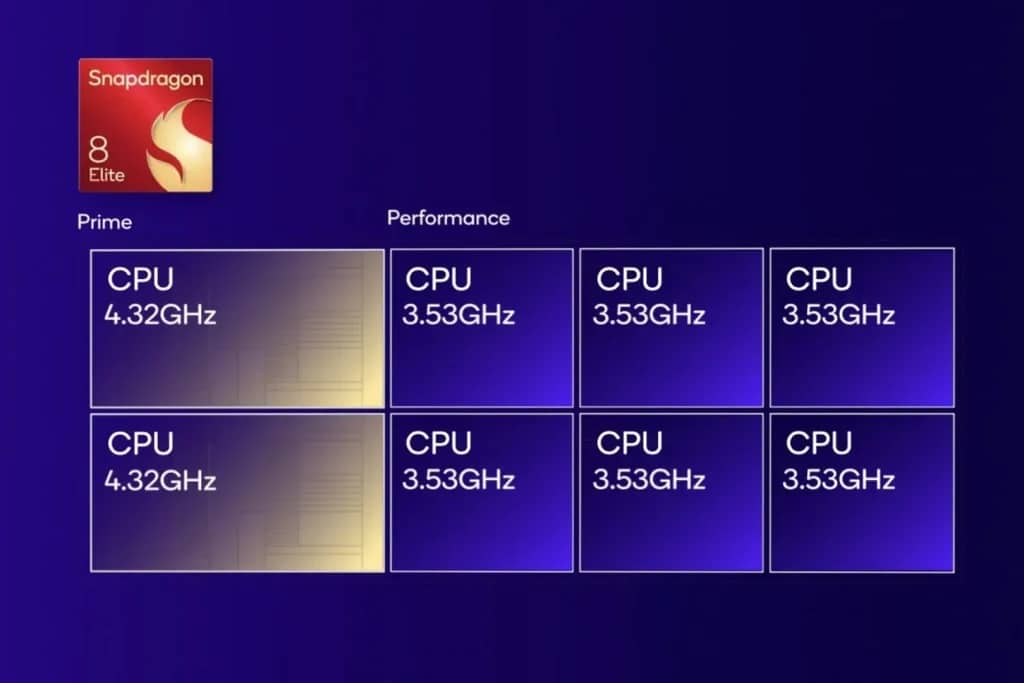
Android devices have become versatile enough to support various applications, including torrenting apps. The apps work almost the same as their desktop torrent counterparts, albeit designed to run on Android architecture.
The general concept is the same: You can download, share, and manage torrent files directly on your Android phone or tablet. The essential part to remember is that you are still connecting to multiple peers in a torrent network simultaneously.
a. The Caveat: Limitations
Now that we know things are mostly the same, here comes the mandatory “but.” Despite the convenience, Android devices (and mobile devices generally) are not optimized for resource-intensive tasks like torrenting.
Large downloads can consume significant storage space, drain battery life, and impact device performance. Moreover, torrenting on Android lacks advanced features like scripting, queuing, and detailed file management that desktop clients provide.
b. Technical Strain on Android Devices from Torrenting
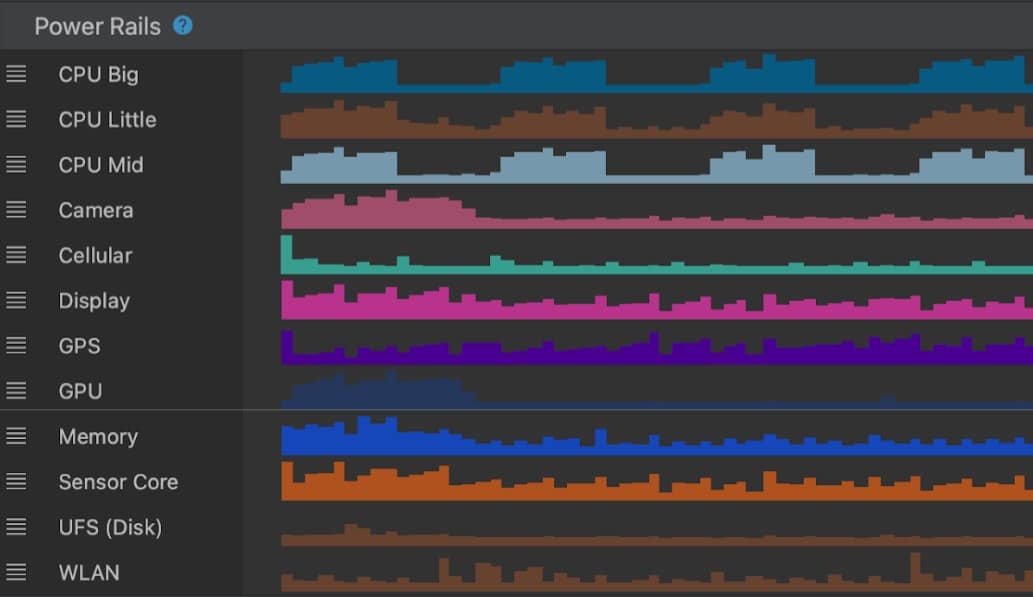
Unlike desktops or dedicated servers, Android devices have limited hardware capabilities, making them prone to technical strain during torrenting.
- Resource Usage: A typical torrenting app uses 20-30% CPU capacity during active downloading or uploading.
- Rapid Battery Drain: Tests have shown that torrenting on a mid-range Android device can consume 20-30% of the battery per hour.
- Thermal Throttling: High resource utilization causes Android devices to overheat. CPU performance drops once you exceed 45°C to 50°C.
2. Pros and Cons of Using Torrenting Apps for Android
To be clear, there’s a distinction between “can” and “should.” There are many torrenting apps for Android devices, some of which are pretty good. However, given the limitations, you should weigh the pros and cons before deciding if it’s right for you.
a. Pros
- Convenience: Download and share files from anywhere. You can start, pause, or manage torrents directly on your device.
- Simple Interfaces: Most Android torrenting apps make navigating, searching, and managing torrents even easier.
- Mobile-specific Features: Many Android torrenting apps let you utilize idle moments, like during commutes or downtime, to download content.
- Variety of Choice: Unlike Apple, Google is less restrictive about allowing torrenting apps onto the Play Store. That opens the market to more apps.
- Free: Like their desktop counterparts, many Android torrenting apps are free.
b. Cons
- Device Limitations: Torrenting is resource-intensive and can slow down your Android device, drain the battery, and cause overheating.
- Security Risks: Like desktop torrenting, doing so on your Android opens your file ecosystem to malware, spyware, and other security threats.
- Privacy Concerns: Without additional security tools, such as a VPN, your IP address is visible to other peers in the torrent network.
- Network Limitations: Torrenting can lead to throttled internet speeds as ISPs tend to monitor mobile traffic more closely.
- Data Limitations: While we’re getting more data for mobile, this isn’t always true. Large downloads can quickly blow your mobile data quota out of the water.
- Seeding Limitations: Unless you’re willing to torrent constantly on your phone, you’’ quickly kill your seeding ratio.
Ready for Faster, Safer Torrenting?
RapidSeedbox offers high-speed, secure torrenting without straining your device. Enjoy seamless file management and privacy with our top-tier seedbox solutions.
3. Examples of Torrenting Apps for Android
There are good options if you still prefer to torrent on Android. Several apps cater to different levels of expertise and use cases. Below are some of the most popular and reliable ones, each offering unique features to enhance the mobile torrenting experience.
a. uTorrent
uTorrent is one of the most widely used torrent clients globally and has a dedicated Android version. Known for its simplicity, this app is perfect for casual users who want to download torrents on the go without dealing with complex setups. Its lightweight design ensures it doesn’t overburden your device, making it a popular choice for many.
Key Features:
- Supports both torrent files and magnet links.
- File prioritization and selective downloads.
- Designed to be minimalistic and user-friendly.
b. LibreTorrent
LibreTorrent is an open-source torrenting app for Android that prioritizes privacy and transparency. Unlike some commercial torrent clients, it’s completely ad-free and offers a lightweight yet robust torrenting experience.
Key Features:
- Fully open-source with no ads.
- Customizable interface with support for night mode.
- Control download and upload speeds.
c. Flud
Flud stands out for its clean and modern design, offering more advanced features than most Android torrenting apps. It also supports proxy use. It’s ideal for users who want greater control over their downloads, including options for sequential downloading and file prioritization.
Key Features:
- Detailed control over downloads.
- WiFi-only mode helps conserve mobile data usage.
- Supports large torrent files without performance issues.
d. FrostWire
FrostWire combines a torrent client with a built-in search engine and media player, creating an all-in-one solution. It’s designed to simplify torrenting, allowing users to find, download, and preview files without switching between multiple apps. You can also combine it with a proxy for extra privacy.
Key Features:
- Integrated search engine.
- Preview and play media files directly from within the app.
- Support for torrent files and magnet links.
e. TorrDroid
TorrDroid is an excellent option for beginners and those who want a hassle-free torrenting experience. Its built-in torrent search functionality automates finding and downloading torrents, making it one of the most user-friendly apps.
Key Features:
- Integrated torrent search engine.
- Simplified interface.
- Manage downloads efficiently.
4. Improving Torrenting Performance on Android Devices
While torrenting on Android devices has challenges, there are ways to optimize performance and reduce strain.
a. Optimize Torrent App Settings
Adjusting your torrenting app’s settings can help improve performance and reduce resource usage.
- Limit Connections: Reduce the number of active torrents and connections per torrent. Try to keep connections under 100 peers per torrent.
- Set Bandwidth Limits: Restrict download and upload speeds to 50% of your maximum internet speed.
📶 Stop guessing your bandwidth requirements.
Use the Free Seedbox Bandwidth Calculator- Sequential Downloading: If your app supports it, use sequential downloading to prioritize files you want to access first.
b. Use External Storage
Torrenting large files can quickly fill up your device’s internal storage, leading to performance slowdowns.
- Get a microSD Card: If your Android device supports expandable storage, configure the torrenting app to save files directly to the microSD card.
- Regularly Transfer Files: Move completed downloads to a computer or cloud storage to free up space for new torrents.
c. Connect to Stable and Fast Networks
Torrenting requires a stable internet connection for efficient downloads.
- Avoid Mobile Data: Use a strong WiFi network to avoid exceeding mobile data caps and to achieve faster speeds.
- Avoid Public WiFi: Public networks are often slow and insecure, making them unsuitable for torrenting.
- Use a VPN: It protects your privacy and helps avoid ISP throttling.
d. Manage Battery Usage
Torrenting apps can drain your battery quickly, so managing power consumption is essential.
- Battery Saver Mode: Many Android devices offer built-in battery-saving features that limit background processes while torrenting.
- Charge While Torrenting: Connect your device to a charger during prolonged torrenting sessions. However, be cautious, as this can overheat your battery.
- App Refresh Intervals: If your torrenting app allows, reduce the frequency of peer refreshes to conserve energy.
e. Monitor Device Temperature
Torrenting can cause devices to overheat, reducing performance and potential hardware damage.
- Avoid Prolonged Sessions: Limit torrenting sessions to short bursts to prevent your device from overheating.
- Use Cooling Accessories: Consider using a cooling pad or fan attachment to dissipate heat during extended sessions.
- Monitoring Apps: Use a monitoring app that can alert you if your device’s temperature spikes too high or quickly.
5. Seedboxes: The Better Android Torrenting Alternative
Now that we know the pros and cons, are you prepared to have the battery in your shiny new $2,000 smartphone worn down to a stub? If you are concerned about the effects of torrenting apps for Android, a seedbox offers a robust and secure solution.
A seedbox is a remote server designed explicitly for torrenting. They provide unparalleled speed, privacy, and convenience. It is an ideal alternative for Android users who want to avoid the risks and inefficiencies of local torrenting.
a. Why Seedboxes are Perfect for Android Users
- High-Speed Torrenting: Seedboxes download torrents at fast speeds. Unlike Android devices, they have more network capacity in general.
- Enhanced Privacy: Your IP address is never exposed to the torrent swarm since the seedbox handles all connections.
- Better Security: Seedboxes often have built-in security features like encryption, ensuring your data stays safe.
- No Device Strain: Torrenting through a seedbox eliminates the resource burden on your Android device. You avoid issues like overheating and reduced battery life.
- Streaming Capabilities: Many seedboxes allow direct streaming of downloaded content to your Android device. You can watch or listen to media on the go.
- Easy File Management: Seedboxes offer intuitive web interfaces or mobile apps for managing torrents.
- Wide App Compatibility: Like desktops, seedboxes support most torrent clients and offer full functionality. That’s better than stripped-down Android versions.
6. Final Thoughts
Using torrenting apps for Android can be tempting due to its convenience and portability. However, being a bit old-school, I find the smaller display overly restrictive. In addition to the poor usability, I prefer to extend my Android phone’s life rather than kill it with torrents.
While apps like uTorrent and Flud provide basic torrenting functionality. For an emergency, they’re fine, but long-term use is undoubtedly out of the question for regular torrent users.
That’s why I highly recommend seedboxes. They’re even better than torrenting on your home PC since they offer better security, privacy, and flexibility. Seedboxes are an ideal solution with features like direct streaming and secure file transfers to Android devices.
Frustrated with Android Torrenting?
Say goodbye to performance issues and storage limits. RapidSeedbox offers unlimited possibilities with high-speed servers. Experience torrenting like never before.
Thank you. I had an old phone that I used for this purpose but found it is usually better to use a PC based solution. Either your own PC, or homelab thing or yes when that wasn’t available, a seedbox. Seedboxes are great, especially if you cant guarantee uptime/power for your own set up. Or if you want to store a load of media until you buy more hard drives, or that kind of thing.
What I also found was connecting prowlarr to the homelab or seedbox, then logging into that from my mobile, meant I could request and seek out the media I wanted without having to run the whole thing off my phone.
Totally agree Mark! 🙌 Running everything on a phone sounds cool at first, but a PC or homelab setup (or better yet, a seedbox) just makes life so much easier. I like your Prowlarr idea too—remote access from mobile without the heavy lifting on the device is the best of both worlds.
Cheers,
Diego