 By
By
If you’ve played around with social media data, you might have come across a tool called “snscrape.”
As someone who frequently uses various software tools, I’ve found snscrape to be a great tool for some tasks, especially when combined with a proxy.
So let’s break down what snscrape is, how it works, and why it can be a game-changer for your data collection workflows.
TL;DR:
- Snscrape is a Python tool for scraping social media without using an API.
- It works with Twitter/X, Facebook, Instagram, Reddit, and more.
- You can extract tweets, user profiles, hashtags, and save them to CSV.
- For large-scale scraping, use proxies to avoid blocks and rate limits.

Table of Contents
- What is Snscrape?
- How Does Snscrape Work?
- How to Use Snscrape
- What Data Can You Scrape from Twitter With Snscrape?
- Snscrape Use Cases
- How to Add a Proxy to Snscrape
- Why You Should Use a Proxy with Snscrape
- Alternatives to Snscrape
- Is Snscrape Legal?
- Frequently Asked Questions on Snscrape
- Final Words
1. What is Snscrape?
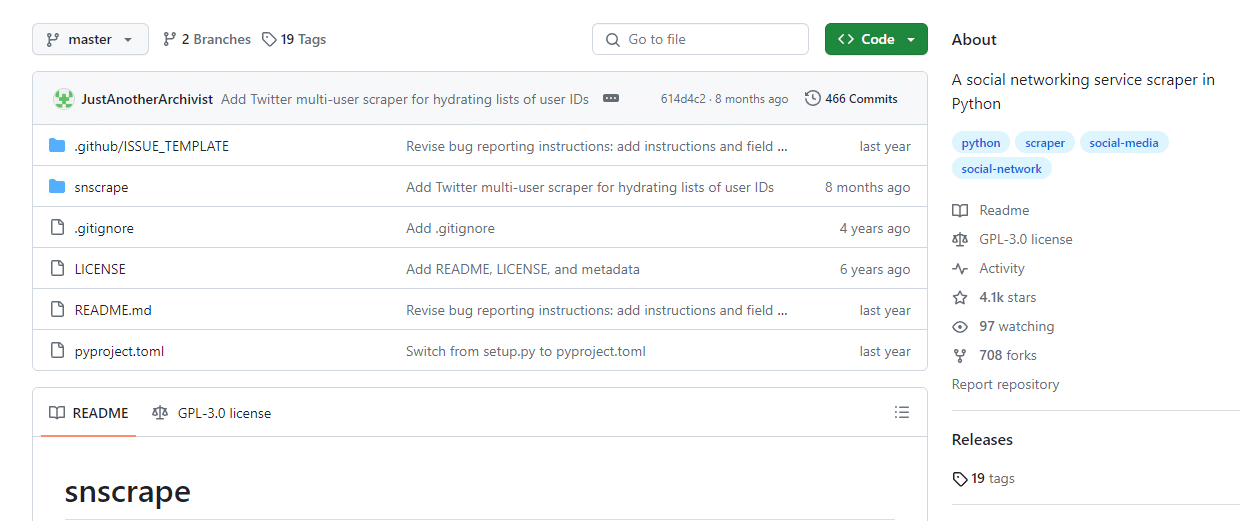
Snscrape is a Python library that allows you to scrape data from social media platforms like X (Twitter), Facebook, and Instagram.
Unlike many other scraping tools, snscrape doesn’t require an API key, which makes it usable by a wider range of users, including those who might not have the technical know-how to use APIs.
Snscrape Benefits
Snscrape comes with several pros that are worth noting:
- No API Key required: This is a significant advantage. Most social media platforms require an API key for data scraping, which can be a problem for many users. This is one of the reasons many people prefer Snscrape.
- Flexibility: You can tailor your search queries to be as broad or as specific as you need. This flexibility is crucial for research that requires nuanced data collection.
- Ease of use: For those familiar with Python, snscrape is user-friendly. Its straightforward commands and structure make it easy to integrate into your data collection workflow.
2. How Does Snscrape Work?
Using snscrape is relatively straightforward, especially if you have a basic understanding of Python.
The tool works by scraping social media websites for publicly available data. For example, you can use it to collect tweets containing specific keywords, hashtags, or from certain users.
Here’s a simple example:
If you want to scrape tweets containing the hashtag #technology, you would write a Python script using snscrape to search for this hashtag and then extract the relevant tweets.
Here is how Snscrape works:
- Snscrape: You run Snscrape on your computer to collect public posts from platforms like X (Twitter).
- Proxy: A proxy hides your IP and helps avoid blocks when scraping.
- Web: Snscrape sends requests to the website and loads public data, like tweets.
- Data: It then turns that data into a clean, readable format—like JSON or CSV—for you to use.

3. How to Use Snscrape
To get started, you’ll need a basic setup that includes Python installed on your computer. Then, you can install snscrape using pip, Python’s package installer. Once installed, you can begin writing scripts to scrape the data you need.
Here’s a simple guide to get you started with this powerful tool.
a. Installation
First, you need to install snscrape. Open your command prompt or terminal and type the following command:
bashCopy code
pip install snscrape
This command uses Python’s package manager, pip, to download and install the scraper.
b. Write a Basic Script
Once you install it, you can start writing a Python script to scrape data. Let’s say you want to collect tweets with a specific hashtag. Here’s a basic example:
import snscrape.modules.twitter as sntwitter # Define the number of tweets to scrape max_tweets = 100 # Using TwitterSearchScraper to scrape data and append tweets to list for i, tweet in enumerate(sntwitter.TwitterSearchScraper('#technology').get_items()): if i > max_tweets: break print(tweet.content)
This script will scrape the latest 100 tweets containing the hashtag #technology.
c. Run Your Script
Save your script as a .py file and run it using Python. The script will execute, and you should start seeing tweets printed out in your command prompt or terminal.
d. How to Customize Your Query
You can modify your search query easily. For example, if you want to scrape tweets from a specific user, you can change the query in the TwitterSearchScraper method:
sntwitter.TwitterSearchScraper('from:username')
Replace username with the Twitter handle of the user whose tweets you want to scrape.
e. Handling the Data
The data you scrape can be stored in various formats. For instance, you might want to save the tweets in a CSV file for easier analysis. You can modify your script to write the scraped data into a file:
import csv # ... [previous code] # Open/create a file to append data to csvFile = open('scraped_tweets.csv', 'a', newline='', encoding='utf8') # Use csv writer csvWriter = csv.writer(csvFile) csvWriter.writerow(['id', 'date', 'tweet']) for i, tweet in enumerate(sntwitter.TwitterSearchScraper('#technology').get_items()): if i > max_tweets: break csvWriter.writerow([tweet.id, tweet.date, tweet.content]) csvFile.close()
This script will save the tweet ID, date, and content into a CSV file named scraped_tweets.csv.
Get Consistent Results 📊
Tired of inconsistent responses from snscrape? Clean residential IPs reduce captchas and blocked requests.
Improve Scraping Stability4. What Data Can You Scrape from Twitter With Snscrape?
Snscrape can help you extract a wide range of data from X (Twitter). Here’s a breakdown of the various data points you can scrape with snscrape:
a. Tweets
The primary use of snscrape is to collect tweets. This includes:
- Tweet content: The actual text of the tweet.
- Tweet ID: A unique identifier for each tweet.
- Date and time: When the tweet was posted.
- URLs: Any links included in the tweet.
b. User Information
Snscrape allows you to gather information about Twitter users, such as:
- Username: The Twitter handle of the user.
- User ID: A unique identifier for each user.
- Profile description: The user’s bio or profile description.
- Location: The location provided by the user in their profile (if available).
c. Engagement Metrics
While snscrape doesn’t directly fetch engagement metrics like likes or retweets, you can still collect:
- Retweet count: The number of times a tweet has been retweeted (for some tweets).
- Reply count: The number of replies to a tweet (for some tweets).
d. Hashtags and Mentions
Snscrape can extract specific elements within tweets, including:
- Hashtags: Any hashtags used in the tweet.
- Mentions: Usernames of other X (Twitter) accounts mentioned in the tweet.
e. Media Content
If a tweet contains media, snscrape can help you identify:
- Media URLs: Links to images or videos attached to the tweet.
f. Advanced Search Queries
Snscrape is capable of handling advanced search queries, allowing you to scrape tweets based on:
- Keywords: Tweets containing specific words or phrases.
- Date Ranges: Tweets posted within a specified time frame.
- Geographical Location: Tweets from a specific geographic location (if location data is available).
Each tweet would include fields like:
id: Unique tweet IDdate: When the tweet was postedcontent: Full tweet textuser.username: Who posted itretweetCount,likeCount, etc.
g. Thread and Conversation Data
You can also use snscrape to follow conversation threads, extracting:
- Conversational tweets: Replies and quoted tweets, allowing you to track conversations.
5. Snscrape Use Cases: From Simple to Advanced
Snscrape has a wide range of applications. Here’s how people are putting it to work—from everyday scraping to more advanced, automated setups.
a. Everyday Snscrape Use Cases
The following are the most common ways users take advantage of snscrape for one-off tasks or small-scale projects:
- Market research: Scrape mentions of products, brands, or trends to understand how people talk about them in real time.
- Academic research: Collect datasets for studies on political discourse, online behavior, or public opinion.
You don’t need a massive setup—just a Python script and a clear search query.
b. Automating Scrapes with Cronjobs
If you want to collect data continuously—daily, hourly, or weekly—you can schedule your snscrape script using cronjobs (Linux/macOS) or Windows Task Scheduler.
This is ideal for capturing daily or hourly mentions or for building time-series data for trends or sentiment.
| Pro tip: Make sure your script rotates filenames and handles rate limits if you want to avoid data overwrites or server blocks. |
c. Geo-Targeted Scraping for Local Insights
Need location-based data? Snscrape supports geographic filters using "near:" and "within:" in your query.
Example:
|
1 |
flood near:"New Orleans" within:15km |
Use this for things like: regional disaster response monitoring or city-specific brand sentiment or mentions.
You can even combine this with since: and until: for date-specific data.
d. Thread Tracking & Data Science Pipelines
For more complex analysis, snscrape is frequently used to:
- Scrape entire conversation threads (including replies and quotes)
- Build labeled datasets for NLP, topic modeling, or machine learning
- Streamline tweet extraction into a pandas DataFrame for preprocessing
Example:
|
1 |
df = pd.DataFrame([tweet.content for tweet in tweets], columns=['text']) |
From sentiment classification to clustering conversations by theme, Snscrape is a favorite in the data science and research community.
6. How to Add a Proxy to Snscrape
Adding a proxy to snscrape can improve your scraping capabilities tenfold. It provides anonymity and bypasses rate limits as well as geo-blocked content.
Here’s a step-by-step guide on how to integrate a proxy with snscrape:
a. Choose a Proxy Service
Select a reliable proxy service. There are various types of proxies available, including free and paid services. The latter generally offer better reliability and speed. I suggest the following proxy types to use along Snscrap.
b. Get Your Proxy Information
Once you have chosen a proxy service, gather the necessary information: the proxy server address, port number, and, if applicable, the username and password.
| 🚨 Heads-up: Snscrape doesn’t natively support session injection, so proxy use is indirect via your request session object. |
c. Configure Your Python Script
Next, you’ll need to modify your Python script to route snscrape requests through the proxy.
Here’s an example of how to do this:
import snscrape.modules.twitter as sntwitter import requests # Proxy configuration proxies = { 'http': 'http://username:password@proxyserver:port', 'https': 'https://username:password@proxyserver:port', } # Create a session and configure it to use the proxy session = requests.Session() session.proxies.update(proxies) # Use snscrape with the session for tweet in sntwitter.TwitterSearchScraper('keyword', session=session).get_items(): print(tweet.content)
Replace username, password, proxyserver, and port with your proxy details. The keyword should be replaced with your search term.
7. Why You Should Use a Proxy with Snscrape
- Bypass rate limits: Proxies can help avoid hitting X (Twitter)’s rate limits by distributing requests across different IP addresses.
- Avoid IP bans: Regular scraping from the same IP can lead to bans. Proxies mitigate this risk by rotating your IP address.
- Access geographically restricted content: Proxies can provide IP addresses from different locations, allowing access to region-specific content.
- Anonymity and privacy: Using a proxy hides your real IP address, enhancing your privacy and reducing the risk of being tracked.
- Improved performance: Proxies can lead to faster data retrieval and reduce server overload risks by distributing the load.
8. Alternatives to Snscrape
While snscrape is a robust tool for social media data scraping, there are situations where you might need an alternative (best web scraping tools). Whether it’s due to different feature requirements, platform support, or ease of use, checking other tools might be helpful. Here are some notable alternatives to snscrape:
| Tool | Best For | API-Free? | Coding Needed? |
| Snscrape | Twitter/X scraping | ✅ | ✅ |
| Twint | Large Twitter datasets | ✅ | ✅ |
| Scrapy | General website scraping | ❌ | ✅ |
| Octoparse | GUI-based scraping (no coding) | ✅ | ❌ |
| ParseHub | Complex pages (JS/AJAX heavy) | ✅ | ❌ |
a. Twint
Twint is another popular Python library for scraping Twitter data. It’s known for its ability to scrape a large number of tweets without needing Twitter’s API or any authentication. Twint can fetch a variety of information, including tweets, followers, likes, and more. It’s particularly useful for those who need to gather large datasets from Twitter.
b. Scrapy
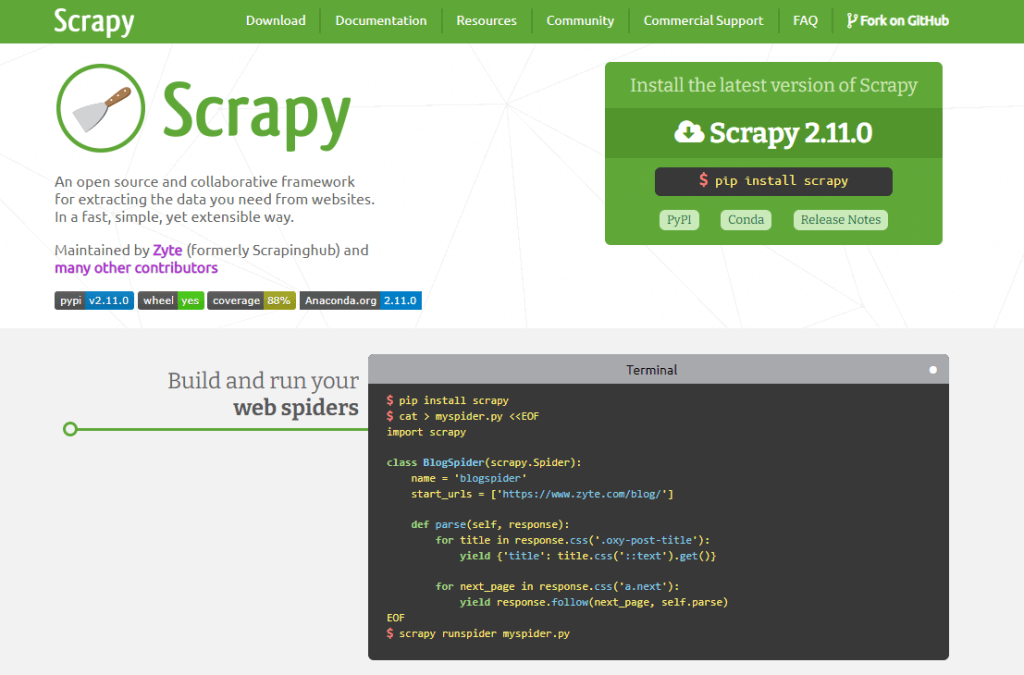
Scrapy is a more general web scraping framework in Python. While it’s not specifically designed for social media, it’s incredibly powerful for extracting data from any website. Scrapy is suitable for complex scraping tasks, and it offers extensive customization and control over your scraping jobs. It’s ideal for users who have more advanced programming skills and need to scrape data from a variety of sources.
c. BeautifulSoup
BeautifulSoup is a Python library for parsing HTML and XML documents. It’s often used in combination with a request library to scrape data from web pages. While it requires more setup compared to snscrape, BeautifulSoup offers great flexibility and is powerful in extracting data from web pages that are not necessarily social media platforms.
d. Octoparse

Octoparse is a user-friendly, point-and-click data extraction tool that doesn’t require any coding skills. It’s suitable for non-programmers or those who prefer a graphical interface for scraping tasks. Octoparse can handle both simple and complex data extraction from various types of web pages, including social media sites.
e. Data Miner
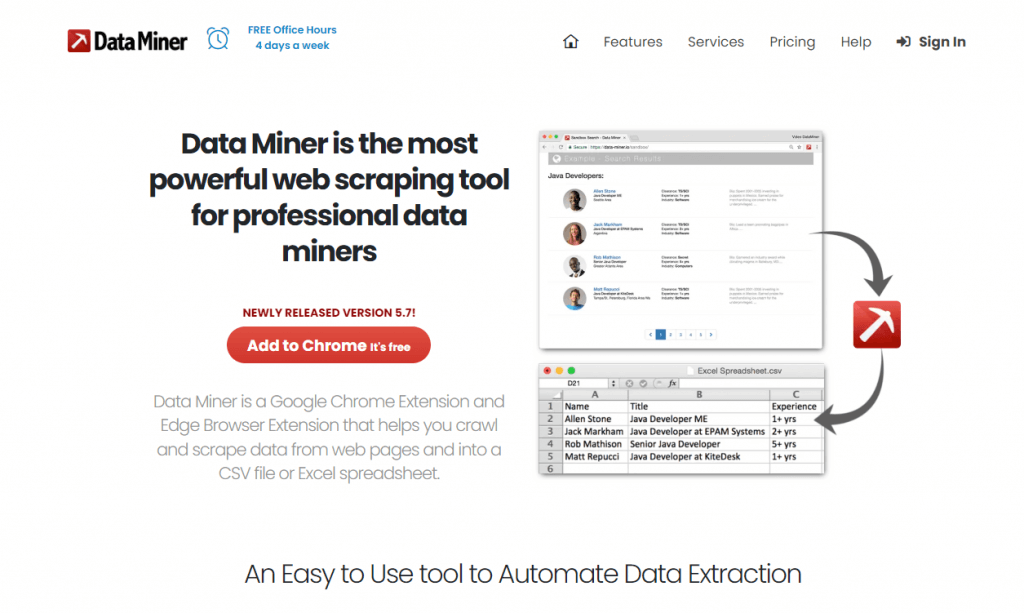
Data Miner is a Chrome and Edge browser extension that allows you to scrape data from web pages and into a variety of file formats, including Excel and Google Sheets. It’s very user-friendly and suitable for those who need to scrape data quickly without writing any code.
f. ParseHub
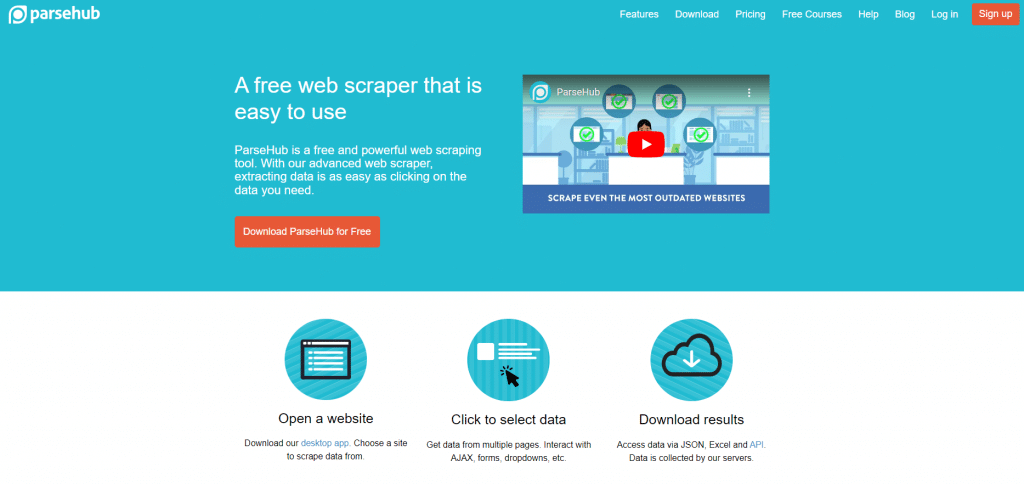
ParseHub is a visual data extraction tool that is equipped with machine learning technology to identify, extract, and transform data from web pages. Check our ParseHub review. It’s a powerful tool for scraping complex websites and can handle websites with JavaScript and AJAX.
9. Is Snscrape legal?
Yes—snscrape scrapes only publicly visible data, like tweets, usernames, hashtags, and timestamps. It does not access private messages or login-protected content.
That said, legality isn’t always black and white. While scraping public data is generally legal, platforms like Twitter/X and Instagram have terms of service that may prohibit automated access.
🛡️ How to use snscrape responsibly:
- Don’t scrape behind paywalls or logins
- Respect rate limits and site integrity
- Always check the platform’s latest policies
Learn more in: Is web scraping legal?
10. Frequently Asked Questions on Snscrape
Snscrape is a Python-based tool for scraping public data from platforms like Twitter (now X), Instagram, Facebook, and Reddit. It’s commonly used to collect tweets, track hashtags, monitor user activity, or build datasets for research and data analysis—all without needing an API key.
Snscrape is better for casual or flexible scraping of public Twitter data because it doesn’t require an API key and has fewer setup steps or rate limits. However, it lacks the full access and structured endpoints offered by the official Twitter API. So, this makes the API more suitable for enterprise or large-scale use cases.
Snscrape has limited support for Instagram and Facebook. Scraping these platforms is less reliable due to frequent layout changes and anti-bot measures. Snscrape works best with Twitter and Reddit, while Facebook and Instagram scraping may break more often and require additional tools like proxies.
Yes, you can get blocked if you scrape too aggressively or send too many requests in a short time. To avoid this, we strongly recommend you to implement request delays or use proxy services to rotate IPs and bypass rate limits. All while maintaining access to public data.
11. Final Words
Snscrape is a great tool for social media data extraction. With basic Python skills, you can customize your data scraping to suit a wide range of needs.
Just make sure you use snscrape properly and ethically to avoid any issues.
Run Snscrape at Scale 🚀
Large datasets mean more requests. Avoid interruptions or IP blocks by spreading traffic with rotating residential proxies.
Scrape Without Limits English
  Français
  Español
  Tiếng Việt
  简体中文
简体中文  Русский
  Türkçe
  Bahasa Indonesia
  日本語
日本語  العربية
  Português
  Українська
0Comments