 By
By
We’ve all hit that wall – slow downloads and messy torrent setups. But it doesn’t have to be that way. A dedicated seedbox solves that problem. It gives you fast, private, hassle-free torrenting with zero setup headaches.
In this guide, I’ll break down what a dedicated seedbox is, who it’s for, how it stacks up to other options, and which providers are actually worth your time.
Ready to make torrenting smooth again?
Let’s jump in.

Table of Contents
- Introduction to Dedicated Seedboxes
- Dedicated Seedbox vs. Dedicated Server
- Top Dedicated Seedbox Providers
- Pros and Cons of Dedicated Seedboxes
- FAQs: Dedicated Seedboxes
- Conclusion: Is a Dedicated Seedbox Right for You?
1. Introduction to Dedicated Seedboxes
So, what is a dedicated seedbox? Simple:
A dedicated seedbox is a private server (physical or virtual) built just for torrenting (and built just for you). It’s pre-configured. It often comes with apps ready to go, and is optimized for fast downloads, private tracker ratios, and secure file transfers.
The best part? It’s plug-and-play. The dedicated seedbox provider handles the setup and maintenance, so you don’t need deep tech skills. It may share some resources depending on the plan, but it is generally fast, private, and easy to use.
Here’s what that means in real life:
- All Yours, No Sharing: You get 100% of the CPU, RAM, IP, and in some cases, bandwidth. That means no slowdowns and no competing for resources. You get a smooth performance.
- Private by Design: Since you’re the only user, your activity stays isolated. If there are no noisy neighbors or no accidental leaks, there is way less chance of getting tracked.
- Full Control: With root or admin access, you can run your setup your way. So, that means you can install what you want and automate what you need.
So, if you’re into automation, private and fast torrenting, or running your own streaming setup (Plex fans, this is for you), a dedicated seedbox is definitely a solid pick.
How does a Dedicated Seedbox work?
The diagram below shows how a dedicated seedbox works. In a nutshell, your home device connects to a remote server (the dedicated seedbox), which handles all torrenting and streaming securely. This setup keeps your activity private and off your local network.

Who Actually Needs a Dedicated Seedbox?
Not everyone needs a dedicated seedbox, but if any of the above benefits sound like you, it might be time to consider it.
- Power Users: If you’re constantly downloading and uploading. Also, if you are juggling multiple tools at once and speed and reliability are key. A dedicated setup steers away from crashes and delays.
- Private Tracker Members: On private torrent sites, maintaining a good ratio isn’t just nice—it’s required. A dedicated seedbox helps you seed faster and longer, without dragging down your home internet.
- Media Streamers: Running Plex, Jellyfin, or Emby? With a dedicated seedbox, you get faster downloads and smoother streaming. That means zero buffering and better library organization.
- Users Dealing With ISP Limits: Some internet providers throttle P2P traffic or cap your bandwidth. A seedbox gets around that. It gives you a dedicated IP outside your ISP network. And since it handles the heavy lifting remotely, your home connection stays fast and under the radar.
| 🎬 I’ve personally used my dedicated seedbox to automate media downloads and stream across devices. I have my own private entertainment hub that never lags or complains. |
2. Dedicated Seedbox vs. Dedicated Server.
By now, if you went through the previous sections of this blog post, you know what a dedicated seedbox is… A dedicated seedbox is a ready-to-use server built for fast, private torrenting. A dedicated server, on the other hand, is like a blank canvas. It is all yours— that means one physical machine and no sharing. You get full control to install any OS or tools you need. A dedicated server is great for hosting websites, running custom apps, testing, or, of course, building your own seedbox setup.
But here’s the catch: with dedicated servers, you’ve got to know what you’re doing. Setup, security, updates—everything’s on you. While it costs more, a dedicated server should deliver top-tier performance, stability, and security. It’s perfect if you’ve got the tech chops and need serious flexibility.
🔍 Quick Comparison
| Feature | Dedicated Server | Dedicated Seedbox |
| Purpose | Custom hosting + apps | Fast, secure torrenting |
| User Control | Full root access | Limited to torrent tools |
| Management | DIY (you run it) | Provider-managed |
| Skill Needed | High | Low to moderate |
| Performance | Consistent. No resource sharing | High-speed. May share resources |
| Cost | Higher | More affordable |
✅ Which One’s Right for You?
Go with a dedicated server if you want full control and plan to do more than just torrenting. And of course, also consider you’ll also need server management experience. A Dedicated Seedbox, on the other hand, is better if your focus is mainly torrenting. It is also ideal if you prefer a hassle-free setup and you’re after speed without costly price tags.
| 🧠Note: Many folks confuse a “dedicated seedbox” with a “dedicated server.” What I mean by dedicated is the full seedbox experience—powerful, pre-configured boxes with premium resources, isolated storage, a dedicated IP, and full-featured apps ready out of the box. While most dedicated seedboxes run on high-speed shared networks, premium plans are built for consistently fast speeds, solid uptime, and full control through clients like ruTorrent or Deluge. |
3. Top Dedicated Seedbox Providers
Before going through our list of top dedicated seedbox providers, let’s see what you should look for in a good dedicated seedbox. Remember! Not all seedboxes are built the same. Here’s what I always check before picking one:
- Storage: I usually go for at least 4 TB. HDD is fine, but NVMe is way faster if you’re working with large files.
- Bandwidth: Go unmetered if you can. Otherwise, make sure it’s 100TB or more.
📶 Stop guessing your bandwidth requirements.
Use the Free Seedbox Bandwidth Calculator- Network Speed: Speeds from 1 Gbps to 10 Gbps are standard. I aim for 10 Gbps if the price is right.
- Admin Access: Make sure you get root or sudo rights. That’s how you get full control.
- App Support: It should run your core apps: qBittorrent, Plex, Radarr, etc.
- Security: Features like OpenVPN, SSH access, and firewall tools matter. Especially if you care about keeping things private.
Now, let’s see the dedicated seedbox providers that made it into our list. If you need raw power and privacy, these dedicated server providers have you covered.
Here’s what stands out.
| Provider | Type | Root Access | Speed | Key Features | From |
| RapidSeedbox | Seedbox + Server | ✅ Yes | 1–10 Gbps | 100+ apps, full privacy tools | $38/mo |
| Seedhost.eu | Seedbox + Server | ✅ Server | 1–10 Gbps | Managed setup, or raw root access | €33/mo |
| PulsedMedia | Seedbox + Server | ✅ Yes | 1 Gbps | Huge storage, Plex-ready, RAID | €39.99/mo |
| Xirvik | Hybrid Seedbox/Server | ✅ Toggle | 100 Mbps–2 Gbps | Managed/root switch, Roku, Plex | $14.95/mo |
| SuperSeedbox | Seedbox + Server | ✅ Yes | 100 Mbps–1 Gbps | Subsonic, VNC desktop, OpenVPN | ~$30/mo |
Still Torrenting the Hard Way?
Skip the throttling, buffering, and setup headaches with a dedicated seedbox.
Try It Now →🥇 1. RapidSeedbox – Best All-Around Package
RapidSeedbox gives you fast, private seedboxes and dedicated servers—all set up and ready to go. Based in Europe, they focus on privacy and automation. You’ll get a dedicated IP, root access, and apps like Plex, Sonarr, and OpenVPN right out of the box. Setup is instant and easy. You don’t need advanced tech skills. RapidSeedbox is ideal if you’re just starting out or you’ve been doing this for years

- Type: Dedicated Seedbox (Managed), Dedicated Servers
- Location: France & Netherlands
- Speed: 1–10 Gbps (shared port)
- Storage: From 4 TB – Starting at $38/month
- IPs: Up to 256 (owned)
- Features: 100+ pre-installed apps (Plex, Sonarr, OpenVPN, etc.), full root/SSH access
- Experience: Instant setup, clean UI, powerful automation support, fast support team
➡ Dedicated Seedboxes | Dedicated Servers
2. Seedhost.eu – Reliable & Professional
Seedhost.eu is one of the oldest seedbox providers. They offer both managed dedicated seedboxes and bare-metal dedicated servers. Based in the Netherlands, they deliver fast, stable performance with options for both hands-off users and sysadmins who want to configure everything from scratch.

- Type: Dedicated Seedbox (Managed) & Dedicated Server (Unmanaged)
- Location: Netherlands
- Speed: 1–10 Gbps (shared port)
- Storage: 8–64 TB
- Features: Pre-installed torrent stack (ruTorrent), optional Plex, OpenVPN, SSH
- Pricing: From €33/month
- Experience: Stable, hands-off seedbox with optional raw server access. Great for users who want Seedhost to manage the box, or for sysadmins who want full control via dedicated servers.
Seedhost.eu Review: My Honest Take (+ Alternatives)
3. PulsedMedia – Value Leader for Power Users
PulsedMedia is a well-known seedbox provider out of Finland, best known for offering tons of storage and root access, without the big price tag. Their “Dedicated Service Seedbox” plans mix powerful dedicated hardware with a solid, pre-loaded software stack. If you’re into heavy torrenting, streaming your media, or setting up custom automations, PulseMedia is a strong pick.
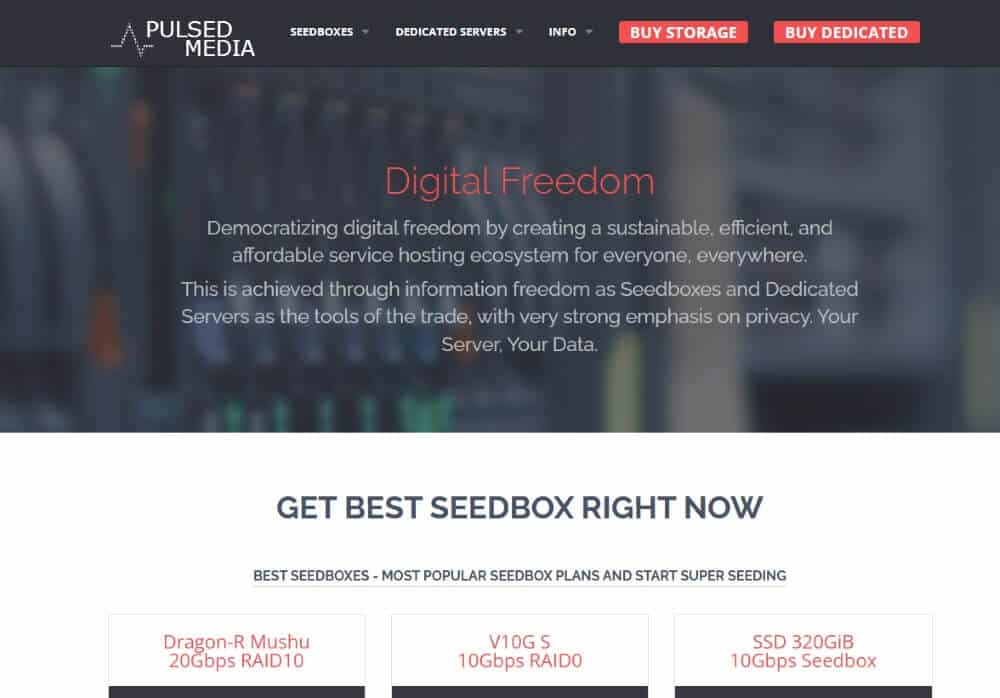
- Type: Dedicated Seedboxes (Managed with Root) & Dedicated Servers
- Location: Finland
- Speed: 1 Gbps (up to 100 TB traffic/month)
- Storage: Up to 4 TB – From €6.99/month
- Features: Full root, RAID configs, Plex/QuickSync support, Desktop client, SSH
- Experience: High storage per dollar, root access by default, excellent for advanced users, automation fans, and budget-conscious Plex setups.
Pulsed Media Review (Alternatives).
4. Xirvik – Ultimate Flexibility
Xirvik gives you the best of both worlds: a hybrid dedicated seedbox that lets you switch between a simple managed UI and full root server mode whenever you’re ready. They’ve got data centers in France, the US, and Canada, so performance stays solid no matter where you are. It’s a great pick if you want something easy to start with, but powerful enough to grow into.

- Type: Dedicated Seedbox (Root or Managed), Dedicated Server
- Locations: US, Canada, France, Netherlands
- Speed: 100 Mbps to 2 Gbps
- Storage: From 500 GB to 24 TB
- Pricing: From $14.95/month
- Features: ruTorrent, Deluge, Plex, Roku streaming, toggle between root and seedbox UI
- Experience: Unique hybrid model—switch between full server control or pre-configured seedbox mode. Great for evolving needs or long-term flexibility.
Xirvik Servers Review and Alternatives.
5. SuperSeedbox – User-Friendly Media Hub
SuperSeedbox blends torrenting and media streaming into one neat package. With built-in support for Subsonic, VNC, and OpenVPN, and also remote desktop access, SuperSeedbox is perfect if you want to seed and stream without getting into the weeds. For power users, there are also dedicated servers and full root access when you need more muscle.

- Type: Dedicated Seedbox (Managed + Root) & Dedicated Server
- Locations: US & EU
- Speed: 100 Mbps to 1 Gbps
- Storage: 1–12 TB
- Pricing: Dedicated seedboxes from ~$30, servers from ~$70/month
- Features: ruTorrent, Subsonic streaming, VNC desktop access, OpenVPN
- Experience: Ideal for casual users who want torrenting, plus streaming and media access. Easy to set up, and versatile for those who want a desktop-like remote control.
Learn more about SuperSeedbox plans here
Final Verdict:
If you’re after the best mix of speed, privacy, ease, and app support, I’d go with RapidSeedbox. It’s fast, fully managed, and works for both beginners and power users. But if you need raw storage and great value, I would recommend PulsedMedia, which gives you tons of space for your money, plus root access. Xirvik’s is great if you want hybrid control. And last, but not least, Seedhost.eu and SuperSeedbox, which are solid picks too, especially if you want reliable, region-specific options. In the end, it all comes down to how hands-on you want to be.
4. Pros and Cons of Dedicated Seedboxes
Thinking about a dedicated seedbox? They’re powerful, but not always necessary.
Let’s break down the pros and cons so you can decide what fits.
👍 The Pros: Why People Love Them
- Consistent Speed All the Time: Because resources are prioritized and dedicated, performance stays strong, even during peak hours. Most providers offer 1 to 10 Gbps, which easily handles large downloads and seeding.
- Better Privacy and Less ISP Hassle: Dedicated boxes use their own dedicated IPs, which helps keep your activity private. Many also include VPN access, adding a second layer of protection. It’s a solid option if you want to stay off your ISP’s radar.
- Always Available, Even When You’re Not: These servers run 24/7. That means you can seed or download while your laptop’s off. For users on private trackers, this can make a big difference in keeping ratios healthy.
- Full Control Over Everything: Most plans give you root or SSH access. So if you want to install apps, tweak settings, or run your own scripts, with a dedicated seedbox, you can. It’s great for power users who like to customize.
- Built-In Streaming (No Transfers Needed): You can stream directly from your seedbox using Plex, Emby, or Jellyfin. No need to move files to your local setup—just play them on your TV or phone.
- Keeps Your Home Connection Free: All the heavy lifting happens on the server. Your local devices stay fast and quiet, even if you’re seeding a dozen torrents at once.
👎 The Downsides: What to Consider
- It’s Not Cheap: Most plans start around $70-$80 per month. And if you want more bandwidth or storage, prices climb quickly. Consider it like an investment and not a casual expense.
- You’ll Need Some Tech Skills: Setup isn’t always beginner-friendly. You might need to use SSH or install software manually. If that’s new to you, expect a bit of a learning curve.
- Not Ideal for Light Use: If you only torrent once in a while, a dedicated box is probably more than you need. A shared or VPS seedbox can offer plenty for less.
- It’s Still on You to Stay Legal: Seedboxes improve privacy, but they don’t make illegal downloads risk-free. Know your local laws, and use the tool responsibly. Learn whether Seedboxes are legal.
Bottom line?
If you need serious speed and full control, a dedicated seedbox delivers. But if your needs are light, you might be better off with something simpler and cost-efficient.
5. FAQs: Dedicated Seedboxes
It’s your own private server built for downloading and uploading files, mainly via BitTorrent. You don’t share resources (such as memory, CPU, IP, of course, storage, and sometimes network), so it’s faster, more private, and fully customizable.
Yes. All torrenting happens on the remote server, not your home internet. Your personal IP stays hidden, and with tools like OpenVPN or SSH, it’s one of the safest ways to torrent.
Depends. A VPN adds a layer of protection, but only if you are web browsing or trying to unblock geo-restrictions. A seedbox is really all you need for torrenting. But some people use a VPN when they’re accessing the seedbox remotely or downloading files to their own devices (although this might be considered overkill by most advanced users).
Absolutely, and that is the idea. With root or admin access, you can install qBittorrent, Plex, Radarr, Sonarr, or whatever fits your setup.
VPS is cheaper, but you share power with others. A dedicated seedbox, on the other hand, gives you full control and stable speed, which matters if you’re automating or streaming.
Most providers offer secure FTP, SFTP, or web interfaces. You can also stream directly using apps like Plex or Jellyfin.
Look for privacy-friendly countries (like the Netherlands or Switzerland), strong peering connections, and physical closeness for faster transfers.
Basic plans start around $10/month. Higher-end options with more storage and speed can go up to $50 or more. Most solid setups sit in the $20–$35 range. Dedicated seedboxes will cost more, usually ranging between $70 – $100/month (or more.)
You’re still fine. Since, with the dedicated seedbox the activity happens on a remote server, your home internet isn’t involved in any way. We would just recommend you to stay informed about your local laws.
Yes—and it’s one of the best perks. Set up Plex or Jellyfin, and you can stream your media collection anywhere, without buffering or slowdowns.
6. Final Words: Is a Dedicated Seedbox Right for You?
If you’re just downloading an occasional movie, this might be overkill. But if you:
- Run Plex or stream your own media
- Use private trackers and need solid upload/download ratios
- Automate downloads or organize a big media library
- Want speed, privacy, and control
…then yes, a dedicated seedbox is totally worth it.
It’s not the cheapest option out there, and you’ll need a bit of tech know-how. But once it’s set up, it feels like having your own private data center.
Take some time to compare providers, think about your needs, and don’t be afraid to experiment a bit. I’ve done the trial-and-error part—and honestly, the payoff has been more than worth it.
0Comments