 By
By
Writing this Xirvik Servers review has been on my mind ever since I needed a remote way to handle torrents. I wanted to keep big downloads off my home network. I saw Xirvik mentioned often in seedbox discussions, so I tried it.
I’ll talk about my experience, what I learned, and whether I think Xirvik is worth it for people who want an easy way to do offsite torrenting. I’ll also go over its main features, talk about the prices, compare a few options, and answer some of the most important questions. By the time you’re done reading, you should have a pretty good idea of whether it’s the right seedbox provider for you.
Table of Contents
1. What Is Xirvik Servers?
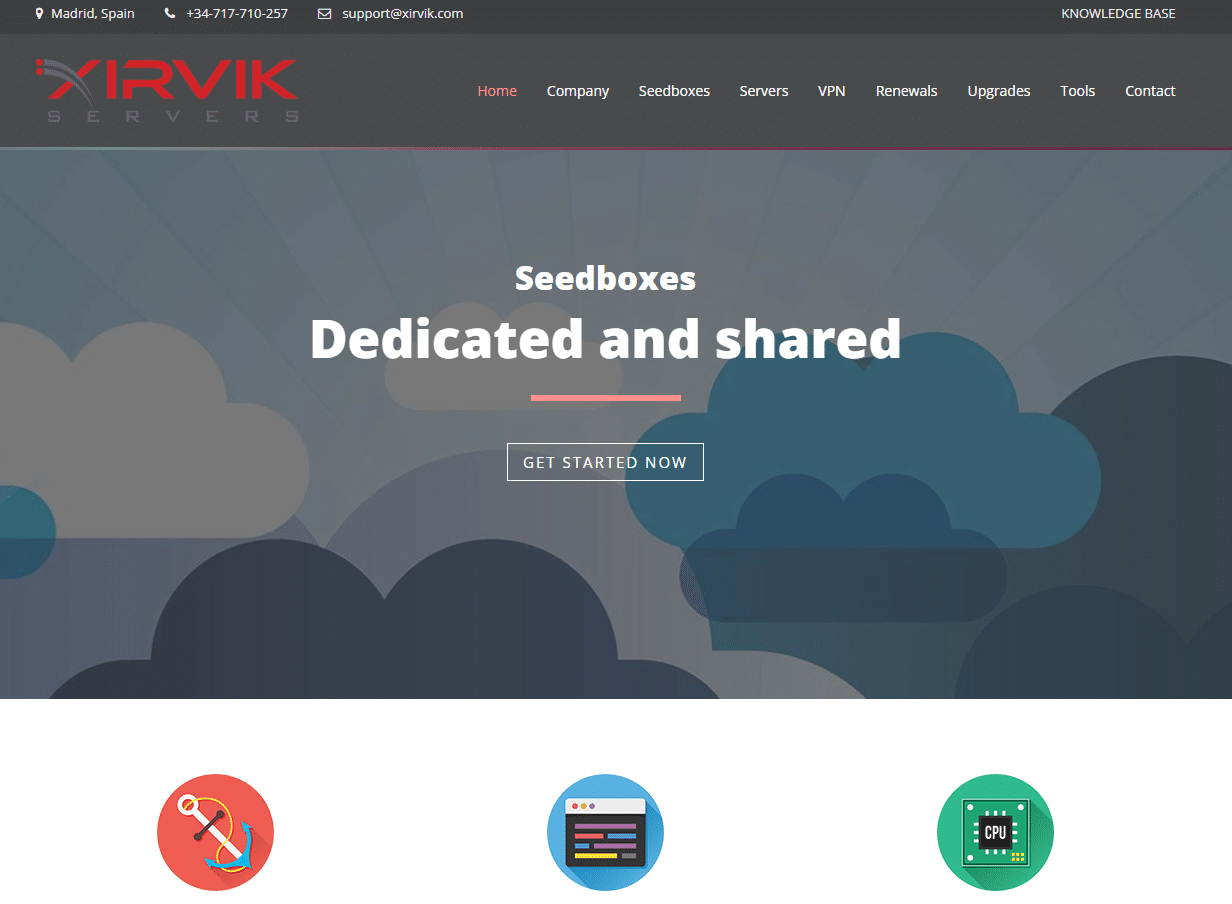
Xirvik Servers is a company that rents out seedboxes. When you get a seedbox, you’re basically getting a server in a data center somewhere in the world. You can log in through a web interface and control everything from a simple dashboard. That includes downloading torrent files, seeding them, and even setting up streaming or media management if the plan supports it.
I’ve been using remote hosting services for a while, and one key reason is privacy. When you use a seedbox all your torrent traffic stays on their server instead of going through your home network. That meant I didn’t tie up my local bandwidth as much, and my personal IP address wasn’t exposed to the torrent swarm.
💡 Looking for a simpler, faster seedbox than Xirvik? — Try 4-Months Free on a Premium Seedbox Today
2. Features
Speed and Performance
When I signed up for Xirvik, I looked at their range of servers. They have several plans with different speed caps, from lower-cost options to ones with more bandwidth.
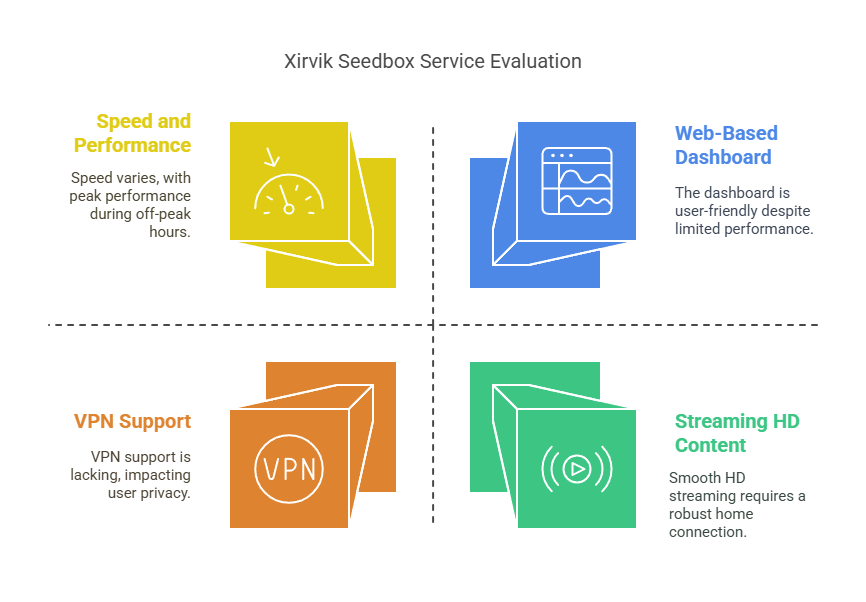
I went with a mid-range plan that gave me a decent amount of disk space and a shared gigabit connection. During off-peak times, my transfers often hit 30 MB/s, which is fine, but not exactly top-notch for big files. During busier hours, I noticed speeds would dip to around 15 or 20 MB/s. That’s definitely not the fastest out there.
I also used an FTP client to move files back to my local machine. Sometimes, the speed from the seedbox to my home wasn’t as high as I hoped. Part of that might be my own ISP’s limits, though. If you have a faster home connection, you might get better results.
One thing I liked is that the Xirvik dashboard showed me real-time stats for my bandwidth usage. That gave me a sense of how well the server was handling big torrents. The user interface was mostly stable, so I didn’t get many timeouts or crashes.
Web-Based Dashboard
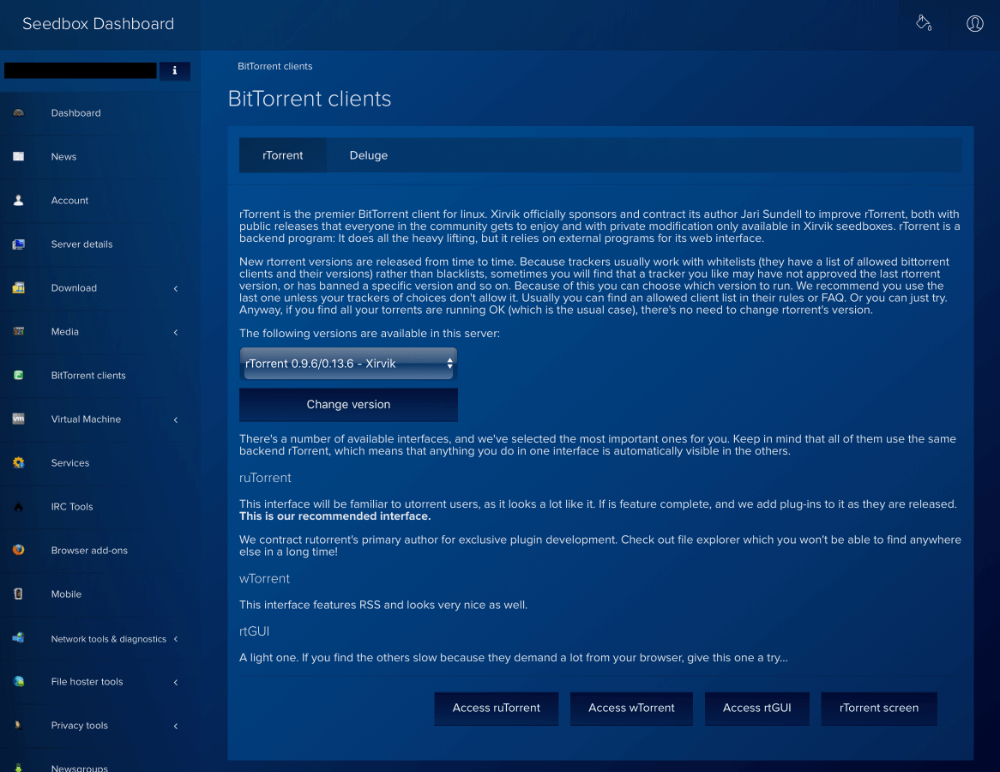
The main dashboard is where you can check your disk usage, see your active torrents, or adjust settings. It’s organized into sections that let you jump straight to what matters. For instance, there’s an area for your torrent client logs so you can see if something is stuck. There’s also a place to add your own configuration files, which is nice if you want to tweak advanced options.
When I first logged in, I was glad the dashboard gave me a quick intro to the different tools available, like rTorrent and Deluge, among others. All I had to do was pick the client I preferred from a dropdown. There was also an option to install extra software, though not all plans allowed every app. If you’re new to seedboxes, it might take a bit of poking around to understand each tab.
Range of Torrent Clients
Xirvik has a bunch of torrent clients you can install in a few clicks. I tried out rTorrent and Deluge, and I like Deluge because it’s simple, but I know a lot of people like rTorrent better because it’s more flexible with certain advanced features.
Each client has its own web interface, so once you pick one, you log in through the link in your dashboard. For the most part, I found they behaved like the desktop versions of these clients. You can drop in magnet links or upload .torrent files, set bandwidth limits, or schedule when you want seeding to happen.
I didn’t run into any big problems, but I did have a weird glitch with rTorrent once where it wouldn’t start. I tried restarting from the Xirvik dashboard, and it came back to normal. If you like switching around to find the best client, the service makes it easy to do that.
VPN Support
Privacy was my top concern, so I was disappointed to see that Xirvik doesn’t have a VPN add-on. A VPN means you can tunnel your traffic to hide it from your ISP at home. Even though seedboxes already hide your home IP when torrenting, some people want an extra layer of security on top of that.
They do, however, have a standalone VPN service that will set you back $7.79/month. On top of that, there are no discounts even if you purchase for a year or more.
Direct Streaming
Some of their plans let you stream content. That means you can log into a media manager or Plex to watch files from the seedbox without downloading them locally. I tried it on a few standard-definition files and it worked smoothly.
However, bigger HD files stuttered if my home connection wasn’t strong at that moment. Xirvik’s servers seemed to handle the streaming side fine, but the final speed depends on your ISP.
I liked that I could queue up a show and watch it on the fly. But if you’re going with the lower-tier plan, you might not get enough resources for smooth streaming. Plus, if multiple people try to stream at once, that can eat up a lot of bandwidth. This feature was fun to try, but it might not be the main reason to get a seedbox unless you have a robust connection at home.
Storage and Disk Management
One of the big concerns with any seedbox is how they handle storage. If you run out of space, your downloads can stall, or your torrent client might crash. The Xirvik plan I picked offered me a set amount of disk space, and I could monitor it from a control panel widget.
If you’re always downloading large files, it might be worth switching to a bigger plan from the start. And if you find that you need more space, you can always upgrade or switch plans. I found that deleting old files from the interface was pretty straightforward – I didn’t have to log in with SSH or do anything complicated.
Customer Support
I had to interact with Xirvik support once or twice. I got in touch through their ticket system when I noticed a slowdown and an error in the torrent client. The reply time was very slow. There is also a live chat support option, but you’ll rarely be able to connect to an agent. Most of the time you’ll see this:
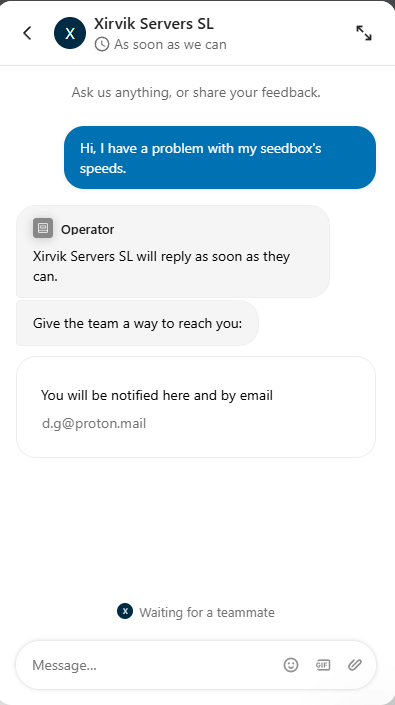
Unfortunately, even when you do get in touch with the support team, they don’t feel as helpful as with other seedbox providers.
On the bright side, there is also a knowledge base, that covers most of the basic things you’ll need to set up and use your seedbox.
Reliability and Uptime
A seedbox is practically your own remote machine, so you want it to stay online as much as possible. I kept track of my server’s uptime for about a month, and I only noticed one short window where it seemed offline for about 30 minutes. That’s not too bad, considering many hosting services can go down for quick maintenance.
When I was seeding about 60 torrents at once, the server handled it just fine. The CPU load stayed pretty reasonable. Of course, if you have a plan with more RAM and CPU resources, you can push it harder. The main thing is that I didn’t run into any extended outages or major downtime.
Looking for the best Xirvik alternative?
Get a high-performance Seedbox with top-tier security, blazing-fast speeds, and unmatched reliability. Experience seamless torrenting, enhanced privacy, and effortless remote access with RapidSeedbox!
3. Pricing
Xirvik’s pricing is divided into several tiers, each with different speed limits, disk space, and features. The cheapest one gives you a smaller slice of resources. That might still be enough if you only need to store a few torrents at a time. If you want more speed or want to store loads of data, you’ll pay more.
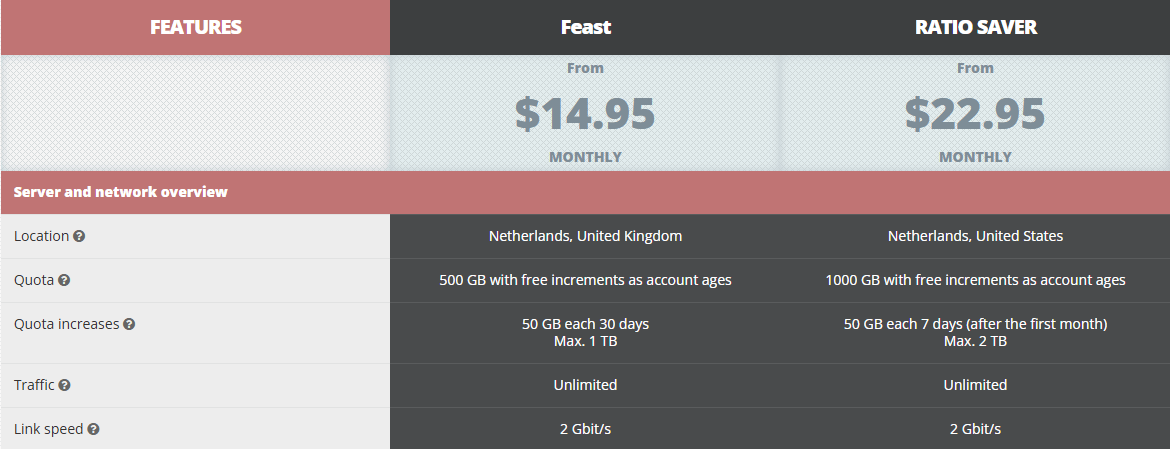
Xirvik has several plans, each suited for different needs:
- Specials (from $14.95 monthly)
- Includes unlimited traffic
- Variable number of users
- 24/7 technical support
- Storage details vary (some deals pop up depending on availability)
- Shared (from $14.95 monthly, ideal for beginners)
- Starts at 100GB HDD
- Unlimited traffic
- Lets multiple users share one box
- 24/7 technical support
- Semi-Dedicated (from $29.95 monthly, aimed at intermediate users)
- Offers 140GB up to 2TB
- Unlimited traffic
- Up to 4 users at once
- 24/7 technical support
- Dedicated (from $14.95 monthly, aimed at professionals)
- Storage from 240GB SSD up to 8TB HDD
- Unlimited traffic
- Private access—you don’t share with others
- 24/7 technical support
- Team (from $124.95 monthly, for groups)
- 4TB HDD
- Unlimited traffic
- Multiple users can log in
- 24/7 technical support
When I tested these, I picked the Shared option for its lower price. It gave me enough space to seed a bunch of torrents, and I never ran into bandwidth limits. If you need bigger storage or you’re not into sharing, you can jump to Semi-Dedicated or Dedicated. Their team plan might be overkill for many, but if you’re part of a larger group, it could help everyone handle big files together. Always double-check the site for updated prices or temporary promos.
They also charge extra for certain add-ons like a VPN or specialized software. Some folks don’t mind paying a bit more for that convenience, while others might prefer setting up an external VPN themselves. Overall, I’d say their pricing is on par with other mid-tier seedbox providers. It’s not bargain basement cheap, but it’s not the most expensive either.
🔌 Xirvik not meeting your expectations? Try something else… And Enjoy 4 Months Free
4. Xirvik Servers Alternatives
If you’re looking for other options, you’re in luck. I’ve tested a bunch of seedbox providers over the years, and there are a few that really stand out. I’ll list them in an order that might help you compare, starting with Rapidseedbox, which I rank first based on its value for the money.
Rapidseedbox

I’m still using Rapidseedbox today because I appreciate its user-friendly dashboard that allows you to install a bunch of apps quickly. They’ve got this cool control panel with one-click installs for apps like Plex, Sonarr, Radarr, and more.
The speeds are solid, and they’ve got a bunch of plans from cheap starter boxes to advanced ones with more CPU and storage. I’m a huge fan of their user interface because it felt modern, and I hardly ever ran into any issues.
Support is excellent as well. They offer 24/7 live chat support, and not many other seedbox providers do that.
Another plus was the built-in VPN for many of their plans. That let me keep traffic hidden from my ISP at home.
Rapidseedbox also provides instructions for novices, which is a relief if you’re new to seedboxes. If privacy and a wide selection of apps matter, Rapidseedbox is a solid choice.
Bytesized Hosting

Bytesized hosting is pretty user-friendly for folks who want to combine torrenting with media streaming. They’ve got an applications section with Plex, CouchPotato (some people still use it), Radarr, and more. I like how they present each app with an explanation and a simple installation process.
The pricing can get pretty steep if you want more disk space or certain advanced features, but the trade-off is convenience. If you’ve never run your own server or seedbox, their approach might be a welcome change because it’s fairly simple to understand from the get-go.
Whatbox

Whatbox is another old-timer in this field. I used them a while back, mostly for seeding Linux ISOs. Their speeds were pretty solid, and I remember they had an active chat system for user support.
The user interface is a bit minimal, but it got the job done. If you’re into a no-frills approach and just want to jump right into torrenting, they might be worth checking out. Just keep an eye on their plan details to make sure you get the right mix of disk space and bandwidth.
5. FAQ
Is Xirvik Servers good for privacy?
They keep your torrenting separate from your home IP because all torrent traffic goes through their remote servers. If you add their VPN add-on, you can also route your normal web browsing through them, which might give you an extra layer of security. I consider it a reasonable approach to privacy, though no service is perfect.
Does Xirvik offer unlimited bandwidth?
From what I saw, they didn’t advertise strict data caps on the plan I chose, but they do have different speed tiers. If you’re picking a cheaper plan, you may share bandwidth with other users, so your speeds might dip at busy times. Always check their official plan details for current usage limits.
Can I install Plex or other media apps on Xirvik?
Yes, some of their plans let you do that. If you want to stream your files directly from the seedbox, you’ll need enough CPU power and memory to handle transcoding, if that’s something you plan to do. I tried streaming smaller files and it worked fine, though HD content sometimes stuttered on my slower home internet.
What happens if I run out of disk space?
The torrent client might stop downloading new files, and you’ll see warnings on your dashboard. You can clear out older files, or you can consider upgrading your plan. It’s best to keep an eye on your used space so you don’t run into a jam during a big download session.
How long does it take Xirvik to set up a new box?
When I signed up, I got my login details within an hour or so. The system might take a bit longer if they’re busy, but it was pretty quick in my case.
Is a seedbox better than using a VPN at home for torrenting?
It depends on what you want. A seedbox keeps torrent traffic off your home network, which can help if your ISP tends to throttle or if you want to keep your ratio up on private trackers. A home VPN setup might still show your bandwidth usage to your ISP. You can find out more in our seedbox vs VPN guide.
6. Final Words
I’ve used Xirvik Servers for a while, and it seems like an okay-ish seedbox provider, but I can’t recommend it. My speeds were usually reliable, and I liked having a few different torrent clients to choose from. Support wasn’t helpful when I needed it, and the dashboard kept me from poking around in SSH too much.
There were a few more smaller hiccups, but nothing too crazy.
If you’re not sure, there are plenty of alternatives out there. Rapidseedbox is at the top because I’ve enjoyed its feature set the most. Still, you never know which one will be the best match for you until you give it a shot.
Either way, having an offsite server to handle torrent downloads can be a nice way to keep your home network free from the extra load, and it can add that extra privacy layer some people are looking for. I hope this detailed Xirvik Servers review gives you enough info to make a confident choice.
Not satisfied with Xirvik? Get the best Seedbox!
Switch to RapidSeedbox for superior speed, security, and flexibility. Enjoy hassle-free torrenting, unlimited bandwidth, and complete privacy with a top-tier Seedbox solution.
0Comments