 By
By
HTTP POST requests are a basic skill for developers, data scientists, and anyone working with web APIs. When you combine curl POST requests with high-performance proxy servers, you unlock some pretty powerful capabilities for secure data transmission, geo-targeting, and privacy protection. This guide’s got everything you need to know about curl POST requests, with a focus on proxy integration for better functionality.
Table of Contents
- What is a curl POST Request?
- Basic curl POST Request Syntax
- curl POST Request Examples
- Using curl POST Requests with Proxies
- Authentication Methods for POST Requests
- Advanced curl POST Techniques
- Troubleshooting Common Issues
- Best Practices and Security
- Real-World Use Cases
- Performance Optimization Tips
- Final Words
- Frequently Asked Questions (FAQ)
Disclaimer: This material has been developed strictly for informational purposes. It does not constitute endorsement of any activities (including illegal activities), products or services. You are solely responsible for complying with the applicable laws, including intellectual property laws, when using our services or relying on any information herein.
TL;DR – curl POST Request with Proxy Quick Reference
Key Takeaways
- curl POST requests send data to web servers through the request body, making them essential for API calls, form submissions, and file uploads.
- Proxy integration adds privacy, geo-targeting, rate limit bypass, and security benefits to your curl operations.
- SOCKS5 proxies offer the best performance and protocol support for curl POST requests compared to HTTP or residential proxies.
- Common applications include API testing from different locations, web scraping, automated form submissions, and accessing geo-restricted content.
- Authentication methods support bearer tokens, basic auth, API keys, and OAuth for both target APIs and proxy servers.
- Datacenter proxies provide the fastest speeds, while residential proxies offer higher anonymity and success rates against blocks.
- Performance optimization comes from connection reuse, HTTP compression, geographic proximity, and proper proxy rotation strategies.
- Troubleshooting issues typically involves connection errors, SSL certificate problems, rate limiting, or incorrect authentication credentials.
- Security requires HTTPS endpoints, reputable proxy providers, proper credential storage, and avoiding free proxy services.
- Production workflows benefit from error handling, proxy rotation scripts, and systematic monitoring of request success rates.
- Cost-benefit analysis shows premium proxy services significantly improve reliability and success rates over free alternatives.
- Geographic targeting enables accessing region-specific APIs, testing localized content, and bypassing country-based restrictions.
- Web scraping applications require residential proxies to avoid detection and maintain consistent access to protected websites.
- API development benefits from testing endpoints across different IP ranges and geographic locations during development cycles.
- Bottom line: Combining curl POST with quality proxy servers creates a powerful toolkit for secure, anonymous, and geographically diverse web operations essential for modern development and data collection workflows.
1. What is a curl POST Request?
A curl POST request is a way to send data to a web server using the curl command-line tool. A POST is different from a GET because a POST submits data to be processed by the server, while a GET retrieves data. This makes POST requests essential for things like form submissions, API interactions, user authentication, and data uploads.

Curl (Client URL) is a handy command-line tool that supports a bunch of protocols, like HTTP, HTTPS, FTP, and more. When you combine it with the POST method, curl becomes an invaluable tool for developers working with APIs, web scraping, automation, and data collection tasks.
Key Benefits of curl POST Requests:
- Versatility: Works across different operating systems and platforms
- Automation: Perfect for scripts and automated workflows
- Proxy Support: Seamless integration with HTTP, HTTPS, and SOCKS proxies
- Security: Supports various authentication methods and encryption
- Debugging: Provides detailed output for troubleshooting
2. Basic curl POST Request Syntax
The fundamental syntax for a curl POST request follows this pattern:
|
1 2 |
curl -X POST [options] [URL] |
Essential Options for POST Requests:
| Option | Description | Example |
|---|---|---|
-X POST | Specifies the HTTP POST method | -X POST |
-d or --data | Sends data in the request body | -d "key=value" |
-H or --header | Adds custom headers | -H "Content-Type: application/json" |
-u or --user | Provides authentication credentials | -u username:password |
--proxy | Routes request through a proxy | --proxy http://proxy.example.com:8080 |
-v or --verbose | Enables verbose output for debugging | -v |
3. curl POST Request Examples
a. Simple Form Data Submission
Send form data using URL-encoded format:
|
1 2 |
curl -X POST -d "username=john&password=secret123" https://api.example.com/login |
b. JSON Data Submission
Submit JSON data with an appropriate content-type header:
|
1 2 3 4 5 |
curl -X POST \ -H "Content-Type: application/json" \ https://api.example.com/users |
c. File Upload
Upload a file using multipart form data:
|
1 2 3 4 5 |
curl -X POST \ -F "file=@/path/to/your/file.txt" \ -F "description=Sample file upload" \ https://api.example.com/upload |
d. POST Request with Custom Headers
Include API keys or authentication tokens:
|
1 2 3 4 5 6 |
curl -X POST \ -H "Authorization: Bearer your_token_here" \ -H "Content-Type: application/json" \ -d '{"data": "sample"}' \ https://api.example.com/endpoint |
4. Using curl POST Requests with Proxies
Using proxies with curl POST requests has a lot of benefits, like more privacy, the ability to target specific locations, and better security. Here’s how to set up the different proxy types:

a. HTTP/HTTPS Proxy Configuration
|
1 2 3 4 5 |
curl -X POST \ --proxy http://proxy-server.com:8080 \ -d "data=example" \ https://api.example.com/endpoint |
b. SOCKS5 Proxy Configuration
SOCKS5 proxies offer better performance and support for various protocols. SOCKS5 proxies are particularly effective for command-line tools like curl due to their versatility and speed:
|
1 2 3 4 5 |
curl -X POST \ --socks5 socks5-proxy.com:1080 \ -d "data=example" \ https://api.example.com/endpoint |
c. Proxy with Authentication
Many premium proxy services require authentication:
|
1 2 3 4 5 |
curl -X POST \ -d "data=example" \ https://api.example.com/endpoint |
d. Proxy Performance Comparison
Understanding different proxy types and their applications helps optimize your curl POST request strategy:
| Proxy Type | Speed | Anonymity | Success Rate | Best Use Case |
|---|---|---|---|---|
| Datacenter | Very High (10-50ms) | Medium | 85-95% | High-volume API calls |
| Residential | Medium (50-200ms) | Very High | 95-99% | Geo-restricted APIs |
| Mobile | Medium (100-300ms) | Highest | 98-99% | Mobile app testing |
| SOCKS5 | High (20-100ms) | High | 90-98% | Protocol flexibility |
5. Authentication Methods for POST Requests
a. Basic Authentication
|
1 2 3 4 5 |
curl -X POST \ -u username:password \ -d "data=example" \ https://api.example.com/endpoint |
b. Bearer Token Authentication
|
1 2 3 4 5 |
curl -X POST \ -H "Authorization: Bearer eyJhbGciOiJIUzI1NiIsInR5cCI6IkpXVCJ9..." \ -d "data=example" \ https://api.example.com/endpoint |
c. API Key Authentication
|
1 2 3 4 5 |
curl -X POST \ -H "X-API-Key: your_api_key_here" \ -d "data=example" \ https://api.example.com/endpoint |
d. OAuth 2.0 Authentication
|
1 2 3 4 5 6 |
curl -X POST \ -H "Authorization: Bearer access_token" \ -H "Content-Type: application/json" \ -d '{"grant_type": "client_credentials"}' \ https://oauth.example.com/token |
6. Advanced curl POST Techniques
a. Reading Data from Files
Submit large datasets or configuration files:
|
1 2 3 4 5 |
curl -X POST \ -H "Content-Type: application/json" \ -d @data.json \ https://api.example.com/endpoint |
b. Multiple Data Parameters
Combine multiple data sources:
|
1 2 3 4 5 6 |
curl -X POST \ -d "param1=value1" \ -d "param2=value2" \ -d @additional_data.txt \ https://api.example.com/endpoint |
c. Cookie Management
Handle session cookies for authenticated requests:
|
1 2 3 4 5 6 |
curl -X POST \ -c cookies.txt \ -b cookies.txt \ -d "login=user&password=pass" \ https://api.example.com/login |
d. Custom User Agents
Simulate different browsers or applications:
|
1 2 3 4 5 |
curl -X POST \ -H "User-Agent: Mozilla/5.0 (Windows NT 10.0; Win64; x64)" \ -d "data=example" \ https://api.example.com/endpoint |
e. Timeout Configuration
Set connection and request timeouts:
|
1 2 3 4 5 6 |
curl -X POST \ --connect-timeout 10 \ --max-time 30 \ -d "data=example" \ https://api.example.com/endpoint |
7. Troubleshooting Common Issues
a. Connection Refused Errors
Problem: Connection refused when using a proxy
Solution:
|
1 2 3 4 5 6 |
# Verify proxy connectivity curl -v --proxy http://proxy-server.com:8080 http://httpbin.org/ip # Check proxy authentication |
Struggling with blocked endpoints while testing your API calls?
Whether you’re sending POST requests with curl or automating API testing workflows, rotating proxies can help you avoid IP bans, throttling, and regional restrictions. Empower your cURL scripts with our high-speed Rotating Proxies and ensure uninterrupted, scalable access to any API, anywhere.
b. SSL Certificate Issues
Problem: SSL certificate verification failures
Solution:
|
1 2 3 4 5 6 |
# Ignore SSL verification (use cautiously) curl -X POST -k -d "data=example" https://api.example.com/endpoint # Use specific CA certificate curl -X POST --cacert /path/to/ca-cert.pem -d "data=example" https://api.example.com/endpoint |
c. Proxy Authentication Failures
Problem: 407 Proxy Authentication Required
Solution:
|
1 2 3 4 5 6 7 |
# Ensure correct credentials format curl -X POST \ --proxy-user username:password \ --proxy http://proxy-server.com:8080 \ -d "data=example" \ https://api.example.com/endpoint |
d. Rate Limiting Issues
Problem: 429 Too Many Requests
Solution: Implement request delays and proxy rotation:
|
1 2 3 4 5 6 7 |
# Add delay between requests sleep 1 && curl -X POST -d "data=example" https://api.example.com/endpoint # Rotate through different proxy servers curl -X POST --proxy http://proxy1.com:8080 -d "data=example" https://api.example.com/endpoint curl -X POST --proxy http://proxy2.com:8080 -d "data=example" https://api.example.com/endpoint |
8. Best Practices and Security
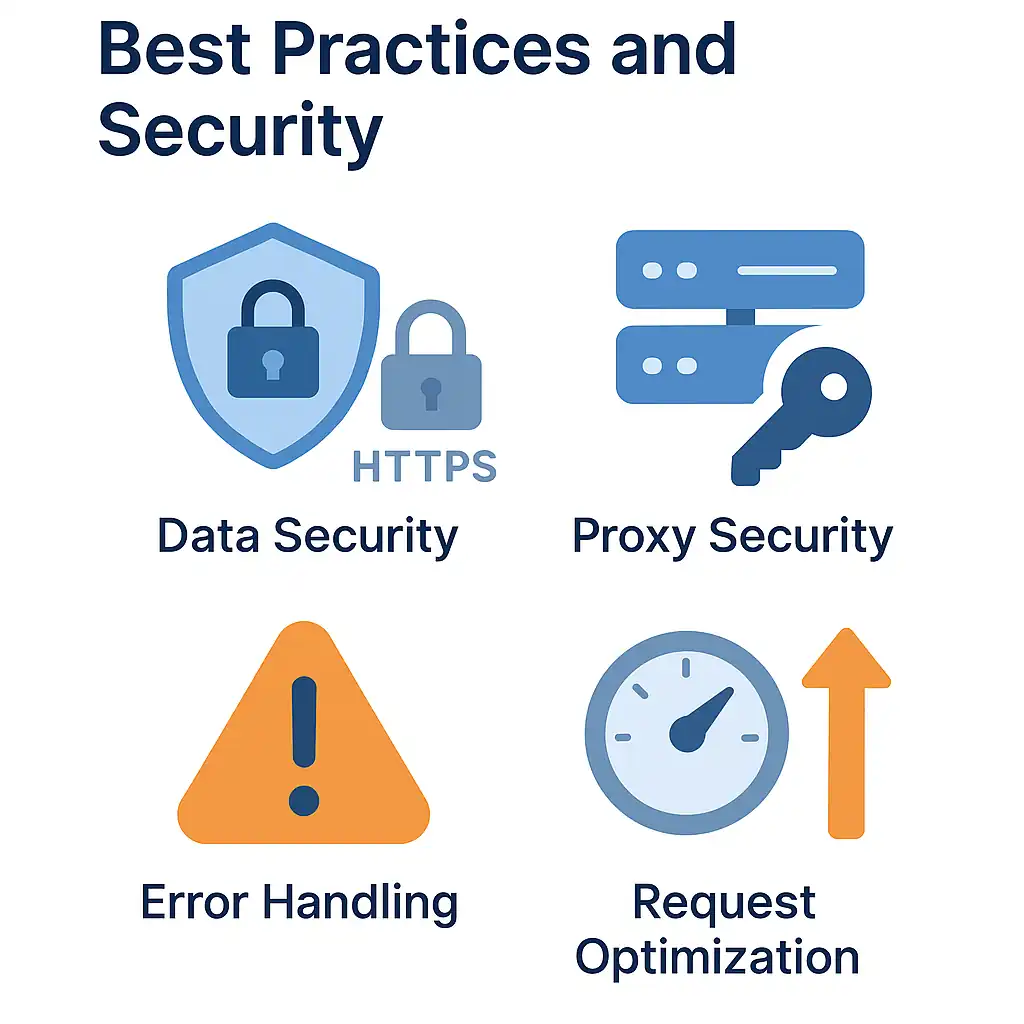
a. Data Security
Always encrypt sensitive data and use HTTPS endpoints:
|
1 2 3 4 5 6 |
# Good: HTTPS endpoint with encrypted data curl -X POST \ -H "Content-Type: application/json" \ -d '{"encrypted_data": "base64_encoded_content"}' \ https://secure-api.example.com/endpoint |
b. Proxy Security
Use authenticated proxies for sensitive operations:
|
1 2 3 4 5 6 |
# Premium proxy with authentication for enhanced security curl -X POST \ -d "sensitive_data=encrypted" \ https://secure-api.example.com/endpoint |
For applications requiring maximum security and anonymity, combining authenticated proxies with SOCKS5 protocol configuration provides optimal protection.
c. Error Handling
Implement proper error handling in scripts:
|
1 2 3 4 5 6 7 8 9 10 11 12 13 14 15 |
#!/bin/bash response=$(curl -X POST \ --proxy http://proxy.example.com:8080 \ -d "data=example" \ -w "%{http_code}" \ -s \ https://api.example.com/endpoint) http_code=$(echo "$response" | tail -n1) if [ "$http_code" -eq 200 ]; then echo "Request successful" else echo "Request failed with HTTP code: $http_code" fi |
d. Request Optimization
Optimize requests for better performance:
|
1 2 3 4 5 6 7 8 |
curl -X POST \ --compressed \ --http2 \ --keepalive-time 60 \ --proxy http://fast-proxy.com:8080 \ -d "data=example" \ https://api.example.com/endpoint |
9. Real-World Use Cases
a. API Testing and Development
Test REST APIs with different data sets and proxy configurations:
|
1 2 3 4 |
# Test API endpoint with different geographic locations curl -X POST --proxy http://us-proxy.com:8080 -d '{"location": "test"}' https://api.example.com/test curl -X POST --proxy http://eu-proxy.com:8080 -d '{"location": "test"}' https://api.example.com/test |
b. Web Scraping and Data Collection
Submit forms on websites through residential proxies. For websites protected by Cloudflare, you might need specialized solutions like FlareSolverr combined with proxy servers to bypass anti-bot measures:
|
1 2 3 4 5 6 |
curl -X POST \ --proxy http://residential-proxy.com:8080 \ -H "User-Agent: Mozilla/5.0 (Windows NT 10.0; Win64; x64)" \ -d "search_query=market+research&category=technology" \ https://search.example.com/api/search |
c. Automated Monitoring
Monitor API endpoints from different locations:
|
1 2 3 4 5 6 7 8 9 10 11 12 13 |
#!/bin/bash proxies=("proxy1.com:8080" "proxy2.com:8080" "proxy3.com:8080") for proxy in "${proxies[@]}"; do response_time=$(curl -X POST \ --proxy "http://$proxy" \ -d "health_check=true" \ -w "%{time_total}" \ -s \ https://api.example.com/health) echo "Proxy $proxy response time: $response_time seconds" done |
d. Load Testing
Simulate multiple users with distributed proxy requests:
|
1 2 3 4 5 6 7 8 9 |
# Concurrent POST requests through different proxies for i in {1..10}; do curl -X POST \ --proxy "http://proxy$i.com:8080" \ -d "user_id=$i&action=login" \ https://api.example.com/login & done wait |
10. Performance Optimization Tips
a. Connection Reuse
Enable connection reuse for multiple requests:
|
1 2 3 4 5 6 7 8 9 10 11 12 |
curl -X POST \ --keepalive-time 60 \ --proxy http://proxy.com:8080 \ -d "data=example1" \ https://api.example.com/endpoint1 curl -X POST \ --keepalive-time 60 \ --proxy http://proxy.com:8080 \ -d "data=example2" \ https://api.example.com/endpoint2 |
b. Compression
Enable compression for faster data transfer:
|
1 2 3 4 5 6 |
curl -X POST \ --compressed \ --proxy http://proxy.com:8080 \ -d "large_data_payload=..." \ https://api.example.com/endpoint |
c. HTTP/2 Support
Use HTTP/2 for improved performance:
|
1 2 3 4 5 6 |
curl -X POST \ --http2 \ --proxy http://http2-proxy.com:8080 \ -d "data=example" \ https://api.example.com/endpoint |
11. Final Words
Mastering curl POST requests, especially when combined with proxy servers, opens up some pretty powerful possibilities for web development, API testing, data collection, and automation. The ability to route requests through different locations while keeping security and anonymity is a game-changer for modern web operations.
Key takeaways:
- Flexibility: curl POST requests support various data formats and authentication methods
- Proxy Integration: Seamless proxy support enhances privacy and enables geo-targeting
- Security: Proper authentication and encryption protect sensitive data
- Performance: Advanced techniques optimize request speed and reliability
- Troubleshooting: Understanding common issues helps maintain robust operations
No matter what you’re doing — whether you’re developing APIs, doing market research, or automating web operations — combining curl POST requests with quality proxy services is the key to reliable, secure, and efficient web interactions.
12. Frequently Asked Questions (FAQ)
A curl POST request sends data to a web server using the HTTP POST method. Unlike GET requests, POST requests include data in the request body, making them ideal for form submissions, API calls, and file uploads.
curl -X POST -d “key=value” https://api.example.com/endpoint
For JSON data, add the content-type header:
curl -X POST -H “Content-Type: application/json” -d ‘{“key”:”value”}’ https://api.example.com/endpoint
Add the --proxy option with your proxy server details:
curl -X POST –proxy http://proxy.com:8080 -d “data=example” https://api.example.com/endpoint
For SOCKS5 proxies:
curl -X POST –socks5 proxy.com:1080 -d “data=example” https://api.example.com/endpoint
SOCKS5 proxies are generally best for curl because they:
– Support multiple protocols
– Offer better performance than HTTP proxies
– Provide authentication options
– Work with any application protocol
curl -X POST –proxy http://username:[email protected]:8080 -d “data=example” https://api.example.com
– Incorrect proxy address or port
– Proxy server is offline
– Wrong authentication credentials
– Firewall blocking the connection
Curl doesn’t support automatic proxy rotation, but you can script it:
proxies=(“proxy1.com:8080” “proxy2.com:8080”) for proxy in “${proxies[@]}”; do curl -X POST –proxy “http://$proxy” -d “data=example” https://api.example.com done
Need consistent and anonymous access for your API testing with curl?
When developing or testing with curl POST requests, a single IP just won’t cut it. Our Rotating Proxies give you access to a vast pool of residential IPs, ensuring your requests go through without triggering rate limits or bans. Ideal for developers, QA teams, and automation scripts.
0Comments