 By
By
Blocked sessions. Missing profiles. Endless retries. Here’s how outbound, sales intelligence, and data teams scrape Sales Navigator without losing accuracy – using stable proxy infrastructure built for scale.
Why Sales Navigator Scraping Matters for Businesses
If you work in outbound sales, prospecting, or B2B market intelligence, then you know how valuable Sales Navigator data can be. It’s the key to finding decision-makers, qualifying leads, enriching CRMs, and prioritizing accounts.
But scraping Sales Navigator reliably is far harder than it looks.
You’ve likely faced:
- Sudden IP bans
- Login challenges and MFA loops
- Missing or incomplete profile fields
- Endless CAPTCHAs during scaling
- Breaks in automated enrichment workflows
When your scraper fails, your entire pipeline slows down. This costs your team leads, time, and clarity.
Why Sales Navigator Blocks Scrapers
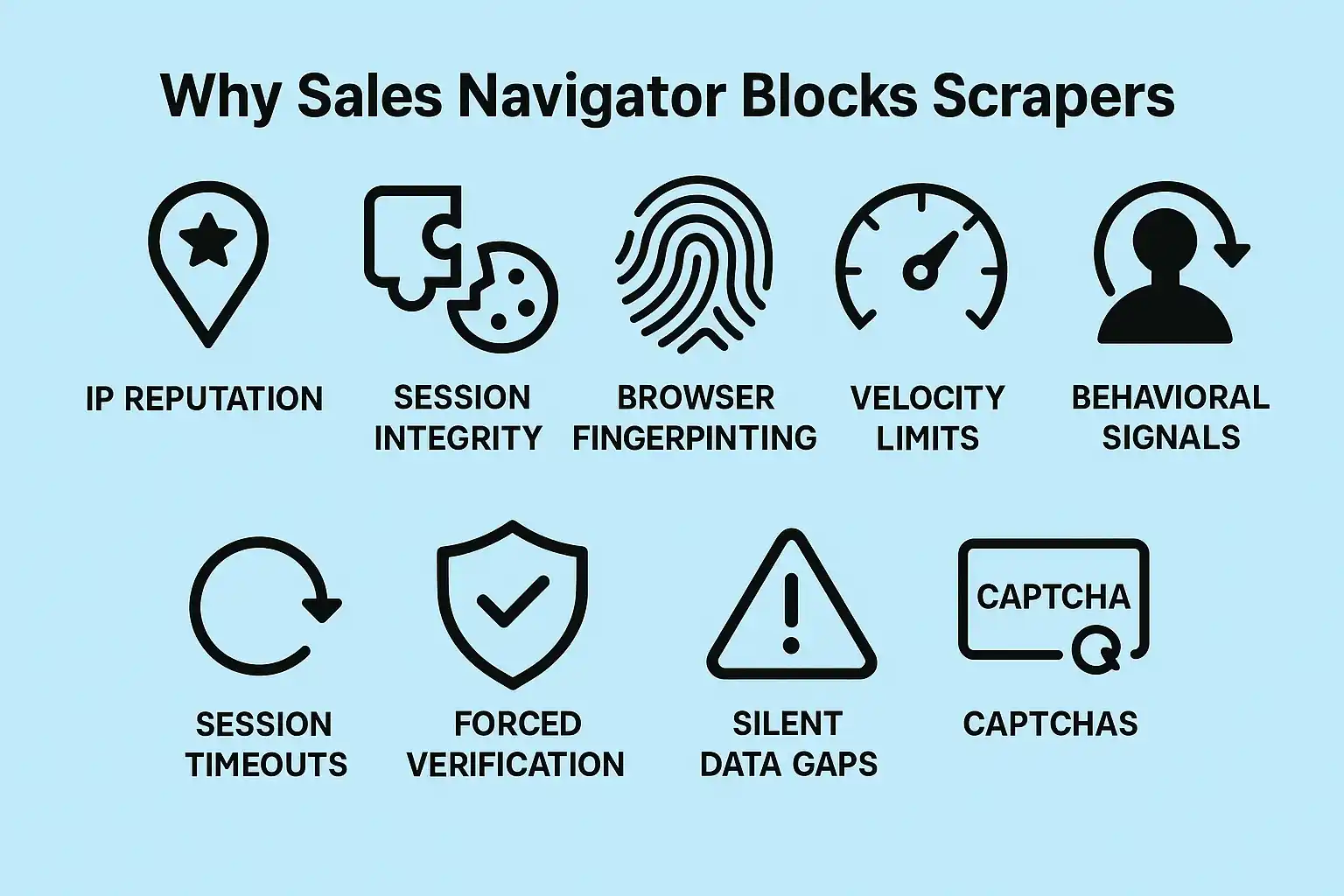
Sales Navigator actively protects its data.
Every request is checked across:
- IP reputation – shared or datacenter IPs trigger instant suspicion
- Session integrity – mismatched cookies or logged-out states get flagged
- Browser fingerprinting – identical headers or headless automation signal scraping
- Velocity limits – too many profile views per minute trigger soft bans
- Behavioral signals – repetitive scrolling or navigation loops appear unnatural
When these systems activate, you’ll see:
- Session timeouts
- Forced verification
- Silent data gaps
- CAPTCHAs after each request
Bottom line: In order to scrape Sales Navigator, you need infrastructure that can mimic normal human browsing at scale across many accounts.
How to Scrape Sales Navigator Safely and Efficiently
Use stable proxies, human-like behavior, and strict monitoring to avoid bans.
Reliable scraping isn’t about speed. It’s about blending in with typical user behavior. It also involves distributing load across clean IPs.
1. Use Residential Rotating Proxies (Not Datacenter)
Datacenter IPs are flagged immediately. Residential proxies are essential because they appear as real user connections, reducing login challenges and profile-view limits.
With RapidSeedbox you can:
- Rotate IPs automatically
- Target specific countries or cities for region-specific B2B data
- Run multiple accounts without triggering network-based bans
This dramatically improves session stability.
2. Maintain Realistic Browser Fingerprints
Sales Navigator tracks dozens of fingerprinting signals.
Rotate and randomize:
- User agents
- Accept-Language
- Screen resolution
- WebGL/Canvas fingerprint
- Session cookies
- Timezone offsets
Automate your scraper with Playwright or Puppeteer in non-headless mode when possible. Headless traffic gets flagged quickly.
Also, persist cookies between requests to simulate a real session, not a fresh login every time.
3. Throttle Your Profile Views
If you scrape too fast, Sales Navigator immediately rate-limits you.
Use safe pacing such as:
- 5-15 seconds between profile requests
- Longer pauses after every 50-100 profiles
- Delays after scrolling actions
Your goal is to act like an actual SDR browsing accounts, not a bot that fetches thousands of profiles instantly.
4. Handle CAPTCHAs the Smart Way
CAPTCHAs signal that your pattern is getting predictable. Use a CAPTCHA solver only as a fallback, not as your primary strategy.
CAPTCHA frequency is reduced dramatically by RapidSeedbox proxies because they automatically reroute traffic to safer IP pools.
Track:
- CAPTCHA events per hour
- Login challenges
- Session resets
Spikes mean you need to adjust rotation, pacing, or headers.
5. Monitor Accuracy and Freshness
Scraping Sales Navigator isn’t useful if the data is incomplete. That’s why you should monitor:
- % of profiles returning valid fields
- Sudden drops in email or job title extraction
- HTTP status patterns
- Average request latency
- Freshness timestamps
This helps you catch silent blocks early, before your CRM is filled with incomplete or inaccurate records.
From Reliable Scraping to Real Business Impact
When your Sales Navigator scraper is stable, the entire go-to-market engine improves.
Better Lead Quality
Accurate profile data means your outreach targets the right role, industry, and company size.
Less Engineering Waste
Your developers will stop fighting login loops and fingerprint traps and start building enrichment pipelines, scoring models, and automations.
Faster Outbound
Sales teams get clean, complete lists without waiting for manual research or broken scrapers.
Scalable Account Coverage
Stable proxies let you capture regional data across multiple markets — ideal for global lead research.
Predictable Growth
Consistent data → better segmentation → higher reply rates → more pipeline.
Why Businesses Choose RapidSeedbox for Sales Navigator Scraping
Scraping Sales Navigator requires three things:
- clean IPs
- stable sessions,
- real human support when things break.
With RapidSeedbox, you get:
- Residential rotating proxies that reduce blocks
- Human engineering support (no bots, no endless tickets)
- Transparent dashboards and flexible configs
- A test-first onboarding model
- Infrastructure optimized for outbound and B2B data extraction
Ready to Scrape Sales Navigator Safely?
Every blocked request slows your outbound engine. RapidSeedbox gives you the stability, support, and proxy engineering needed for safe, scalable Sales Navigator scraping.
Need help choosing the right proxy?
Our team can recommend the ideal setup for your Sales Navigator workflow.
FAQs
Scraping publicly available profile data may be legal, but you must follow all Terms of Service and applicable laws.
Residential rotating proxies. They look like real user traffic and reduce login challenges dramatically.
Yes. Distribute them across unique IPs and sessions to avoid linking.
Most teams scrape daily or weekly, depending on lead volume and outreach cycles.
Watch for missing fields, identical HTML payloads, or a sudden reduction in successful profile loads.
Disclaimer: This content is for educational purposes only. RapidSeedbox does not encourage violating any website’s Terms of Service. Users are responsible for ensuring their scraping practices comply with applicable laws and policies.
0Comments