 By
By
Are hiring signals disappearing? Are job counts changing between runs? LinkedIn job data is critical for workforce intelligence, yet it is notoriously difficult to collect. Read on to learn how talent analytics and research teams reliably gather public LinkedIn job postings without encountering constant blocks or distorted results.
LinkedIn Job Postings Are a Hiring Signal – Not Just Listings
If you work in labor market intelligence, recruiting analytics, or workforce planning, then LinkedIn job postings are one of your most valuable sources of data.
They tell you:
- Which roles companies are hiring for right now
- How fast organizations are scaling specific teams
- Where demand is shifting geographically
- Which skills are becoming table stakes
- How remote, hybrid, and onsite roles evolve
- Early indicators of layoffs or expansions
However, consistently scraping LinkedIn job postings is difficult. Teams usually encounter the following issues:
- Result counts changing between identical searches
- Pagination stopping early
- Remote and local jobs mixing unpredictably
- Sudden CAPTCHAs
- Empty job cards
- Forced redirects to login walls
- Soft throttling that silently removes results
When your LinkedIn job data is unstable, your labor models stop reflecting reality.
Why LinkedIn Actively Disrupts Job Scraping
LinkedIn doesn’t treat job listings as static content. Rather, they’re part of a personalized, behavior-driven system.

LinkedIn evaluates:
- IP reputation and history
- Session consistency (cookies + navigation path)
- Search personalization signals
- Velocity of scrolling and pagination
- Region and language alignment
- Browser fingerprint entropy
- Account-less access patterns
Instead of outright blocking you, LinkedIn often degrades results:
- Fewer job cards returned
- Mixed or irrelevant roles
- Inconsistent totals (“1,234 jobs” → “892 jobs”)
- Pagination cutting off early
- Results changing between runs
These are data corruption blocks, not hard bans, and they are far more dangerous for analytics.
How to Scrape LinkedIn Job Postings Safely and Consistently
To safely scrape LinkedIn job postings, use residential proxies with stable sessions, real-browser automation, and slow, human-like pagination. Focus only on public job listings, minimize personalization signals, and monitor result consistency to prevent silent throttling and inaccurate job count data.
1. Use Sticky Residential Proxies to Reduce Personalization Noise
LinkedIn provides highly personalized job results. Unstable IP addresses exacerbate this problem.
Residential proxies help by:
- Mimicking real user traffic
- Reducing CAPTCHA frequency
- Lowering suspicion for anonymous access
- Improving result consistency across sessions
Use sticky sessions. Using rotating IPs mid-pagination causes LinkedIn to either reshuffle or cut short the results.
RapidSeedbox offers session-based rotation, which is essential for scraping jobs on LinkedIn.
2. Render Job Results with a Real Browser (Static Requests Fail)
LinkedIn job pages dynamically load content and personalize results based on the user’s session context.
Static scrapers miss:
- Full job descriptions
- Company metadata
- Location normalization
- Posted date accuracy
- Job seniority filters
Use Playwright or Puppeteer in non-headless mode:
|
1 2 3 4 5 6 7 8 9 10 |
from playwright.sync_api import sync_playwright with sync_playwright() as p: browser = p.chromium.launch(headless=False) page = browser.new_page() page.goto("https://www.linkedin.com/jobs/search/?keywords=data%20analyst") page.wait_for_timeout(3000) html = page.content() browser.close() |
This shows what a real user sees, not a filtered version created by a bot.
3. Control Pagination and Scrolling Very Carefully
LinkedIn job scraping most often breaks at pagination.
Safe behavior patterns:
- 2-5 seconds between scrolls
- Manual scroll to load results (not auto-scroll loops)
- 3-6 seconds between pagination clicks
- Pause after every 20-30 listings
- Avoid jumping filters rapidly
- Keep query changes minimal
Avoid:
- Jumping to page numbers directly
- Scraping hundreds of jobs per minute
- Running parallel sessions from one IP
- Replaying identical searches too fast
LinkedIn watches behavior, not just requests.
4. Collect Only Public Job Listing Fields
Only extract data that is visible without logging in.
Public LinkedIn job data includes:
- Job title
- Company name
- Location
- Posting date (relative or absolute)
- Job description text
- Employment type
- Seniority level
- Industry (when shown)
- Company size range (if public)
- Job URL
Avoid collecting:
- Candidate data
- Recruiter profiles
- Internal analytics
- Account-only fields
- Contact details
This ensures that your workflow remains compliant and sustainable.
5. Track Result Stability, Not Just Errors
LinkedIn rarely displays clear error messages. Instead, it provides distorted results.
Monitor:
- Job count variance between identical runs
- Pagination depth consistency
- % of listings with full descriptions
- Location drift (remote vs local mixing)
- Sudden drops in total results
- HTML pattern changes
- Latency spikes (often precede throttling)
If your numbers change without explanation, you’re already being throttled.
What Stable LinkedIn Job Data Unlocks for the Business
When LinkedIn job scraping is reliable, teams receive early, actionable signals.
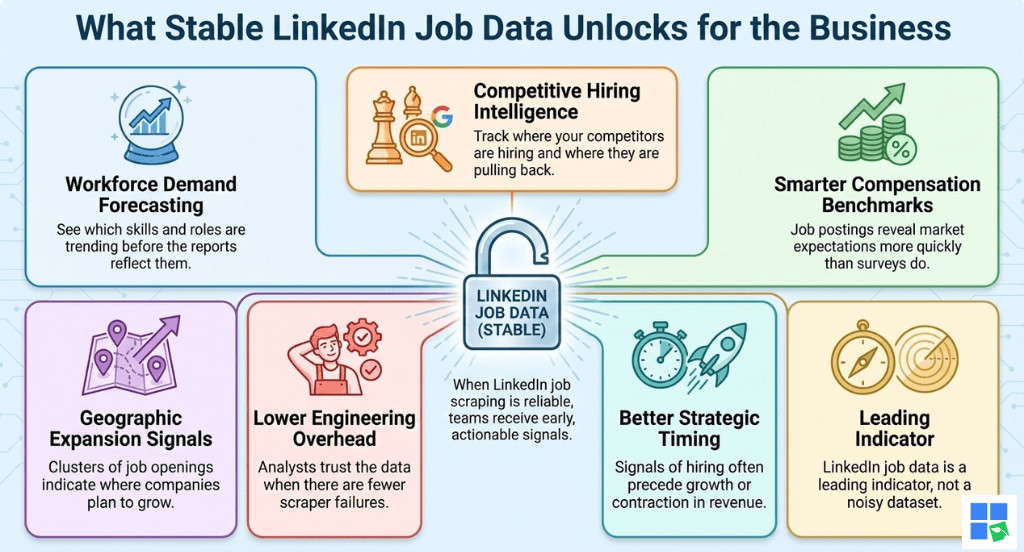
Workforce Demand Forecasting
See which skills and roles are trending before the reports reflect them.
Competitive Hiring Intelligence
Track where your competitors are hiring and where they are pulling back.
Smarter Compensation Benchmarks
Job postings reveal market expectations more quickly than surveys do.
Geographic Expansion Signals
Clusters of job openings indicate where companies plan to grow.
Lower Engineering Overhead
Analysts trust the data when there are fewer scraper failures.
Better Strategic Timing
Signals of hiring often precede growth or contraction in revenue.
Why Teams Use RapidSeedbox for LinkedIn Job Scraping
LinkedIn job scraping requires stability, not brute force.
RapidSeedbox provides:
- Clean residential IP pools
- Sticky sessions for pagination stability
- Low CAPTCHA rates
- Region-aware routing
- Transparent dashboards
- Real human support
- Test-first onboarding
Ready to Scrape LinkedIn Job Postings Reliably?
If you use LinkedIn job data for talent analytics or market research, instability isn’t an option. RapidSeedbox provides the necessary infrastructure and support to consistently collect public LinkedIn job postings – without distorted results.
FAQs
You may collect publicly visible job listings, but you must adhere to LinkedIn’s terms of service and applicable laws.
LinkedIn personalizes its results based on session, IP address, and user behavior.
We offer sticky residential proxies with stable session behavior.
It is used daily for market intelligence and more frequently for risk management.
There are inconsistent job counts, an early pagination cutoff, and mixed relevance of results.
Disclaimer: This content is for educational purposes only. RapidSeedbox does not encourage violating any website’s Terms of Service. Users are responsible for ensuring their data practices comply with all applicable laws and policies.
0Comments