 By
By
Picking between a remote server and local hardware for your media library can be tough. If you’re a digital hoarder or media enthusiast, you’ve probably heard of the debate between seedbox and NAS.
If you want to optimize your torrenting and streaming workflows, you’ve probably heard of both.
A seedbox offers high-speed remote bandwidth and privacy, while a NAS (network-attached storage) provides massive local storage and full physical control. This guide breaks down the tech differences, costs, and use cases to help you decide which one is best for your home lab or media setup.
Table of Contents
- What is a Seedbox?
- Seedbox vs NAS: Key Facts
- Is a Seedbox Better Than a NAS for Torrenting?
- What are the Advantages of a NAS for Media Storage?
- Seedbox vs NAS: Comparison Table
- How to Sync a Seedbox to a NAS
- Who Should Use a Seedbox or a NAS?
- How Seedbox and NAS Architecture Works
- Common Mistakes with Seedbox and NAS Setups
- FAQ: Seedbox vs NAS
- Conclusion: Choosing Your Media Path
What is a Seedbox?
A seedbox is a high-speed remote server, typically a VPS or dedicated server, that is specifically optimized for the downloading and uploading of digital files via the BitTorrent protocol. It works by providing a dedicated 1Gbps to 10Gbps internet connection and pre-installed applications like Plex, ruTorrent, and Radarr to manage media remotely.
Typically used for maintaining high upload ratios on private trackers and bypassing ISP throttling, a seedbox acts as a buffer between the public internet and your home network.
Seedbox vs NAS: Key Facts
- What it is: A comparison between remote cloud-based servers (Seedbox) and local hardware storage (NAS).
- How it works: Seedboxes handle high-speed traffic in the cloud, while NAS devices store and serve files over a local area network (LAN).
- Main components: Remote bandwidth, RAID arrays, BitTorrent clients, and Media Server software (Plex/Jellyfin).
- Key benefits: Privacy, 24/7 uptime, massive local storage, and high-speed internal streaming.
- Difficulty level: Intermediate (Seedbox) to Advanced (NAS Setup).
- Best for: Privacy-conscious torrent users and home media enthusiasts with large 4K libraries.
- Alternatives: Home Server, Cloud Storage (Google Drive/Dropbox), and VPN-protected PCs.
- Last updated: 2026
Is a Seedbox Better Than a NAS for Torrenting?
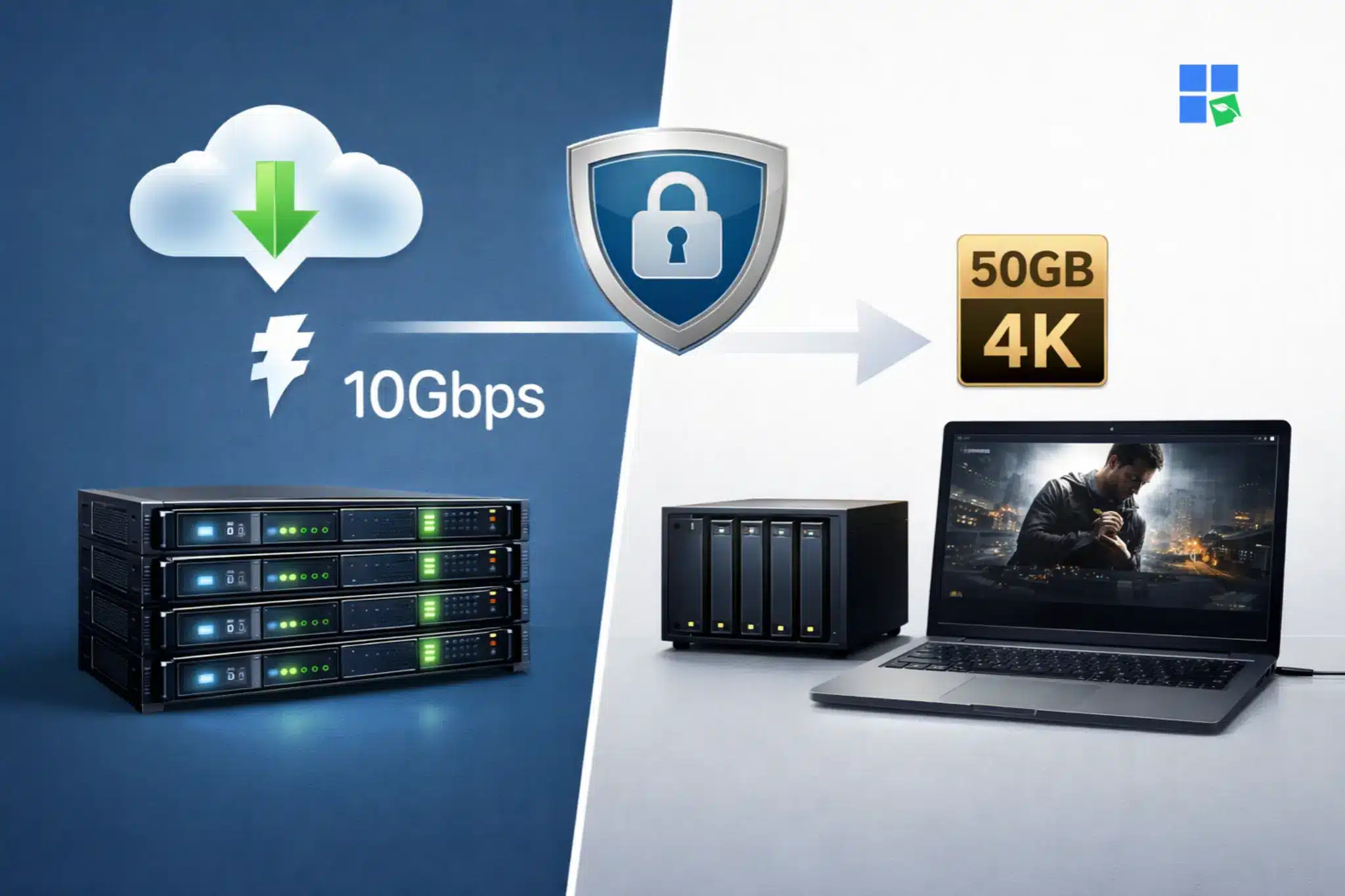
A seedbox is great for torrenting because it separates your home IP address from your file-sharing activity, which is important for your privacy. It uses high-speed data center connections (often 10Gbps) to download files in seconds and seed them back to the swarm 24/7 without using your home bandwidth.
If you’re on private trackers that have strict upload ratios or if your ISP throttles BitTorrent traffic, you should use a seedbox.
But you shouldn’t use a seedbox as your only storage solution, since monthly costs for multi-terabyte plans can add up over time. For example, a user can download a 50GB 4K movie to their RapidSeedbox seedbox in under a minute and then stream it via Plex without using their local disk space.
What are the Advantages of a NAS for Media Storage?
A NAS (Network Attached Storage) is a dedicated file-server device that connects to your home network to provide centralized data storage for all your devices.
It works by housing multiple hard drives in a RAID configuration, which ensures data redundancy and high-speed local access even if a drive fails.
You should use a NAS if you have a massive media collection (10TB+) and want to stream high-bitrate 4K content to your TV without worrying about internet buffering.
When NOT to use it is if you have a slow upload speed at home, as seeding torrents will be significantly slower than a remote server. A classic scenario involves a Synology DS923+ running Plex Media Server, allowing every device in the house to access the same movie library simultaneously over Wi-Fi.
Seedbox vs NAS: Comparison Table
| Feature | Seedbox | NAS (Network Attached Storage) |
| Initial Cost | Low ($5 – $50/month) | High ($300 – $2000+) |
| Internet Speed | 1Gbps – 10Gbps | Limited by Home ISP |
| Storage Capacity | Limited (1TB – 8TB typical) | Scalable (Up to 100TB+) |
| Privacy | High (Hides Home IP) | Low (Requires VPN for Privacy) |
| Maintenance | Managed by Provider | User-Managed (DIY) |
| Best for | High-Ratio Seeding | Long-Term 4K Archiving |
Choose a seedbox when: You prioritize privacy, have a slow home internet connection, or need to maintain high ratios on private trackers without leaving your PC on 24/7.
Still deciding between a Seedbox and a NAS for torrenting and remote access?
When comparing seedbox vs NAS, the biggest difference comes down to simplicity, speed, and privacy. A NAS can be useful for local storage, but a RapidSeedbox gives you instant remote access, ultra-fast torrent downloads, better anonymity, and none of the hardware upkeep. If you want a smoother way to download, stream, and manage files from anywhere, a seedbox is the smarter choice for power users and beginners alike.
Choose a NAS when: You want full ownership of your data, need massive storage for a lifetime collection, and prefer high-quality local streaming without monthly subscription fees.
How to Sync a Seedbox to a NAS
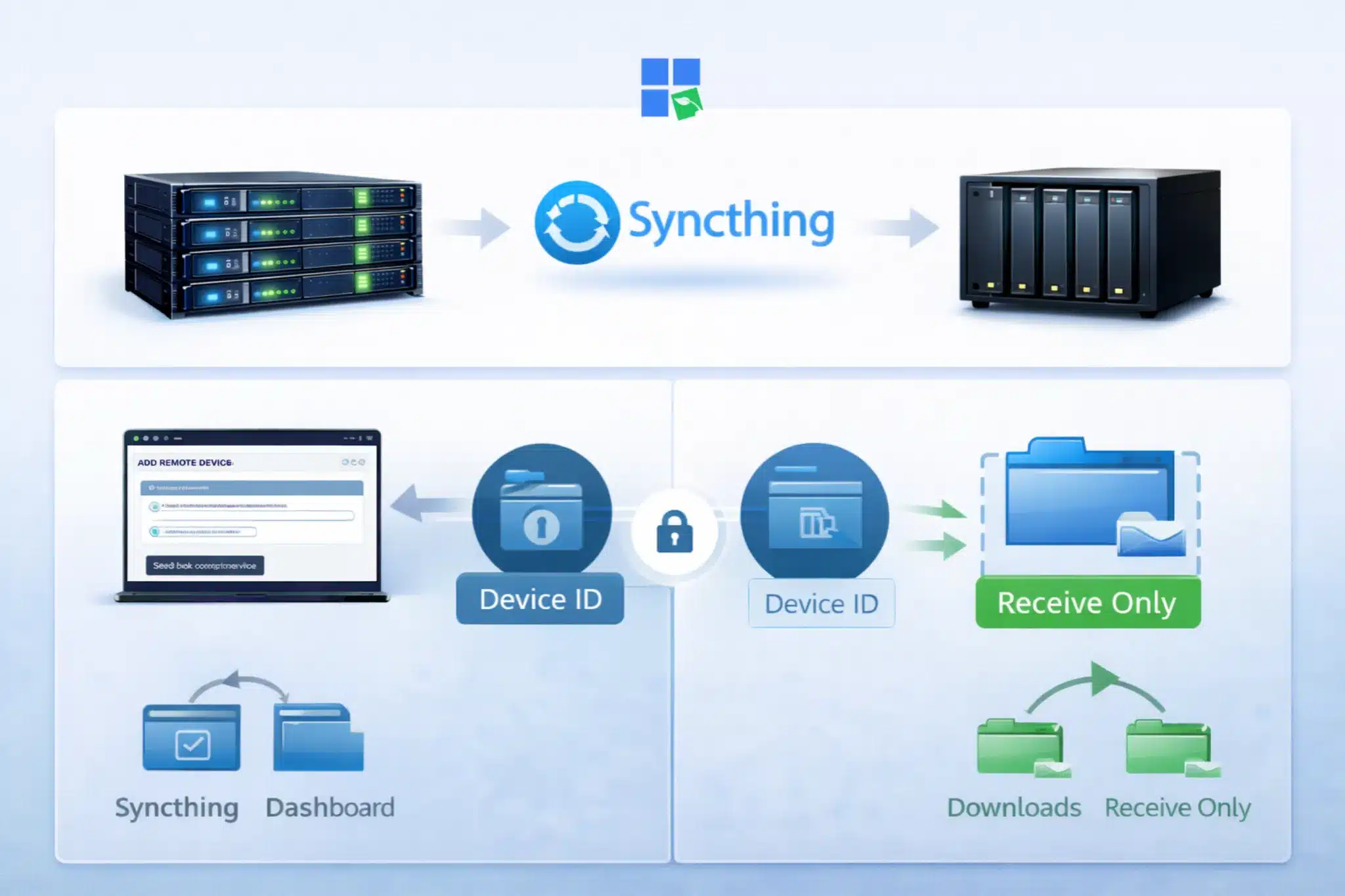
For media enthusiasts, automating the transfer of files from your remote server to your local storage is the “gold standard.” This process gives you the best of both worlds: the speed of the cloud and the permanence of local hardware.
1. Install Syncthing on Both Devices
Go ahead and install the Syncthing app on your seedbox using the dashboard, and on your NAS using Package Center or Docker. This open-source tool creates a secure, encrypted tunnel for file synchronization.
2. Pair the Seedbox and NAS
Just copy the “Device ID” from your NAS and add it as a “Remote Device” on your Seedbox Syncthing interface. Go ahead and accept the connection request on your NAS to establish the link.
3. Configure the Sync Folder
Select the “Downloads” folder on your Seedbox and set it to “Send Only.” On your NAS, create a matching folder and set it to “Receive Only” to ensure your local library stays organized.
You can also use Rclone with a cron job if you prefer a command-line approach for more granular control over transfer speeds and scheduling.
Who Should Use a Seedbox or a NAS?
Privacy Advocates
- Profile: Users who live in regions with strict copyright enforcement and want to hide their torrenting activity.
- Why it works: A seedbox acts as a proxy, so your ISP only sees encrypted traffic between you and the server, not the torrent swarm.
- Getting started: Sign up for an entry-level plan from RapidSeedbox.
4K Cinephiles
- Profile: Enthusiasts who collect high-bitrate Remux files and want the best possible audio and video quality.
- Why it works: Local NAS streaming avoids the compression and buffering issues often found when streaming high-bitrate 4K content over the internet.
- Getting started: Invest in a 4-bay NAS like the Synology DS923+ and high-capacity WD Red Pro drives.
Automation Experts
- Profile: Users who want a “set it and forget it” media empire using the Servarr stack.
- Why it works: Combining a Seedbox for fetching and a NAS for long-term storage creates a seamless, automated pipeline.
- Getting started: Set up Sonarr and Radarr to manage your requests and trigger transfers automatically.
How Seedbox and NAS Architecture Works
To get the most out of these systems, you’ve got to understand how they’re set up.
Seedbox Virtualization and Bandwidth
Most seedboxes run on KVM or Docker containers in a high-performance data center. They use 10Gbps shared uplinks, which let them handle thousands of connections at once.
This architecture is designed for high I/O (input/output) operations, ensuring that the BitTorrent client can write data to the disk as fast as the network can deliver it.
NAS RAID and Data Integrity
A NAS relies on RAID (Redundant Array of Independent Disks) levels like RAID 5 or RAID 6 to protect against drive failure. By using parity bits, the system can reconstruct data if one or two drives fail.
Furthermore, modern NAS systems use the Btrfs or ZFS file systems, which provide “self-healing” capabilities to detect and repair silent data corruption (bit rot).
Common Mistakes with Seedbox and NAS Setups
1. Using a NAS Without a VPN for Torrenting
A lot of users think that because their NAS is “local,” their activity is private. But if you run a torrent client directly on your NAS without a VPN, your home IP address is visible to the entire swarm. This can result in DMCA notices from your ISP. When torrenting locally, it’s best to use a Docker container with a built-in VPN kill switch (like binhex-delugevpn).
2. Overestimating Seedbox Storage
It’s a piece of cake to fill a 2TB seedbox with 4K content in just one day. Many newbies forget to set up an automated “delete after X days” or “move to local” script, which can cause services to crash when the disk hits 100% capacity.
FAQ: Seedbox vs NAS
Yes, many power users use a seedbox to download and seed torrents quickly, then automatically move the completed files to their home NAS for long-term storage and local streaming.
A seedbox is a legal remote server technology. However, using it to share copyrighted material without permission is illegal in most jurisdictions. Always use these tools in compliance with local laws.
A NAS is a bit pricey upfront, but it’ll probably pay for itself in 2-3 years.
Conclusion: Choosing Your Media Path
When it comes to seedbox vs. NAS, the winner depends on your specific needs for privacy, speed, and storage. A seedbox is the best tool for high-speed, anonymous torrenting and maintaining ratios, while a NAS is the gold standard for building a permanent, high-quality home media library.
If you want the best experience, think about using a seedbox for downloading and a NAS for storing your collection. If you understand the relationship between these two entities, you can build a robust media ecosystem that will serve your needs for years to come.
Seedbox vs NAS: Which one truly gives you speed, security, and hassle-free torrenting?
If you’re comparing a Seedbox vs NAS, you’re likely looking for the perfect balance between performance, privacy, and convenience. While NAS setups require maintenance, configuration, and exposure risks, a RapidSeedbox solution delivers blazing-fast downloads, built-in security, and zero setup headaches. Stream, download, and manage your files remotely with unmatched speed and reliability – without worrying about hardware limits or ISP throttling. Upgrade your workflow and experience the true power of a fully optimized seedbox today.
0Comments