 By
By
If you want to know who wins in the RapidSeedbox vs. Whatbox battle, you are in for a treat.
They’re both pretty well-known in the world of seedboxes, which are private, remote servers used for torrenting large files. They help shield your home IP address and speed up downloads with robust network connections.
I’ve spent a lot of time testing both services, and they’ve each rolled out new features in the past year or so. I’ll go over the pricing, performance, storage, ease of use, and user feedback both providers to help you pick the right one.
Table of Contents
- Why Compare RapidSeedbox vs Whatbox?
- RapidSeedbox
- Whatbox
- RapidSeedbox vs Whatbox – Pricing
- Speed and Network Comparison
- Interface, Setup, and Ease of Use
- Feature Comparison Table
- Which Is Easier to Set Up?
- Whatbox vs RapidSeedbox – Which One to Choose?
- My Personal Take
- Summary
1. Why Compare RapidSeedbox vs Whatbox?
A seedbox lets you download and seed torrents from a remote machine, then download your data to your local computer if you want. This can keep your personal IP address hidden from public trackers and peers. People often turn to seedboxes when they need:
- Faster speeds than their home connections can manage
- Private torrenting that doesn’t expose their home IP
- A stable ratio on private trackers
I’ve tried plenty of seedbox services, but I kept hearing about RapidSeedbox for its built-in VPN features and user-friendly interface, and Whatbox for its reliability, huge storage options, and stable speeds. In 2026, both have updated their plan structures, improved their dashboards, and expanded the apps they support. Let’s see how that all shakes out.
⚖️ Still choosing between RapidSeedbox and Whatbox? — Take 4 Months Free and See the Difference
2. RapidSeedbox

I have been using RapidSeedbox for years, and here’s what I can share about it:
a. Tiered Plans (Lean vs Premium)
RapidSeedbox offers “Lean” and “Premium” tiers. The Lean plans are cheaper, starting around $8/month, but they limit you to essential torrenting functions and exclude advanced features (like custom app installs or root access).
The Premium plans cost more (up to $67/month at the highest tier) but provide a wide feature set. You get one-click app installs, a built-in VPN, remote desktop functionality, and the freedom to run your own server-like environment if you wish.
b. Speed and Performance
Even on the cheaper Lean plans, RapidSeedbox offers shared connections of up to 10 Gbps. But in practice, you’re probably not going to keep that top speed all the time because multiple users share the same node. On the Premium side, speeds also max out around 10 Gbps, but you get a dedicated IP and typically fewer neighbors hogging bandwidth.
During my tests, I found I could easily saturate my home connection with multi-gigabit bursts, especially if I was downloading a heavily seeded Linux distro. That said, RapidSeedbox does have a fair use policy that occasionally triggers bandwidth throttling if you push many terabytes constantly.
c. Ease of Use and Interface
RapidSeedbox is all about being easy to use. If you’re on the Premium plan, you can install apps like Plex, Sonarr, Radarr, and more with just a few clicks.
Setting up a torrent client was a breeze. I just picked Deluge from a dropdown menu, waited a minute, and it was ready to go. I also gave their remote desktop feature a shot, and it allowed me to open a GUI environment in my browser and manage files like I was sitting at a PC. That’s a great perk for those who aren’t into command lines.
The knowledge base is full with helpful guides, and their 24/7 live chat answered my questions very fast.
d. Pricing and Storage
RapidSeedbox’s cheapest Lean plan hovers around $8/month and includes about 1 TB of storage. The top Premium plan can run you over $60/month but will grant you 5.6 TB of space, along with that dedicated IP, root access, and robust CPU/RAM. There are, of course, some mid-tier plans as well that cost around $30/month with 2+ TB of storage.
Furthermore, If you pay annually, there’s a discount. Compared to other seedboxes, it’s neither the cheapest nor the priciest, but the features are quite broad if you go Premium.
e. Community Feedback
On Reddit’s r/seedboxes, some folks praise RapidSeedbox for “best-in-class support” and the convenience of having a built-in VPN. However, others caution that the “unlimited bandwidth” claim can be misleading if you regularly push tens of terabytes. Personally, I never hit a wall, and I don’t even moderate my usage.
Trustpilot reviews are mostly glowing with RapidSeedbox scoring a whopping 4.6 stars out of 300+ reviews. Overall, people trust and enjoy the service, and there no major downsides to it.
3. Whatbox

Whatbox has been around for ages. It’s known for stable, no-nonsense seedbox solutions. Here’s what it has to offer:
a. HDD vs NVMe Plans
The biggest difference in Whatbox’s updated lineup is the option between massive HDD-based storage (up to 21.7 TB) and speedy NVMe-based storage (up to around 15.2 TB).
- The HDD plans start around $15/month for 2 TB, going up to about $64/month for 21.7 TB.
- The NVMe plans cost way more – around $30 for less than 1 TB up to hundreds of dollars for double-digit terabytes. The trade-off is the faster disk I/O on NVMe, which can matter for media streaming or heavy torrenting.
Meanwhile, both plan types boast high network speeds: 40 Gbps on HDD servers, 100 Gbps on NVMe servers.
b. Reliability and Community
If you check out Reddit or tech forums, you’ll see lots of longtime users raving about Whatbox. They say it’s super reliable. People say it “just works,” rarely experiences downtime, and has a consistent environment.
The staff and community are also active on IRC, so if you need direct help, that’s an option. The official website doesn’t have a live chat feature, but the ticket system usually responds within a day. Some people like this classic approach, while others might prefer a real-time chat.
c. One-Click Apps and Additional Features
Not long ago, Whatbox was relatively simple, but it’s evolved. Today, you can install apps like Plex, Jellyfin, Sonarr, Radarr, Jackett, and more with a single click. You also get SSH access to your slot, though you’re not root (the system is multi-user).
Because of that, advanced configurations sometimes require a command line. Still, for most tasks, the web-based setup is enough. You can pick a torrent client (ruTorrent, qBittorrent, Deluge, Transmission), add your magnet links, and let the system run. You also have easy ways to push or pull your files via SFTP, rsync, or an HTTP portal.
d. Pricing and Storage
The cheapest plan is about $15 for 2 TB on HDD, while the highest standard plan for HDD is $64 for 21.7 TB. If you need more space or fancy superfast drives, you’ll need to switch to an NVMe plan and pay a higher rate.
The large amounts of storage can be a game-changer if you store big collections of files. For instance, if you keep a personal archive of raw video or have a passion for older digital media, having 20+ TB on a seedbox is pretty huge. Some see it as a budget-friendly approach to manage a personal library.
e. User Sentiment
A lot of people on the same subreddits and forums are loyal to Whatbox. People who want a stable, headache-free environment often stick with it for years. The complaints are that it’s a bit more “technical” than some similar services, and that you can’t do everything at the system level if you’re not root.
But it’s got a solid track record, with fast connections and solid data security. Whatbox also emphasizes user privacy, but it doesn’t bundle a VPN like RapidSeedbox does. It also has no reviews on TrustPilot, so that’s something to consider as well.
4. RapidSeedbox vs Whatbox – Pricing

Like you, I don’t like spending money unreasonably. So here’s what both providers have to offer, side-by-side.
- RapidSeedbox:
- Lean: ~$8 to $14 monthly for smaller storage, restricted features.
- Premium: $18 to $67 monthly for up to 5.6 TB, a dedicated IP, and advanced capabilities (root, remote desktop, a large app library (80+), built-in VPN).
- Whatbox:
- HDD: $15 to $64 monthly, from 2 TB to 21.7 TB.
- NVMe: $30 to well over $100, from under 1 TB to double-digit terabytes.
- No built-in VPN
If you want a big chunk of storage on a moderate budget, Whatbox might be the better deal. If you need a well-rounded solution with a personal VPN and a minimal learning curve, then RapidSeedbox feels more “all-in-one.”
Not sure which Seedbox provider is right for you?
Experience the power and flexibility of RapidSeedbox — with blazing-fast download speeds, full root access, and support for all major torrent clients. Compared to Whatbox, RapidSeedbox gives you more control, better performance, and unmatched privacy to elevate your torrenting experience.
5. Speed and Network Comparison

Both providers advertise powerful speeds, but it can get confusing:
- RapidSeedbox: Up to 10 Gbps on both Lean and Premium plans. The latter gives you a dedicated IP and typically more consistent performance.
- Whatbox: 40 Gbps for HDD, 100 Gbps for NVMe. If you’re on a node with many other users, you’re sharing that bandwidth, but the pipe is massive enough that slowdowns are rarely reported.
For my own use, both providers easily hit my 1 Gbps home connection. If you’ve got slower home internet, you’re not gonna come close to hitting their upper limits. But if you’re in a place with multi-gig fiber to the home, then you might really want to know if you can max out a 2 Gbps or 5 Gbps line. Community tests show that both providers can handle multi-gig bursts if the torrents are well-seeded.
6. Interface, Setup, and Ease of Use

a. RapidSeedbox
If you go with a Lean plan, you’ll get a simpler approach: you’ve got a single web torrent client (ruTorrent or Deluge) and not much else. It’s straightforward, but it doesn’t have all the fancy features.
On the other hand, the premium plans give you access to a robust dashboard with an App Store-style page and a “Remote Desktop” feature. This makes it easy for folks who like a graphical interface to manage their files with clickable icons. The knowledge base is detailed, so if you can’t figure out something, the 24/7 chat or the tutorials have your back.
b. Whatbox
Whatbox uses a more classic “slot” concept. You sign up, pick your storage type, and get a dedicated environment with your chosen torrent client. Installing Plex or other apps is now a single click in most cases. You’ll rarely need the command line during regular use, but it’s there if you want to do some more advanced stuff. The official site doesn’t have live chat, but there’s an IRC channel where you can talk to staff or other users. Overall, it’s straightforward once you get the hang of it, but it is more hands-on than RapidSeedbox’s curated interface.
7. Feature Comparison Table
Below is a quick snapshot of their key differences and similarities:
| Category | RapidSeedbox | Whatbox |
|---|---|---|
| Plan Structure | Lean (budget, limited) vs Premium (feature-rich, root access) | HDD (large storage) vs NVMe (faster I/O), all features included |
| Price Range | ~$8–$67 (monthly), discounts if paid annually | ~$15–$64 (HDD), can exceed $100 if you need big NVMe storage |
| Storage Limits | 1 TB to 5.6 TB | 2 TB to 21.7 TB (HDD); up to ~15.2 TB (NVMe) |
| Network Speed | 10 Gbps | 40 Gbps (HDD), 100 Gbps (NVMe) |
| VPN Availability | Built-in VPN on Premium, personal encryption tunnel on your slot | No built-in VPN, but SSH/IRC available, you can run your own VPN |
| App Install | 80+ apps, including Plex, Sonarr, Radarr, etc. (Premium only) | One-click install: Plex, Jellyfin, Sonarr, Usenet apps, more |
| Customer Support | 24/7 live chat + email, knowledge base, remote desktop tutorials | Ticket support + IRC channel, user-based community help |
| Server Locations | Mostly Netherlands (Dedicated IP for Premium) | Netherlands, US, Singapore |
| User Sentiment | Praised for ease, strong community. Some caution on bandwidth use | Celebrated for reliability, big storage, stable environment |
| Best For | Users wanting a “VPS-like” approach with minimal setup fuss | Folks who want large storage, stable speeds, or prefer a classic model |
8. Which Is Easier to Set Up?
I tested both from scratch:
- RapidSeedbox:
- Sign up on the website,Pick Lean or Premium,Log in through the dashboard link,Install a torrent client,Add your torrent or magnet link.
- Whatbox:
- Purchase an HDD or NVMe slot,Wait for the confirmation email,Choose your torrent client,(Optional) Use the one-click app installer for Plex, Jellyfin, etc.,Seed and manage files.
9. Whatbox vs RapidSeedbox – Which One to Choose?
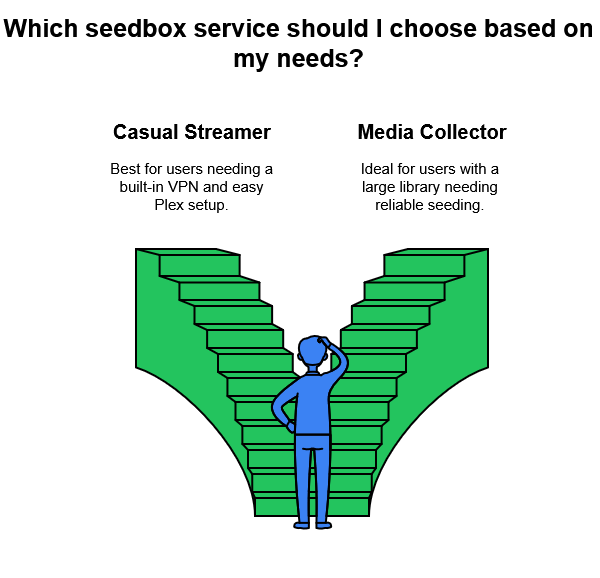
To put a human face on the choice, here are two of the most popular use case scenarios that can help you choose.
- Casual Streamer: You only need to download some videos each month, want a built-in VPN for privacy, and a straightforward method for hosting Plex to watch on your TV. You don’t mind paying a bit extra for a “one-stop shop.”
- Best Choice: RapidSeedbox Premium. You get an easy setup, integrated VPN, and good support for Plex.
- Media Collector: You manage a large library of classic films or historical data (think 10+ TB). You want a stable environment to keep these files seeded for archivist or academic reasons. You’re comfortable installing an app or two with a single click and maybe tweaking advanced settings if needed.
- Best Choice: Whatbox HDD plan with 10+ TB, so you have space to store your entire library and seed it reliably.
10. My Personal Take
I’ve used both for a while. If you’re looking for the whole “seedbox plus personal VPN plus full server environment” package, especially if you’re not a Linux pro, go with RapidSeedbox. The live chat support is a huge plus if you’re worried about messing something up.
On the other hand, if you’re looking for something more straightforward and just need a lot of storage space, Whatbox is a good option. The fact that you get full app support on every plan is nice.
I personally prefer RapidSeedbox because I like the integrated VPN and remote desktop, and I’m willing to pay a bit more for the convenience.
🤔 Try RapidSeedbox before making your final call. — Start with 4 Months Free
11. Summary
Both RapidSeedbox and Whatbox are top-tier seedbox services with solid performance, strong privacy features, and a range of price points. Let’s summarize:
- Choose RapidSeedbox if:
- You want a built-in VPN without extra setup.
- You prefer easy remote desktop and one-click app installs.
- You like having 24/7 live chat in case you hit roadblocks.
- You don’t mind paying more for advanced capabilities in the Premium tiers.
- Choose Whatbox if:
- You crave massive storage (up to 20+ TB).
- You value a stable environment with a long track record.
- You don’t need an included VPN service or root access.
- You’re okay with a ticket-based system and occasional IRC for support.
In the end, both providers continue refining their offerings. If you pick the one that fits your needs and budget, you’ll likely have a smooth torrenting and seeding experience for your favorite content.
Trying to choose between RapidSeedbox and Whatbox?
Get more out of your torrenting setup with RapidSeedbox! Enjoy lightning-fast speeds, dedicated resources, and enhanced privacy features that outpace the competition. Whether you’re a casual user or a power seeder, RapidSeedbox offers the performance and reliability you need to stay ahead.
0Comments