 By
By
When it comes to choosing between Jellyfin and Stremio, it’s really just about one thing: do you want a quick streaming app, or do you want a private media library that you can control?
Stremio makes it really easy to browse and stream with add-ons. Jellyfin is great for organising your own movies, shows, music, and videos on a server. That server can be a home PC, NAS, or a seedbox that stores your media remotely and lets you stream it without relying on your home computer.
So, the real choice isn’t just Jellyfin vs Stremio. It’s all about convenience versus control.
Table of Contents:
- TL;DR: Jellyfin vs Stremio Summary
- What Is the Difference Between Jellyfin and Stremio?
- Jellyfin vs Stremio: Key Facts
- Jellyfin vs Stremio: Quick Comparison
- What Is Jellyfin?
- What Is Stremio?
- Jellyfin vs Stremio for Beginners
- Jellyfin vs Stremio for Seedbox Users
- Jellyfin vs Stremio for Privacy
- Jellyfin vs Stremio for Legal Streaming
- Jellyfin vs Stremio for Local Media Libraries
- Jellyfin vs Stremio for Remote Streaming
- Jellyfin vs Stremio – Interface and User Experience
- Jellyfin vs Stremio – Performance
- Jellyfin vs Stremio: Pros and Cons
- How to Set Up Jellyfin With a Seedbox
- How to Use Stremio Safely
- Common Mistakes When Comparing Jellyfin and Stremio
- Who Should Use Jellyfin?
- Who Should Use Stremio?
- Jellyfin vs Stremio: Which One Is Better?
- Frequently Asked Questions About Jellyfin vs Stremio
- Final Verdict: Jellyfin or Stremio?
TL;DR: Jellyfin vs Stremio Summary
- What Jellyfin is: Jellyfin is a free, open-source media server that organizes and streams your own media files from a server to your devices.
- What Stremio is: Stremio is a media center app that uses add-ons to discover and stream content from different sources.
- Main difference: Jellyfin is server-based and library-focused. Stremio is app-based and add-on-focused.
- Best for beginners: Stremio is easier at first. Jellyfin is better if the beginner wants to build a proper media library.
- Best for seedboxes: Jellyfin is better because it can run on a seedbox and stream files directly from remote storage.
- Best for privacy: Jellyfin gives more control because your media library runs on your own server.
- Best for casual use: Stremio is simpler because it does not require server setup.
- Bottom line: Use Jellyfin if you want ownership, privacy, and a real media server. Use Stremio if you want a lightweight media center for browsing and discovery.
What Is the Difference Between Jellyfin and Stremio?
Jellyfin is a media server, while Stremio is a media centre built around add-ons. Jellyfin basically stores your media files on a server and streams them to your devices. Stremio works by using add-ons to find and play content from other sites.
That difference is more important than any list of features. Jellyfin is all about ownership. Stremio is just so convenient. Jellyfin asks you to build and manage a library. Stremio asks you to install an app, add sources, and start browsing.
If you’ve already got a seedbox, NAS, home server, or a big media collection, Jellyfin might be a better option. If you’re after a lighter app for content discovery and don’t want to deal with folders, metadata, or remote access, Stremio might be worth a look.
Jellyfin vs Stremio: Key Facts
- What Jellyfin is: A free, open-source media server for organizing and streaming your own media library.
- What Stremio is: A media center app that uses add-ons to organize and stream content from different sources.
- Main difference: Jellyfin hosts your media; Stremio aggregates content through add-ons.
- Best for beginners: Stremio is easier at first, but Jellyfin is better if you want a long-term personal library.
- Best for seedbox users: Jellyfin is stronger because it can run on a server and stream media from remote storage.
- Best for privacy: Jellyfin gives you more control because your library runs on your own server.
- Best for casual streaming: Stremio is simpler if you don’t want to manage files.
- Best long-term setup: Jellyfin on a seedbox, NAS, or home server.
Jellyfin vs Stremio: Quick Comparison
| Feature | Jellyfin | Stremio |
|---|---|---|
| Main purpose | Self-hosted media server | Media center with add-ons |
| Best for | Personal media libraries | Content discovery |
| Media source | Your own files | Add-ons and external sources |
| Server required | Yes | No, for normal use |
| Seedbox-friendly | Very strong | Limited |
| Setup difficulty | Medium | Easy |
| Privacy control | High | Medium |
| Local library management | Excellent | Limited |
| Remote streaming | Yes | Yes, depending on sources |
| Open-source | Yes | Partly/open-source client ecosystem |
| Best user type | Power users, media collectors, seedbox users | Beginners, casual viewers, discovery-focused users |
- Choose Jellyfin when you want to control your own media library, stream from a seedbox, avoid platform lock-in, and organize your content properly.
- Choose Stremio when you want a quick streaming hub with less setup and don’t want to build a server-based media system.
What Is Jellyfin?
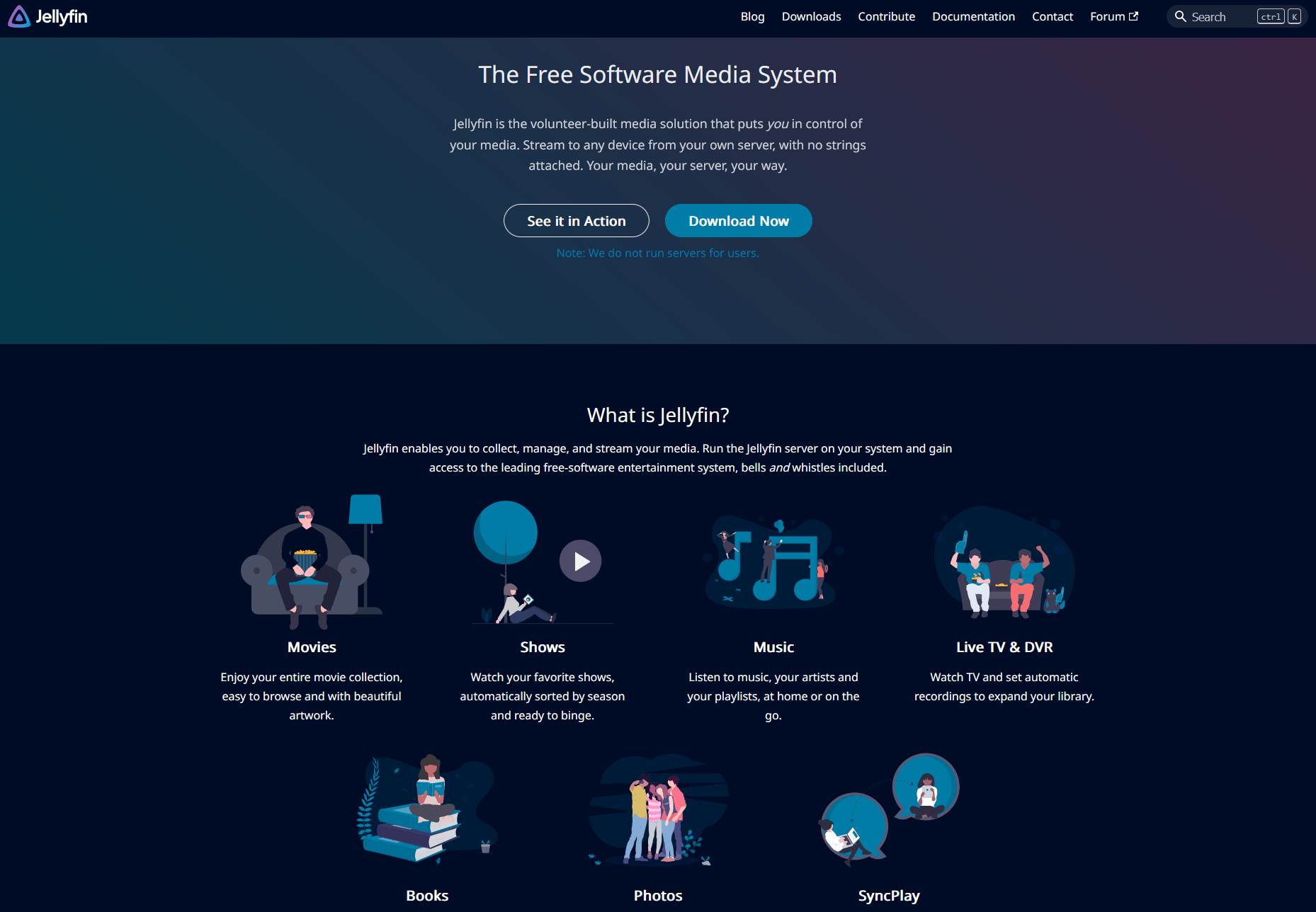
Jellyfin is a free, open-source media server that lets you collect, manage and stream your own media files. It runs on a server, scans your folders, organises your library, and streams that content to apps on your TV, phone, tablet, computer, or browser.
The idea is pretty straightforward: you keep control of your media storage. That storage can be a home computer, NAS, VPS, or seedbox. Jellyfin then acts as the bridge between those files and the devices where you watch them.
Jellyfin basically turns a folder full of files into a personal library, just like Netflix. It can show posters, descriptions, seasons, episodes, music albums, subtitles, user accounts, watch history, and playback progress.
I usually suggest Jellyfin when someone’s already got a growing collection of media and wants to stop treating it like a messy downloads folder. Once you’ve got Jellyfin set up right, the library’s a breeze to browse, share on your devices and maintain.
Jellyfin might not be the fastest option if you want to press one button and start watching. It takes more setup than Stremio. But if you’re after ownership, structure and long-term control, Jellyfin is the better option.
What Is Stremio?
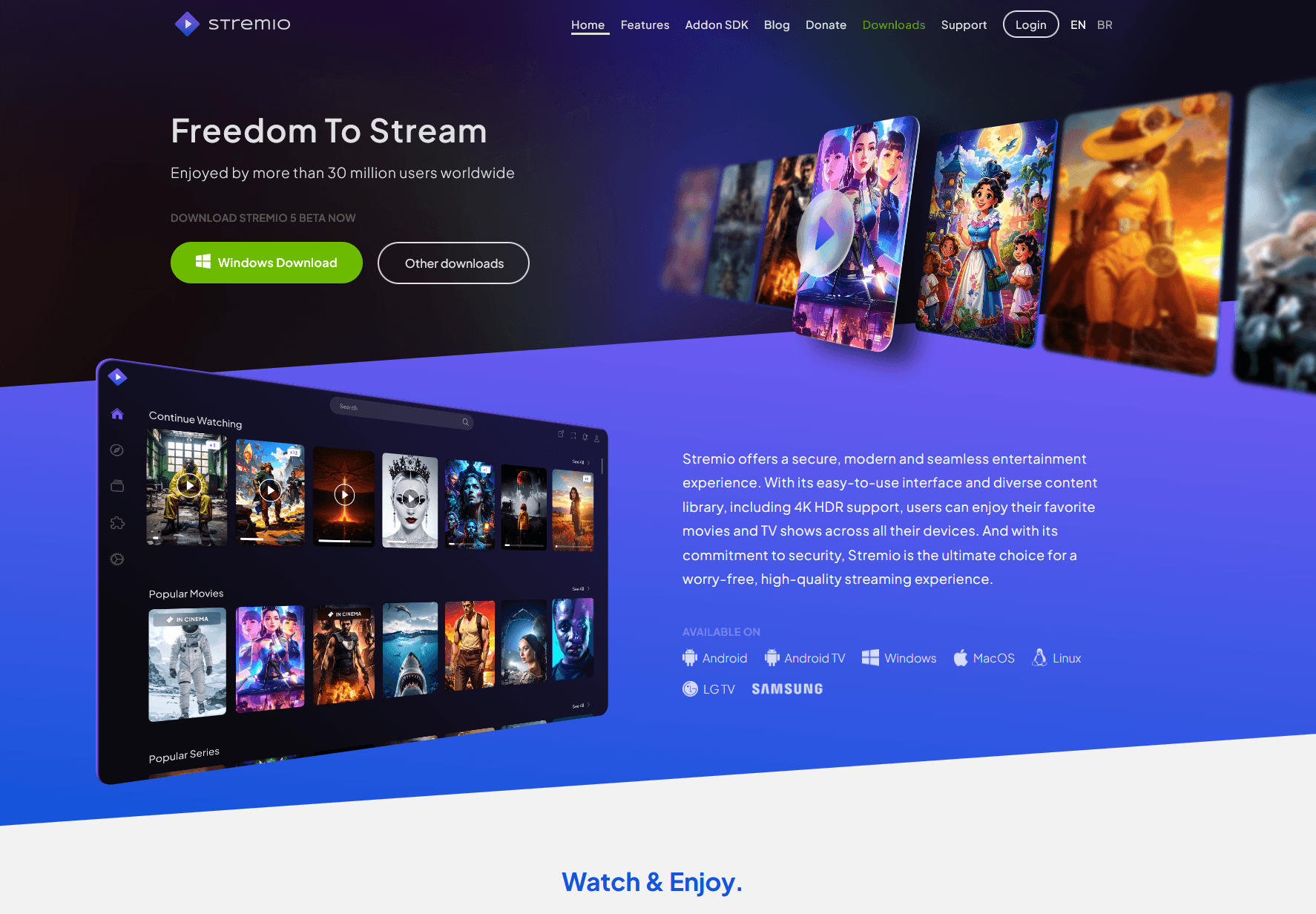
Stremio is a media centre app that helps you discover, organise and stream video content through an add-on system. Rather than making you set up your own server, Stremio gives you an app interface where you can add content sources through official or community add-ons.
That’s why Stremio feels easier than Jellyfin at first. You install the app, create or use an account, add the sources you want, and browse content through the Stremio interface. You don’t have to mess around with setting up folders, installing a server, or configuring users.
Stremio is basically a discovery and playback hub. It can help you find movies, shows, channels and streams, depending on the add-ons you’ve got installed. It’s a lot less intensive than managing a full media server.
The trade-off is control. Stremio depends a lot on add-ons and external content sources. So, what you install and where the content comes from can affect the quality, availability, legality and reliability.
Stremio is useful when you want convenience. Jellyfin is better when you want ownership. That is the cleanest way to separate them.
Jellyfin vs Stremio for Beginners
Stremio is easier for beginners because it requires less setup, but Jellyfin is better for beginners who want to build a real personal media library. The right choice depends on whether you want quick access or long-term control.
Stremio’s first hour is the easiest. You install the app, add sources, and start browsing. There’s no server dashboard, no library folder structure, and no need to learn how remote access works. If you’re someone who’s feeling a bit swamped by all the media servers out there, then this simplicity is a real plus.
If you care about your own media, Jellyfin’s got a better long-term learning curve. The first setup takes more effort, but you learn something useful at each step: folder structure, metadata, subtitles, users, playback quality, transcoding, and remote streaming.
If you’re just starting out and want something simple, Stremio is a great choice. If you’re just starting out and want to create a library that you can keep improving, Jellyfin is a great choice.
If you only want to watch tonight, I’d say Stremio is easier. If you’re after a setup you’ll still be using next year, Jellyfin is worth checking out.
Jellyfin vs Stremio for Seedbox Users
Jellyfin is better than Stremio for seedbox users because it can run as a media server close to your stored files. A seedbox gives you remote storage and bandwidth, while Jellyfin turns that remote storage into a streamable media library.
This is where Jellyfin really shines. If you keep your media on a seedbox, you don’t need to download everything to your laptop before watching. You can run Jellyfin on the seedbox, point it to your media folders, and stream from the server to your devices.
That setup works well because the media server and the files are in the same environment. Jellyfin will scan the seedbox folders, organise the content, and send streams to your client apps. You don’t have to keep your home computer online.
Stremio can still be useful for discovery, but it’s not built around your seedbox library in the same way. It’s not a replacement for a proper media server if you’re aiming to organise and stream files stored on remote infrastructure.
Jellyfin vs Stremio for Privacy
Jellyfin gives you more privacy control than Stremio because it runs on your own server and uses your own media library. You decide where the files go, who can access them, and how the server is configured.
Just because Jellyfin is set up in a private way doesn’t automatically mean it is. Just remember to secure the server properly. That includes strong passwords, updated software, HTTPS where appropriate, careful user permissions, and a provider you trust if you run Jellyfin on a seedbox or VPS.
The thing is, with Jellyfin, you’ve got control over the stack. Your library doesn’t need random add-ons. Your content organisation doesn’t rely on third-party catalogues. The way you play back files is linked to the files and server settings you manage.
Stremio has a different privacy model. It’s got an add-on system that’s pretty handy, but whether or not it’s private enough for you depends on which add-ons and sources you use. Some add-ons are safer and more transparent than others. Some sources might put users at risk of legal or tracking issues, depending on how they work.
If privacy is your top priority, go for Jellyfin and take the time to set it up properly. It’s great to be convenient, but having control is the best way to stay private.
Jellyfin vs Stremio for Legal Streaming
Jellyfin and Stremio are both legal tools, but whether or not they’re legal depends on the content sources you use. Jellyfin is usually safer from a compliance perspective because it’s designed around media you own, created, or have the right to store and stream.
Jellyfin doesn’t provide movies or shows. It provides the server that organizes and streams your own files. That makes the legal boundary clearer. If the file is yours to store and stream, Jellyfin is just the tool for the job.
Stremio is a bit more complicated because it uses add-ons to provide the content sources. The app itself isn’t the problem. The issue is whether a specific add-on connects to licensed, legal, public-domain, or unauthorised content. Just be careful and avoid sites that offer copyrighted content without permission.
The golden rule is simple: if a tool gives you access to paid content for free without the rights holder’s permission, don’t use that source. This goes for Stremio add-ons, Kodi add-ons, browser streaming sites and basically any other media app you can think of.
To keep things simple, just use Jellyfin with files you’ve got legally, public-domain media, personal videos, licensed downloads, or content you’ve created yourself. Just remember to stick to using Stremio with legitimate add-ons and legal sources.
Jellyfin vs Stremio for Local Media Libraries
Jellyfin is way better than Stremio for local media libraries because it’s built to scan, organise, and stream your own files. It gives you proper libraries for movies, TV shows, music, photos, collections, users, watch history, and metadata.
This is one of the main differences between Jellyfin and Stremio. Jellyfin expects you to have folders of media. It wants clean file names, seasons, episodes, posters, descriptions, subtitles and library categories. That structure is exactly what makes it useful.
Stremio isn’t designed to turn your local storage into a full personal media server. It’s better at bringing all your content together in one place. That can be handy, but it’s not quite the same as having your own library.
If you’ve got 20 random videos, either app should be fine. If you’ve got 500 movies, 40 shows, family videos, training files or a music library, Jellyfin is way better.
When a media collection gets big, it’s more important to be organised than to keep finding new stuff. That’s where Jellyfin really shines.
Jellyfin vs Stremio for Remote Streaming
Jellyfin is better for remote streaming when you want to stream your own files from a server, while Stremio is easier when you want app-based streaming through add-ons. The difference is where the media comes from.
With Jellyfin, remote streaming means your server sends your files to your device. That server could be in your house, on a NAS, on a VPS, or on a seedbox. If the server’s set up right, you can watch your library from home.
The quality depends on your server resources, file formats, upload speed, client device, and whether Jellyfin can direct play or needs to transcode. It’s usually better to use direct play because the server doesn’t need to convert the video in real time.
With Stremio, remote streaming depends on the add-on and content source. You’re not managing a central personal library in the same way. That makes setting things up easier, but you’ll have less control over performance and reliability.
If you want to access your own library remotely, Jellyfin is the best option. If you’re after a quick and easy way to browse apps, Stremio is a great option.
Jellyfin vs Stremio – Interface and User Experience
Stremio’s interface is simpler, which makes it great for casual users. But if you’re looking for something more suited to managing your media library, Jellyfin might be the better option. Stremio feels lighter because it’s all about browsing and discovery. Once you’ve got your library sorted, Jellyfin feels more like a personal Netflix.
You’ll get the hang of the Stremio interface in no time. You search, browse, install add-ons, and play content. The app doesn’t make you think like a server admin. That makes it easier for people who don’t mind where their files are.
The quality of your Jellyfin setup is really important. If your folders are a bit of a mess, your file names are a bit unclear, or the metadata doesn’t match up, Jellyfin can look a bit rough. But when the library is clean, Jellyfin feels organised, reliable, and personal.
That’s why some users judge Jellyfin too quickly. They install it, point it at a messy folder, and think the software’s the problem. The thing is, media servers actually prefer clean structure.
Stremio is easier before setup. Once you’ve set it up, Jellyfin is a great option.
Jellyfin vs Stremio – Performance
How well Jellyfin works depends on your server, files, and client devices, while with Stremio it depends more on the source you choose, any add-ons, and network conditions. Neither app is automatically faster in every situation.
Jellyfin performs really well with direct-play files. With direct play, the video, audio, subtitles and container are all compatible with the device, so Jellyfin doesn’t need to convert anything. This is usually the smoothest scenario.
Jellyfin can have issues with transcoding. It uses a lot of CPU or GPU power because it’s converting a media file in real time. If your seedbox or server plan isn’t strong enough, playback might buffer or even fail.
Stremio’s performance is different. Because Stremio uses external sources and add-ons, the quality of streams can be a bit hit and miss. One source might play smoothly while another might have issues. That makes Spotify a piece of cake to use, but a bit trickier to control.
If you’re someone who’s into predictable performance, Jellyfin’s got you covered with plenty of options to play around with. If you’re after something that’s easy to set up, Stremio is the one to go for.
Want Jellyfin or Stremio to feel faster and more reliable?
Boost your media experience with a RapidSeedbox Seedbox designed for high-speed transfers, stable uptime, and smooth remote access. Whether you are building a Jellyfin server or optimizing your Stremio workflow, a powerful seedbox helps reduce local bandwidth strain while keeping your media ready whenever you need it.
Jellyfin vs Stremio: Pros and Cons
Jellyfin Pros
- Free and open-source
- Strong control over your own media library
- Works well with seedboxes, NAS devices, home servers, and VPS setups
- Supports multiple users and client devices
- Good long-term option for media collectors
- No need to depend on random streaming add-ons
Jellyfin Cons
- Takes more time to set up
- Requires a server
- Remote access needs proper configuration
- Transcoding can require stronger hardware
- Messy file names can create messy libraries
Stremio Pros
- Easy for beginners
- Quick setup
- Good content discovery interface
- Works across many common devices
- Add-ons make it flexible
- No full media server required for normal use
Stremio Cons
- Depends heavily on add-ons
- Content source quality can vary
- Legal risk depends on what sources users install
- Less control over personal libraries
- Not ideal for seedbox-based media organization
How to Set Up Jellyfin With a Seedbox
You can stream your remote media library without downloading every file to your home computer by setting up Jellyfin with a seedbox. The seedbox stores the media, and Jellyfin turns it into a streamable library.
Choose a Seedbox Plan That Supports Jellyfin
Get a seedbox plan that supports Jellyfin as an app or allows custom server applications. This matters because manual setup can involve ports, permissions, storage paths, reverse proxy settings, and updates.
If you’re just starting out, it’s probably best not to make the first setup any more complicated than you need to. If Jellyfin is available as a one-click or supported app, use that route.
Install Jellyfin on the Seedbox
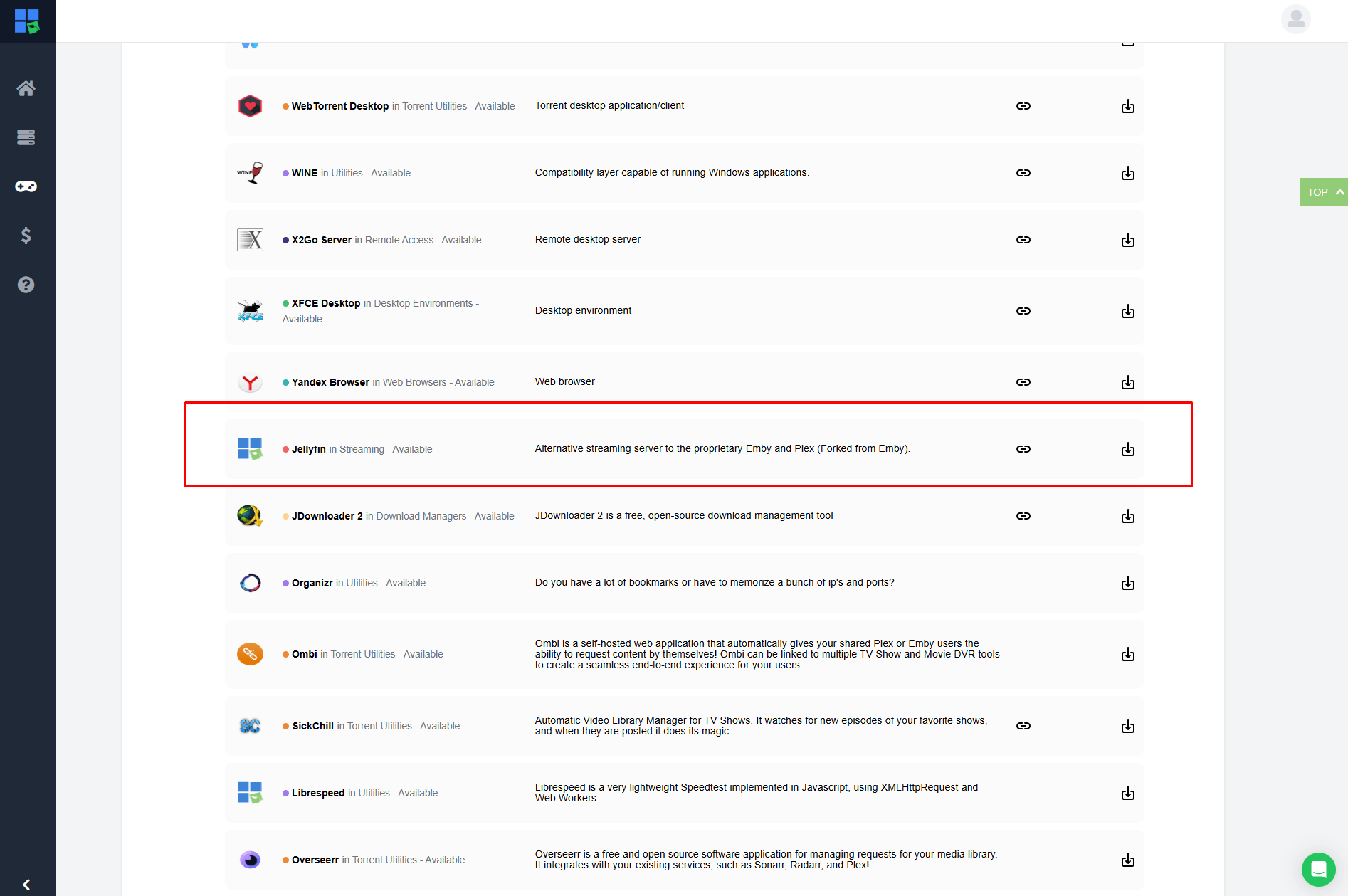
You can install Jellyfin from your seedbox dashboard, as long as your provider supports it. Once you’ve installed it, just open the Jellyfin web interface and create your admin account.
Use a strong password. If your server is exposed to the internet, weak login details are one of the easiest ways to create security problems.
Add Your Media Libraries
You can make different Jellyfin libraries for movies, TV shows, music, and other content types. Just point each library to the right folder on your seedbox.
Make sure your folder structures are kept clean. Movies should usually be named with the title and year. TV shows should be separated by show name and season. Using clean naming helps Jellyfin match metadata correctly.
Connect Your Devices
Just install the Jellyfin client app or use your web browser. Sign in to your server and test playback from the same network and from an external connection if you plan to stream remotely.
If playback doesn’t work, check if the problem is with login access, server address, bandwidth, file permissions, or transcoding.
Optimize for Direct Play
Direct play should be your goal when possible. It reduces server load and usually gives smoother playback. Use device-compatible files, avoid subtitle formats that force transcoding, and choose a seedbox plan with enough resources for your expected streams.
For most users, the best Jellyfin seedbox setup is pretty straightforward: just make sure you’ve got clean folders, files that are direct-play-friendly, strong login security, and a server plan that matches the library size.
How to Use Stremio Safely
When using Stremio, it’s important to be careful with add-ons and content sources. Stremio itself is a media centre app, but how safe and legal it is depends on what you install and where the streams come from.
Stick With Trusted Add-ons
Just stick to add-ons you get on board with. Have a look at what the add-on does, what source it connects to, and whether it’s official, reputable, or community-maintained.
Steer clear of random add-ons that promise free access to paid content. That’s where users often run into legal, privacy, or malware-related problems.
Understand the Source Before You Stream
Before you start streaming, it’s always a good idea to check if the content is licensed, in the public domain, or if you’ve got the rights to it. If you’re not sure about the answer, don’t treat the app like it’s some kind of magic shield.
Just because you’ve got a media app doesn’t mean you can use any old content. The source still matters.
Keep the App Updated
Just use the latest version of Stremio for your platform. App updates can improve performance, security, device support and playback behaviour.
This also applies to Jellyfin. Media tools are internet-connected software, so updates are essential. They’re all part of using the tool responsibly.
Don’t Build Your Setup Around One Add-on
Add-ons can break, disappear or change behaviour. If your whole streaming setup relies on just one unofficial source, it’s not very stable.
That’s one of the reasons why Jellyfin is better for long-term libraries. Your files stay yours, even if a service or add-on changes.
Common Mistakes When Comparing Jellyfin and Stremio
1. Expecting Jellyfin to Work Like Stremio
Jellyfin isn’t a content discovery app like Stremio. It won’t just give you a list of external streams. Jellyfin is at its best when you’ve already got files to sort and stream.
If you install Jellyfin expecting instant content, you’ll be disappointed. Jellyfin is the library system, not the content source.
2: Expecting Stremio to Replace a Media Server
Stremio just isn’t the same as Jellyfin if you’re after full control over your library. It’s not really designed to manage your own files, users, metadata, and server-side media workflows in the same way.
If you keep your media on a seedbox, Jellyfin is the better long-term option.
3. Ignoring File Naming in Jellyfin
If you’ve got a bad file name, you’ve got bad metadata. Just so you know, Jellyfin can only organise your library properly if your folders and files are readable.
Use clear movie titles, years, show names, seasons and episode numbers. A bit of structure can save you a lot of frustration.
4. Ignoring Legal Risk in Stremio
The main issue with Stremio is that it assumes all the add-ons and streams are safe just because they’re in the app. That’s not how legality works.
Only use legitimate sources. Avoid tools or sources that provide copyrighted content without permission.
5. Choosing Convenience Over Your Actual Goal
Stremio is a breeze to use these days. Jellyfin is a better choice for a controlled library tomorrow. If you know what you want, it’s much easier to make a decision.
Pick the tool that suits your workflow, not the one that looks easier at first.
Who Should Use Jellyfin?
Jellyfin is perfect for anyone who wants to own, organise and stream their own media library. It’s perfect for seedbox users, home server users, NAS owners, privacy-focused users, and anyone with a growing media collection.
For Seedbox Users
Jellyfin is a great option because the server can run pretty close to the files. Your seedbox stores the media, and Jellyfin streams it to your devices. This means you won’t have to download big files to your home computer just to watch them.
For Privacy-Focused Users
Jellyfin gives you more control over your media stack. You get to choose the server, storage, users, access settings and library structure. That doesn’t get rid of every privacy issue, but it gives you more control than a streaming workflow that uses add-ons.
For Media Collectors
Jellyfin is great if you’ve got a lot of media and folders just aren’t enough anymore. A proper Jellyfin library is way easier to browse, search, resume, and organise than a pile of files.
For Families and Shared Households
Jellyfin supports user-based access, which is great when lots of people are watching different content. You can separate watch history, control access, and create a cleaner household media experience.
Who Should Use Stremio?
Stremio is perfect for anyone who wants a simple media centre for finding and watching content, and for streaming apps. It’s easier than Jellyfin because you don’t need a server or a carefully organised media library.
For Casual Viewers
Stremio is a better fit if you just want to install an app and browse. You don’t need to learn about server management or media folder rules before you use it.
For People Without a Media Library
If you don’t have your own media files, Jellyfin isn’t as useful. Stremio is better when it’s more important to find content than to own it.
For Users Who Don’t Want Server Maintenance
Jellyfin needs updates, configuration, storage paths, remote access, and the odd troubleshooting session. Stremio avoids most of that. If you don’t want to maintain anything, Stremio is an easier option.
For Lightweight Streaming Setups
Stremio is great if you’re after a low-friction app rather than a full home media system. Just be careful with add-ons and stick to legitimate sources.
Jellyfin vs Stremio: Which One Is Better?
Jellyfin is better for personal media libraries, privacy, seedbox streaming, and long-term control. Stremio is better for simple setup, casual browsing and finding new content through add-ons.
There’s no one winner because they all do different jobs. Jellyfin is more like Plex or Emby. Stremio is more like a content hub, like Kodi, but with a stronger focus on add-ons and discovery.
If I was setting up a proper media workflow today, I’d choose Jellyfin with a seedbox. This gives you a cleaner library, more control, and better long-term reliability.
If I were helping someone who just wants a simple app and doesn’t care about building a library, I’d point them to Stremio, but I’d also give them a strong warning to use only legitimate add-ons and sources.
The best answer is not “Jellyfin wins” or “Stremio wins.” The best answer is: Jellyfin is the best choice for ownership. Stremio is definitely the winner when it comes to convenience.
Frequently Asked Questions About Jellyfin vs Stremio
Is Jellyfin better than Stremio?
Jellyfin is better than Stremio if you want to host, organize, and stream your own media library. Stremio is better if you want a simpler media center that uses add-ons for content discovery. Jellyfin is about ownership; Stremio is about convenience.
Can Jellyfin replace Stremio?
Jellyfin can replace Stremio if your goal is to stream your own media files from a server, seedbox, NAS, or home computer. Jellyfin is not a direct replacement if you mainly use Stremio for add-on-based content discovery.
Is Stremio safer than Jellyfin?
Neither tool is automatically safer in every situation. Jellyfin safety depends on server security, passwords, updates, and access settings. Stremio safety depends heavily on which add-ons and content sources you use. For privacy control, Jellyfin is usually the stronger option.
Can I use Jellyfin with a seedbox?
Yes, Jellyfin works well with a seedbox when the provider supports media server apps. The seedbox stores the files, Jellyfin organizes the library, and your devices connect to the Jellyfin server for streaming.
Which is easier, Jellyfin or Stremio?
Stremio is easier for first-time users because it does not require a server or media library setup. Jellyfin takes more time to configure, but it becomes easier to manage once your folders, metadata, users, and playback settings are organized.
Final Verdict: Jellyfin or Stremio?
If you’re after a quick app for browsing and discovery, Stremio is the easier choice. If you’re after a private media library that you can host, organise and stream from a seedbox or server, then Jellyfin is the better long-term option.
For most RapidSeedbox users, I’d choose Jellyfin. It’s better for the seedbox workflow, gives you more control, and turns remote storage into a proper streaming library instead of just another folder full of files.
Compliance Disclaimer: This article is for educational and informational purposes only. RapidSeedbox does not encourage copyright infringement, unauthorized streaming, or the use of third-party add-ons to access copyrighted content without permission. Always use Jellyfin, Stremio, seedboxes, and media apps with content you own, content you created, public-domain media, licensed services, or files you have the legal right to store and stream.
Choosing between Jellyfin and Stremio for your media setup?
Upgrade your streaming workflow with a high-speed RapidSeedbox Seedbox built for smooth downloads, remote media access, and effortless library management. Whether you prefer Jellyfin’s self-hosted control or Stremio’s flexible discovery experience, a dedicated seedbox gives your media setup the speed, storage, and always-on performance it needs.
0Comments