 By
By
It used to be pretty straightforward: Jellyseerr for Plex, Overseerr for Jellyfin or Emby. If you run your media stack on a home server, NAS, VPS, or seedbox, that answer still explains the old difference – but it’s not the full story today.
In 2026, the better question is whether you should still install either one at all. The Overseerr and Jellyseerr teams have joined forces, and now they’re working on a project called Seerr. This new app combines Plex, Jellyfin, and Emby into one.
Quick Answer: Jellyseerr vs Overseerr
Overseer is the media request app for Plex. Jellyseerr is a fork of Overseerr that’s been built to add Jellyfin and Emby support. If you’re doing a new install, Seerr is definitely the way to go these days. It’s a one-stop shop, combining both projects into one easy-to-manage request manager for Plex, Jellyfin, and Emby.
If you’re starting from scratch, go for Seerr instead of having to choose between legacy Overseerr and Jellyseerr. If you’re already using one of them and it’s working well, it’s better to plan a careful migration rather than rushing things.
Table of Contents:
- Jellyseerr vs Overseerr vs Seerr at a Glance
- What Overseerr Does
- What Jellyseerr Does
- The Biggest Difference: Media Server Support
- The 2026 Change: Seerr Replaces the Old Decision
- Feature-by-Feature Comparison
- Which One Should You Use?
- Migration Checklist: Overseerr or Jellyseerr to Seerr
- Common Setup Mistakes
- Jellyseerr vs Overseerr: Final Verdict
- FAQ
Jellyseerr vs Overseerr vs Seerr at a Glance
| Feature | Overseerr | Jellyseerr | Seerr |
|---|---|---|---|
| Best original use case | Plex requests | Jellyfin and Emby requests | Unified requests for Plex, Jellyfin, and Emby |
| Plex support | Yes | Yes | Yes |
| Jellyfin support | No native support | Yes | Yes |
| Emby support | No native support | Yes | Yes |
| Sonarr/Radarr integration | Yes | Yes | Yes |
| Request approvals | Yes | Yes | Yes |
| Library scanning | Plex library scan | Jellyfin/Emby/Plex library scan | Jellyfin/Emby/Plex library scan |
| Development path in 2026 | Superseded by Seerr | Merged into Seerr | Active unified project |
| Best choice today | Existing Plex-only installs before migration | Existing Jellyfin/Emby installs before migration | New installs and long-term use |
Overseerr’s own GitHub repository now says that Overseerr is being replaced by Seerr. It suggests switching over to keep things running smoothly. Jellyseerr’s repository says it’s an Overseerr fork built to support Jellyfin and Emby, while also supporting Plex-related request workflows. Seerr’s documentation lists full integration with Jellyfin, Emby, and Plex, support for Sonarr/Radarr, granular permissions, notifications, mobile-friendly request management, and support for PostgreSQL/SQLite databases.
What Overseerr Does
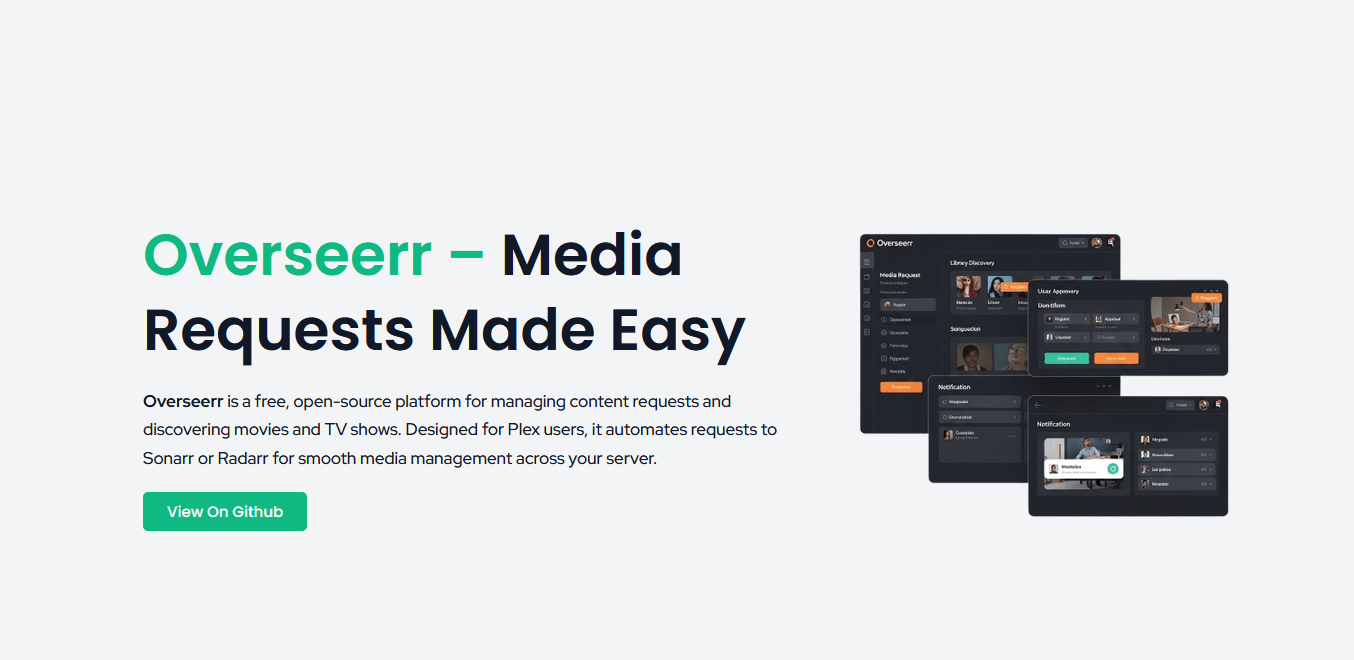
Overseer is a handy tool for managing media requests and discovering content in Plex-based setups. It gives your users a simple web interface where they can search for movies or shows, request them, and track request status without needing direct access to Radarr, Sonarr, or your server backend.
A typical Overseerr flow looks like this:
- A user logs in with Plex.
- They search for a movie or TV show.
- Overseerr checks whether it already exists in your Plex library.
- The user sends a request.
- You approve it manually, or it is auto-approved based on permissions.
- Overseerr sends the movie to Radarr or the show to Sonarr.
- Your media stack handles the download, import, and Plex library update.
The important point: Just so you know, Overseer doesn’t download anything. It doesn’t replace Radarr, Sonarr, your indexers, your download client, or Plex. It’s the request and approval layer that sits on top of them.
What Jellyseerr Does
Jellyseerr started out as a fork of Overseerr, for people who wanted the same kind of request experience outside the Plex ecosystem. Its main advantage was that it supported both Jellyfin and Emby.
That made Jellyseerr the practical choice if your stack looked like this:
- Jellyfin instead of Plex
- Emby instead of Plex
- Mixed media server testing
- Users who authenticate through Jellyfin or Emby
- A request UI connected to Sonarr and Radarr
The user experience is pretty similar to Overseerr, as Jellyseerr was built on the same idea of managing requests. The main difference is server compatibility. Jellyseerr made some changes to the media-server side of the stack, but kept the same request, approval, and automation flow that everyone’s used to.
The Biggest Difference: Media Server Support
The main Jellyseerr vs Overseerr difference is this:
Use Overseerr for Plex-only legacy setups. If you’re working with Jellyfin or Emby legacy setups, Jellyseerr is the way to go. Use Seerr for new setups.
Overseer was designed with Plex in mind. It’s got all the features you’d expect, like Plex authentication, Plex user management, Plex library scanning, and it’s integrated with Sonarr and Radarr too.
Jellyseerr then took that model and expanded it to include Jellyfin and Emby. Its repository describes full integration with Jellyfin, Emby and Plex, including authentication, user import, media-server library scanning, request management, permissions, notifications and mobile-friendly use.
Seerr now combines that direction into one project.
The 2026 Change: Seerr Replaces the Old Decision
Before 2026, you could treat Jellyseerr vs Overseerr as a normal software comparison. So, there’s a third way of looking at it.
Back in February 2026, the Seerr team announced that the Jellyseerr and Overseerr teams were going to merge into one project. The idea was to bring together Overseerr functionality with Jellyseerr features, including support for Jellyfin and Emby, into one shared codebase.
That’s important because request tools aren’t just toys. They’re right in the middle of your media stack. If your app doesn’t get the latest updates, you might run into problems with authentication, API changes, Docker images, dependencies, notifications, or security patches.
So the practical recommendation is:
- New install? Use Seerr.
- Existing Overseerr install? Keep it running if it works, but plan migration.
- Existing Jellyseerr install? Keep it running if it works, but plan migration.
- Shared Plex/Jellyfin/Emby environment? Use Seerr instead of maintaining separate request apps.
Feature-by-Feature Comparison
Media Discovery
Overseer, Jellyser and Seerr all have the same goal, which is to make it easier for users to discover media. Instead of chatting with the server owner, you can browse trending titles, search for a specific movie or show, and send requests from a web interface.
This is the feature your users notice first. It makes “Can you add this?” into a self-service request.
Request Management
All three tools support the same basic request pattern:
- user finds a title;
- user submits a request;
- admin approves, denies, or auto-approves;
- request is sent to Radarr or Sonarr;
- the app tracks whether the media is available.
The difference isn’t in the basic request model. The difference is basically which media server the app is built to work with and which project is now getting the long-term development focus.
Sonarr and Radarr Integration
Overseerr, Jellyseerr, and Seerr all integrate with Sonarr and Radarr. This is what turns a user request into an automated media-management action.
For example:
- movie request → Radarr
- TV request → Sonarr
- library status → Plex, Jellyfin, or Emby scan
- notifications → Discord, email, Telegram, Slack, or another supported agent, depending on your setup
Seerr’s current documentation says that Sonarr and Radarr are the core service integrations, with more services planned.
Permissions and Auto-Approval
Permissions are a top reason to use a request manager instead of giving people access to Radarr or Sonarr directly.
A proper request tool lets you decide:
- who can request movies;
- who can request TV shows;
- who needs approval;
- who can auto-approve;
- who can manage other users;
- how many requests a user can make;
- whether 4K requests need different handling.
This is really handy when you’re sharing a media server with family, friends, or a small private group. You can avoid giving everyone backend access, but still let them request content.
Library Scanning
Library scanning stops duplicate requests. If there’s already a movie or show out there, the request app can show it as available instead of sending the same title back into your automation chain.
Overseerr scans Plex libraries. Jellyseerr scans Jellyfin, Emby, or Plex ones. On the other hand, Seerr scans Plex, Jellyfin, or Emby libraries, depending on which media server you configure.
Database Options
Legacy Overseerr and Jellyseerr commonly used SQLite-style lightweight setups. Seerr now lists support for both PostgreSQL and SQLite, which gives admins more flexibility if they want a more durable database setup for larger or more complex installs.
For most personal stacks, SQLite is still fine. PostgreSQL is a really good option if you’re managing a big user base, you care about database resilience, or you prefer keeping service data in a dedicated database system.
Which One Should You Use?
Use Seerr for a New Setup
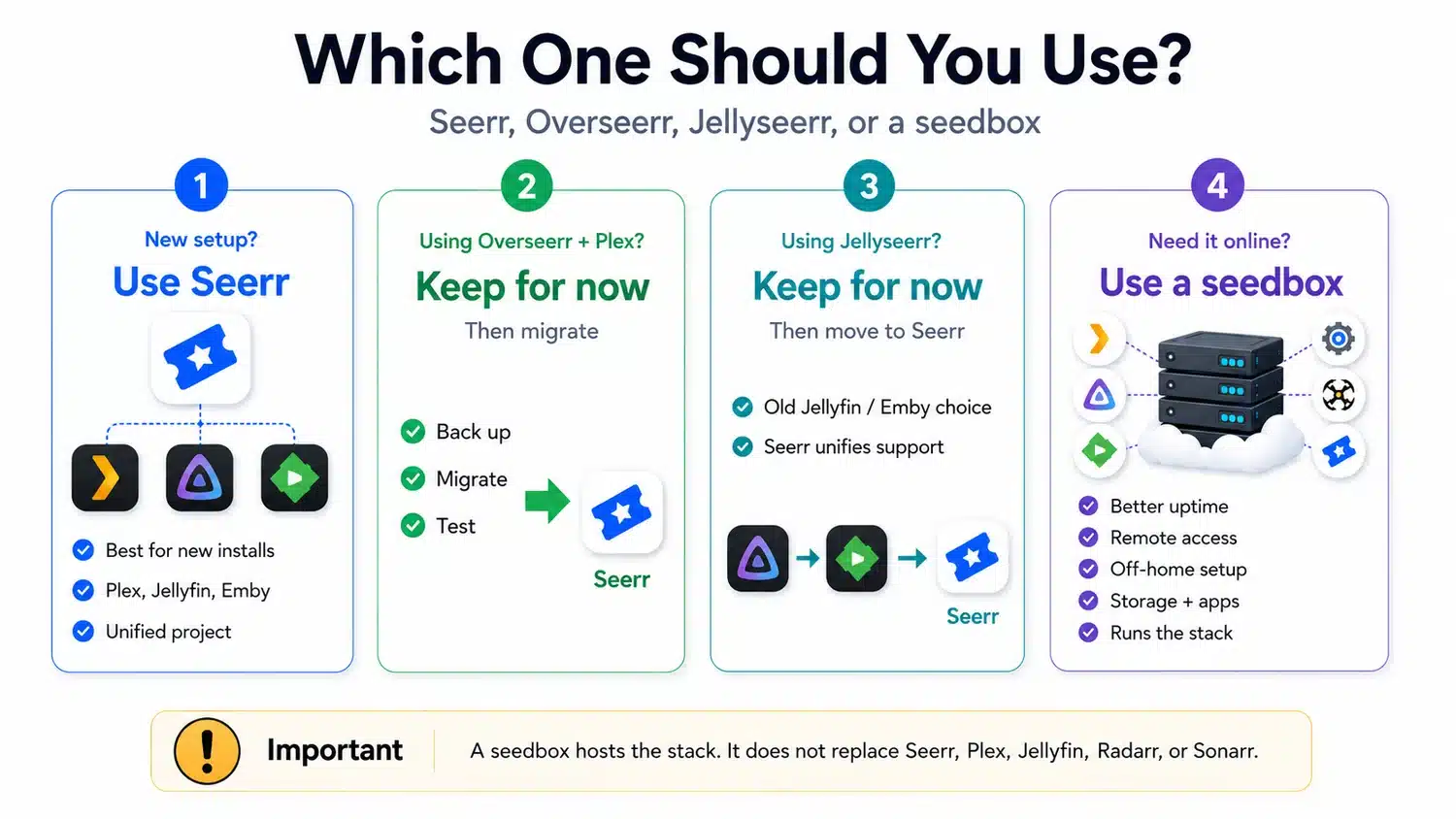
If you are building a new request system today, use Seerr.
There’s not much point in doing a fresh install on legacy Overseerr or Jellyseerr unless your hosting provider, app store, or one-click installer hasn’t caught up yet. Seerr is the one project that supports all the major media-server ecosystems, and it’s where all the new development is expected to happen.
Keep Overseerr Temporarily If Your Plex Setup Is Stable
If you’re already using Overseerr with Plex and everything’s working fine, there’s no need to mess around with your setup just to change a name.
A sensible approach is:
- Back up your current Overseerr config and database.
- Read the Seerr migration guide.
- Pick a low-traffic time.
- Migrate.
- Test Plex login, library scan, Radarr, Sonarr, notifications, reverse proxy, and request history.
- Invite users back in only after the basics work.
Overseerr is still a good tool for understanding the Plex request workflow, but it shouldn’t be your go-to choice for new installations.
Keep Jellyseerr Temporarily If Your Jellyfin or Emby Setup Is Stable
The same logic applies to Jellyseerr. If it’s working today, don’t panic. Just make sure you’re on track with the project.
Jellyseerr was the right answer when the decision was “Overseerr experience, but for Jellyfin or Emby.” Seerr now makes that a unified feature instead of a fork-specific advantage.
Use a Seedbox When You Want the Stack Online Without Running a Home Server
A seedbox isn’t a replacement for Overseerr, Jellyseerr, Seerr, Plex, Jellyfin, Radarr, or Sonarr. It’s the hosting layer where some or all of those apps can run.
That can make sense if you want:
- better uptime than a home PC;
- remote access without keeping your desktop on;
- media automation away from your home connection;
- a server environment with storage, bandwidth, and app support;
- a cleaner place to run Plex, Jellyfin, Emby, Sonarr, Radarr, and a request manager together.
RapidSeedbox plans include streaming apps and one-click installers, which makes the seedbox angle relevant for readers who want a hosted media stack instead of maintaining everything locally.
The important caveat: your request manager only organizes and triggers requests. You still need to configure the rest of your stack properly and only use it for content you have the right to access, store, and stream.
Want your Jellyseerr or Overseerr setup to feel faster and more reliable?
Give your media request workflow the speed and uptime it deserves with RapidSeedbox. Host your automation stack remotely, keep downloads running around the clock, and make it easier to manage Plex, Jellyfin, or Emby requests without slowing down your home connection.
Migration Checklist: Overseerr or Jellyseerr to Seerr
The official migration guide says that Seerr can automatically migrate an existing Overseerr or Jellyseerr instance when you first start it up, but it also tells users to back up their existing instance before doing anything.
Use this checklist before switching:
- Back up your appdata/config folder.
Do this before changing images, paths, permissions, or container names. - Confirm your current install path.
Know where Overseerr or Jellyseerr stores its config, database, and settings. - Stop the old container.
Do not delete your existing appdata until you have verified the migration. - Prepare the Seerr config path.
The Seerr Docker examples use/app/configfor the container config mount. - Check permissions.
Seerr’s migration notes state that the container runs as thenodeuser with UID 1000, so the config folder needs the correct read/write permissions. - Start Seerr on port 5055 or your chosen mapped port.
Seerr’s Docker documentation uses port5055:5055, and thePORT=5055environment variable is optional. - Verify the boring things first.
Check users, permissions, request history, media-server connection, Radarr, Sonarr, notifications, base URL, and reverse proxy. - Keep the backup until users have tested requests.
A request app can look fine at login but still fail when it sends a request to Radarr or Sonarr.
Common Setup Mistakes
1. Choosing Overseerr for Jellyfin
If your main media server is Jellyfin, Overseerr isn’t the right long-term tool for the job. That was the whole reason for Jellyseerr’s existence, and Seerr now covers that use case directly.
2. Installing Jellyseerr for a New Setup Instead of Seerr
Jellyseer still explains the history well, but a new setup should usually go straight to Seerr. It gives you the Jellyfin and Emby support people were after from Jellyseerr, while also bringing Plex users into the same maintained project.
3. Thinking the Request App Downloads Media
Overseerr, Jellyseerr, and Seerr do not download files by themselves. They send approved requests to tools like Radarr and Sonarr. Your download client, indexers, and media server still need to be configured separately.
4. Using localhost Inside Docker
This is one of the most common mistakes people make when networking containers.. Seerr’s media-server settings warn that when Seerr runs in a Docker container using a bridged network, localhost or 127.0.0.1 points to the Seerr container itself, not your host or another container. The docs recommend putting services on the same custom Docker network when appropriate so container names can be used internally.
5. Mixing Internal and External URLs
Your internal URL is what Seerr uses to talk to Plex, Jellyfin, or Emby. Your external URL is what users access from their browser or app.
These are not always the same. For example, Seerr might reach Jellyfin through a Docker container name internally, while users reach it through a public reverse-proxy domain.
6. Exposing the Request App Without Thinking About Access
Request apps are handy because they’re user-facing. You should also treat them like public web apps if they’re not on your home network.
Use HTTPS, strong authentication, careful permissions, and sensible user limits. Do not give every user admin-level request permissions just because the interface looks friendly.
Jellyseerr vs Overseerr: Final Verdict
The old answer was:
- Overseerr for Plex
- Jellyseerr for Jellyfin or Emby
The better answer today is:
- Seerr for new installs
- Overseerr only if you already run a stable Plex setup and have not migrated yet
- Jellyseerr only if you already run a stable Jellyfin/Emby setup and have not migrated yet
If you’re thinking of installing either Jellyseerr or Overseerr, I’d suggest skipping the legacy split and going for Seerr instead. If you’re comparing them because you’re already running one, use the comparison to understand your current setup, then plan a careful migration with backups.
A request manager should make your media stack more stable, not less. Pick the app that’s right for the project’s future, check your Sonarr/Radarr and media-server connections, and keep the setup simple enough that you can fix it when something breaks.
FAQ
Is Jellyseerr better than Overseerr?
Jellyseerr is better than Overseerr if you need Jellyfin or Emby support. Overseerr was originally the better fit for Plex-only setups. In 2026, Seerr is the better new-install choice because it supports Plex, Jellyfin, and Emby in one unified project.
Is Overseerr discontinued?
Overseerr is being superseded by Seerr. The Overseer GitHub repository says it’ll no longer be getting new features or major updates, and suggests switching to Seerr for ongoing support and development.
Is Jellyseerr discontinued?
Jellyseerr has now been rolled into the Seerr direction, along with Overseerr. The official Sentry announcement says that the Jellyseerr and Overseerr teams are going to be one team with a shared codebase.
Can I use Jellyseerr with Plex?
Yes. Jellyseerr supports Plex as well as Jellyfin and Emby. Its main historical advantage was adding support for Jellyfin and Emby to the Overseerr-style request workflow.
Can I use Overseerr with Jellyfin?
Not as the right native choice. Overseerr was built around Plex. If you use Jellyfin, Jellyseerr was the older answer, and Seerr is now the better long-term answer.
Do Jellyseerr, Overseerr, or Seerr download files?
No. They manage discovery, requests, approvals, user permissions, and request status. They send approved requests to automation tools such as Sonarr and Radarr, which then work with the rest of your media stack.
What port does Seerr use?
Seerr commonly uses port 5055. The official Docker documentation maps 5055:5055, and the PORT=5055 environment variable is optional.
Should I run Seerr on a seedbox?
A seedbox is a good place to run Seerr if the rest of your media stack also lives there or if you want your request system available without keeping a home machine online. It’s best to keep it close to Plex, Jellyfin, Emby, Radarr, Sonarr, and your download client.
Running Jellyseerr or Overseerr for smoother Plex, Jellyfin, or Emby requests?
Pair your request manager with a high-speed RapidSeedbox setup built for media automation. Streamline your Jellyseerr or Overseerr workflow with powerful remote hosting, fast downloads, and reliable 24/7 access for your media server stack.
0Comments