 By
By
A seedbox is a dedicated remote server used for uploading and downloading files at high speeds. When combined with qBittorrent, a popular, free, and open-source BitTorrent client, a seedbox becomes an incredibly powerful tool for managing your torrents efficiently and securely.
This guide will go over the pros of using a qBittorrent seedbox, review the top providers, offer a detailed comparison, provide a step-by-step setup guide, and answer frequently asked questions.
Table of Contents
- What is a Seedbox?
- Why qBittorrent?
- Benefits of Using a qBittorrent Seedbox
- Best qBittorrent Seedbox Providers Reviewed
- Comparison Table: Best qBittorrent Seedbox
- How to Set Up qBittorrent on Your Seedbox: A Step-by-Step Guide
- Frequently Asked Questions
- Conclusion
What is a Seedbox?
A seedbox is basically a private server that’s hosted in a data center with a lot of bandwidth. It lets you download and upload torrents at speeds that are way faster than what you’d get with a typical home internet connection. We’re talking 1 Gbps or even 10 Gbps. Once the files are in the seedbox, you can transfer them to your local computer using protocols like SFTP, FTP, or HTTP.
Why qBittorrent?
qBittorrent is a lightweight yet feature-rich torrent client known for its user-friendly interface, low resource consumption, and powerful capabilities.
It offers a built-in search engine, RSS feed support, IP filtering, and remote control through its Web UI, making it an ideal choice for seedbox users who need robust functionality and ease of access.
Benefits of Using a qBittorrent Seedbox
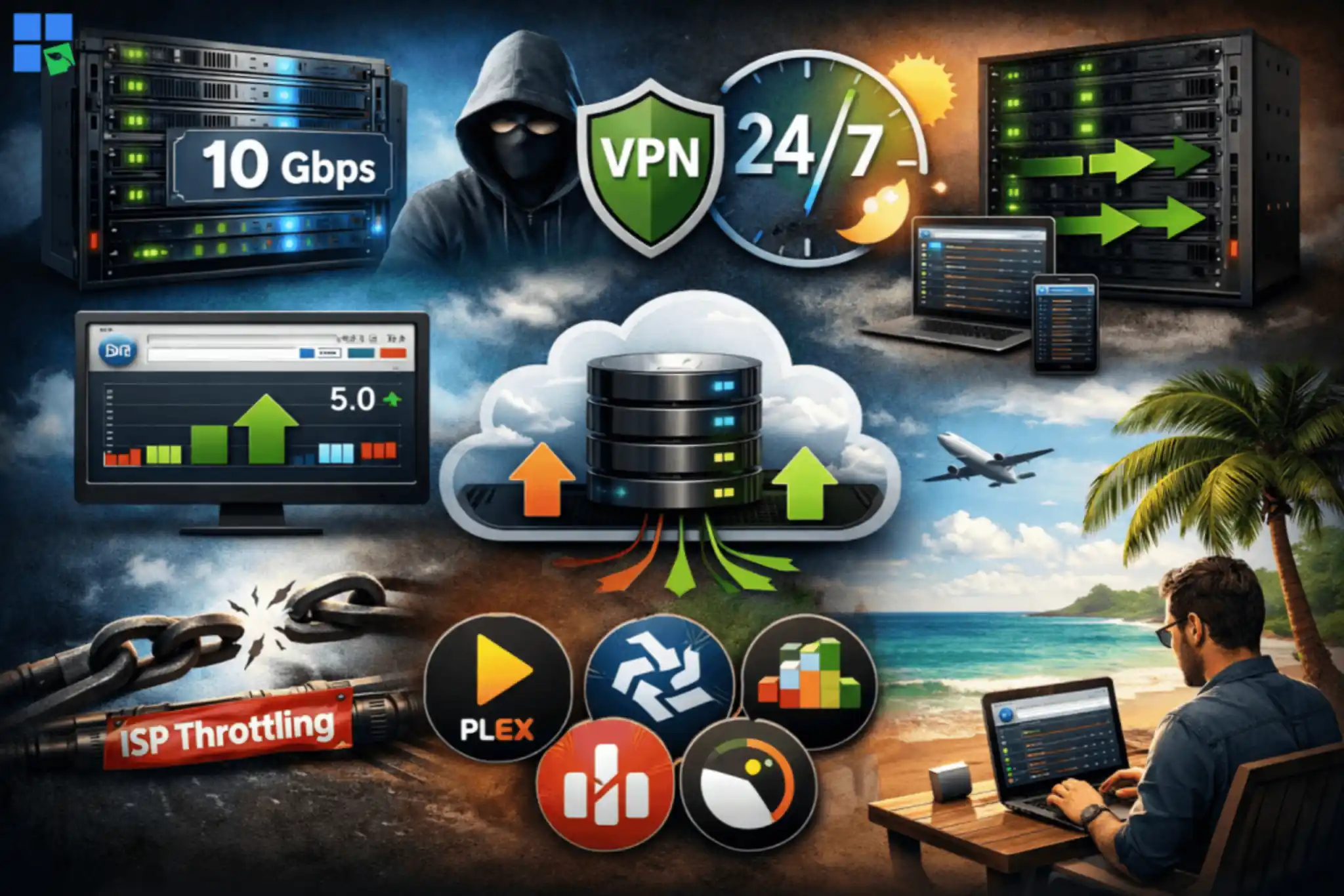
Using a qBittorrent seedbox offers numerous advantages:
- Blazing fast speeds: You can download and upload torrents at speeds up to 10 Gbps, which will really cut down on download times and improve your share ratio.
- Enhanced anonymity and security: Your real IP address is hidden, since all torrenting activity occurs on the remote server. A lot of providers also offer VPN services for an extra layer of privacy.
- Improved ratio: With high upload speeds, you can seed torrents effectively and maintain a good ratio on private trackers.
- 24/7 seeding: Your seedbox runs 24/7, so you can seed files whenever you want without having to keep your home computer on.
- Remote access: Manage your torrents from anywhere using qBittorrent’s Web UI, accessible via any web browser.
- Bypass ISP throttling: Avoid internet service provider (ISP) restrictions or throttling on torrent traffic.
- Pre-installed applications: Many seedbox providers offer one-click installations for qBittorrent and other popular applications like Plex, Sonarr, and Radarr.
Best qBittorrent Seedbox Providers Reviewed
Picking the right seedbox provider is key to a smooth torrenting experience. We’ve looked at a bunch of top providers and checked out things like speed, storage, features, customer support, and pricing. While lots of them offer solid services, RapidSeedbox really shines as our go-to pick for qBittorrent users.
1. RapidSeedbox: The Unrivaled Choice
RapidSeedbox is among the best seedbox providers. They’ve got a great mix of performance, features, and customer service, making it a perfect choice for qBittorrent users. Their infrastructure is designed for speed and reliability, ensuring an exceptional torrenting experience.
Key Features and Advantages:
- High-performance hardware: RapidSeedbox uses powerful CPUs, plenty of RAM, and fast storage to deliver super-fast download and upload speeds, up to 10 Gbps.
- One-click qBittorrent installation: Setting up qBittorrent is effortless with their one-click installer, allowing you to get started in minutes.
- Unlimited bandwidth: All plans come with unlimited bandwidth, so you never have to worry about data caps.
- Robust security and anonymity: They make user privacy a priority with hidden IP addresses, no logging policies, and OpenVPN included.
- 24/7 live chat support: You can count on excellent customer support 24/7 for any issues or questions you might have.
- Wide range of applications: Beyond qBittorrent, RapidSeedbox has a ton of one-click installable apps, like media servers (Plex, Emby, and Jellyfin) and automation tools.
- User-friendly control panel: Their custom control panel makes managing your seedbox, applications, and files a breeze.
- 14-day money-back guarantee: You can try their service risk-free.
Pricing
RapidSeedbox offers a variety of different plans to fit your needs. They’ve got entry-level options and high-performance dedicated servers. Their prices are competitive, especially for the premium features and performance you get.
Why RapidSeedbox is Our Top Pick
If you use qBittorrent, RapidSeedbox will give you the best possible experience. It’s got high speeds, plenty of storage, support for a bunch of apps, and great customer service, so it’s the best pick for both newbies and experienced torrent users.
Want qBittorrent to run faster, safer, and 24/7 – without your PC staying on?
Pair qBittorrent + a Seedbox for a cleaner, more powerful torrent workflow. Offload downloading and seeding to a remote server with blazing speeds and always-on uptime—then grab your files via secure transfers whenever you want. It’s the easiest way to boost performance, protect your home connection, and keep your ratios healthy with minimal effort.
2. Ultra.cc

Ultra.cc is another popular seedbox provider. They’re known for their specialized apps and competitive pricing. They offer a good balance of features and performance, making them a strong contender.
Key Features and Advantages:
- Unmetered download and high network speeds: Ultra.cc gives you unlimited download and shared upload speeds of 50 Gbps, so you can transfer files quickly.
- Variety of plans: They’ve got both HDD and NVMe plans, so you can pick the one that suits your storage and speed needs.
- Plex, Jellyfin, Emby support: A lot of plans offer support for popular media servers, but some entry-level HDD plans don’t.
- Community and documentation: They’ve got a solid community on Discord and a ton of documentation to help users.
Pricing
Ultra.cc’s pricing is attractive, especially for their entry-level HDD plans. But their NVMe plans can cost a bit more.
3. Seedboxes.cc

Seedboxes.cc has reliable and affordable seedbox solutions that are simple and perform well. They’re really proud of their custom-built Seedbucket app and their strong network infrastructure.
Key Features and Advantages
- Seedbucket app: Their Seedbucket app, which they developed in-house, provides a modern file manager and downloader.
- Fast speeds: They’ve got 50Gbit/50Gbit multihomed premium connections, which should provide top-notch performance.
- Free VPN: All our plans come with a free VPN service that uses the WireGuard protocol and has multiple locations.
- One-click install apps: There’s a selection of over 40 apps, including media streaming servers, that you can install in one click.
- Money-back guarantee: They’ve got a money-back guarantee during the first week of service.
Pricing
Seedboxes.cc offers various plans with different storage and traffic quotas. Their pricing is competitive, especially with annual payment discounts.
4. Whatbox

Whatbox has been around for a while and has a solid reputation. They’re known for their strong service and wide range of app support. They’ve got storage and performance plans for both types of users.
Key Features and Advantages
- HDD and NVMe plans: HDD and NVMe Plans: They’ve got a bunch of plans with different storage and network speeds (40 Gbps for HDD, 100 Gbps for NVMe).
- Extensive app support: It supports a bunch of different applications with one-click installs, like qBittorrent, rTorrent, Deluge, Plex, Sonarr, and Radarr.
- Multiple payment methods and currencies: It supports various payment options and currencies to avoid conversion fees.
- Strong community and support: Provides support via IRC and support tickets.
Pricing
Whatbox has a simple pricing structure for both HDD and NVMe plans, with options for different storage and upload limits.
Comparison Table: Best qBittorrent Seedbox
To help you make an informed decision, we’ve compared key features across the top qBittorrent seedbox providers:
| Feature | RapidSeedbox | Ultra.cc | Seedboxes.cc | Whatbox |
|---|---|---|---|---|
| qBittorrent Support | Yes (1-click install) | Yes (1-click install) | Yes (1-click install) | Yes (1-click install) |
| Network Speed | 10 Gbps | 50 Gbps | 50 Gbps | 40/100 Gbps |
| Bandwidth | Unlimited | Unmetered Download | Monthly Quota (then throttled) | Monthly Quota (then throttled) |
| Storage Options | HDD | HDD & NVMe | HDD | HDD & NVMe |
| Plex/Media Server | Yes | Yes (on most plans) | Yes | Yes |
| VPN Included | Optional | No | Yes | No |
| Money-Back Guarantee | 14 Days | No (but 24h refund for issues) | 7 Days | No (fair billing) |
| Support | 24/7 Live Chat | Tickets, Discord | Tickets, Discord | IRC, Tickets |
Note: Prices vary a lot based on plan details (storage, RAM, CPU cores) and billing cycle. You can find the latest pricing info on each provider’s website.
How to Set Up qBittorrent on Your Seedbox: A Step-by-Step Guide
Setting up qBittorrent on your seedbox is usually pretty simple, especially with providers like RapidSeedbox that offer one-click installers. Here’s a general guide:
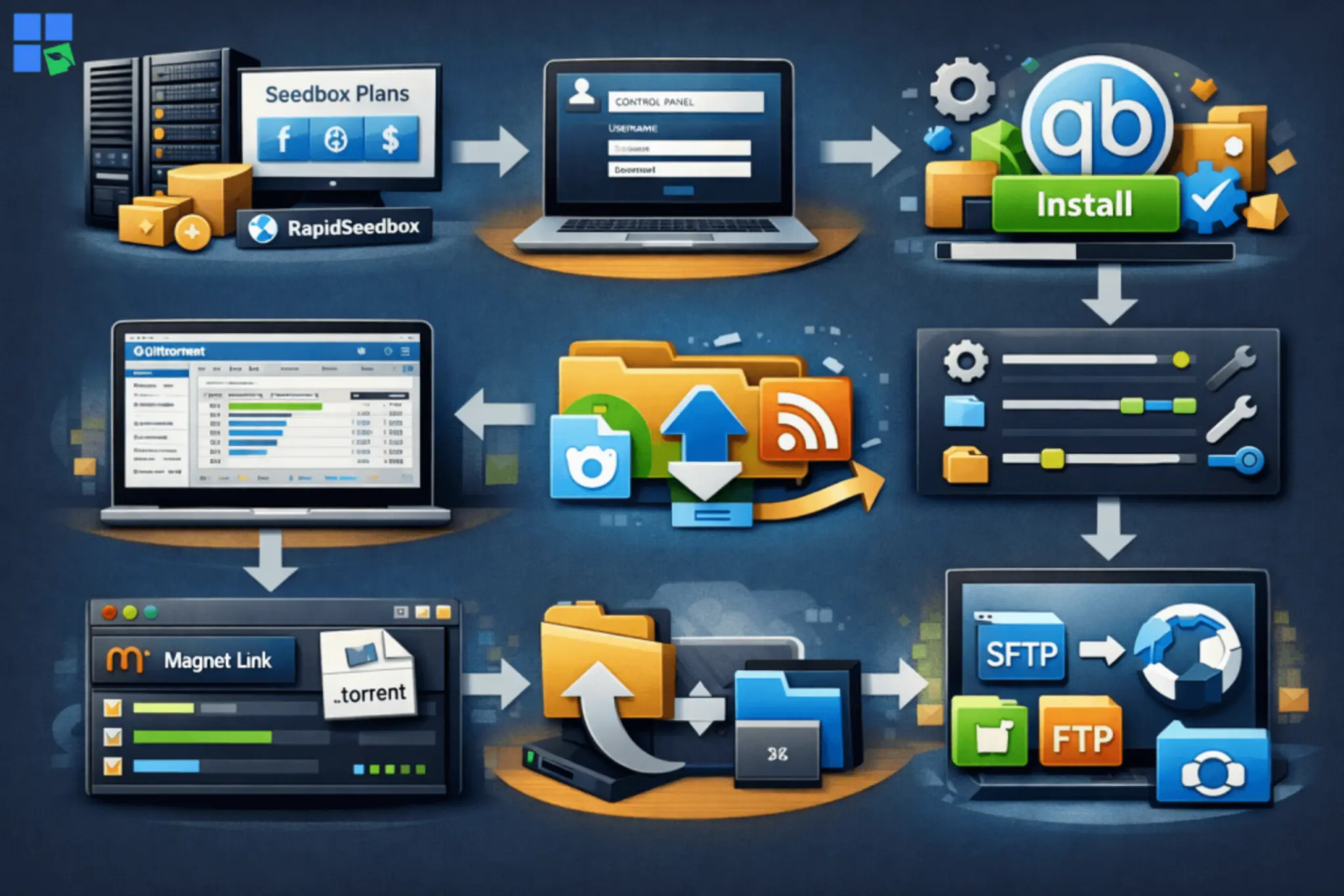
1. Choose Your Seedbox Provider and Plan
Pick a seedbox provider that’s a good fit for you. If you’re using qBittorrent, we highly recommend RapidSeedbox because it’s optimized for speed and super easy to use. Once you’ve picked your plan, just sign up and pay.
2. Access Your Seedbox Control Panel
After you buy one, you’ll get an email with your seedbox info, like how to log in to your client area or control panel. Log in to manage your service.
3. Install qBittorrent
Most reputable seedbox providers offer a one-click installer for qBittorrent. Go to the “Applications” or “One-Click Installers” section in your control panel and choose qBittorrent. Just click “Install” and wait for the process to finish.
4. Access qBittorrent Web UI
Once you install it, you’ll usually find a link to your qBittorrent Web UI in your control panel. Just click on it to open the Web UI in your browser. You’ll need to enter the username and password that your seedbox provider gave you (you’ll find this in the initial setup email or control panel).
5. Configure qBittorrent (Optional but Recommended)
While qBittorrent works well right out of the box, you might want to tweak some settings for better performance and security:
- Download location: Set a default download directory on your seedbox.
- Port forwarding: Some providers handle this automatically, but if not, ensure the correct ports are open.
- Connection limits: Adjust global and per-torrent connection limits based on your seedbox’s resources.
- Bandwidth management: Set upload and download speed limits if you have a capped plan or want to prioritize other traffic.
- RSS Feeds: Configure RSS feeds to automatically download new content from your favorite sites.
- Search plugins: Install search plugins to find torrents directly within qBittorrent.
6. Add Torrents and Start Seeding
You can add torrents to your qBittorrent seedbox in several ways:
- Upload .torrent files: Drag and drop .torrent files into the Web UI.
- Add magnet links: Paste magnet links directly into the Web UI.
- RSS automation: If configured, torrents will be added automatically via RSS feeds.
Once you add qBittorrent, it’ll start downloading and seeding the files for you. You can keep an eye on your progress and share ratio through the Web UI.
7. Transfer Files to Your Local Computer
Once your downloads are finished, move the files from your seedbox to your local computer using a secure method:
- SFTP/FTP: Use an FTP client like FileZilla or WinSCP to connect to your seedbox and download files. Your seedbox provider will supply the necessary credentials.
- HTTP: Some providers offer direct HTTP links for downloading files.
- Sync Applications: Utilize sync tools like Syncthing or Resilio Sync if supported by your provider for automated file transfers.
Frequently Asked Questions
Whether or not you can use a seedbox is dependent on the type of content you’re downloading and where you live. Using a seedbox for legitimate, copyright-free content is usually legal. But downloading copyrighted material without permission is illegal in most countries. Seedboxes are great for privacy and speed, but they don’t make you immune to copyright laws.
It depends on how you use it. For casual users, 500 GB to 1 TB of storage and a few TBs of monthly bandwidth might be enough. If you’re a heavy user or have a big media library, you might need several TBs of storage and unlimited bandwidth. Think about how much data you usually download and how long you want to seed files.
A good share ratio is usually thought of as 1.0 or higher, meaning you’ve uploaded at least as much data as you’ve downloaded. It’s really important to keep a good share ratio on private trackers. That way, you can avoid being banned and help out the torrenting community.
Beyond the basic setup, you can optimize qBittorrent by:
– Enabling sequential downloading: For streaming content before it’s fully downloaded.
– Configuring categories/tags: To organize your downloads automatically.
– Setting up automation: Using tools like Sonarr, Radarr, or Jackett with qBittorrent for automated media management.
– Adjusting cache settings: To reduce disk I/O and improve performance.
Conclusion
qBittorrent seedboxes are the best for torrenting because they’re fast, secure, and easy to use. There are a few other options out there, but RapidSeedbox is the best one by far. It’s got great performance, a bunch of useful features, and it’s super supportive of qBittorrent users. This guide will help you pick a provider, set up your qBittorrent seedbox, and enjoy a faster, more private, and more efficient torrenting journey.
Disclaimer: This article is for informational purposes only. Seedboxes and torrent clients like qBittorrent are legitimate tools that can be used for legal file distribution. Users are responsible for ensuring that their activities comply with applicable copyright laws and regulations in their country.
Using qBittorrent but tired of slow speeds, ISP throttling, or risking your privacy?
Upgrade your torrenting setup with a high-performance Seedbox. Run qBittorrent on a dedicated remote server with ultra-fast datacenter bandwidth, secure downloads, and 24/7 uptime. No more exposing your home IP, no throttling, and massively faster seeding ratios. Perfect for heavy torrent users who want automation, speed, and complete privacy.
0Comments