 By
By
Whether you go for VSeeBox or Stremio depends on whether you want dedicated streaming hardware or a flexible media app. VSeeBox is an Android TV box, while Stremio runs on multiple devices and can connect with services such as a seedbox for remote media storage and streaming.
Stremio is the better choice for most users because it’s free, flexible, and available across more platforms. VSeeBox is better when you want a dedicated living-room device with a remote control and a simpler live-TV-style experience.
Table of Contents
- What Is the Difference Between VSeeBox and Stremio?
- VSeeBox vs Stremio: Key Facts
- VSeeBox vs Stremio Comparison
- What Is VSeeBox?
- What Is Stremio?
- Is VSeeBox Easier to Use Than Stremio?
- Which Is Better for Live TV?
- Which Is Better for Movies and TV Series?
- Is VSeeBox or Stremio Better for Multiple Devices?
- Which Is More Private and Secure?
- Are VSeeBox and Stremio Legal?
- Can You Install Stremio on VSeeBox?
- How to Choose Between VSeeBox and Stremio
- Where Does a Seedbox Fit Into This Comparison?
- Who Should Use VSeeBox?
- Who Should Use Stremio?
- How VSeeBox and Stremio Work Technically
- Common VSeeBox and Stremio Mistakes
- TL;DR: VSeeBox vs Stremio
- Frequently Asked Questions About VSeeBox vs Stremio
- Which Streaming Setup Should You Choose?
What Is the Difference Between VSeeBox and Stremio?
VSeeBox is dedicated streaming hardware, while Stremio is a software platform. VSeeBox connects straight to your telly via HDMI and runs Android-based apps. Stremio organises movies, shows, channels and streaming sources through an add-on system.
This distinction affects almost every part of the comparison. VSeeBox is a great piece of kit. You get a whole bunch of features like another device, remote control, internal storage, and access to its vendor-managed ecosystem. Stremio is a great way to get the most out of your existing tech. You can install it on all sorts of devices, like your computer, Android TV, smart TV, phone, tablet, or web browser.
VSeeBox is more like an Android TV box, Fire TV device, or Nvidia Shield. Stremio is pretty similar to Kodi, but its remote add-on architecture and synchronised account make it easier to use across multiple devices.
VSeeBox vs Stremio: Key Facts
VSeeBox
- What it is: A physical Android-based television box
- How it works: Connects to a TV through HDMI and runs preinstalled or downloadable Android apps
- Main components: Android operating system, remote control, internal storage, vendor applications
- Best for: People who want a dedicated box for one television
- Main advantage: Simple television-style experience
- Main limitation: Higher upfront cost and dependence on the vendor’s hardware and services
Stremio
- What it is: A free media-center and streaming-catalog application
- How it works: Add-ons provide metadata, catalogs, subtitles, and available stream links
- Main components: Stremio app, integrated player, add-ons, synchronized account
- Best for: People who want flexible streaming across several devices
- Main advantage: Low cost, broad device support, and extensive customization
- Main limitation: Requires more setup and careful selection of add-ons
Last updated: July 2026
VSeeBox vs Stremio Comparison
| Feature | VSeeBox | Stremio |
|---|---|---|
| Product type | Physical Android TV box | Media-center software |
| Upfront cost | Requires purchasing hardware | Free to download |
| Supported devices | Primarily the connected television | Windows, macOS, Linux, Android, Android TV, smart TVs, browsers, and other platforms |
| Remote control | Included with the box | Depends on the device |
| Live TV experience | Strong focus on channel-style viewing | Depends on installed add-ons and providers |
| Movies and series | Vendor-managed apps and catalogs | Add-ons supply catalogs and stream sources |
| Cross-device sync | Limited to the device ecosystem | Library and progress can sync through an account |
| Hardware upgrades | Requires replacing the box | Install Stremio on newer hardware |
| Customization | Moderate | High |
| Local media server | Not its primary purpose | Not a complete Plex or Jellyfin replacement |
| Privacy | Depends on vendor apps and streaming sources | Depends on add-ons and the selected stream protocol |
| Best for | A simple setup on one television | Flexible viewing across several devices |
- Choose VSeeBox when you want a dedicated living-room device and prefer navigating everything with one supplied remote.
- Choose Stremio when you already own compatible hardware or a seedbox and want a flexible, lower-cost setup that follows you across devices.
What Is VSeeBox?
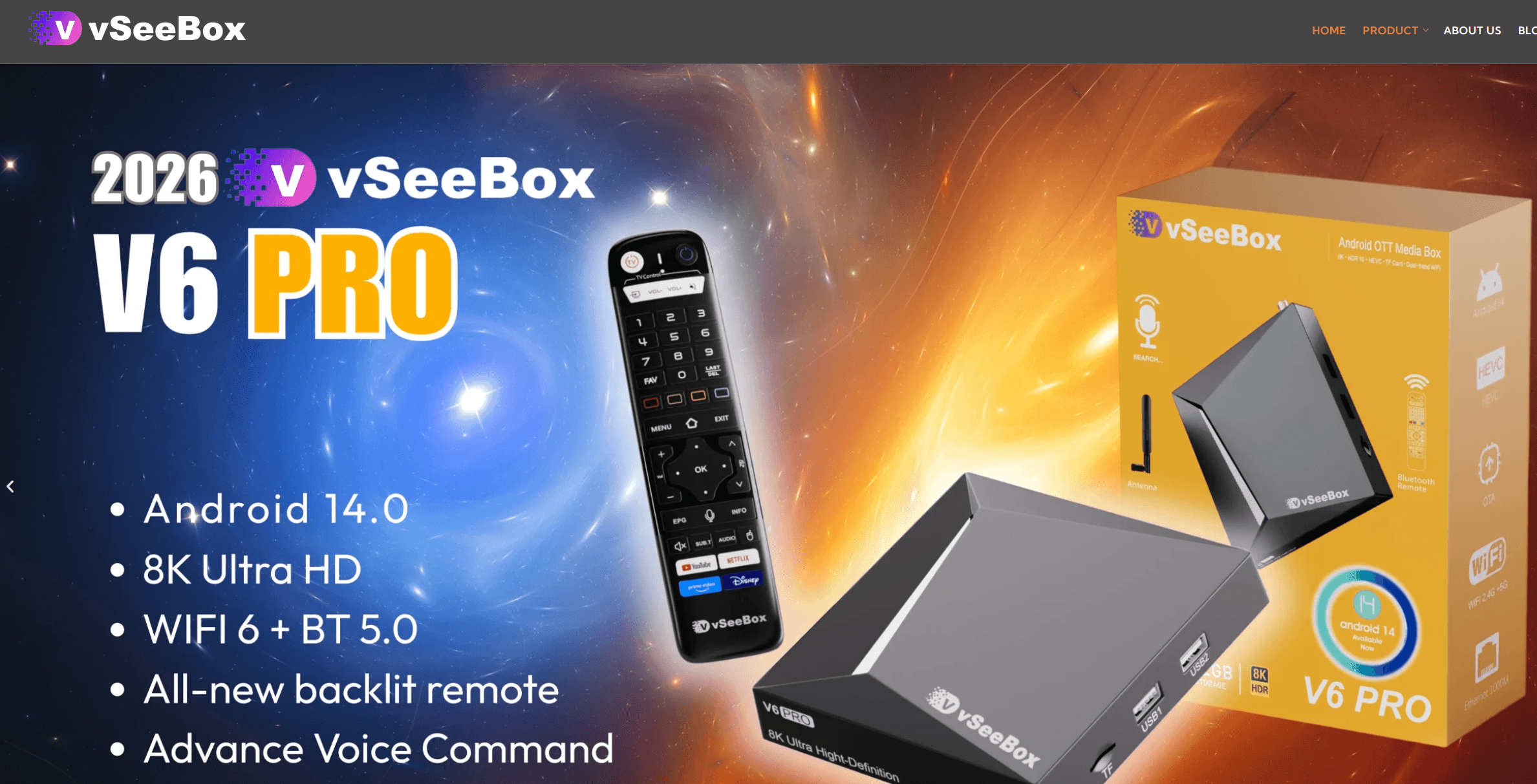
VSeeBox is a range of Android-based television boxes designed to connect to a television and run streaming applications. Current models include hardware such as an Amlogic processor, internal storage, Wi-Fi, Bluetooth, HDMI output, and a voice or Bluetooth remote.
For example, the current VSeeBox product pages say that Android 14 is on the newer V6 models. The V6 Max has 4 GB of memory, 64 GB of internal storage, Wi-Fi 6 support, and hardware decoding for formats such as AV1, VP9, H.264, and H.265.
These specs sound impressive, but resolution support doesn’t necessarily mean better streaming quality. A box can decode an 8K video file, but the service, TV, network connection or source might still limit playback to 1080p or 4K.
VSeeBox also markets its products as fully loaded devices. So, this usually means that the box includes vendor-managed streaming apps, rather than being a completely empty Android device.
It’s easy, but it’s not the best idea to get used to it. If something like an application, channel provider, login system, or vendor server stops working, the hardware specs alone won’t restore the service.
What Is Stremio?
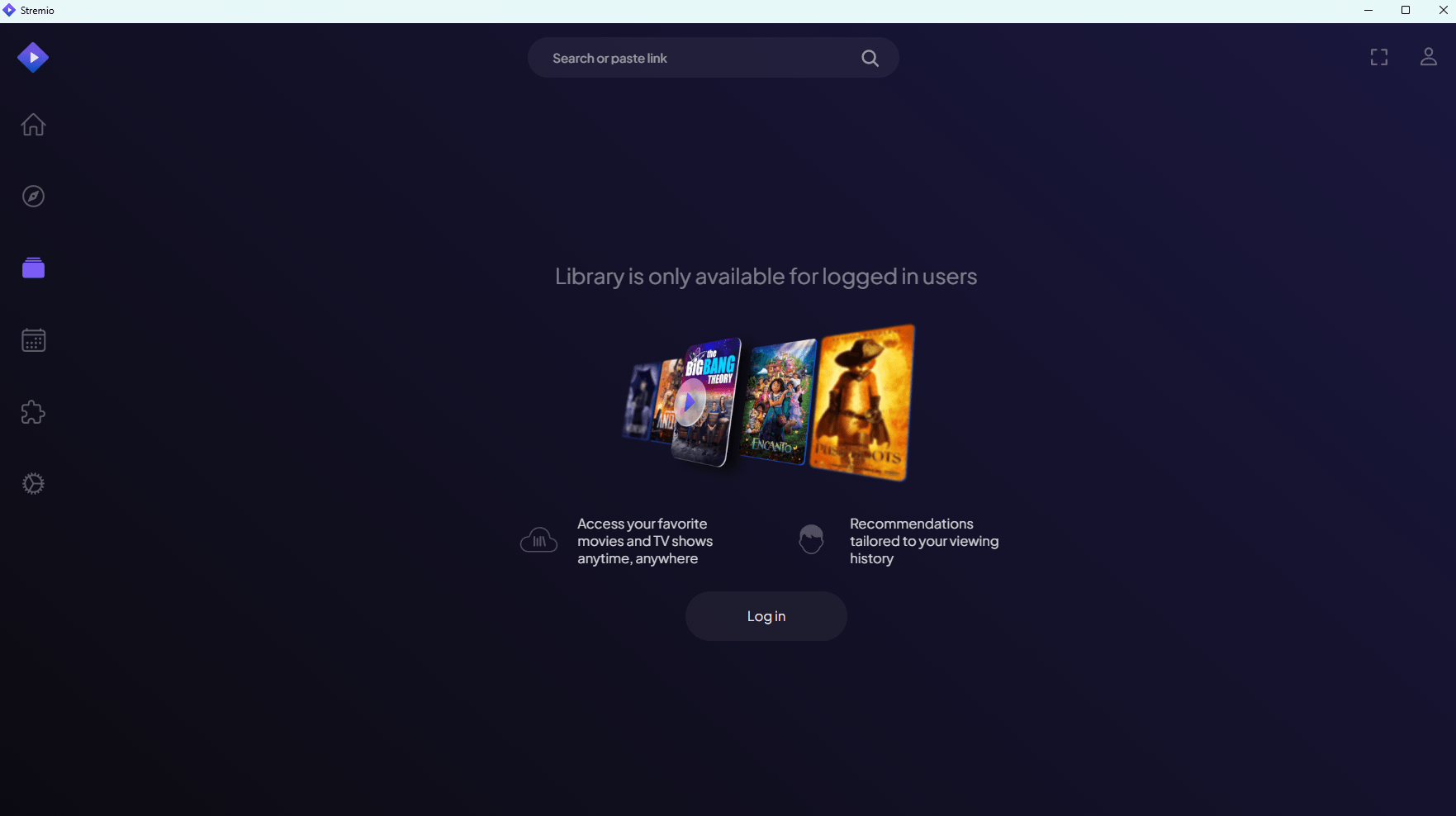
Stremio is a free media-centre app that organises content and retrieves viewing options through add-ons. The app itself provides the interface, library, search tools, video player and sync features.
Add-ons provide content, info, catalogues, subtitles and streaming sources. Official add-ons are usually connected to legit services like YouTube or subscription platforms, while community add-ons are developed by independent third parties.
Stremio currently supports a whole bunch of platforms, including Windows, macOS, Linux, Android, Android TV, Samsung TV, LG TV, some other smart TVs, browsers, Steam Deck, Raspberry Pi, and VR devices.
This makes Stremio especially useful when you watch on multiple screens. You can start watching an episode on your Android TV, open the app on your computer later, and keep the same library and viewing progress when you’re signed into your account.
The app itself is free, but you might need to pay for services connected through it. Just because you’ve installed Stremio doesn’t mean you’re automatically getting a streaming subscription, debrid provider, seedbox, or other third-party service.
Is VSeeBox Easier to Use Than Stremio?
VSeeBox is usually easier during the initial television setup because the hardware, remote, and main applications are provided together. You just connect the box to HDMI, join your network, complete the basic configuration, and open the supplied apps.
If you’re after a TV, that’s great, but if you’re looking for a media project, it might not be for you. You don’t need to decide which computer should run the software or whether a smart TV supports the correct version.
Stremio takes a bit more effort. You’ve got to make sure you install the right application, set up an account or use guest mode, pick the add-ons you need, and know which services offer each stream.
Once you’ve got it set up, though, Stremio can be easier to keep going. You can set up your add-ons and library so they follow your account, so if you change computers or TVs, you don’t have to start from scratch.
VSeeBox wins the first hour. Stremio usually wins out over the following years because you can move the software to newer hardware instead of replacing an entire vendor-specific system.
Which Is Better for Live TV?
VSeeBox is usually better for people who mostly want a normal live-TV interface. The vendor applications are designed around channels, sports, schedules and remote-control navigation.
Stremio can display live streams when an installed add-on provides them, but live television is not as consistent as its movie and series experience. The availability of channels, the guides, the quality of streaming and how often it’s available are all different between providers.
You’ve got to think outside the box and look beyond the number of advertised channels. A catalogue with thousands of entries is useless if the channels you actually watch buffer, disappear, show the wrong region, or lack reliable electronic programme guide data.
Before purchasing VSeeBox, verify:
- Which channels are officially available in your country
- Whether regional sports networks are included
- Whether catch-up playback works on the specific channels you need
- How service problems are handled
- Whether the seller is an authorized distributor
- What happens if a vendor application becomes unavailable
VSeeBox offers a more TV-like experience, but Stremio lets you switch providers and add-ons more easily.
Which Is Better for Movies and TV Series?
Stremio is the better choice for finding, organising and watching movies and TV series on different devices. Its interface combines catalogues, search results, watch progress, subtitles and available streaming options.
The quality of these options depends entirely on the installed add-ons. Stremio doesn’t have every movie, and the app itself doesn’t give you access to copyrighted content.
The official WatchHub functionality, for example, can help you find out if a title is available from services like Netflix, Amazon Prime Video, or other supported providers. You’ll still need an active subscription when the selected platform requires one.
Community add-ons can provide extra catalogues or sources, but it’s important to review them carefully.
VSeeBox might feel faster when you only want to select a movie from its supplied interface. Stremio is better when you want your library, watch history and viewing options to be portable.
Is VSeeBox or Stremio Better for Multiple Devices?
Stremio is much better for using on multiple devices because it’s designed as a cross-platform app. You can install it on computers, mobile devices, Android TV hardware, supported smart TVs, and web browsers.
VSeeBox is a piece of hardware connected to one television. You can move it between screens, but that’s not the same as opening an app that’s already installed on every device.
Stremio is also pretty handy for families with people watching in different rooms. Each supported device can run the software without needing another specialised box from the same vendor.
The thing is, shared accounts can mix watch history, libraries and recommendations. Stremio’s profiles aren’t as important to the experience as they are on Netflix or Plex.
For a larger household media library with detailed user management, Stremio vs Plex is a more relevant comparison. Plex is built around a central server and managed library, while Stremio is mainly a catalogue and playback interface.
Which Is More Private and Secure?
VSeeBox and Stremio aren’t automatically private because privacy depends on the apps, add-ons, accounts, servers and stream protocols involved.
Stremio add-ons are usually hosted remotely rather than running their code directly on your device. This reduces some of the risks associated with traditional locally installed plugins.
That doesn’t mean every stream is anonymous. If an add-on returns a peer-to-peer torrent stream, your IP address can be visible to other peers in the same swarm. An HTTPS stream from a central server works differently because you connect to the server rather than exchanging pieces directly with other users.
VSeeBox needs your trust in its firmware, preinstalled software, update process and vendor infrastructure. A closed, fully loaded device doesn’t give you much visibility into how each application works and where it sends data.
Good security practices apply to both options:
- Download Stremio only from its official website or an official app store
- Avoid unknown APK files and modified applications
- Review community add-ons before installing them
- Keep the operating system and applications updated
- Use unique account passwords
- Remove add-ons and applications you no longer use
- Do not assume a VPN, seedbox, or debrid service makes unauthoriзed content legal
Our detailed guide to Stremio safety covers how add-ons, torrent streaming, and account settings affect your exposure.
Are VSeeBox and Stremio Legal?
VSeeBox hardware and the Stremio application are legal technologies, but the legality of individual streams depends on the content source and whether it has distribution rights.
Just because you’ve got an Android TV box doesn’t mean you can access every channel available through an installed app. You can’t just install Stremio and then watch copyrighted movies from an unlicensed community source.
Stremio’s got its own terms for distinguishing between official add-ons and community add-ons created by independent developers. It’s still down to you, the user and developer, to make sure you’re following the copyright laws and the platform’s terms.
Just use official add-ons, licensed streaming services, public-domain media, personal files and other authorised sources, okay? Local rules differ, so don’t just take a vendor’s advertising language as proof that every included stream is licensed in your country.
A VPN can encrypt traffic between your device and the VPN server, but it doesn’t change the legal status of the content. Privacy tools should protect what’s allowed, not be a free pass to ignore copyright rules.
Can You Install Stremio on VSeeBox?
Stremio might work on a compatible VSeeBox, as VSeeBox uses an Android-based operating system, but it depends on the model, the app store, the firmware and how it’s installed.
First, have a look for Stremio in the device’s official app store. When the TV version is ready, use the Android TV app because it’s designed for remote-control navigation.
If it’s not available, you might be able to sideload an official APK. Just download the package from the official Stremio downloads page, and don’t install any modified version from an unknown file-sharing site.
Even when the installation goes smoothly, the experience can vary between models. Things like remote-control mapping, hardware acceleration, audio passthrough, HDR, storage permissions and firmware restrictions can affect playback.
Using Stremio on VSeeBox also changes the nature of the comparison. VSeeBox is the hardware, and Stremio is one of the apps that run on it.
How to Choose Between VSeeBox and Stremio
Check the Devices You Already Own
Take a look at your TV, computer, phone, and any streaming hardware you’ve already got. If Stremio already supports one of them, you might not need to buy another box.
You can use an Android TV, Google TV device, a cheap smart TV, computer or a basic streaming stick to set up Stremio.
Identify What You Actually Watch
Just write down whether you mainly watch live sports, regional channels, movies, TV series, subscription services, or files from a personal library.
If you’re after live channel navigation, VSeeBox is a better option. Stremio is better when you search for individual movies and episodes across a bunch of different sources.
Decide How Much Configuration You Want
Pick VSeeBox if you like the idea of a supplied remote and applications that are already set up by the vendor.
Choose Stremio when you are comfortable spending time selecting add-ons and troubleshooting individual stream providers.
Review the Long-Term Cost
Don’t just compare today’s price. Have you thought about whether you might need more boxes for other TVs, paid streaming subscriptions, replacement hardware, access to debrid, VPN service, or remote storage?
Stremio itself is free, but setting it up isn’t necessarily free. VSeeBox has a higher initial hardware cost, and future service availability depends on the vendor and seller.
Test Your Network
Try to use Ethernet when you can, especially for 4K video with a high bitrate. How well your Wi-Fi performs depends on things like how far away you are, if there’s any interference, where your router is placed, and the wireless hardware in your device.
If you’re having problems with a slow or unreliable stream, it’s not necessarily the answer to buy a new TV box. The source server and internet route may be the real bottlenecks.
Where Does a Seedbox Fit Into This Comparison?
A seedbox adds remote storage, high-speed downloading and an always-on server environment, so it’s not meant to replace VSeeBox or Stremio.
This is great when you want to build and manage your own media collection without leaving your home computer running. The seedbox handles remote transfers, stores files, and can run media applications depending on the selected plan.
A seedbox with Stremio can support workflows where media is prepared or stored remotely before being accessed through a compatible application. The exact integration depends on the seedbox apps, storage protocol, and Stremio add-ons you use.
What if the best media setup is not VSeeBox or Stremio, but your own remote media server?
With a RapidSeedbox seedbox, you can download and store media on a fast, always-online server, then access your library without filling local storage or slowing down your home network. It is a powerful third option for viewers who want the convenience of streaming with more privacy, flexibility, and control over their media collection.
Who Should Use VSeeBox?
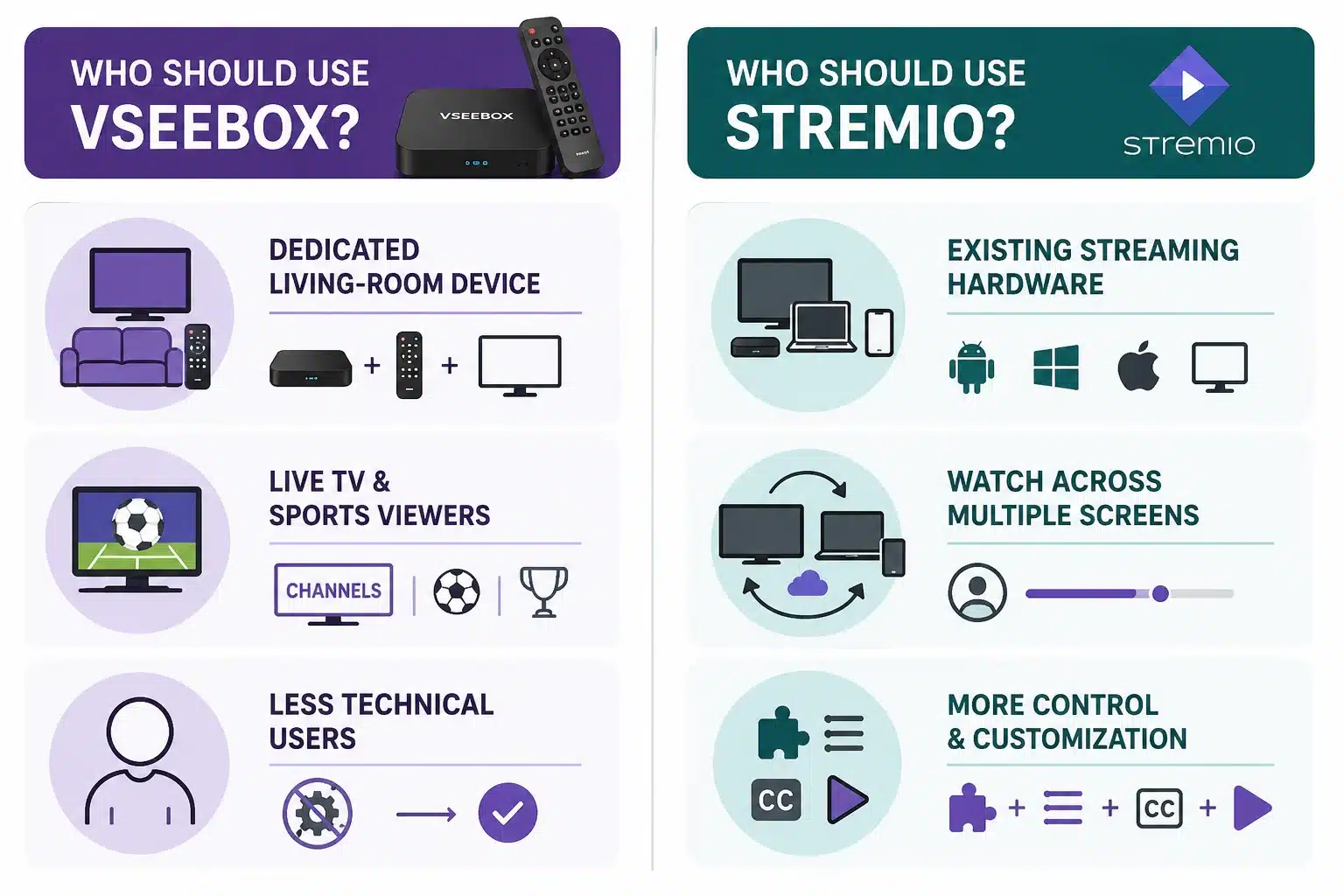
People Who Want a Dedicated Living-Room Device
VSeeBox is perfect for anyone who wants a box, remote, and a TV-oriented interface all in one. It makes the initial setup easier, and you don’t need a separate computer.
Live TV and Sports Viewers
The channel-focused interface might be great if you’re used to the way cable TV works. It’s better to check the exact regional channel lineup than to just believe what the ads say.
Less Technical Users
VSeeBox is a great option for anyone who doesn’t want to spend time researching add-ons or installing separate software. The trade-off is that you have to rely more on the seller and vendor.
Who Should Use Stremio?
Viewers With Existing Streaming Hardware
Stremio is the obvious choice if you’ve already got a compatible telly, Android TV device, computer or mobile.
People Who Watch Across Several Screens
Stremio’s account syncing feature is great for switching between a TV, laptop, and phone without having to rebuild your library every time.
Users Who Want More Control
Stremio gives you more choice about add-ons, catalogues, subtitles, external players and streaming services.
How VSeeBox and Stremio Work Technically
VSeeBox Architecture
VSeeBox combines an Android operating system, an ARM-based processor, graphics hardware, internal storage, network adapters, firmware, and installed streaming applications.
When you pick a channel or movie, an app requests the stream from a remote service. The box decodes the video and sends the picture and audio to your TV through HDMI.
The device’s processor decides which codecs and resolutions it can decode efficiently. Network performance and source quality are key to making sure the stream arrives quickly enough for uninterrupted playback.
Stremio Architecture
Stremio separates the main application from most add-ons. The app looks for metadata, catalogs, subtitles and stream URLs in installed add-ons.
The selected stream is then sent to either the Stremio player or an external player. The source can be a standard HTTPS server, a subscription service, a local file, or a peer-to-peer protocol, depending on the add-on.
Because add-ons are usually hosted remotely, installing one doesn’t normally put its complete code on your device. But the add-on provider can still receive requests, and the final streaming source might see your connection.
Common VSeeBox and Stremio Mistakes
Treating Them as Identical Products
VSeeBox is hardware and Stremio is software. A fair decision’s got to include the TV box or computer that Stremio’ll run on.
Assuming Every Advertised Channel Is Permanent
Channel lists and third-party services can change. Just to let you know, when it comes to the warranty and service terms, while it’s good to confirm, bear in mind that a hardware warranty doesn’t necessarily guarantee access to every stream.
Installing Too Many Stremio Add-ons
Having more add-ons can create duplicate results, unreliable sources, and a cluttered interface. You should start with official providers and only add services you actually use.
Expecting Stremio to Replace Plex or Jellyfin
Stremio is great at finding and playing streams, but it’s not really designed to manage a personal media server. Plex and Jellyfin give you more control over your files, users, libraries and transcoding.
Ignoring the Streaming Source
You can’t expect a powerful Android box or a fast computer to be able to repair an overloaded remote server. It’s usually the source that starts the buffering, not the playback device.
Buying Unknown Modified Hardware
Steer clear of unofficial clones, modified firmware and sellers who can’t verify the device warranty. It’s cheap to buy, but if updates, remote controls or vendor applications stop working, it can end up costing you.
TL;DR: VSeeBox vs Stremio
- What VSeeBox is: A dedicated Android TV box that connects to your television and runs vendor-managed streaming applications.
- What Stremio is: A free media-center application that uses add-ons to provide catalogs, subtitles, metadata, and stream options.
- Best for live TV: VSeeBox provides the more traditional channel and remote-control experience, although service availability depends on the vendor and provider.
- Best for movies and series: Stremio provides better search, cross-device access, account synchronization, and flexibility.
- Best for multiple devices: Stremio runs on a much wider range of hardware and lets you move your library between supported devices.
- Best for beginners: VSeeBox requires fewer initial decisions, but Stremio is easier to move or upgrade over time.
- Best value: Stremio is free and can run on hardware you already own. Optional subscriptions, premium services, or server tools can still add costs.
- Main VSeeBox risk: You depend on the hardware vendor, firmware, bundled applications, and service infrastructure.
- Main Stremio risk: Community add-ons vary in reliability, privacy, security, and legal status.
Bottom line: Choose Stremio for flexibility, lower cost, and multi-device viewing. Choose VSeeBox only when a dedicated plug-in television box and live-channel interface matter more than long-term control.
Frequently Asked Questions About VSeeBox vs Stremio
Is VSeeBox Better Than Stremio?
VSeeBox is better for viewers who want a dedicated television box with a supplied remote and channel-focused interface. Stremio is better for most other users because it is free, works across more devices, synchronizes viewing progress, and offers greater control over streaming services and add-ons.
Is Stremio Free?
Stremio is free to download and use. But keep in mind that individual streaming platforms, premium add-ons, debrid providers, VPN services, or seedboxes might charge separate fees. When you install Stremio, you won’t get subscriptions to Netflix, Amazon Prime Video, or other commercial streaming services.
Can I Install Stremio on VSeeBox?
Stremio can run on VSeeBox models that support the Android app you need, or you can install the official APK. Just so you’re aware, compatibility can vary depending on the model and firmware, so it’s worth checking the app store first and only downloading sideloaded packages from the official Stremio website.
Does VSeeBox Require a Monthly Subscription?
VSeeBox is usually sold as a one-off purchase, including the hardware and vendor services, but the terms can vary depending on the model and seller. Make sure you know how long the service lasts, what’s covered by the warranty, what applications are included, how the replacement works and what might be charged in future by asking an authorised distributor before you buy.
Which Is Better for 4K Streaming?
VSeeBox and Stremio can both handle 4K playback when you’ve got the right hardware and sources. The quality you get is dependent on the video bitrate, codec, television, internet connection, source server and hardware decoding. Just because a box can do 8K doesn’t mean every stream will play in 8K.
Which Streaming Setup Should You Choose?
For most people comparing VSeeBox vs Stremio, I would start with Stremio on hardware already available in the home. It costs nothing to test, works across many devices, and does not lock your viewing setup to one specialized box.
VSeeBox remains useful when you specifically want a dedicated television appliance and a live-channel interface. Before buying one, confirm the seller, warranty, regional service availability, and long-term support rather than choosing it only because of a large advertised channel count.
Disclaimer: This article is for informational purposes only. RapidSeedbox does not endorse unlicensed streaming, and you should always verify that the services and content you use are legal in your region.
Can’t decide between VSeeBox and Stremio? Consider a third option that gives you more control.
A RapidSeedbox seedbox provides an always-on, high-speed remote server for downloading, organizing, and managing your media without tying up your home connection. Instead of relying only on a dedicated streaming box or a local app, you get a private media hub you can access across compatible devices – ideal for building a faster, more flexible streaming setup.
0Comments