 By
By
In my honest GigaRapid review, I’ll share how this seedbox worked for my torrenting and media streaming needs.
I’ve been using it to keep my uploads and downloads fast while protecting my home IP. If you’re like me and want an easy way to manage files and apps like Plex or Deluge, you might like GigaRapid.
I’ll walk you through setting it up, the speeds I saw, and whether the service met my expectations. This is my personal take on GigaRapid, based on my daily testing and close attention to every detail.
Let’s see if it fits what you’re looking for.
Table of Contents
- What is GigaRapid?
- Features and Usability
- Performance and Speed
- Security and Privacy
- Customer Support
- Pricing and Plans
- GigaRapid Alternatives
- Frequently Asked Questions
- How to Avoid Seedbox Problems
- Final Words
1. What is GigaRapid?

GigaRapid is a seedbox service that runs on remote servers in the Netherlands. A seedbox is basically a machine that downloads and uploads torrents for you. This keeps your home IP hidden from prying eyes. You can log into a web dashboard to manage your files, install apps, and stream media.
I found GigaRapid when I was trying to keep a better upload ratio on private trackers. My home internet wasn’t cutting it, so a seedbox seemed like the way to go. GigaRapid offers speeds of 1 Gbps or 10 Gbps per plan, a bunch of apps (like Plex and Deluge), and some privacy perks like a VPN. After reading a few GigaRapid reviews online, I decided to test it out.
2. Features and Usability
GigaRapid caught my eye because it packs a lot of seedbox features into one package without charging extra for add-ons. Let me explain what I like.
a. One-Click Apps
I’m not a developer, so easy app installation is a must. GigaRapid offers a library of over 110 apps with one-click installs. You’ll see:
- Torrent clients: ruTorrent, Deluge, qBittorrent
- Media servers: Plex, Emby, Jellyfin
- Automation tools: Sonarr, Radarr, Lidarr
- Sync and backup: Nextcloud, Syncthing
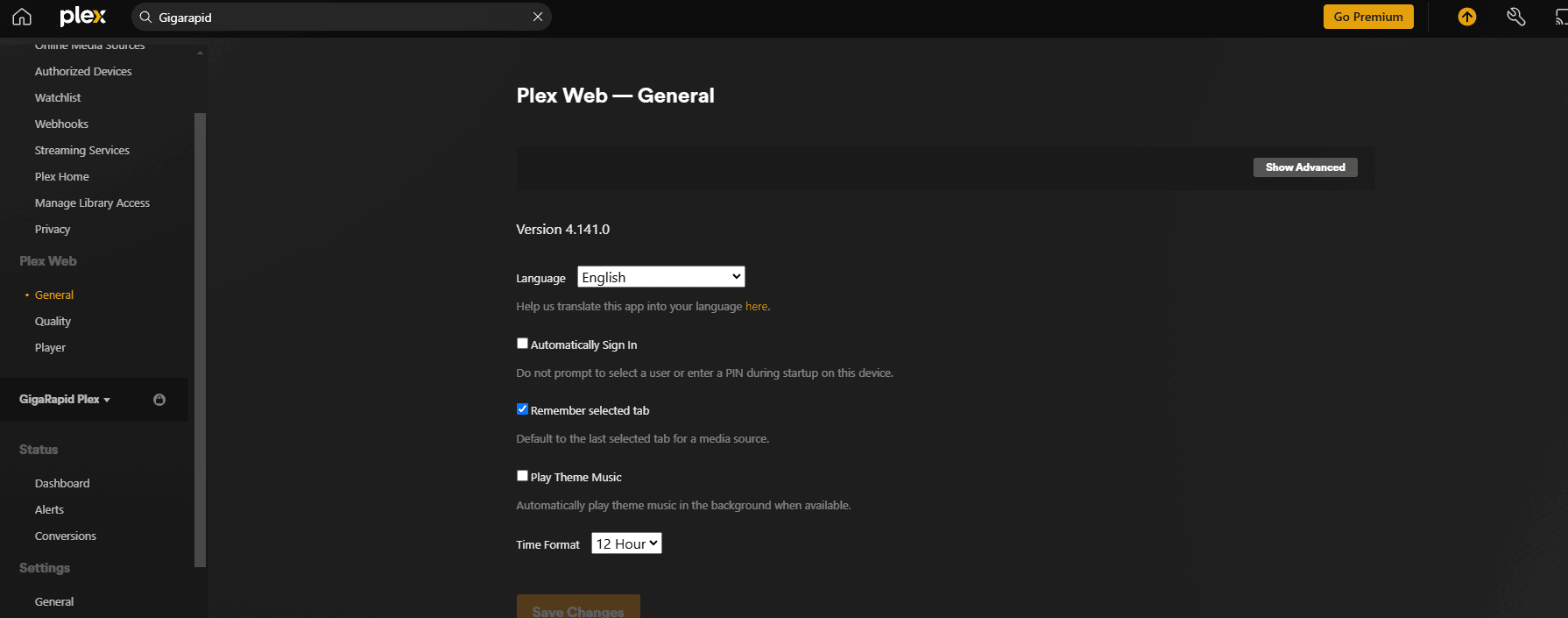
With a click of a button, you can install Plex. And within seconds, you’ll have a media server running. That’s helpful if you don’t enjoy manual server configurations or command-line tasks.
b. Root Access
Even though everything installs easily, GigaRapid also gives you root access via SSH. I like that. It means you can install some extra tools or scripts. But you can’t install Docker, for example.
c. Media Streaming
If you install Plex or another streaming app, you can watch your content from anywhere. I use Plex to access TV shows and movies when I’m traveling. GigaRapid’s fast servers make streaming smooth. I usually watch episodes in Full HD without any buffering, which is a huge upgrade from saving files on my phone.
d. Usability for Beginners
The web dashboard feels intuitive. You can see a list of installed apps, your bandwidth usage, and your remaining storage. You can upload torrents directly or paste magnet links. If you’re not into the whole advanced stuff, GigaRapid’s interface keeps things simple.
💨 Need a faster, more reliable GigaRapid alternative? — Try a Premium Seedbox for 4-Months Free
3. Performance and Speed
When I tested GigaRapid for the first time, I noticed fast torrents. On a 10 Gbps plan, I’ve seen downloads around 100 MB/s (which is about 800 Mbps). This still depends on the torrent seeds, but the seedbox was doing okay.
Uploads are important too, especially if you’re looking to improve your ratio. GigaRapid’s servers are way faster than my home connection. I can leave torrents running 24/7 without hogging my home internet because it’s a remote system.
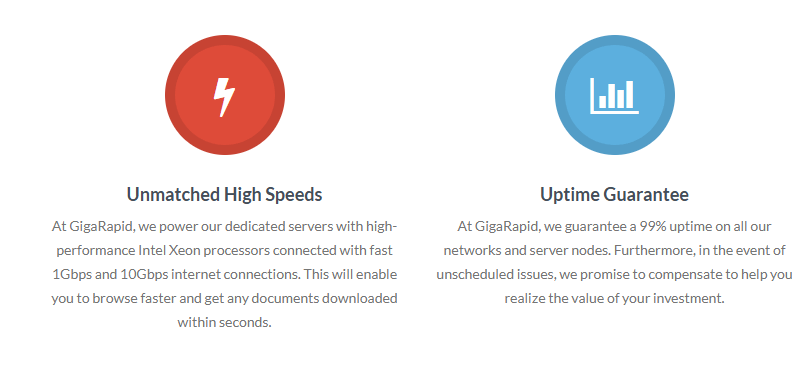
The connection is based in a well-known Dutch data center. Peering is usually reliable, and GigaRapid says their uptime is 99%. From what I’ve seen, server downtimes have been pretty rare. There are some dips in speed during peak hours, but I can still keep a good ratio on private sites. Even with a shared slot, they seem to manage user load well.
4. Security and Privacy
I’m a privacy-conscious torrenter. GigaRapid’s remote IP address feature hides your own, which is a huge plus. That alone is a huge plus. They also provide an integrated VPN, which is a nice touch. You can download config files for OpenVPN or WireGuard, and install them on your devices.
When you connect to the VPN, all your traffic goes through GigaRapid’s servers, which is great on public Wi-Fi. I’ve tested it in airports and coffee shops, and it’s great knowing snoops can’t see my real data. And if you’re worried about your credentials or torrent links, don’t be – they’re protected with HTTPS, so they’re kept private.
Is GigaRapid Safe?
Yeah, GigaRapid is safe, at least in my experience. They don’t monitor your files, but they do respond to official DMCA notices if they come in. For basic private torrenting, you probably won’t have any problems. However, they haven’t updated their terms of service since 2018, so that’s not a good sign.

5. Customer Support
Seedboxes can be tricky if you’ve never used them before. That’s where GigaRapid’s support comes in. They have:
- Support tickets and email: You submit a ticket or send an email.
- Discord community: You can talk with staff or other users for quicker advice.
- Tutorials: Their site has guides on installing apps, connecting via SFTP, or setting up Plex.
I opened two tickets: one when my Plex library wasn’t picking up new shows, and another when I struggled with rclone for cloud backups. Overall, responses came in within 24 hours, which is not great, but I’ve seen worse.
6. Pricing and Plans
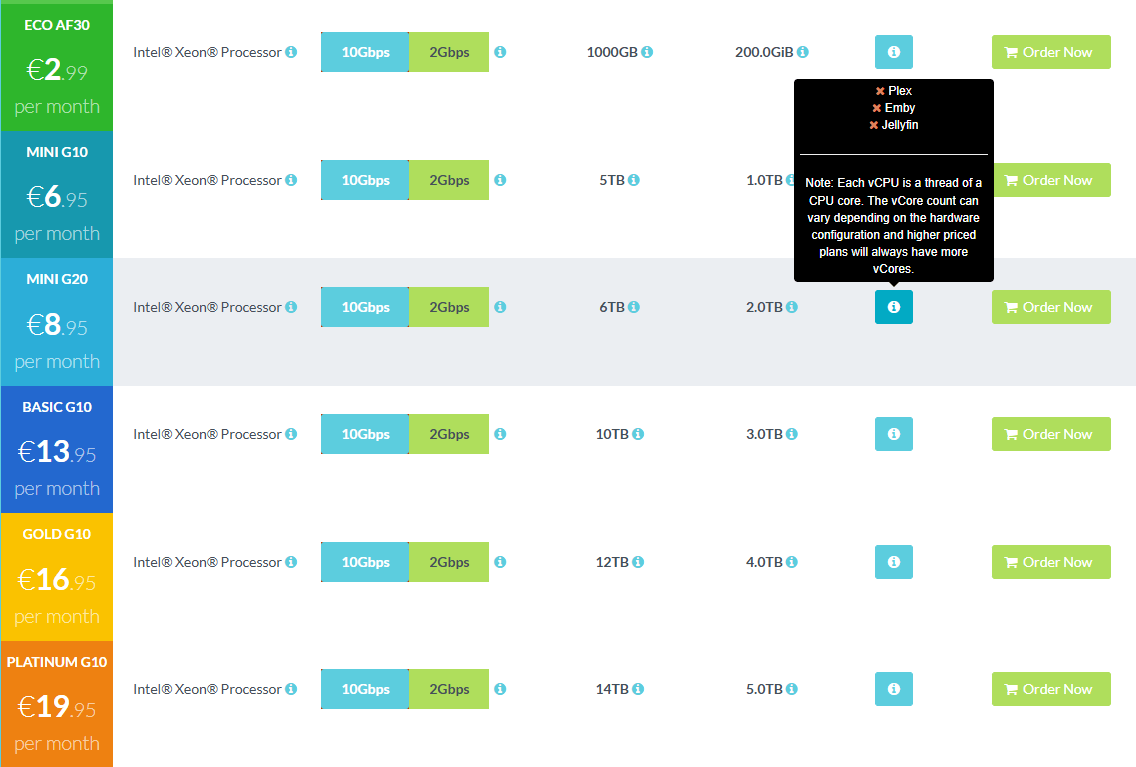
Money can be tight, so I like that GigaRapid has flexible pricing. Plans start near €0.99 per month for a smaller slot (though that’s usually promotional and at the time of writing there are no free slots). If you need more storage and bandwidth, higher tiers go up to €40+. Here are the different options:
- Eco Plans: Start under €1, with smaller storage and bandwidth. Good to test the waters.
- Regular Plans: ~€5–€15 range, 1 TB+ of storage, 10 Gbps speeds on many options. Suits moderate torrenters who need a decent ratio on private sites.
- Pro Plans: ~€16–€40, bigger disk space (up to 8 TB), more monthly traffic, still on 10 Gbps. Perfect if you’re storing a large media library.
- Dedicated Servers: Pricier, but you get an entire server to yourself. It’s not necessary for most folks unless you want total control and guaranteed resources.
You can pay with credit cards, PayPal, or crypto. The only catch is that you’ll need to pay for a more expensive plan (€13.95/month and above) to use streaming apps.
7. GigaRapid Alternatives
I tried GigaRapid with a few other providers. You might want to check them out if GigaRapid doesn’t align with your priorities.
a. RapidSeedbox
RapidSeedbox is a common choice, offering 1–20 Gbps speeds, a decent app list, and 24/7 support. They excel at user-friendliness. Plans can be pricier than GigaRapid for similar storage, but they offer great speeds. Furthermore, their support is known to be top-notch, making them the best GigaRapid alternative.
Looking for a powerful and secure alternative to GigaRapid?
Experience the ultimate speed and security with RapidSeedbox! Enjoy dedicated resources, enhanced privacy, and seamless torrenting without restrictions. Take your online experience to the next level today!
b. Ultra.cc

Ultra.cc has ports ranging from 10 Gbps to 50 Gbps. They’ve also got a solid app library and root access. We’ve tested and reviewed Ultra.cc and they offer quick speeds. Just keep an eye on their monthly upload caps if you seed a lot.
c. Seedboxes.cc

Seedboxes.cc has 20 Gbps connections on all plans and an easy-to-use interface. The main drawback is cost: you pay more for the same level of storage. They claim “unlimited” bandwidth, but there’s a fair usage clause. It’s worth checking out if you’re looking for an easy solution, but GigaRapid often has better prices.
d. Feral Hosting

Feral Hosting has been around for years and typically offers large storage for decent prices. They rely more on manual setup, so I don’t recommend them to novice users. If you’re okay with basic dashboards, Feral Hosting might be worth checking out. Just keep in mind that they don’t come with as many pre-configured apps, so you might have to do more of the heavy lifting.
e. Whatbox

Whatbox is a top-notch service with reliable speeds, a sleek interface, and a solid reputation among long-time seedbox users. The plans are a bit pricey compared to some of the other options out there. If you’re after a rock-solid performance and are willing to spend a bit more, Whatbox might be worth checking out. Just keep in mind that they don’t offer full root access on the basic plans, so you might have some limitations in terms of customization.
e. Head-to-Head Comparison Table
| Provider | Starting Price | Storage Range | Speed | Key Points |
|---|---|---|---|---|
| GigaRapid | ~€1/month | 200 GB–8 TB | 1–10 Gbps | Large app catalog, free VPN, root on all plans, wide pricing range |
| RapidSeedbox | ~€7/month | 1 TB+ | 1–20 Gbps | Great support, easy UI, excellent speed, free VPN, one-click installs, multiple plans, and the most trusted provider on the market. |
| Ultra.cc | ~€5/month | 1 TB+ | 10–50 Gbps | High speeds, upload quotas, many apps, root for advanced users |
| Seedboxes.cc | ~€14/month | 1–6 TB | 20 Gbps | Simple panel, “unmetered” claims, costs more for the same storage |
| Feral Hosting | ~€10/month | 2–8 TB | 1–10 Gbps | Older provider, manual setup needed, can be cheaper for large storage |
| Whatbox | ~€13/month | 1–3 TB | 1–10 Gbps | Trusted over time, stable, no root on lower plans, higher price |
8. Frequently Asked Questions
a. How do I set up GigaRapid for torrenting?
I did it by:
- Logging in to the GigaRapid dashboard
- Installing a torrent client (ruTorrent or Deluge)
- Clicking “Add Torrent” and pasting a magnet link or uploading a .torrent file
- Waiting for the seedbox to grab the data
- Downloading the completed files to my home device (optional)
That’s all it took. Everything else is automated.
b. How do I stream with Plex on GigaRapid?
- Install Plex through GigaRapid’s one-click app menu
- Open Plex via the provided link in the dashboard
- Point Plex to your download folders on the seedbox
- Log in with your Plex account
- Start streaming from your phone, tablet, or TV app
Transcoding is resource-intensive, so if you need high-quality transcoding, consider a plan with enough CPU.
c. Which is better: GigaRapid or RapidSeedbox?
It depends on what you need. GigaRapid usually has more storage and costs less. RapidSeedbox might have slight advantages in support speed or certain advanced features. If budget is your main concern, GigaRapid is tough to beat. But if you’re looking for something with a different interface or other perks, RapidSeedbox might be worth it.
⚡ Discover a smarter alternative to GigaRapid. — Get 4 Months Free Now
9. How to Avoid Seedbox Problems
I’ve made a few mistakes with seedboxes in the past. Here are some ways to keep GigaRapid running smoothly:

- Monitor the disk usage
- Keep an eye on how much space you use
- Delete old files to avoid hitting your limit
- Follow the bandwidth limits
- Check your monthly allocation
- Upgrade plans if you consistently exceed your quota
- Secure your account
- Use strong passwords for both GigaRapid and installed apps
- Consider adding two-factor authentication if they introduce that feature
- Update apps regularly
- Many applications have auto-update toggles
- Keep them up to date to avoid glitches
- Stay aware of DMCA policies
- If you use public trackers, you might receive DMCA notices
- Using private trackers with your seedbox can lower the risk
If you follow these tips, your seedbox experience should be smooth and hassle-free. I learned these lessons the hard way. At first, I forgot to remove old files, and my storage ran out mid-download. It happens, but if you keep an eye on your usage, you’ll be good.
10. Final Words
My GigaRapid review is based on daily use, not a quick test. I started on a small plan to see if it met my torrenting needs. I started with a small plan to see if it met my torrenting needs. Over time, I’ve realized I need more storage so I upgraded. Support has been on point, but not extremely fast. Overall, I chose to switch to RapidSeedbox, because it offers better value for money.
If you’re looking for a simple seedbox that just works, GigaRapid might be the right choice. You could start with a cheap plan and upgrade later. If you just need a place to seed a few torrents, the lower tiers should be enough. If you’re a bit of a media hoarder, though, you might want to check out the mid-range or pro plans for more storage.
GigaRapid is not for you? Try a superior alternative!
RapidSeedbox offers blazing-fast speeds, enhanced security, and full control over your online activities. Whether for torrenting, streaming, or privacy protection, we’ve got you covered. Make the right choice!
0Comments