 By
By
In this DataImpulse review, I’ll go over what you actually get with this proxy service in terms of speed, reliability, support, setup, and pricing. You’ll also see how it compares to similar options, especially if you need more control or advanced features.
If you’re dealing with a bunch of accounts, trying to rank in search engines, or running scripts across different locations, this guide will help you figure out if DataImpulse is worth the money or if you should spend your cash somewhere else.
Table of Contents
- DataImpulse Features
- Customer Support
- DataImpulse Pricing
- Pros
- Cons
- Best Alternatives to DataImpulse (Ranked and Reviewed)
- Final Words
🧪 Comparing DataImpulse to other networks?
Try RapidSeedbox Proxies with 25% off — benchmark speed, stability, and block rate for yourself. Test Premium for Less1. DataImpulse Features

Here are the main features I checked out when I was using DataImpulse. I’ve broken them down to help you understand what each one does and how it might impact your use case, especially if you’re into scraping, managing multiple accounts, or testing geolocation services.
a. Size of the IP Pool
DataImpulse says they’ve got over 15 million residential IPs available across more than 100 countries. I ran some tests on different geo-targeted endpoints and saw some good diversity. This is especially important when dealing with platforms like Instagram, Amazon, or Google, where IP freshness and location really matter.
I didn’t see any repeats or bans in my small tests (under 5GB). That’s usually a good sign of a decent pool quality.
b. Rotating and Sticky Sessions
You can choose between rotating and sticky IP sessions. That flexibility is key, depending on the kind of automation you’re running.
- Rotating IPs change with every request or time frame.
- Sticky IPs can hold the same session for up to 10 minutes (depending on node availability).
I used sticky sessions when scraping paginated content to keep my fingerprint consistent and avoid CAPTCHAs. It worked well without errors or force-disconnects.
c. Protocol Support: HTTP, HTTPS, and SOCKS5

DataImpulse supports HTTP, HTTPS, and SOCKS5, so you can use it with almost any tool or automation stack. I tested it with:
Everything connected smoothly, and I didn’t need to do any custom configuration. SOCKS5 worked really well with VM-based browsers.
d. Authentication Options
You get two authentication modes: IP whitelisting and username/password login.
- IP Whitelisting is great for server-based scrapers (just make sure your server IP is static).
- Username/Password login worked instantly for browser-based tools like Gologin.
I found both methods stable. There wasn’t any random session expiration or forced logout.
e. Real-Time Dashboard and Stats
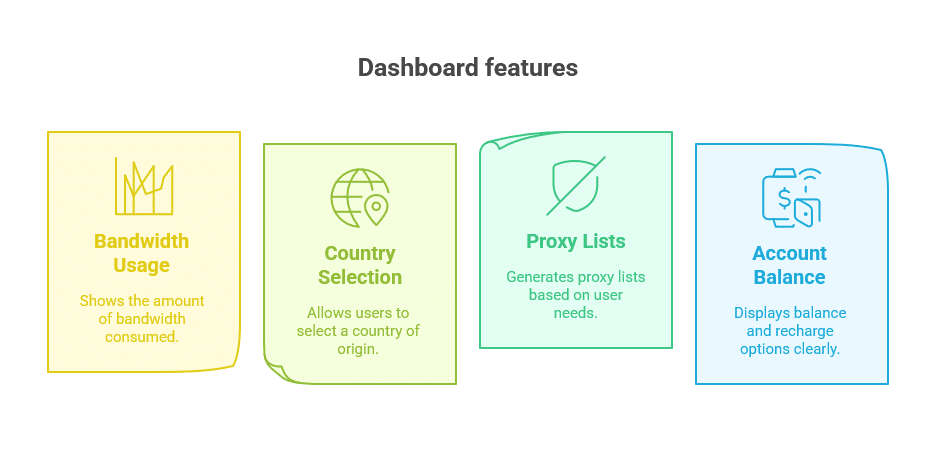
The dashboard is really clean and easy to use. There’s no cluttered interface or distracting banners.
On one page, you can see:
- Bandwidth used
- Country selection
- Proxy lists (generated on the fly)
- Account balance and recharge options
It also lets you export proxy lists with your chosen parameters. It’s a real time-saver when switching between tools or sending configs to a teammate.
f. Proxy Generator Tool
One of the nice features is the built-in proxy generator. It automatically generates the exact proxy format you need, depending on your tool (curl, Python, browser, etc.).
For example:
- If you’re using Python’s
requests, you just select it from the dropdown and it gives you code you can paste. - If you use Puppeteer, it gives you the full
launchconfig with the proxy settings already filled in.
This makes setup time almost zero if you know what tool you’re working with.
g. API Access
DataImpulse provides a developer API to manage your account and generate proxies remotely.
This is great if you’re running a tool that requires automatic proxy rotation on a job schedule. I didn’t use it much myself, but the docs look solid and simple enough for basic tasks like:
- Rotating IPs
- Checking balance
- Automating proxy list generation
There’s no rate limit mentioned, but I’d suggest caching results just in case.
h. Bandwidth and Traffic Handling
Traffic is charged per GB, and usage stats are updated in real time. While I was testing it, I kept an eye on the traffic and saw that:
- There’s no data padding or rounding up (some shady providers do that).
- The dashboard shows exact consumption per proxy list.
- It handles concurrent connections well. There were no blocks during my 50-thread Scrapy test.
If you run high-volume scrapers, this matters. You’ll know exactly where your bandwidth goes.
i. Logging and Privacy
DataImpulse says they don’t log your proxy usage, and I didn’t see any proof to the contrary. They use token-based auth, don’t log endpoint URLs, and there’s no intrusive analytics in the dashboard.
One thing to note, though. There’s no detailed transparency report like larger providers (Oxylabs, Bright Data), but that’s not unusual for newer providers.
j. Geo Targeting Options

You can choose from 100+ countries, but not city-level targeting.
Here’s how targeting works:
- For residential/mobile proxies, you select the country and let the system pick an IP.
- For datacenter proxies, you get a pre-built IP list with locations shown.
I tested geo-sensitive tasks (Google scraping, marketplace logins) and IPs resolved correctly to the chosen country using ipapi and MaxMind checks.
However, if you need US state or EU-city-level targeting, this won’t be enough. But for general international scraping, it’s fine.
Looking for a cost-effective proxy solution for your web scraping needs?
While DataImpulse offers affordable residential proxies, RapidSeedbox’s rotating proxies provide enhanced performance and reliability. With a vast IP pool and advanced rotation features, you can ensure seamless data extraction without interruptions. Experience superior speed and stability tailored for your scraping projects.:contentReference[oaicite:7]{index=7}
k. Security and IP Auth
Security is simple but effective:
- You can authenticate using your IP address (IP whitelisting) or username/password.
- The dashboard is protected with 2FA.
- There’s no token expiration during sessions (I stayed logged in across devices with no issues).
They don’t offer residential IP masking (where the user-agent is also spoofed), but if you’re using browser fingerprinting tools like Multilogin or Incognition, it shouldn’t be an issue.
l. API for Developers
If you need automation, their API gives you access to:
- Proxy list creation
- Session refresh
- Country rotation
- Usage stats
- Balance checks
I tested it for a scraper job that refreshed IPs every 5 minutes, and it worked without downtime.
Docs are basic, but clean. No rate limiting issues popped up in my test window (about 500 API calls/day).
m. Mobile Proxies
You don’t often see mobile proxies priced under $3/GB. DataImpulse offers them at $2/GB, which is very competitive.
These work well for:
- Social media account management (IG, TikTok)
- Mobile-only search tests
- Avoiding CAPTCHAs
In my test, the mobile proxies consistently resolved with LTE/3G ASN identifiers and didn’t trigger anti-bot errors.
2. Customer Support
DataImpulse offers 24/7 customer support via live chat and email. I contacted support three times during my trial. Once for an IP whitelist issue, another for a billing question, and a third for help setting up proxies in Puppeteer.
- Responses on live chat came in under 2 minutes.
- Email support took longer (around 6–8 hours), but responses were still helpful.
They’ve also got a small knowledge base with guides on using proxies with tools like Multilogin, Gologin, and Python scripts.
3. DataImpulse Pricing
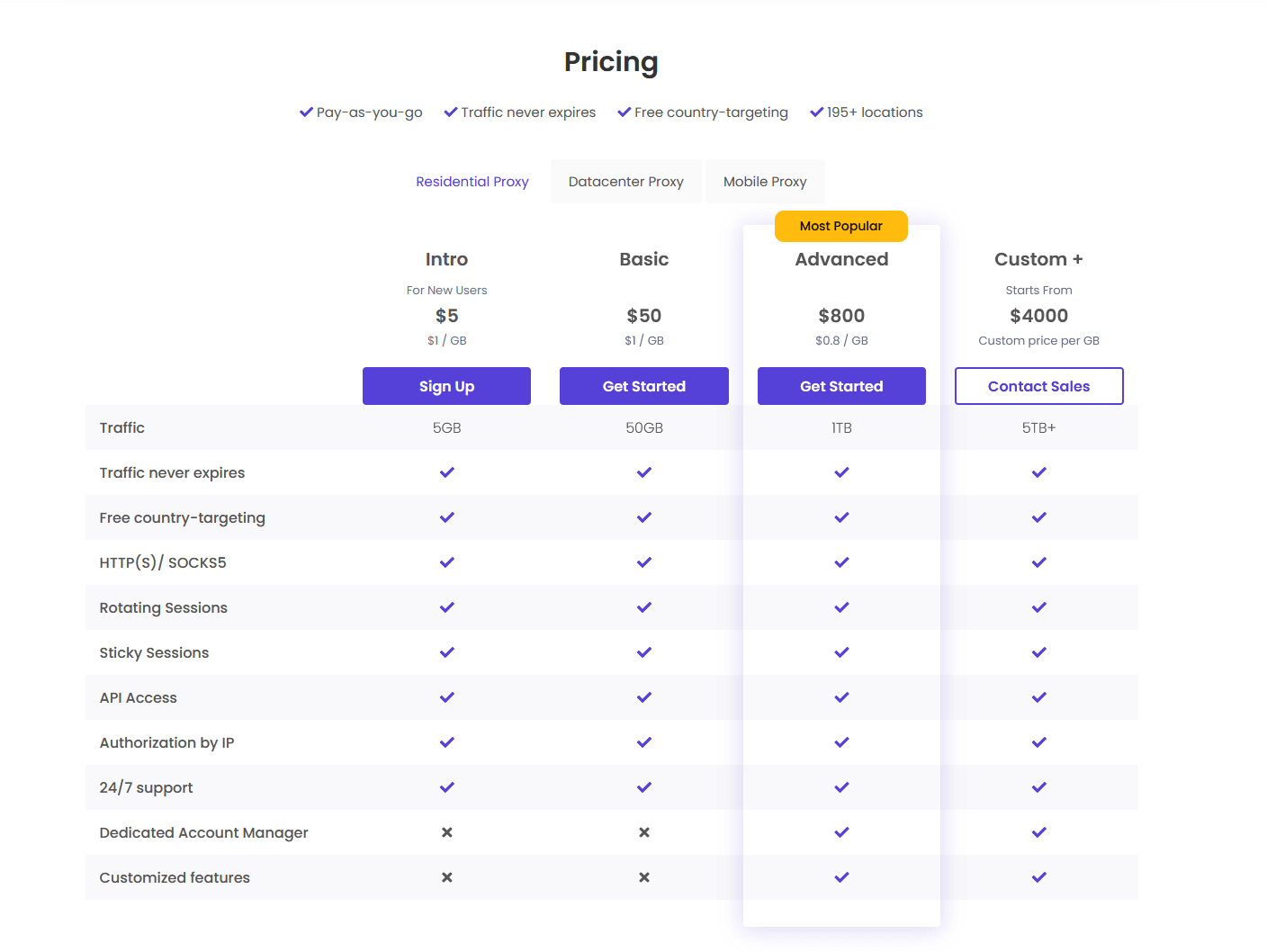
DataImpulse uses a pay-as-you-go pricing model, so you only pay for the traffic you use. There are no subscriptions or lock-ins. I use a bunch of different proxy services for different projects, and this has helped me avoid wasting money on unused bandwidth.
- Residential proxies: $1.00 per GB
- Mobile proxies: $2.00 per GB
- Datacenter proxies: $0.50 per GB
- Minimum deposit: $50
If you’re just starting, that minimum might feel steep, and it’s quite annoying really.
4. Pros
- Affordable: Competitive pricing with no monthly commitments.
- User-friendly: Intuitive dashboard suitable for beginners.
- Flexible: Pay-as-you-go model allows for budget control.
- Support: 24/7 customer support available via multiple channels.
5. Cons
- Minimum purchase: Requires a minimum purchase of $50.
- Limited advanced features: Lacks some advanced features found in premium providers.
- Variable performance: Performance can vary depending on the target website and location.
🧼 Tired of noisy pools and overused IP ranges?
Get clean residential & mobile routes with higher success — 25% off RapidSeedbox Proxies. Unlock My Clean IP Discount6. Best Alternatives to DataImpulse (Ranked and Reviewed)
If you’re looking for something more powerful, more flexible, or just better supported than DataImpulse, I’ve got you covered. Here are the top three proxy services I’ve personally tested. They stand out in different areas like speed, support, control, and extra features.
a. RapidSeedbox – Best Overall Alternative with Dedicated Proxy Services
RapidSeedbox offers a comprehensive suite of proxy solutions, including dedicated IPv4 and IPv6 proxies and rotating residential proxies, catering to various needs like web scraping, automation, and secure browsing. Their services are designed for users who require stable, high-performance proxies with flexible configuration options.
Key features:
- Dedicated IPv4 and IPv6 proxies: RapidSeedbox provides anonymous IPv4 and IPv6 proxies starting at $1 per IP, offering unlimited bandwidth and a high success rate for tasks requiring consistent IP addresses.
- Rotating residential proxies: Their rotating residential proxies offer access to a large pool of IPs, allowing users to scrape data without CAPTCHAs or blocks. These proxies support both sticky and rotating sessions, providing versatility for different use cases.
- Flexible authentication: Users can authenticate via username/password or IP whitelisting, accommodating various security preferences.
- Protocol support: Supports HTTP, HTTPS, and SOCKS5 protocols, ensuring compatibility with a wide range of applications and tools.
- User-friendly dashboard: RapidSeedbox offers a clean and intuitive dashboard for managing proxies, monitoring usage, and configuring settings.
Pros and Cons of RapidSeedbox:
| Pros | Cons |
|---|---|
| Offers both dedicated and rotating residential proxies | Dedicated proxies require monthly commitment |
| Unlimited bandwidth with high success rates | Rotating residential proxies are priced per GB |
| Supports multiple protocols (HTTP, HTTPS, SOCKS5) | |
| Flexible authentication methods | |
| User-friendly dashboard for easy management |
b. Smartproxy
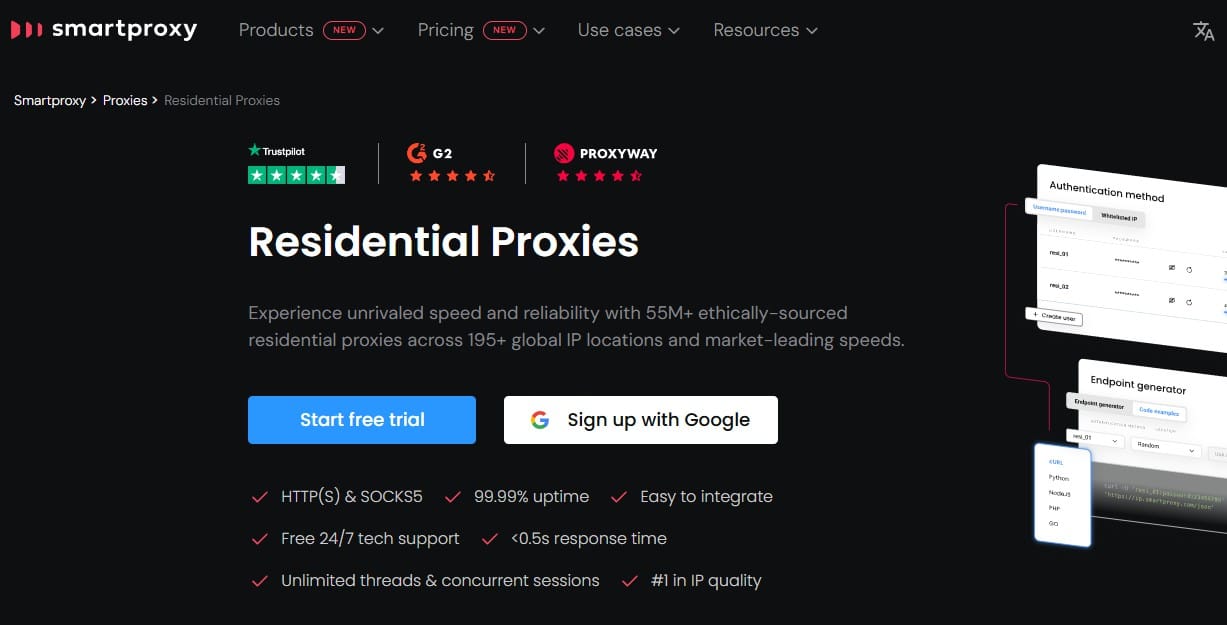
Smartproxy is one of the most polished proxy platforms out there. I’ve used them for Instagram management, sneaker drops, and scraping projects where reliability was non-negotiable.
Their IP pool is huge, and the user dashboard is way more intuitive than DataImpulse’s. If you’re into clean UIs, usage reports, city-level targeting, and browser extensions, Smartproxy is the way to go.
They also have cool features like:
- X Browser (fingerprint manager)
- Advanced targeting by ASN and carrier
- Proxy rotation rules
Pros and Cons of Smartproxy
| Pros | Cons |
|---|---|
| 40M+ residential IPs with city-level targeting | Pricing is steeper: starts at $39/month |
| Rotating and sticky sessions with precision | Can’t pay per GB—plans are tiered |
| Built-in tools like browser extensions and X Browser | Live chat is fast, but tech support isn’t as deep |
| Great success rate on restricted sites | Datacenter proxy pool is smaller than competitors |
| Easy integration with bots, APIs, and scrapers | Overkill for small or one-time projects |
c. IPRoyal
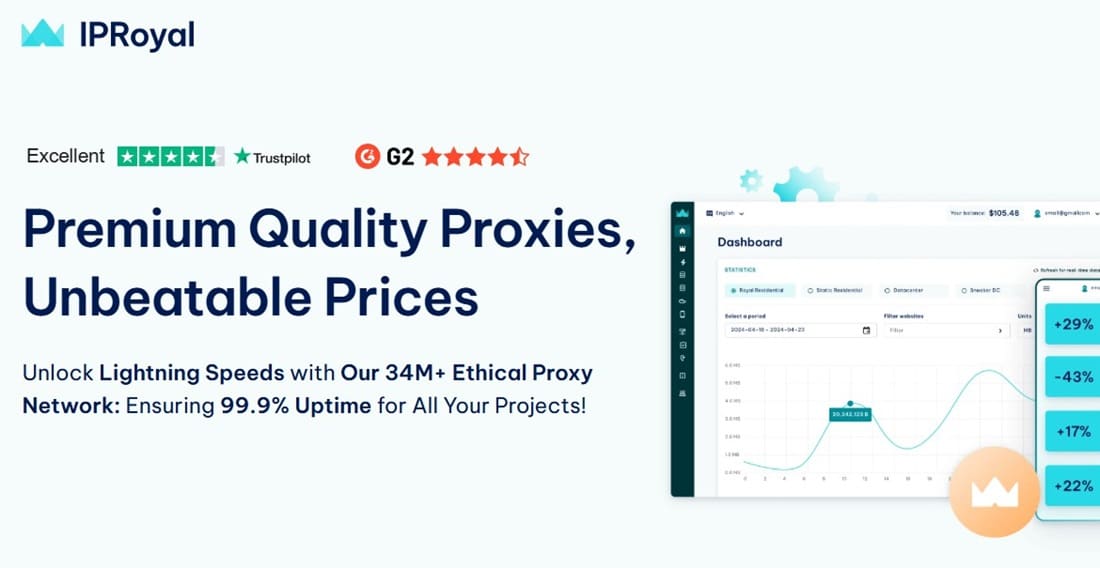
IPRoyal is great if you’re on a budget but still want residential proxies that actually work. I tested them mostly for scraping jobs and marketplace research (eBay, Etsy, etc.), and was surprised by how stable the IPs were, especially at $0.80/GB.
They might not have the polish of Smartproxy, and they don’t have all the fancy targeting or dashboard features, but they’re solid if you don’t need that.
They have their own ethically-sourced proxy pool, which is pretty interesting. It means that there are fewer bans from websites that blacklist recycled IPs.
Pros and Cons of IPRoyal
| Pros | Cons |
|---|---|
| Very affordable pricing ($0.80/GB for residential) | Support is slow (email-only, most of the time) |
| IPs are ethically sourced and less burned | Support is slow (email-only most of the time) |
| Easy to buy small traffic amounts (no high minimums) | No city/state targeting |
| Simple to integrate with Python, Selenium, Scrapy | Not ideal for high-concurrency scraping |
| Accepts crypto and more flexible payments | No browser tools or built-in rotation scheduler |
7. Final Words
DataImpulse has a cheap and easy-to-use proxy service, which makes it great for people and businesses who just need a basic proxy solution without having to commit to anything long-term. It might not have the fancy features of the more expensive options, but it’s easy to use and affordable, which makes it a good choice for a lot of people.
Frustrated by unstable proxy performance with your current provider?
Try RapidSeedbox’s rotating residential proxies for reliable, high-speed access to global IPs. Whether you’re running intensive scraping operations or managing multiple accounts, our rotating proxies ensure anonymity, scalability, and zero IP bans—so you can focus on what matters most.
0Comments