 By
By
If you’ve ever scraped a site or juggled many different accounts, you’ve probably hit an IP ban or rate limit. These days, websites catch on fast—even slightly suspicious traffic would get blocked.
That’s where IP rotation saves the day.
In this guide, I’ll walk you through what it is, why it matters, why to use it, and how to actually implement it. We’ll dig into real-world stuff like scraping, ad checks, gaming, and staying private. I’ll also share tools, code, proxy tips, and when not to rotate.
Let’s get into it.

Content Disclaimer: This article is for informational purposes only. The use of IP rotation and proxy services must comply with all applicable laws and website terms of service. While these tools can support legitimate use cases like privacy, SEO, or QA testing, they may also violate site policies if misused. Readers are responsible for ensuring their actions remain legal and ethical.
Table of Contents
- What Is IP Rotation?
- Real Use Cases (and Why They Matter)
- How IP Rotation Works
- How to Rotate Your IP
- Choosing the Right Tool for IP Rotation
- Five Best Tools & Services for IP Rotation.
- Web Scraping with Rotating IPs: Best Practices
- Final Thoughts & Setup Guide for IP Rotation
- Wrapping Up
1. What Is IP Rotation?
IP rotation refers to the process of regularly changing your internet address (IP), either on a predetermined schedule or at your request.
So, instead of using one static IP (like your home address), your system pulls from a pool and hops between different addresses. This makes your online activity look like it’s coming from different users or places. This IP rotation can be done manually or automatically through a service, and it’s a handy trick for staying under the radar online.
With IP rotation, your every request wears a new face. That results in being silent and unseen. It is like standing in front of a wall of masks, each showing a different country, IP type, source, ISP, etc.

Most people use proxy servers or VPNs to rotate IPs. These tools route your traffic through a different address each time, often pulling from massive pools with millions of IPs worldwide. Some ISPs also give you dynamic IPs that change when your router reconnects.
So, why would you need IP rotation?
Rotating IPs isn’t just smart—it’s essential. It spreads out your requests so a single IP doesn’t take the fall. This is perfect for helping you dodge bans and rate limits. And overall, simply if you don’t want that unwanted attention. Switching IPs will also give you that global view, which is perfect for testing your site and ads from different countries. And that is not all, this strategy also keeps your identity off the grid, which means more privacy and fewer headaches from trackers or blocks.
How does IP rotation differ from DHCP dynamic addressing?
IP rotation is a deliberate technique used to change your public IP address regularly—often via proxies or VPNs. A common technique used for tasks like web scraping or bypassing blocks. Dynamic addressing (DHCP), on the other hand, automatically assigns private IPs to devices within a local network (like your home router giving your laptop an internal address). IP rotation targets external visibility and control, while DHCP manages internal connectivity without user intervention.
We’ll dig into the tech side later, but first, let’s look at why people use it.
2. Real Use Cases (and Why They Matter)
Using the same IP over and over is like showing up to every site with a flashing sign (easy to spot, easy to block). Rotating IPs helps you blend in and access more of the web without raising flags.
Here are the popular real use cases:

- Web Scraping: Web scraping from a single IP is a fast track to getting blocked. Sites quickly catch on and shut you out. That’s why rotating IPs is still the go-to strategy, especially when scraping at scale. By changing your IP with every request, it looks like different users are visiting, which helps avoid blocks, CAPTCHAs, and rate limits. Most scrapers rely on rotating residential proxies to pull large volumes of data, like prices, reviews, or search results, without setting off alarms.
- Privacy & Anonymity: IP rotation can also be used to keep advertisers and trackers off your back. Rotating IPs makes your online identity harder to follow. It also boosts security, like making DDoS attacks tougher, since your IP keeps changing. Basically, it helps mask your digital footprint.
- Bypassing Bans & Geo-Blocks: Have you been banned from a site or forum? Or have you hit a paywall? A new IP can get you back in. It’s also useful for accessing content restricted by region. For example, if you want to stream U.S.-only shows. You can use a U.S. IP. Some sites even show different prices based on location—rotating IPs let you compare deals from multiple regions. Geoblock bypassing can also help verify geo-targeted campaigns
- Multi-Account Management: Rotating IPs can also be useful if you are running several accounts on platforms like social media, marketplaces, or ad networks. They help you avoid getting flagged for suspicious activity. They make each session look like it’s coming from a different user or location. This is crucial for maintaining account health at scale and avoiding linking identities across platforms.
- SEO & SERP Tracking: When tracking search engine rankings or local SERP data, using the same IP can skew results or trigger captchas. Rotating IPs let you pull unbiased, geo-specific search data from multiple locations (without getting blocked).
- Online Gaming: Rotating IPs let gamers switch regions and overall reduce matchmaking wait times. They also help avoid bans when running multiple accounts or testing game mechanics from different geolocations.
- Bot Management & QA Testing: Running bots or automated tests from a single IP? That’s a red flag for most systems. This is where rotating IPs come, they help spread your traffic across different addresses. They make it look like many independent users instead of one noisy botnet. It’s especially useful for QA teams stress-testing login flows or rate limits without triggering bans or throttling.
| 🛡️ Bottom line: If you’re doing anything at scale online, rotating IPs keeps you safer and stealthier. |
3. How IP Rotation Works
So, how does IP rotation actually happen?
It comes down to a few key pieces: IP pools, proxy servers, session handling, and the type of IPs you’re using—like residential or datacenter.
a. IP Pools and Proxy Networks
Think of an IP pool as a giant bucket of IP addresses. Proxy services pull from this pool—some from cloud servers, others from real home connections or mobile networks.
So, when you connect through a rotating proxy, your requests get routed through different IPs—maybe one in Germany, the next in Canada, and so on. The rotation can be handled by the proxy provider or managed manually by your app (more on this in the next section). Bigger, more diverse pools mean less chance of reusing the same IP, which helps you stay undetected.

b. Session vs. Application Layer Rotation
There are two ways to rotate IPs:
- Session-level rotation: You connect to one proxy address, and it automatically rotates IPs behind the scenes. This is usually easy to set up, and there is no heavy coding needed. With sticky session support, you don’t need coding.
- Application-level rotation: Your app picks a different proxy from a list for each request. This means more control, but also more complexity. With sticky session support, you need a lot less coding.
Both work. One’s plug-and-play, the other’s DIY.

c. Sticky Sessions vs. Rotating Sessions
Sometimes, you don’t want your IP to change every second, like when logging into a site or filling out a form. That’s where sticky sessions come in. They let you hold the same IP for a few minutes or requests before it rotates. Sticky sessions are a perfect feature for workflows that need a stable connection.
Rotating sessions, on the other hand, switch IPs constantly. This is great for scraping lots of pages fast, but risky for anything needing continuity. A good rule: rotate between sessions, not within them.

d. Types of Proxies: Residential, Datacenter, Mobile
Choosing the right type of proxy matters just as much as rotating IPs. Different proxies offer different levels of speed and reliability—what you pick can make or break your strategy. More on this in the next section.
- Datacenter proxies: Fast and cheap, but easy for sites to flag. Good for less-guarded targets.
- Residential proxies: Real home IPs. Harder to detect, but slower and pricier.
- Mobile proxies: The most trusted (thanks to 4G/5G networks), but also the slowest and most expensive.
Why does this matter to you? (Refer to the image below) Your app/script sends traffic through a “rotating proxy hub” that picks a new IP for each request, from a mix of residential, datacenter, mobile, or ISP addresses. So, instead of using one IP (and getting blocked fast!), you would look like many users in different places.

Which one to pick? Choose based on your use case. Scraping tough targets? Go residential. Need speed? The datacenter is better. Want maximum stealth? Mobile’s your friend.
e. Rotation Timing and Triggers
IPs can rotate based on time (every 5–10 minutes), on each request, or when you reconnect. Most proxy services let you configure this, or you can control it manually via your script. Even your home ISP might rotate your IP after a while or when your router resets.

But here’s the catch—too much rotation can look just as suspicious as none. Jumping from New York to Tokyo in two seconds? That’ll raise flags. The goal is balance: rotate smart, not just fast.
4. How to Rotate Your IP
Rotating your IP doesn’t have to be complicated—but done right, it can save your scraper (or campaign) from getting blocked mid-flight.
So, how do you actually rotate your IP?
There are two routes: manual methods for one-off tasks and automated tools for large-scale jobs. Let’s break both down and walk through a simple workflow you can build on.
a. 🔧 Manual Methods (Good for Small Jobs)
Manual methods are great for quick fixes, but they won’t scale. If you’re running bots, scrapers, or anything that needs constant IP changes, automation is the way to go.
- Use a VPN: Switching VPN servers gives you new IPs tied to different locations. Some VPNs even offer automatic IP rotation. This works for light tasks, like managing accounts or bypassing geo-blocks, but VPN IP ranges are often flagged by websites. Plus, rotation here would still be a manual process, unless you script it.
- Tor Browser or Proxy Extensions: Tor gives you a fresh IP path when you click “New Circuit,” which helps with anonymity. This is free, but the price you pay is on the speed. Proxy browser extensions can also cycle through IPs if you have a list. These options are not built for scraping or scale, and Tor’s IPs are also often blocked.
b. ⚙️ Automated Methods (Best for Scale)
1. Use a Rotating Proxy Service
Services like RapidSeedbox (more on these services in the next chapter) give you a single endpoint that automatically rotates IPs. All this behind the scenes and without you having to intervene. Just plug the given proxy into your app, and each request exits with a different IP. You can also request “sticky sessions” to keep the same IP for a few minutes.
2. Rotate Proxies in Your Code
If you want more control or simply to save more money, then you can use your own proxy list. In your script, cycle through proxies—randomly or in order—for each request. Here is an example (pseudocode in Python) — you can add retries, timeouts, or ban-detection logic to make it smarter:
|
1 2 3 4 |
proxies = ["http://proxy1", "http://proxy2", "http://proxy3"] for i, url in enumerate(urls): proxy = proxies[i % len(proxies)] send_request(url, proxy=proxy) |
3. Use API-Based Tools or Headless Browsers
Some platforms (like ScraperAPI or ScrapingBee) handle rotation and retries all in one, via an API. Others let you use tools like Puppeteer or Playwright with proxy plugins to rotate IPs during browser sessions. These are great if you’re working with dynamic sites or need stealth.
🛠 Sample Rotation Workflow
Here’s a basic setup for rotating proxies per request:

- Get a proxy list (from a provider or your own).
- Set up your HTTP client (e.g., requests in Python or got in Node.js).
- Assign a different proxy for each request—in order or randomly.
- Handle failures by retrying with another IP if blocked or slow.
- Log failures and clean your list over time.
Bonus: add random delays to mimic real users and avoid suspicion.
5. Choosing the Right Tool for IP Rotation
If speed is your top priority and the site isn’t too strict, datacenter proxies would usually do the trick. For tougher targets with stronger defenses, residential or mobile proxies offer better success rates.
Also, if you are scaling up, consider tools with built-in rotation and session control. Solid API support is also an essential must-have. Smaller teams or budget-conscious devs might start with more affordable services.
Every proxy type has trade-offs—what matters is finding the right balance between speed and cost for your goals.
💸 Free vs. Paid Rotation
| Option | Pros | Cons | Best For |
| Free | No cost, easy to try | Slow, unstable, high risk | Hobby projects, testing |
| Paid | Fast, reliable, geo-targeted | Cost varies by type | Scraping, automation, ad-verification |
Free = fine for testing. Paid = the way to go for anything serious.
🧪 Proxy Type Breakdown
| Proxy Type | Strengths | Weaknesses | Best Use Cases |
| Datacenter | Fast, cheap, great for scale | Easier to detect, less anonymity | Scraping less-guarded sites, load testing |
| Residential | Harder to block, high trust, real home IPs | Slower, more expensive | E-commerce, social media, and search engines |
| Mobile | Most trusted, tough to block, great for mobile testing | Slowest, most expensive | Mobile ads, app scraping, and sensitive automation |
✅ Bottom Line
Start with datacenter IPs if you are after speed and cost. But if you hit blocks, we’d recommend switching to residential. For stealth-critical tasks, go mobile. In the end, it is all about mixing and matching based on what you’re doing (or scraping), and always test small before scaling.
How IP Rotation Keeps You Invisible Online
Stop bans, skip CAPTCHAs, and scale your scraping with RapidSeedbox’s rotating proxies. Residential or datacenter, we’ve got the mask you need.
👉 Explore Now6. Five Best Tools & Services for IP Rotation.
Now that you know the basics on how to choose the right tool and proxy type. You also know that IP rotation is essential for tasks like scraping or automation. So now, choosing the right provider becomes critical.
Here’s a look at the top services—what they offer, how they differ, and which use cases they serve best.
a. RapidSeedbox
A flexible and developer-friendly platform, RapidSeedbox offers both rotating residential and datacenter proxies—ideal for scraping, SEO, ad verification, and automation at any scale. It’s especially strong for developers who want speed and control, thanks to built-in server features and API integration.

Key Features:
- 6.9 M+ residential IPs across 100+ countries
- Datacenter proxies with high bandwidth and low latency
- Sticky or per-request IP rotation
- Unlimited threads, full SSL encryption
- Extra perks: SSH access, VPN tunneling, app hosting
Pricing:
Residential & datacenter plans available. Entry-level pricing based on bandwidth, number of IPs and IP type (IPv4 or IPv6)
b. Bright Data (formerly Luminati)
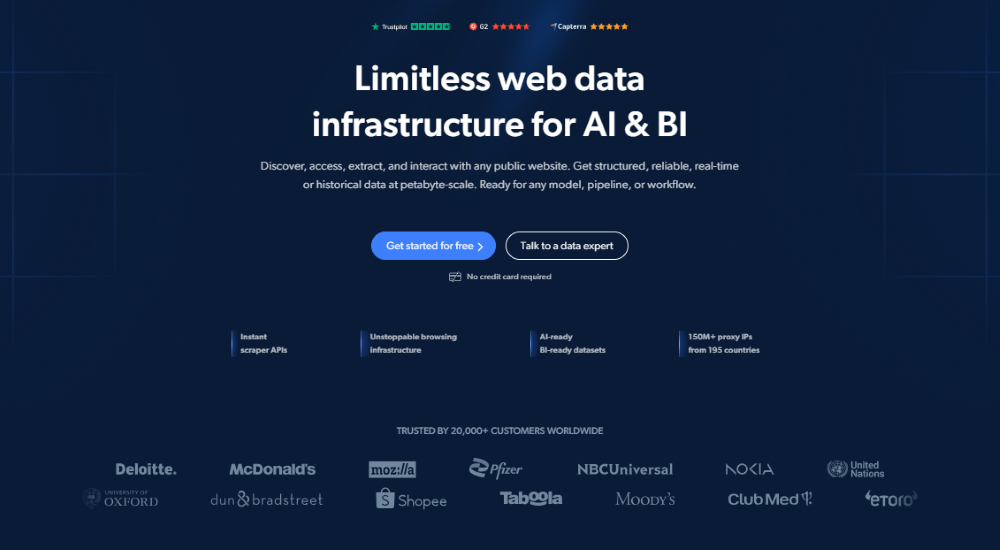
Bright Data is a popular proxy provider built for scale and precision. It is perfect for enterprise users managing complex scraping or compliance-heavy workflows. They are known for reliability and rich features. So it’s a top choice for large teams that need depth and customizability.
More Info: Bright Data Proxy Review + Alternatives
Key Features:
- 72M+ IPs (residential, mobile, and datacenter)
- Precise geo-targeting down to city or ZIP code
- Advanced rotation rules, scraping APIs, and automation tools
- Custom dashboards and enterprise-grade SLAs
Pricing:
Starts at $7/GB. Custom plans for high-volume or enterprise users
c. Oxylabs
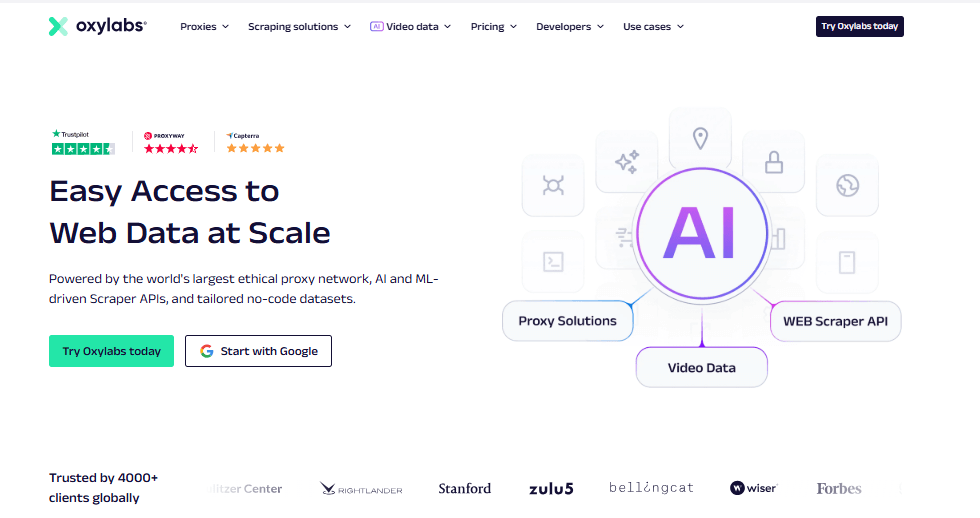
Oxylabs is a premium proxy provider best suited for enterprise-level scraping and SEO auditing. They are especially ideal when success rate and reliability are non-negotiable. Its global IP pool and granular targeting options make it a direct competitor to Bright Data.
More Info: Oxylabs Review + Alternatives
Key Features:
- 100 M+ residential IPs across 195 countries
- Target by country, city, or ASN (ISP-level)
- Single endpoint access with built-in rotation
- IP whitelisting or user/pass authentication
- 24/7 live support and account management
Pricing:
Starts at $300/month for 40 GB. There are tiered plans available for agencies and enterprises
d. NetNut
NetNut is designed for high-speed, high-volume scraping. Thanks to its ISP-based one-hop architecture, it delivers stable residential IPs without the downsides of peer-to-peer networks. NetNut is a great fit for data-heavy and time-sensitive projects.

More Info: NetNut Review + Alternatives
Key Features:
- 85 M+ residential IPs in 195 countries
- No peer-to-peer routing = faster, more reliable
- Unlimited concurrent sessions
- Geo-targeting is included at no extra cost
Pricing:
Starts at $160 for 20 GB. Lower per-GB rates at higher tiers
e. Thordata
Thordata offers affordable and high-performance residential proxies. This service is great for startups, solo devs, or businesses scaling up gradually. With fast response times and flexible plans, it’s a solid balance of performance and price.

Key Features:
- 60M+ residential IPs in 195+ countries
- Sticky sessions (up to 90 minutes) or per-request rotation
- Avg. response time: 0.4 seconds
- High success rates (~99.8%)
- Full API access and unlimited concurrency
Pricing:
Starts at $4 for 5 GB. Enterprise plans drop below $1/GB
| ✅ Final Tip! Always test before scaling. Start with a small batch of requests, compare results across providers, and adjust based on success rate, speed, and IP quality. Each tool excels in different areas, so always pick based on what your project actually needs. |
7. Web Scraping with Rotating IPs: Best Practices
So, by now, you know this fact: Rotating IPs helps avoid detection. But it’s not a magic shield. To scrape successfully (and ethically), you need more than just fresh IPs, you’ll need to put some best practices in action.
Here’s a breakdown of best practices that actually work in the real world.
a. Rotate More Than Just IPs
Websites don’t just track IPs—they look at your whole fingerprint: user-agent, headers, cookies, even language settings. If every request looks the same aside from IP, you might still get flagged. So, what to do?
- Switch up User-Agents: Use realistic browser strings (Chrome, Safari, Firefox, mobile, etc.).
- Vary Headers: Change Accept, Referer, and other common headers.
- Use tools like Puppeteer Extra: They help spoof fingerprints and mimic human behavior.
- Make it look human: Each request should look like it’s coming from a real person on a real device, not the same script in disguise.
b. Don’t Hammer Sites
Even with rotating IPs, blasting out 100 requests per second is a clear red flag. To stay under the radar, add random delays between requests (2–5 seconds works well). We would also recommend limiting how many requests each IP makes, and spreading traffic over time and across multiple IPs—a tactic known as distributed scraping. It may be slower, yes, but a scrape that finishes without getting blocked beats a fast one that gets shut down.
c. Handle Blocks Smartly
CAPTCHAs, 429 errors, or Cloudflare challenges will happen—be ready.
- Use CAPTCHA solvers like 2Captcha or AntiCaptcha, or switch IPs after blocks.
- Use headless browsers (Chrome, Playwright) for JS-heavy or protected pages.
- Log failures and skip IPs that get flagged.
- Don’t blindly retry—rotate headers, wait, and try again smarter.
- Watch for response patterns (status codes, content) to catch blocks early.
- Add fallback logic to rotate proxies or pause when things go wrong.
d. Use Headless Browsers When Needed
Some sites need more than basic HTTP requests, which is where headless browsers come in. They simulate real user behavior—scrolling, clicking, and executing JavaScript—making them ideal for dynamic or heavily protected pages. By running multiple browser instances, each with its own proxy and user profile, you can mimic different users more effectively. Tools like Puppeteer or Pyppeteer let you fine-tune everything from cookies to screen size. While headless browsers are more resource-intensive, they’re often essential when scraping complex or bot-resistant sites. Learn more about this topic in our full guide to headless browsers
e. Monitor, Learn, Adapt
Scraping isn’t a set-it-and-forget-it task—sites evolve, and so should your strategy. That’s why it’s important to track success rates per IP and watch for patterns, like which regions perform best, what times of day yield fewer blocks, or how many requests an IP can handle before getting flagged. Based on that data, you can switch up your tools.
f. Be Legal and Ethical
Just because you can scrape something doesn’t mean you should.
- Check the site’s Terms of Service.
- Avoid scraping private or personal data.
- Respect robots.txt when possible, and don’t overload small sites.
- Use residential proxies responsibly—you’re borrowing real people’s internet connections.
For commercial scraping, talk to a lawyer. Laws around scraping vary and are changing fast.
8. Final Thoughts & Setup Guide for IP Rotation
IP rotation can be a game-changer—great for scraping or managing accounts. But it’s not always necessary. If you’re making a few legit requests per hour to a friendly API, a static IP might be safer and simpler.
In fact, constantly switching IPs in low-volume situations can raise more flags than it avoids.
When should you rotate?
- If you’re seeing blocks, CAPTCHAs, or rate limits.
- If you plan to scale traffic.
- If anonymity is key (multi-account use, region testing, etc.).
Otherwise? Keep it simple until you need more.
Quick Start: Python Example
|
1 2 3 4 5 6 7 8 9 10 11 12 13 14 15 16 17 18 19 20 21 22 23 24 25 |
import requests proxy_list = [ "http://USER:[email protected]:8000", "http://USER:[email protected]:8000", "http://USER:[email protected]:8000", ] url = "https://httpbin.org/ip" for proxy in proxy_list: try: resp = requests.get(url, proxies={"http": proxy, "https": proxy}, timeout=10) print(f"{proxy} → {resp.json().get('origin')}") except Exception as e: print(f"Failed: {proxy} → {e}") |
Test with cURL:
|
1 |
IP Rotation Setup Checklist
✅ Know Your Goal: Are you scraping, avoiding blocks, or managing multiple accounts? Your use case guides your setup.
✅ Pick the Right Proxy: 1. Datacenter = fast & cheap, but easier to block. 2. Residential = more trusted, but pricier. Some providers offer rotating endpoints—easy to use and great for starters.
✅ Choose a Rotation Style: Rotate per request or per session. For logins, sticky IPs are best.
✅ Avoid Patterns: Mix up headers, user agents, and timing. Stealth tools or middleware can help.
✅ Start Small: Test a few pages. Use tools like httpbin.org/ip to confirm IPs are rotating. Watch for repeated fingerprints.
✅ Monitor and Adjust: Track what’s working. Replace IPs that get blocked. Use provider dashboards if available.
✅ Stay Adaptable: Sites update their defenses. Be ready to tweak your tools, proxies, or strategy as needed.
| Final Note: Think of IP rotation as a toolkit, not a cure-all. It helps you dodge blocks, but how you use it—ethically and intelligently—makes all the difference. Start lean, learn fast, and scale thoughtfully. |
9. Wrapping Up
These days, bots get flagged fast—so IP rotation’s still my go-to move for flying under the radar. With IP rotation, is not about brute force; but about being smart. Spreading traffic across IPs keeps things smooth and avoids burning one identity out.
If you’re a dev or CTO, this isn’t just a hack—consider this, a core skill. Done right, it helps your tools scale and slip past digital bouncers without drama.
Just follow the rules. Don’t push too hard. That’s how you explore the web without setting off alarms.
Want to dig deeper?
Check out RapidSeedbox’s resources:
Web Scraping Techniques
- Intro to Web Scraping
- Screen Scraping Explained
- Web Scraping with R
- Web Scraping & Crawling with IPv6
Headless Browsers
Bypass Protection & Automation Tools
They’ll round out your toolkit with real-world tips and deeper strategies.
RapidSeedbox lets you rotate IPs by request or session—with SSH, VPN, API & app hosting included.
🚀 Get Started →
0Comments