 By
By
Are you tired of manually searching for movies, downloading them, and then organizing your media library? A seedbox Radarr setup offers the ultimate solution for automating your movie collection, from discovery to download and organization.
This guide will look at how Radarr, a powerful movie collection manager, works with seedboxes to create an easy-to-use, efficient, and high-quality movie acquisition system.
Table of Contents
- What is Radarr?
- Seedbox Radarr: Key Facts
- How Radarr Works with a Seedbox: The Automation Workflow
- Benefits of Seedbox Radarr Automation
- Radarr vs. Manual Movie Downloading
- Top Seedbox Providers for Radarr Integration
- Radarr Technical Deep Dive: Quality Profiles and Hardlinking
- Common Mistakes with Seedbox Radarr Setups
- Final Words: Your Automated Cinematic Universe Awaits
What is Radarr?
Radarr is an independent movie collection manager for Usenet and BitTorrent users. It’s designed to automate the searching, downloading, and organizing of movies.
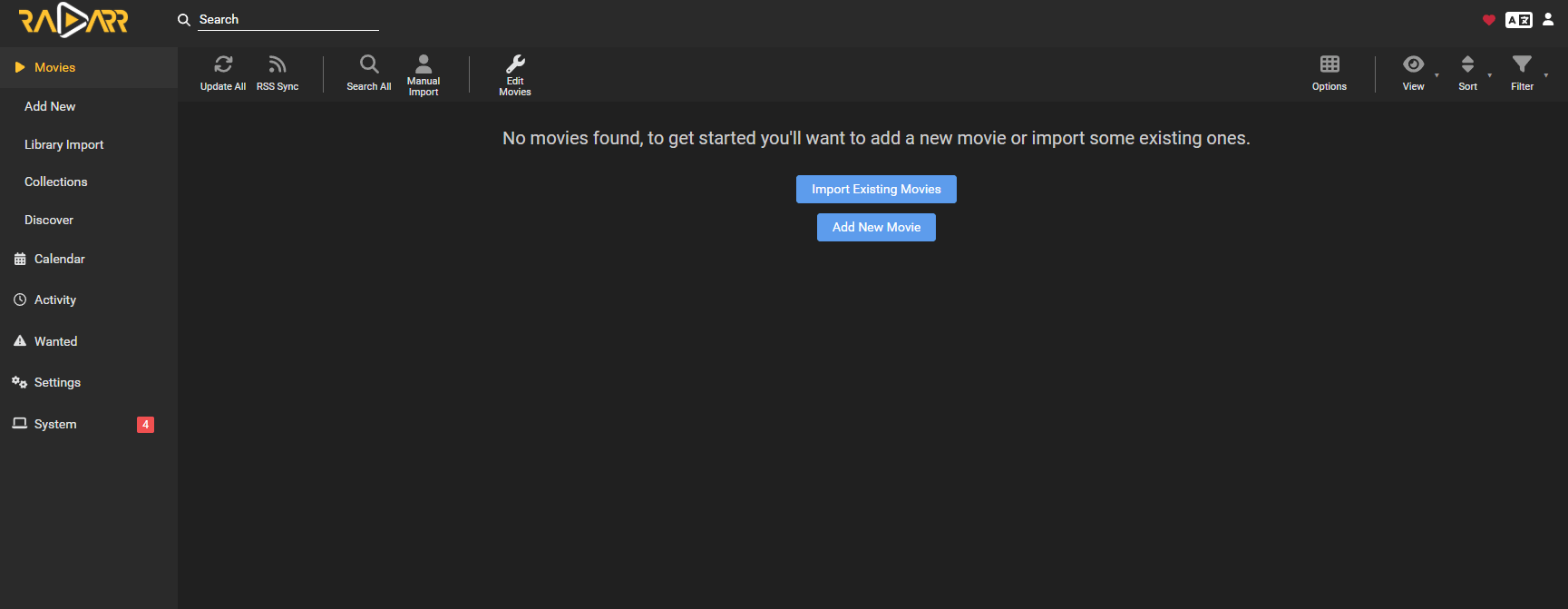
It’s usually used with a seedbox and a torrent client to keep an eye on RSS feeds for new movie releases, automatically download them based on predefined quality profiles, and integrate with media servers like Plex or Jellyfin.
Seedbox Radarr: Key Facts
- What it is: A seedbox (remote server) integrated with Radarr for automated movie acquisition and management.
- How it works: Radarr monitors movie releases, sends download requests to a torrent client on the seedbox, and organizes the downloaded files.
- Main components: A seedbox, Radarr software, a torrent client (e.g., rTorrent, qBittorrent), indexers (e.g., via Prowlarr), and a media server (e.g., Plex).
- Key benefits: Fully automated movie library management, high-quality downloads, efficient use of seedbox resources, and seamless integration with media servers.
- Difficulty level: Intermediate (requires understanding of seedbox environments and Radarr configuration).
- Best for: Movie enthusiasts, media hoarders, and anyone seeking a fully automated and high-quality movie collection experience.
- Alternatives: Manual downloading, other media managers like CouchPotato (less maintained).
- Last updated: May 2026
How Radarr Works with a Seedbox: The Automation Workflow
You can use Radarr with a seedbox to create a powerful, automated workflow for managing your movie collection. This feature makes it so you don’t have to mess around with the interface, and it’ll get your movies to you in a flash. The process usually has a few key steps:
First, Radarr is set up to monitor different movie sources, mostly through indexers (which you can manage with tools like Prowlarr or Jackett) that give you info on new releases and available torrents. You can set your preferred movies and quality profiles in Radarr, choosing the resolution (like 1080p or 4K), file size, and other criteria. Radarr then continuously scans these sources for movies that match your criteria.
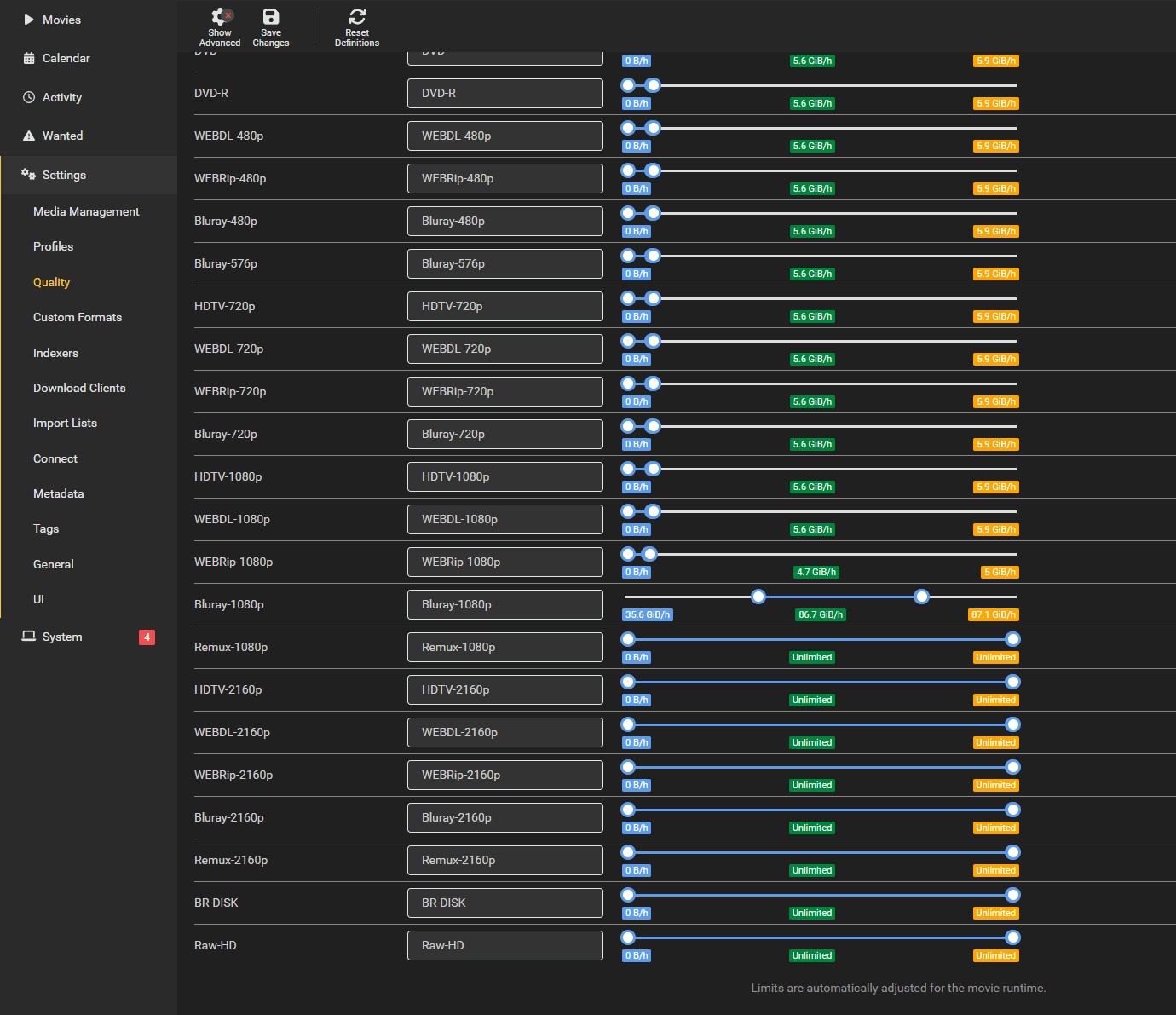
Once a movie that matches your profile is found, Radarr sends a download request to your torrent client, which is running on your seedbox. The seedbox, with its high-speed connection, quickly downloads the movie. Once the download is done, Radarr finds the finished file, renames it according to your preferences, and puts it in the movie library folder you chose.
If your seedbox supports hardlinks, Radarr can create a hardlink to the movie in your library while the original file remains in the torrent client for seeding, saving disk space.
Finally, Radarr can notify your media server (like Plex or Jellyfin) to scan for new content, making the movie instantly available for streaming. The whole process, from discovery to playback, is automated, so it doesn’t require much input from the user after the initial setup.
Benefits of Seedbox Radarr Automation
Using a seedbox with Radarr has a lot of advantages and changes the way you manage your movie collection. The main perk is that it’s super automated, so you don’t have to deal with the hassle of manual movie acquisition.
One big plus is that it saves time. Instead of dealing with release dates, searching for torrents, and manually downloading files, Radarr handles everything for you. This way, you can focus on enjoying your content instead of managing it. Another key perk is consistency and quality control.
Radarr’s quality profiles let you make sure all the movies in your library meet your standards. It’ll automatically upgrade to higher quality versions when they’re available. This solves the problem of finding low-quality downloads.
On top of that, the integration with a seedbox ensures high-speed downloads and reliable seeding, contributing to a good standing on private trackers and faster access to new content. The automated organization and renaming features also make your media library cleaner and easier to manage, so you can browse and enjoy your movies on your preferred media server.
This setup is perfect for anyone looking to build and maintain a high-quality, organized movie collection without a lot of effort.
Radarr vs. Manual Movie Downloading
The old-fashioned way of finding, downloading, and organizing movies is a lot of work and can be really frustrating. Combining Radarr with a seedbox is like night and day. It gives you a better and more automated way to manage your movie collection.
| Feature | Radarr with Seedbox | Manual Downloading |
| Discovery | Automated RSS feed monitoring, smart search | Manual browsing of torrent sites/indexers |
| Download Initiation | Automatic based on quality profiles | Manual selection and download |
| Quality Control | Enforced via quality profiles, upgrades | Dependent on manual selection, often inconsistent |
| Organization | Manual renaming, moving, and often inconsistent | Dependent on the local internet, often slower |
| Speed | High-speed seedbox downloads | Manual addition to the media server |
| Seeding | Continuous on seedbox, ratio maintenance | Manual, often limited by local resources |
| Media Server Integration | Seamless (Plex, Jellyfin updates) | Manual addition to media server |
| Time Investment | Minimal after initial setup | Significant and ongoing |
| Error Rate | Low (automated checks) | High (human error in selection/organization) |
Choose Radarr with a Seedbox when you desire a hands-off, efficient, and high-quality movie collection. This setup is ideal for building and maintaining a large, organized library with minimal effort, ensuring consistent quality and seamless integration with your media server.
Choose manual downloading when you have very infrequent movie acquisition needs, prefer complete manual control over every step, or have a very small, static collection that doesn’t require automation. However, be prepared for the significant time and effort involved.
Top Seedbox Providers for Radarr Integration
If you’re looking for a Radarr setup that actually works, it’s crucial to pick a reliable seedbox provider that makes it simple to install Radarr and delivers top-notch performance. The best providers make things simple and make sure Radarr works well with your torrent client. Here are some of the best seedbox providers.
1. RapidSeedbox
If you’re looking for a seedbox Radarr solution, RapidSeedbox is an excellent choice. They’ve got one-click installers for Radarr, Sonarr, and other essential media automation tools, so setting everything up is a breeze, even if you’re new to all this.
Their premium plans can handle the demands of a full media stack, providing the necessary resources for Radarr to operate efficiently alongside your torrent client and media server.
RapidSeedbox has unlimited bandwidth, which makes for super-fast movie downloads and uploads. This is key for a responsive Radarr setup.
And if you need help, they’ve got you covered with 24/7 customer support and a 14-day money-back guarantee. With RapidSeedbox, you can rest easy knowing you’ve got a reliable and user-friendly platform to take care of your movie collection.
Tired of slow Radarr downloads and limited storage?
Upgrade your Radarr setup with a RapidSeedbox Seedbox and experience blazing-fast downloads, massive storage, and seamless automation. Streamline your movie collection workflow, eliminate bottlenecks, and keep your Radarr library always up-to-date—without relying on your home connection.
Boost Radarr with a Seedbox
2. Ultra.cc

Ultra.cc is a popular seedbox provider. They’re known for their high-performance infrastructure and extensive application support, including Radarr.
They’ve got clear documentation and a user-friendly dashboard for installing and managing Radarr, making it a solid option for users who need powerful hardware to support their media automation. Ultra.cc is a solid choice for those who want a robust environment for their Radarr setup and other media management applications.
3. Seedboxes.cc

Seedboxes.cc offers a feature-rich seedbox environment that works well with Radarr. Their platform supports various applications and offers documentation to guide users through the installation and configuration process.
With their custom management tools and focus on media content, Seedboxes.cc is a decent choice for users looking to integrate Radarr into their seedbox workflow, especially with their remote mount capabilities.
4. Whatbox

Whatbox offers a stable and user-friendly seedbox service that supports Radarr. While some setups might require a bit more manual configuration, Whatbox is known for its reliability and helpful community. It’s a good option for users who value a straightforward service and a stable environment for their media automation tools.
5. Pulsed Media

Pulsed Media has seedbox solutions that can host Radarr, and they often provide scripts or guides for setting up a complete media automation stack. They’re a good choice for users who need a full package for their media needs, including Radarr, Sonarr, and other similar apps.
Radarr Technical Deep Dive: Quality Profiles and Hardlinking
Radarr achieves its sophisticated automation through several key technical mechanisms, especially Quality Profiles and Hardlinking. Knowing how to use them is important for optimizing your seedbox Radarr setup and maximizing its efficiency.
Quality Profiles: Precision in Media Acquisition
Quality Profiles are key to Radarr’s ability to get movies just how you want them.
A Quality Profile is basically a set of rules that defines your preferred movie formats, resolutions, and other attributes.
For example, you can create a profile that prioritizes 1080p Blu-ray rips, but will settle for a high-quality 720p WEB-DL if the 1080p version isn’t immediately available.
Radarr keeps an eye on new releases and will even upgrade your movies automatically if a higher-quality version that matches your profile becomes available after you’ve already downloaded a lower-quality one. This makes sure your library always has the best possible quality without you having to do any work.
Quality profiles also let you set custom scores for different release groups or formats, giving you more control over which versions Radarr selects.
Hardlinking: Efficient Storage Management
For seedbox users, hardlinking is a must, especially when Radarr is handling files on the same server as your torrent client. When you download a movie with Radarr, it’ll move it to the folder you’ve set for that. Without hardlinks, this usually means copying the file, which doubles the disk space usage (one copy for seeding, one for your library). You can solve this problem by using hardlinking.
A hardlink is essentially an additional directory entry for an existing file. It points to the same data on the disk as the original file. This means that when Radarr creates a hardlink, it doesn’t create a new copy of the movie; it simply creates a new reference to the original file.
Your torrent client continues to seed the original file, while your media server sees the movie in its organized library. This saves significant disk space and allows for continuous seeding without duplicating large movie files. It’s a highly efficient way to manage your media while adhering to good torrenting practices.
Extra Tips
- Remote Path Mappings: If your Radarr instance and torrent client are on different servers (or even different Docker containers on the same server), make sure you configure Remote Path Mappings in Radarr. This tells Radarr how to translate the paths reported by your torrent client to the paths accessible by Radarr, so you won’t get any errors during file processing.
- Indexer Management: Use a dedicated indexer manager like Prowlarr or Jackett to centralize your indexers and provide them to Radarr. This makes management easier and ensures Radarr has access to a wide range of sources for finding movies.
- Post-Processing Scripts: Check out Radarr’s post-processing scripts to see how they can work with other tools. You can set them up to automatically update your media server library or send out notifications after a movie is added.
Common Mistakes with Seedbox Radarr Setups
While a seedbox Radarr setup is incredibly powerful, users can encounter common issues that hinder its performance or lead to frustration. If you’re aware of these issues, you can optimize your setup.
1. Incorrect Folder Permissions
Why it happens: Radarr needs the right to read, write, and execute the download folders (where your torrent client puts files) and the media library folders. If the permissions are wrong, Radarr won’t be able to move, rename, or hardlink files.
How to avoid: Make sure the user account running Radarr (and your torrent client) has full access to all the relevant directories. On Linux-based seedboxes, this usually means using the chmod and chown commands.
2. Misconfigured Remote Path Mappings
Why it happens: This is something that comes up a lot when Radarr and the torrent client aren’t in the same file system location (like in different Docker containers or on different remote servers). Radarr gets a path from the torrent client (like /downloads/movies), but it needs to know how that path translates to its own accessible file system (like /mnt/user/downloads/movies).
How to avoid: Carefully configure Remote Path Mappings in Radarr’s settings. For each download client, you’ll specify the path reported by the client and the corresponding local path on the Radarr server.
3. Overlooking Quality Profile Optimization
Why it happens: Users might set overly restrictive quality profiles, and then Radarr won’t find any releases. Or they might set overly permissive profiles, and then they’ll get undesirable quality downloads.
How to avoid: Play around with your quality profiles. Start with broader settings and gradually refine them based on your preferences and the availability of releases. Make sure you know what each quality setting means and how it affects Radarr’s search behavior.
Final Words: Your Automated Cinematic Universe Awaits
The seedbox Radarr combo is a game-changer for anyone passionate about movies and efficient media management.
When you combine a powerful movie automation tool with a high-performance seedbox, you get a fully automated workflow that handles everything from discovery and download to organization and media server integration.
This setup will save you countless hours and ensure your movie library is consistently high-quality and perfectly organized. If you’re into movies, whether as a casual viewer or a real cinephile, a seedbox Radarr solution is a great way to build and maintain your ultimate cinematic universe. It’s super easy and precise.
Disclaimer: This article is intended for informational purposes only. The use of seedboxes, Radarr, and torrenting technologies carries legal and ethical responsibilities. Users are solely responsible for ensuring their activities comply with all applicable laws, regulations, and terms of service in their jurisdiction and with their seedbox provider. We do not endorse or condone the use of these technologies for illegal activities, including copyright infringement. Always ensure you have the legal right to download and share content.
Want Radarr downloads to run automatically without interruptions?
Pair Radarr with a high-performance RapidSeedbox Seedbox to automate movie downloads, keep your library organized, and enjoy faster, more reliable transfers with less strain on your home setup. It’s a smarter way to manage Radarr workflows while improving speed, privacy, and always-on availability.
Get a Seedbox for Radarr
0Comments