 By
By
Setting up a personal media server can totally change your entertainment experience, but managing downloads and streaming can get complicated. A seedbox with Emby is a great option, offering a powerful solution that combines high-speed torrenting with a solid media management system to deliver your content without a hitch.
This guide will show you how this combination provides a better, more private, and more efficient way to enjoy your digital library.
Table of Contents
- What is a Seedbox with Emby?
- Seedbox with Emby: Key Facts
- What is a Seedbox?
- What is Emby?
- Why Combine a Seedbox with Emby?
- Best Seedbox Providers with Emby Support
- How to Set Up Emby on Your Seedbox
- Who Should Use a Seedbox with Emby?
- How a Seedbox with Emby Actually Works
- Common Mistakes and Limitations with Seedbox and Emby
- Conclusion
- Frequently Asked Questions (FAQ)
What is a Seedbox with Emby?
A seedbox with Emby is a remote server that’s been optimized for high-speed torrenting and it’s integrated with the Emby media server software.
It handles all torrent downloads and uploads on a dedicated, high-bandwidth server, then organizes and streams that content to any device via Emby.
It’s usually used to maintain privacy, boost download and upload speeds, and create a centralized, accessible media library without impacting your home internet connection.
Seedbox with Emby: Key Facts
- What it is: A remote server (seedbox) paired with Emby media server software for high-speed torrenting and media streaming.
- How it works: The seedbox downloads/uploads torrents, and Emby organizes and streams the content from the seedbox to your devices.
- Main components: Seedbox server, Emby Media Server software, torrent client (e.g., rTorrent, qBittorrent), high-speed internet connection.
- Key benefits: Enhanced privacy, faster downloads/uploads, remote access to media, reduced impact on home internet, centralized media management.
- Difficulty level: Intermediate (basic technical understanding required for initial setup).
- Best for: Media enthusiasts, torrent users, individuals seeking privacy and efficient media streaming.
- Alternatives: Seedbox with Plex, Seedbox with Jellyfin, self-hosting a media server at home.
- Last updated: 2026
What is a Seedbox?
A seedbox is a dedicated remote server, typically located in a high-bandwidth data center, designed for downloading and uploading digital files, primarily via the BitTorrent protocol. It works by isolating torrenting activities from your personal internet connection, offering significant advantages in terms of speed, privacy, and anonymity.
When you use a seedbox, the torrent client runs on the remote server, meaning your IP address is never directly exposed to the swarm, and downloads and uploads occur at the data center’s much faster speeds. This is particularly useful for users who frequently download large files or need to maintain a high upload ratio on private trackers without consuming their home bandwidth.
What is Emby?
Emby is a personal media server software that allows you to organize, play, and stream your personal collection of videos, music, photos, and live TV to any device, anywhere. It works by scanning your media files, automatically downloading metadata, artwork, and other information, and then presenting it in a beautiful, easy-to-navigate interface similar to popular streaming services.
Emby Media Server runs on a central machine (in this case, your seedbox), and client applications are available for a wide range of devices, including smart TVs, smartphones, tablets, and web browsers. This enables a seamless and unified media consumption experience across all your platforms.
Why Combine a Seedbox with Emby?
Putting a seedbox and Emby together makes a solid media solution for people who love their tech. It gives you the best of both worlds: fast, private torrenting and cool media management and streaming.
The seedbox handles the resource-intensive tasks of downloading and seeding torrents at super-fast speeds, often reaching 1 Gbps or even 10 Gbps, which far exceeds typical home internet connections.
Once you’ve downloaded them to the seedbox, Emby automatically organizes the files and makes them available for streaming right away. This means you don’t have to download files to your computer, deal with storage issues, or worry about bandwidth limits. It’s a super smooth and always-on media library that you can access from anywhere with an internet connection. This makes sure your media is always ready to watch, without compromising privacy or performance.
Best Seedbox Providers with Emby Support
Picking the right seedbox provider is key to a smooth Emby experience. Here’s a comparison of the top providers, with a focus on features relevant to media streaming.
1. Rapidseedbox

Rapidseedbox is the best seedbox for Emby because it has powerful hardware, one-click app installations, and great customer support. Their plans are optimized for streaming, ensuring a buffer-free experience.
| Feature | Rapidseedbox |
| Storage | 1TB – 5.6TB HDD |
| Bandwidth | Unmetered |
| Speed | 1Gbps – 10Gbps |
| Emby Support | Yes, with one-click install |
| Plex Support | Yes |
| Price | Starts at ~$8/month |
| Best for | Users who want a balance of performance, ease of use, and excellent support. |
Choose Rapidseedbox if you need a reliable, high-performance seedbox with a user-friendly interface and the ability to install Emby and other apps with a single click. Their unmetered bandwidth and strong streaming performance make them ideal for media-heavy users.
Looking for a powerful way to host and stream your Emby media server?
Deploy Emby on a blazing-fast Seedbox and stream your movies, TV shows, and media library without buffering. RapidSeedbox gives you high-speed servers, massive bandwidth, and reliable uptime – so your Emby server stays online, responsive, and ready to stream anytime, anywhere.
2. Whatbox

Whatbox is a popular provider known for its excellent support and reliable service. They offer a wide range of plans and have a strong reputation within the seedbox community.
| Feature | Whatbox |
| Storage | 2TB – 8TB HDD |
| Bandwidth | Capped upload, then throttled |
| Speed | 1Gbps – 10Gbps |
| Emby Support | Yes, via their app installer |
| Plex Support | Yes |
| Price | Starts at ~$15/month |
| Best for | Users who prioritize excellent support and a stable, reliable platform. |
Their plans offer generous storage, but be mindful of the upload bandwidth limits.
3. Dediseedbox

Dediseedbox offers a range of affordable plans with a good selection of features, making them a solid choice for those on a budget.
| Feature | Dediseedbox |
| Storage | 1TB – 4TB HDD |
| Bandwidth | 3TB – 12TB upload |
| Speed | 1Gbps |
| Emby Support | Yes |
| Plex Support | Yes |
| Price | Starts at ~$10/month |
| Best for | Budget-conscious users who still want a feature-rich seedbox. |
Their plans are competitive, but their bandwidth is not unmetered.
How to Set Up Emby on Your Seedbox
Setting up Emby on your seedbox is pretty straightforward, especially with providers like Rapidseedbox that offer one-click installers. This guide gives you the general idea.
- Choose a Seedbox Provider with Emby Support
Select a seedbox provider that explicitly supports Emby, ideally with a one-click installation feature. Providers like Rapidseedbox make this process very simple. Ensure the plan you choose has sufficient storage and bandwidth for your media library.
- Access Your Seedbox Control Panel
Once your seedbox is all set up, you’ll get the login info for its control panel. This web-based interface lets you manage your seedbox, install applications, and access your files. Use the credentials your seedbox host provided to log in.
- Install Emby Media Server
Go to the application installer section in your seedbox control panel. Look for Emby Media Server and get it going. If you’ve got a one-click installer, it’s usually just a few clicks. The system will automatically download and configure Emby on your seedbox.
- Configure Emby and Add Media Libraries
After you install it, go to your Emby server through the URL it gives you (it’ll usually be yourseedboxip:8096 or a subdomain). When you first access it, you’ll go through an initial setup wizard. This includes creating an admin account and adding your media libraries. Point Emby to the directories on your seedbox where your downloaded media files are stored (e.g., /home/yourusername/downloads/movies, /home/yourusername/downloads/tvshows). Emby will then scan the folders, fetch the metadata, and organize your content.
- Access Your Emby Library from Any Device
Once Emby has scanned your media, you can access your library from any device with an Emby client app or a web browser. Just download the Emby app on your phone, smart TV, or streaming device, and log in with your Emby credentials. Now, you can stream your media from your seedbox anywhere in the world without having to download files locally.
Tip: If you’re having trouble streaming in high-resolution, make sure your home internet connection is stable and has enough download speed. The seedbox handles the upload, and your local connection handles receiving the stream.
Who Should Use a Seedbox with Emby?
A seedbox with Emby is great for all kinds of users, and each person finds unique benefits in this powerful combination.
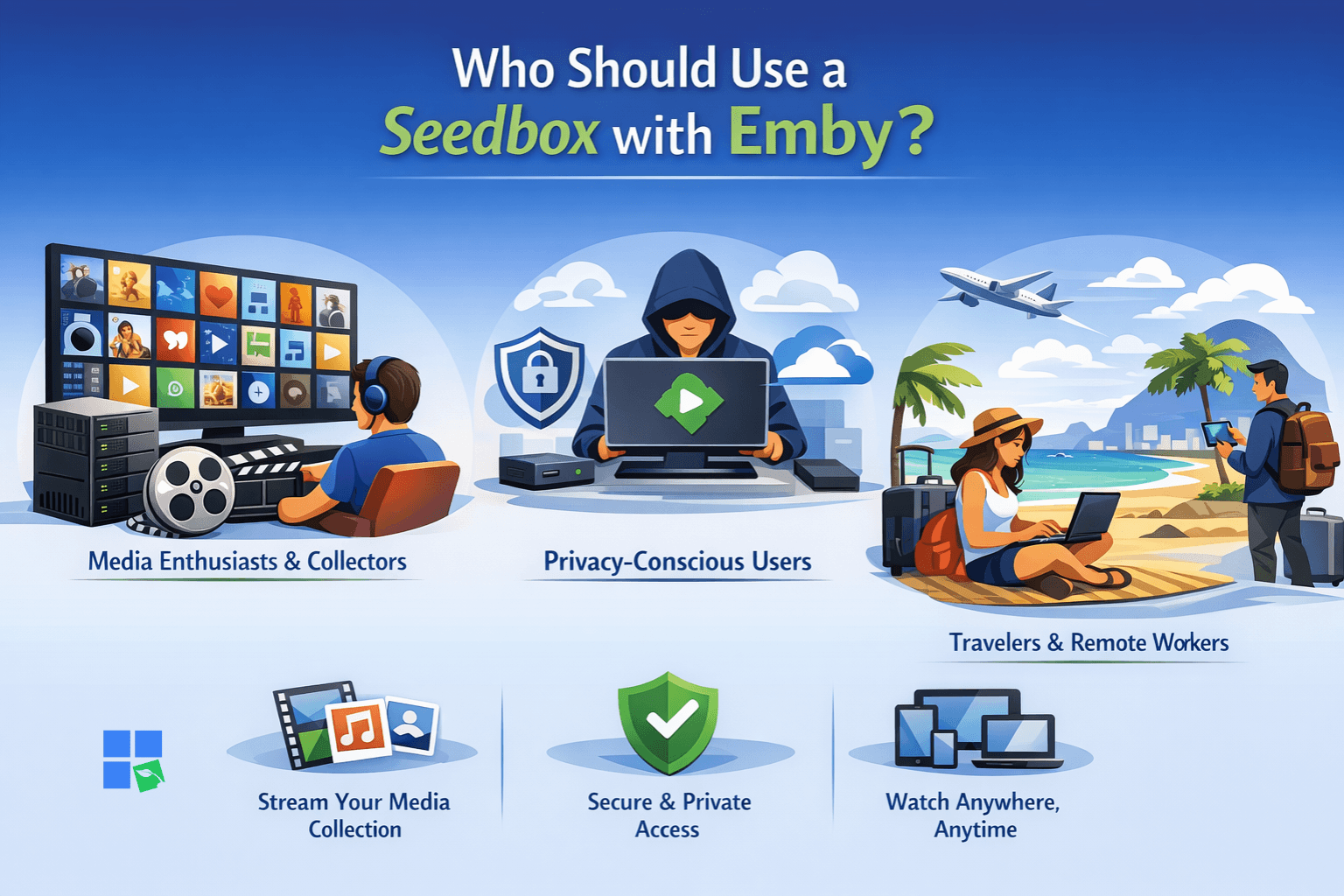
Media Enthusiasts and Collectors
- Profile: Individuals with large digital media libraries (movies, TV shows, music, photos) who want to organize and access their content seamlessly across multiple devices.
- Why it works: Emby provides a beautiful, intuitive interface for managing vast collections, automatically enriching content with metadata and artwork. The seedbox ensures these collections can be rapidly expanded and maintained without impacting home internet speeds or storage.
- Getting started: Focus on setting up Emby to scan your media folders on the seedbox and explore its customization options for library presentation.
Privacy-Conscious Torrent Users
- Profile: Users who frequently download and upload files via BitTorrent and are concerned about privacy, anonymity, and maintaining good upload ratios.
- Why it works: A seedbox masks your IP address during torrenting activities, providing a layer of anonymity. It also allows for continuous seeding 24/7, which is crucial for private trackers, without leaving your home computer on. Emby then provides a secure way to stream these downloaded files.
- Getting started: Prioritize understanding your seedbox provider’s security features, such as VPN integration, and ensure your torrent client is configured correctly on the seedbox.
Travelers and Remote Workers
- Profile: People who are often away from home but want constant access to their personal media library from any location with an internet connection.
- Why it works: With Emby running on a seedbox, your entire media collection is hosted remotely and accessible online. This means you can stream your movies, shows, or music to your laptop, tablet, or phone while traveling, just as if you were at home.
- Getting started: Ensure your Emby server is properly configured for remote access and consider optimizing media for streaming over varying internet speeds.
Want to run Emby without slow uploads or storage limits?
Host your Emby media server on a powerful Seedbox and stream your entire library smoothly from anywhere. RapidSeedbox provides ultra-fast connections, huge storage, and reliable performance – perfect for managing and streaming movies, shows, and media through Emby without buffering or downtime.
How a Seedbox with Emby Actually Works
The seamless experience of a seedbox with Emby relies on a sophisticated interplay of networking, server architecture, and software configuration. Understanding these technical underpinnings can help optimize your setup and troubleshoot potential issues.
Seedbox Architecture and Network
A seedbox is basically a virtual private server (VPS) or a dedicated server in a data center. These data centers have super-fast internet connections (often 1 Gbps or 10 Gbps), which is way faster than the typical home internet connection.
When you start downloading a torrent, the seedbox server connects to the BitTorrent swarm using its high-bandwidth connection. This makes it easy to get files and quickly share them with the network. The files are stored on the seedbox’s local storage, which can range from traditional HDDs to faster NVMe SSDs, depending on the provider and plan.
Emby Server Integration
Emby Media Server is installed directly on the seedbox. Once you install Emby, it’ll scan the media directories on the seedbox’s file system. Then, it processes the files, extracts the metadata, generates thumbnails, and organizes them in its database. This process creates a rich, navigable media library.
When you access your Emby library from a client device (like a smart TV, phone, or web browser), the Emby server on the seedbox streams the requested media file straight to your device. The high upload speed of the seedbox’s internet connection makes for smooth and buffer-free streaming, even for high-bitrate 4K content, as long as your client device’s internet connection can handle the incoming stream.
Network Flow and Optimization
The data flow for a seedbox with Emby involves two main stages:
- Torrenting (Seedbox to Internet): Files are downloaded from the BitTorrent swarm to the seedbox, and then uploaded back to the swarm from the seedbox. This makes the most of the seedbox’s high-speed, unmetered (or generously metered) bandwidth.
- Streaming (Seedbox to Client Device): Emby streams the media from the seedbox to your personal device. The quality of this stream depends on the seedbox’s outbound bandwidth and your home internet’s inbound bandwidth. If you’re looking for the best performance, especially when streaming high-def content, make sure your seedbox has enough upload capacity and that your home network can handle the data rate.
Expert Tips
Transcoding: Emby can transcode media on the fly to suit the client device’s capabilities and network conditions. While convenient, transcoding is CPU-intensive. Opt for a seedbox plan with a powerful CPU if you anticipate frequent transcoding, or pre-transcode media to compatible formats.
Storage Management: Regularly manage your seedbox storage. While many providers offer large capacities, keeping unnecessary files can impact performance. Utilize Emby’s library management features to identify and remove unwanted media.
Security: Always use strong, unique passwords for your seedbox and Emby accounts. Consider enabling two-factor authentication if available. Ensure your seedbox provider offers secure connections (e.g., HTTPS for control panel and Emby access).
Common Mistakes and Limitations with Seedbox and Emby
While a seedbox with Emby offers a powerful media solution, users can run into problems or make mistakes that can mess up their experience. If you can understand these, you’ll be able to optimize your setup.
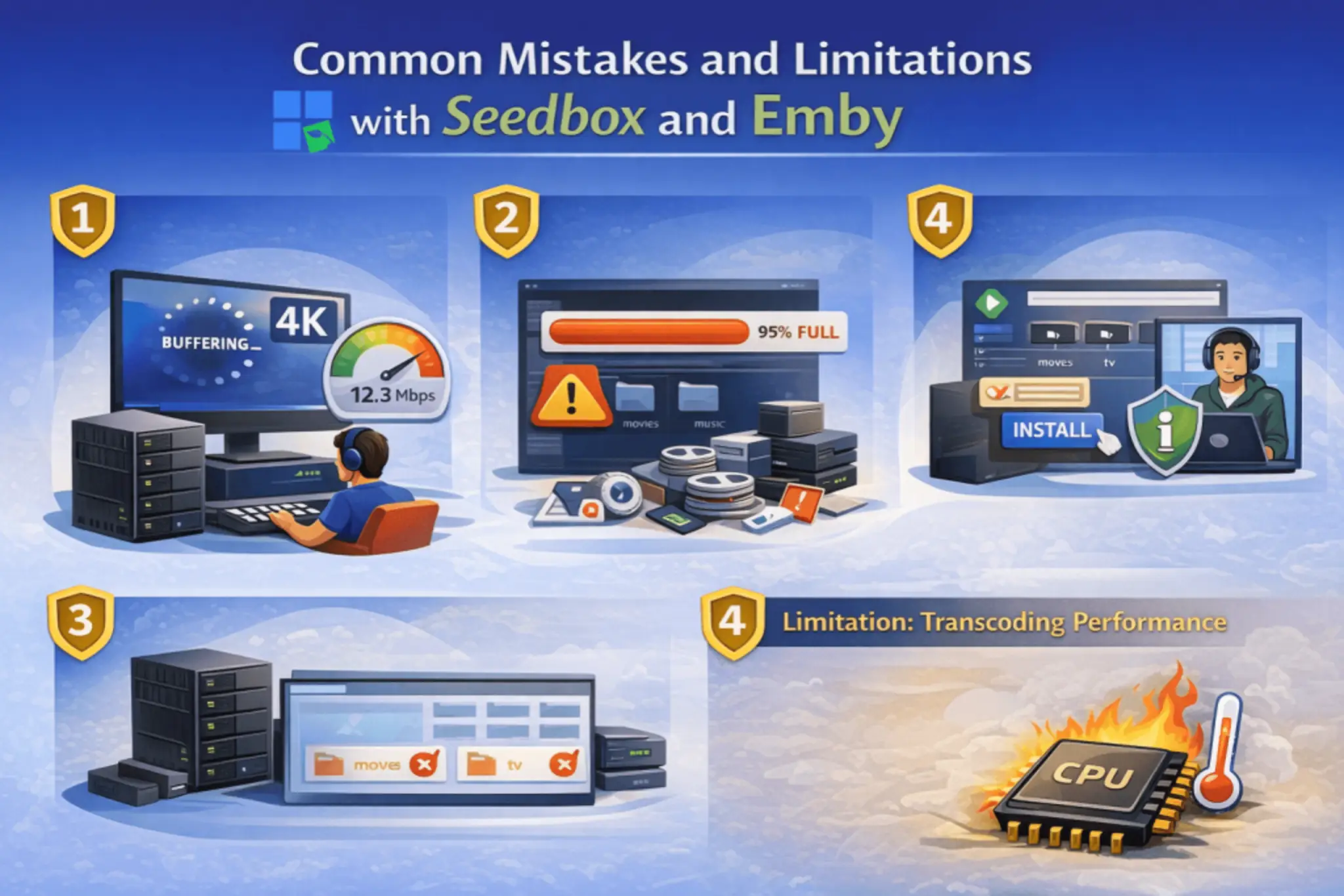
1. Underestimating Bandwidth Requirements for Streaming
Why it happens: People usually pay attention to how fast the seedbox is for downloading and uploading torrents, but they forget about the home internet’s download speed, which is important for smooth Emby streaming. Even with a 10Gbps seedbox, if your home internet is slow, you’ll experience buffering.
How to avoid: Before streaming high-resolution content, test your home internet’s download speed. Emby’s got settings to tweak the streaming quality, which can help deal with issues on slower connections. If your connection is consistently slow, you might want to consider optimizing your media files for streaming.
2. Neglecting Seedbox Storage Management
Why it happens: Over time, downloaded files can stack up and fill up all your seedbox’s storage space. This can mess with the performance, cause failed downloads, and make it so you can’t add new media to Emby.
How to avoid: Regularly review your seedbox’s storage usage. Delete unwanted files, or move completed downloads to long-term storage if your provider offers it. Many seedbox providers, including Rapidseedbox, offer tools or integrations to help manage storage efficiently. Emby also allows you to easily see what media you have.
3. Incorrect Emby Library Configuration
Why it happens: If Emby isn’t pointed to the right directories on your seedbox, it won’t be able to find and organize your media files. This often happens when users move files manually without updating Emby’s library paths.
How to avoid: Always ensure that the paths configured in Emby’s library settings precisely match the locations of your media files on the seedbox. After moving files, perform a library scan in Emby to update its database. Familiarize yourself with your seedbox’s file structure.
4. Overlooking Seedbox Provider’s Emby-Specific Features
Why it happens: Some seedbox providers offer optimized Emby installations, pre-configured settings, or dedicated support that users might not fully utilize, leading to a less-than-optimal experience.
How to avoid: When choosing a provider, specifically look for those that highlight Emby support, like Rapidseedbox with its one-click installers and streaming optimization. Read their documentation or contact support to understand all Emby-related features and best practices they offer.
Limitation: Transcoding Performance
Emby can transcode media to make it compatible with various devices, but this process uses a lot of CPU. If your seedbox has a weaker CPU, transcoding multiple streams at once or very high-resolution content can lead to buffering or stuttering.
Workaround: For critical streaming, consider optimizing your media files to formats that require minimal or no transcoding by your Emby server. Alternatively, choose a seedbox plan with a more robust CPU, particularly if you anticipate heavy transcoding needs.
Conclusion
If you’re into media and you want privacy, speed, and easy access to your digital libraries, a seedbox combined with Emby is the way to go. This dynamic duo is going to change the way you get, sort, and stream your content. It’ll take you beyond the limitations of the usual setups.
With the high-bandwidth capabilities of a seedbox for torrenting and the easy-to-use media management of Emby, you get a solid, always-on media server you can access from anywhere. Providers like Rapidseedbox make this process even easier with their optimized services and one-click installations, making the transition to an advanced media streaming setup efficient and enjoyable.
Frequently Asked Questions (FAQ)
The legality of using a seedbox with Emby depends heavily on the content you are downloading and streaming, as well as the laws in your jurisdiction and that of your seedbox provider. Downloading copyrighted material without permission is illegal in most regions. However, using a seedbox for legal torrenting (e.g., open-source software, public domain content) and Emby for streaming your legally owned media is permissible.
While your seedbox handles the high-speed downloading and uploading to the torrent network, your home internet connection’s download speed is crucial for smooth streaming from Emby. For high-definition content, a stable and reasonably fast home internet connection is recommended to avoid buffering. Emby can transcode media to lower qualities to accommodate slower connections, but this can be CPU-intensive on the seedbox.
Yes, Emby is designed for multi-device access. You can stream from your Emby server on your seedbox to multiple client devices concurrently, such as your smartphone, tablet, smart TV, or computer. The performance will depend on your seedbox’s resources (CPU, RAM, and upload bandwidth) and the number of simultaneous streams, especially if transcoding is required for different devices.
Both Emby and Plex are popular media server solutions that allow you to organize and stream your personal media. Key differences often lie in their business models, user interfaces, and customization options. Emby offers more open-source components and greater control over your data, while Plex is generally considered more user-friendly for beginners. Both integrate well with seedboxes, and the choice often comes down to personal preference for features and ecosystem.
The amount of storage you need depends entirely on the size of your media library. High-definition movies and TV shows can consume significant space. Consider your current collection size and your anticipated future downloads. Many seedbox providers, including Rapidseedbox, offer plans ranging from 1TB to several terabytes. It’s often better to start with a plan that offers a bit more than you think you’ll need to allow for growth.
Want to stream your media library with Emby smoothly from anywhere?
Run Emby on a high-performance Seedbox and enjoy lightning-fast streaming, powerful remote access, and secure media management. With RapidSeedbox, you get ultra-fast servers, massive bandwidth, and effortless setup – perfect for building your own private Emby streaming hub without buffering or storage limits.
0Comments