 By
By
Let’s take a closer look at Instant Data Scraper—a pretty neat tool that’s been making waves in the world of web scraping. With its easy-to-use interface and AI smarts, it’s no wonder it’s so popular.
In this guide, we’ll give you the lowdown on everything you need to know about Instant Data Scraper. We’ll cover its key features, show you how to use it, and even give you our honest review based on our own experiences. Plus, we will also go through eight great alternatives to Instant Data Scraper if you want to explore other more advanced or different web scraping solutions.

Disclaimer: This material has been developed strictly for informational purposes. It does not constitute endorsement of any activities (including illegal activities), products or services. You are solely responsible for complying with the applicable laws, including intellectual property laws, when using our services or relying on any information herein. We do not accept any liability for damage arising from the use of our services or information contained herein in any manner whatsoever, except where explicitly required by law.
Table of Contents:
- What is Instant Data Scraper?
- Features That Make it Awesome!
- How to Use Instant Data Scraper: A Step-by-Step Guide
- Instant Data Scraper Review
- Alternatives to Instant Data Scraper
- Who Should Use This Free Chrome Data Scraper & Best Use Cases
- FAQ: Instant Data Scraper
- Final Words.
1. What is Instant Data Scraper?
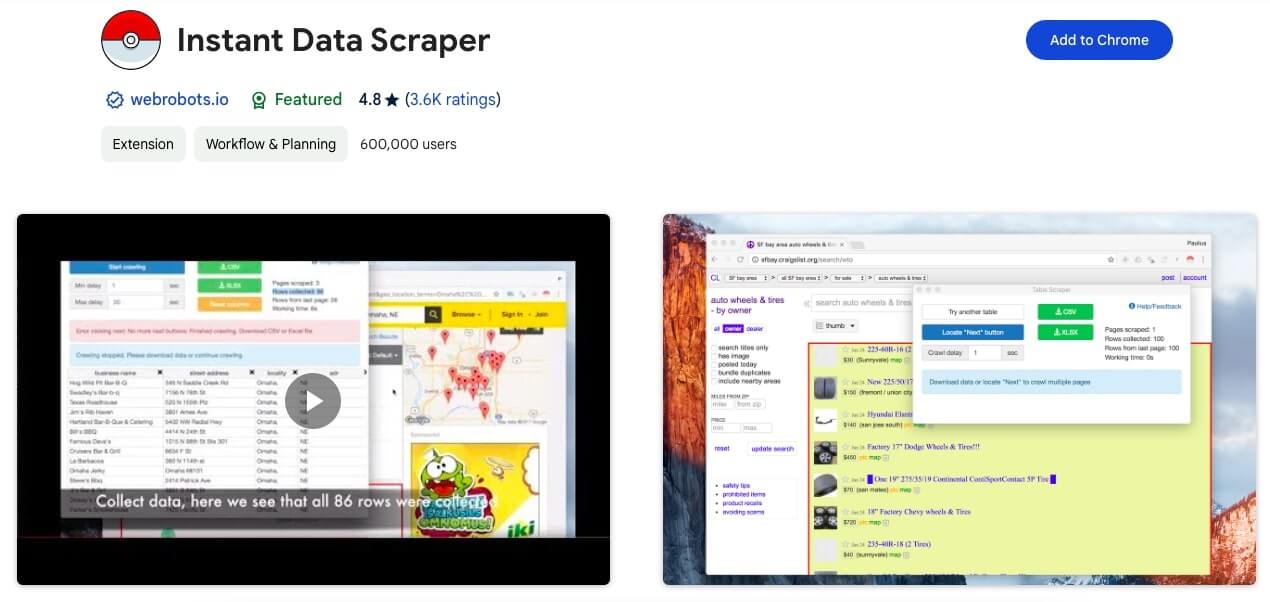
Instant Data Scraper is an automated web scraping tool developed by webrobots.io. It is available as a Google Chrome extension. The tool uses AI to predict and extract the most relevant data from HTML pages. On top of all that, the tool is super easy to use. It’s great for beginners and pros alike to scrape data without having to write complicated code or create website-specific scripts. It’s a quite handy tool for tasks ranging from market research to lead generation, making it a versatile tool in the realm of data extraction.
a. Core Capabilities:
Instant Data Scraper’s biggest strength is its AI-powered detection, which scans webpages and automatically pulls out relevant data without manual setup. It also recognizes dynamic content and supports pagination. With these capabilities, you can scrape across multiple pages, even those with infinite scrolling.
If you need more control, you can adjust the crawling speed with custom delays. Once the data is ready, exporting is simple—just save it in Excel or CSV. And if the AI misses something, you can refine the results with custom selections for better accuracy.
b. Price:
Instant Data Scraper is a free extension. There are no paid versions or premium plans, making it accessible for all users without any financial commitment. The free version includes all the features, ensuring that users have full access to its capabilities without any restrictions.
c. Instant Data Scraper Support.
Since the tool is completely free there is no support from the Instant Data Scraper team. There is, however, a Facebook group (www.facebook.com/groups/instantdata) where users can hang out, share stories, ask questions, and get advice from each other. Sure, there’s no direct customer service, but this community-driven thing makes it feel like you’re all in it together, finding solutions and trading tips.
2. Key Features That Make It Awesome!
AI-Powered Smart Detection
Instant Data Scraper reads page structure and predicts what you want—tables, lists, product or contact info—using heuristic algorithms. There’s no setup; click and it adapts to each layout. On a business directory, it instantly picks up names, addresses, phones, and emails.
Multiple Export Formats (That Actually Work)
Export cleanly to CSV, Excel (XLSX), or JSON. Choose CSV for quick spreadsheets, XLSX to preserve types and special characters, and JSON for API or dev workflows. For global datasets, Excel handles international characters best.
Smart Pagination Detection
The extension spots “Next” controls so you can step through pages and merge results into one tidy file. You still click through, but it beats copy-paste and keeps columns consistent—ideal for directories, catalogs, and search results.
Infinite Scroll Mastery
It tracks JavaScript and AJAX activity, waits for new items to load, and then captures them. That makes continuous feeds, product lists, and social content far easier to extract.
Privacy-First Architecture
All processing happens locally in your browser. No server storage, no hidden tracking, and no third-party access—useful for GDPR-minded teams and sensitive projects.
Universal Website Compatibility
It adapts to most sites with structured data: e-commerce platforms, business directories, public social profiles, government records, real-estate portals, and academic resources.
Lightning-Fast Processing
Local processing means instant previews, on-the-fly column tweaks, and immediate exports—no API waits, uploads, or round-trips.
Smart Column Recognition
The AI labels and organizes fields automatically, preserves structure across runs, and handles gaps without breaking output. It also detects types like text, numbers, dates, and URLs—so “Name,” “Email,” “Phone,” and “Address” appear correctly.
Browser Integration That Just Works
As a native Chrome extension, it activates with one click, runs across tabs, updates itself via the Web Store, and works on Windows, Mac, and Linux.
Dynamic Content Handling
It detects JS-rendered sections, listens for AJAX updates, and pulls from modals, popups, SPAs, and lazy-loaded areas. For best results, let the page finish loading before you scrape.
3. How to Use Instant Data Scraper: A Step-by-Step Guide
Instant Data Scraper is an invaluable tool for anyone looking to extract data efficiently from web pages. Here’s how you can use this handy Chrome extension:
a. Installation.
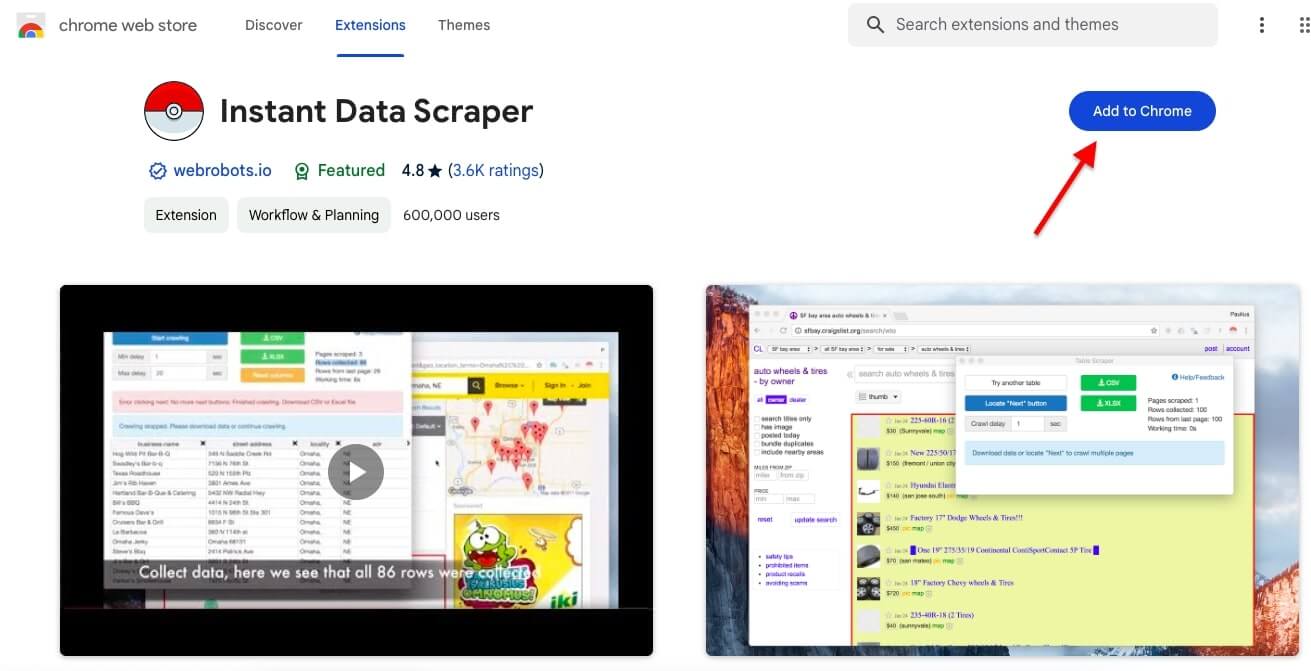
- Navigate to the Chrome Web Store and search for ‘Instant Data Scraper’ by webrobots.io.
- Click ‘Add to Chrome’ to install the extension. You’ll see a confirmation prompt explaining that the extension can read and change all your data on all websites, which is necessary for scraping purposes.
b. Launching the Extension.
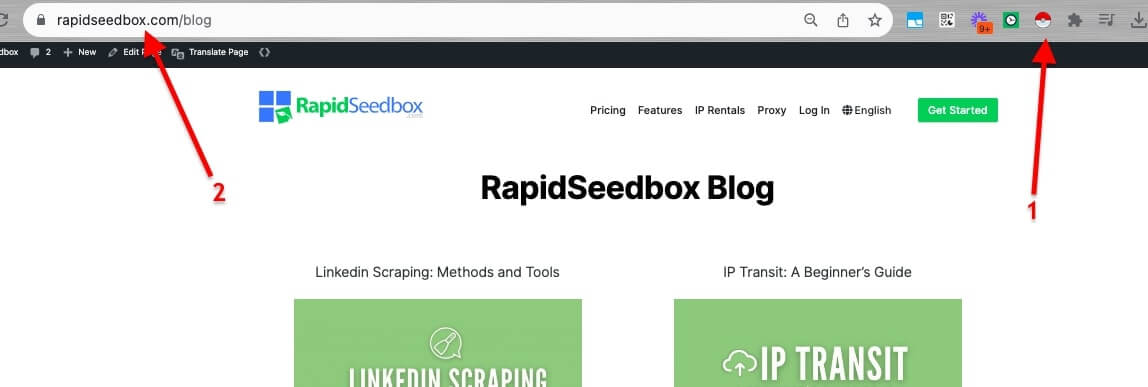
- Once installed, you’ll find the extension icon on your browser toolbar—this is symbolized by a red “Pokeball” icon (1). Pin it for easy access.
- Visit the webpage you want to scrape. For example, if you’re looking to scrape data from a blog directory, navigate to the page where the listings are displayed (2).
c. Using Proxies.
- Before initiating the scraper, consider using reliable proxies like Rapidseedbox Proxies. SOCKS5 or HTTP proxies can be beneficial for bypassing IP-based restrictions or bans. Proxies will enhance the efficiency and capabilities of your data collection.
d. Initiating the Scraper.
- Click on the Instant Data Scraper icon to activate the extension. It will analyze the page and attempt to identify the data table automatically.
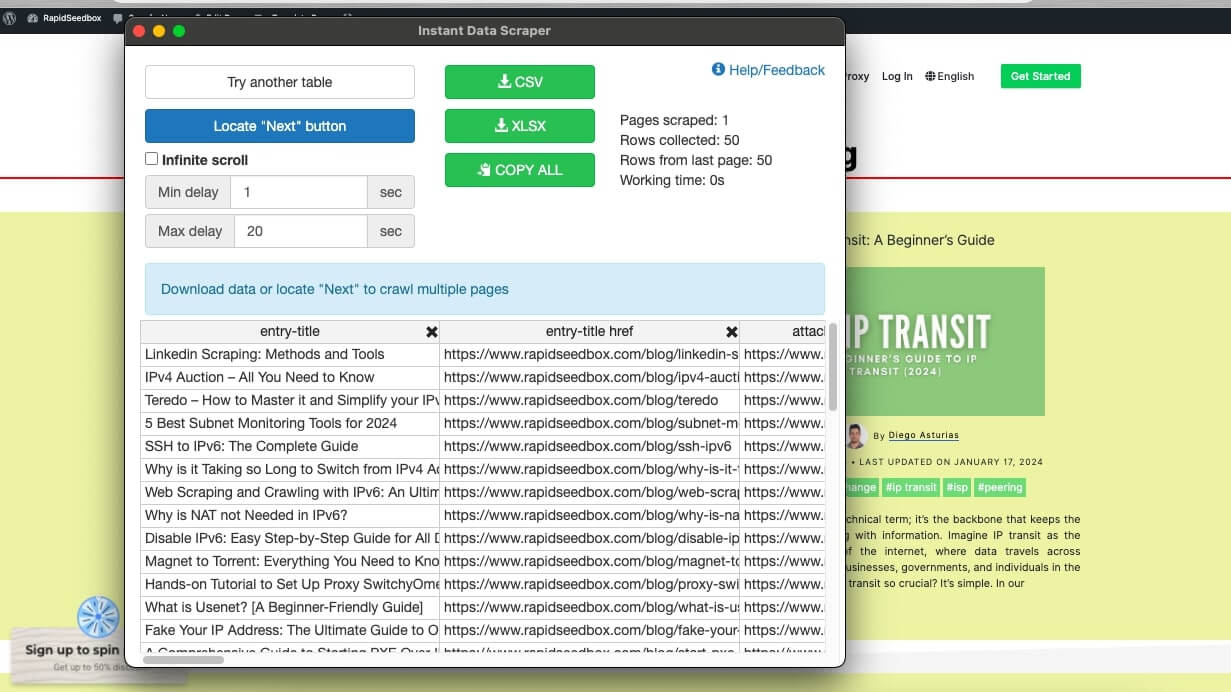
- If the data is structured in a tabular format, the tool will likely identify it immediately. If not, you may need to guide the tool by selecting the ‘Try another table’ option.
e. Adjusting Settings.
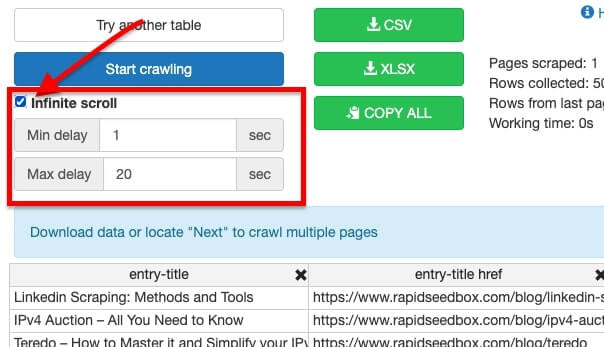
- For pages that require scrolling to load more items (infinite scroll), you can tick the ‘Infinite scroll’ checkbox to ensure the scraper collects all data as you scroll down.
- Adjust the ‘Min delay’ and ‘Max delay’ settings according to how quickly the page loads and how fast you want the data to be scraped. These settings help manage the crawling speed to avoid overloading the server.
f. Navigating Through Pages.
- If the data spans multiple pages, click on the ‘Locate “Next” button’. This allows the extension to understand which button to click to navigate to the next page of results.
- Once configured, you can start the scraper by clicking ‘Start crawling’. The extension will automatically move through the pages, collecting the data.
g. Exporting Data.
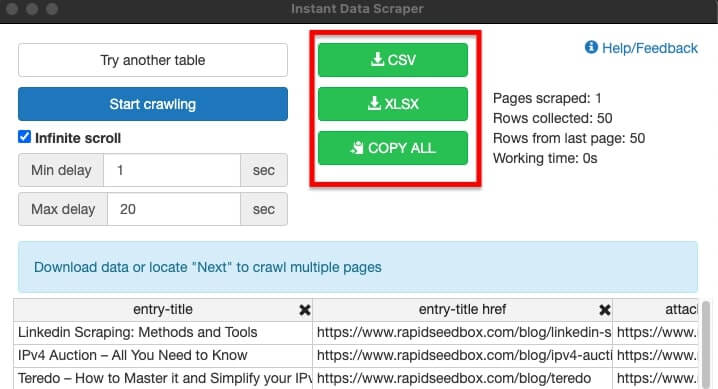
- After the scraper has collected the data, you can export it by clicking on either the CSV or XLSX buttons, depending on your preferred format.
- If you want to copy the data directly to another application, use the ‘COPY ALL’ button and then paste the data where needed.
h. Cleaning and Using Your Data.
- Once you’ve exported your data, you may need to clean it up by removing unnecessary columns or rows. This can be done easily in a spreadsheet program like Excel or Google Sheets.
- With your data clean, you’re ready to analyze it, input it into your CRM, or use it for market research, lead generation, or any other purpose you have in mind.
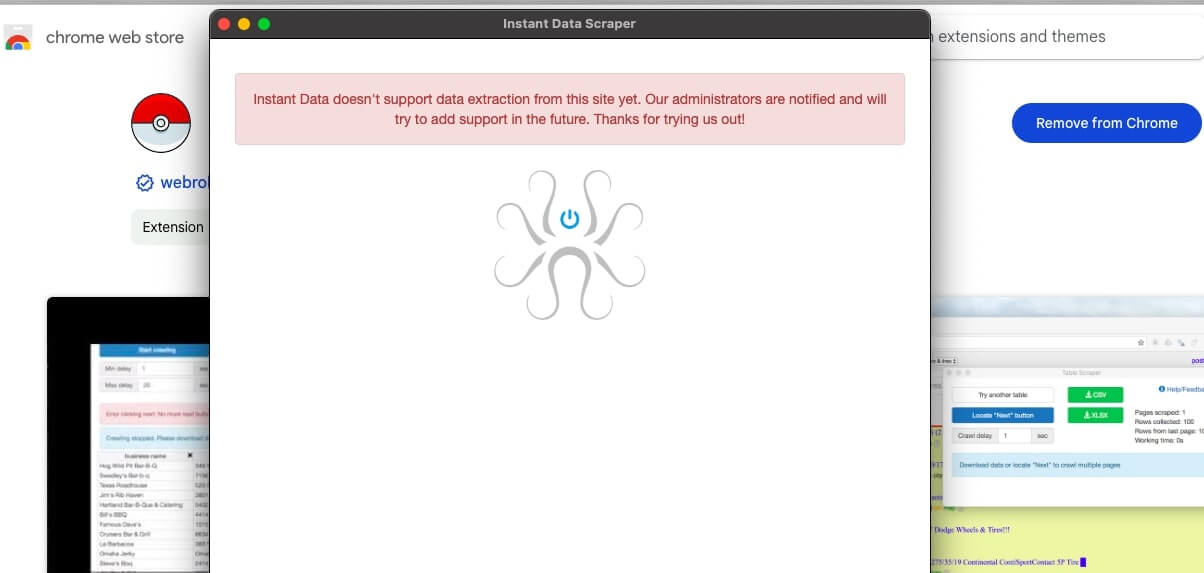
Remember, while Instant Data Scraper is powerful, it does not support data extraction from all sites, as some have protections against scraping. In such cases, the tool will notify you that the site is not supported.
Quiet Boost for Instant Data Scraper 🔍
A small network layer can reduce soft blocks and keep longer runs steady. Residential rotation helps Instant Data Scraper finish more pages with fewer retries.
See how proxies4. Instant Data Scraper Review.
We tried out Instant Data Scraper and were totally impressed with how easy it was to use. The Chrome extension is super user-friendly, making it a breeze to set up and navigate. Plus, the AI-powered data detection is on point. It automates the entire scraping process like a pro.
However, we have to be honest. When we stacked it up against other big players in the market, we noticed it might not be the best fit for super complex or large-scale scraping tasks. But for beginners or folks who need quick and easy data extraction, Instant Data Scraper can be all they need.
a. The Good Stuff ✅
| Feature | Rating | Notes |
| Ease of Use | ⭐⭐⭐⭐⭐ | Literally anyone can use this |
| Price | ⭐⭐⭐⭐⭐ | Can’t beat free |
| Data Quality | ⭐⭐⭐⭐ | Very accurate for structured data |
| Speed | ⭐⭐⭐⭐ | Quick extraction on most sites |
| Support | ⭐⭐⭐ | Community-based support |
b. The Not-So-Good Stuff ❌
- Manual process only – no automation or scheduling
- Single table extraction – can’t handle multiple data structures at once
- Limited on complex sites – struggles with heavily JavaScript-laden pages
- No proxy support – IDS doesnt manage or support proxies. It can get blocked on large-scale projects
- Basic customer support – mostly community forums
c. Real User Feedback
- “Super easy to use. Created custom recipe within 5 minutes without reading documentation.” – Chrome Store Review
- “Being in software for many years… found this app to be very useful.” – Verified User
Tip! Using proxies can mitigate some of the risks associated with web scraping, such as being blocked by websites.
d. Who is Instant Data Scraper Recommended For?
Instant Data Scraper is perfect for small business owners, freelancers, marketers, or researchers who need to collect data without having to worry about coding. It’s also great for growth hackers and recruiters who need a steady stream of fresh data. This tool is super easy to use and free, which makes it the perfect place to start if you’re new to data scraping.
e. Why Do We Recommend It?
We recommend Instant Data Scraper simply because it is easy to set it up and use it. It makes web scraping accessible to users without technical expertise. Plus, its AI-driven approach to data extraction saves time and effort, especially for repetitive scraping tasks. But still bear in mind that Instant Data Scraper might not be suitable for complex scraping tasks or large-scale operations due to its limitations as a browser extension.
| A Unique Feature? A unique feature of Instant Data Scraper is its AI-driven predictive ability to determine relevant data on a webpage. This smart extraction capability significantly reduces the need for manual selection of data points. This characteristic sets it apart from traditional scraping tools that often require more user input and technical knowledge to identify and extract the desired data. |
5. Alternatives to Instant Data Scraper.
If Instant Data Scraper isn’t your cup of tea, don’t worry; there are plenty of other amazing tools out there!
In this section, we’ll be reviewing some awesome alternatives to Instant Data Scraper that offer different features and advantages. From visual mapping and cloud-based operations to no-code solutions and advanced integrations, these tools have something for everyone, no matter your skill level or needs.
Adding a proxy service to these other tools can seriously boost how well they work, especially when you’re dealing with large-scale data or websites with tight scraping rules.
So, let’s dive in and see how they compare to the well-known Instant Data Scraper!
a. Web Scraper
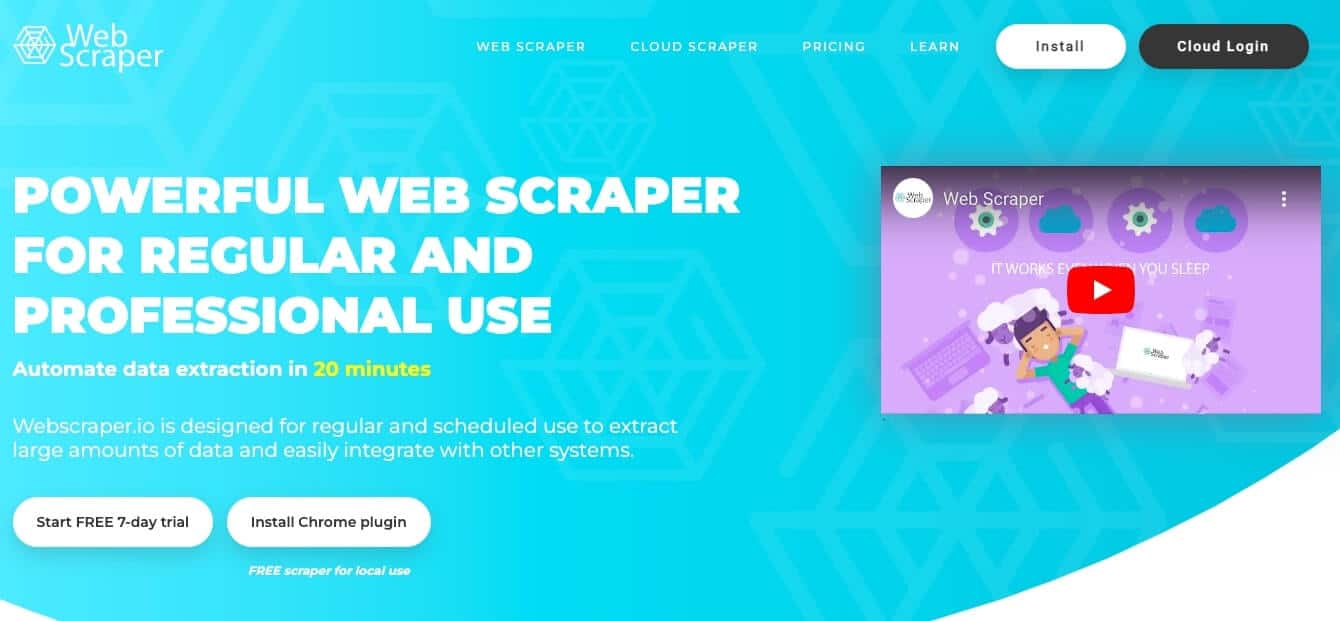
Web Scraper is an extension for Chrome that helps with data scraping using well-defined sitemaps and selectors. The tool is designed with a visual approach. So it allows users to map the navigation and extraction process without needing to code. Plus, Web Scraper is a perfect and capable alternative to Instant Data Scraper, especially if you are seeking an intuitive and visual scraping process.
b. Web Scraper IDE
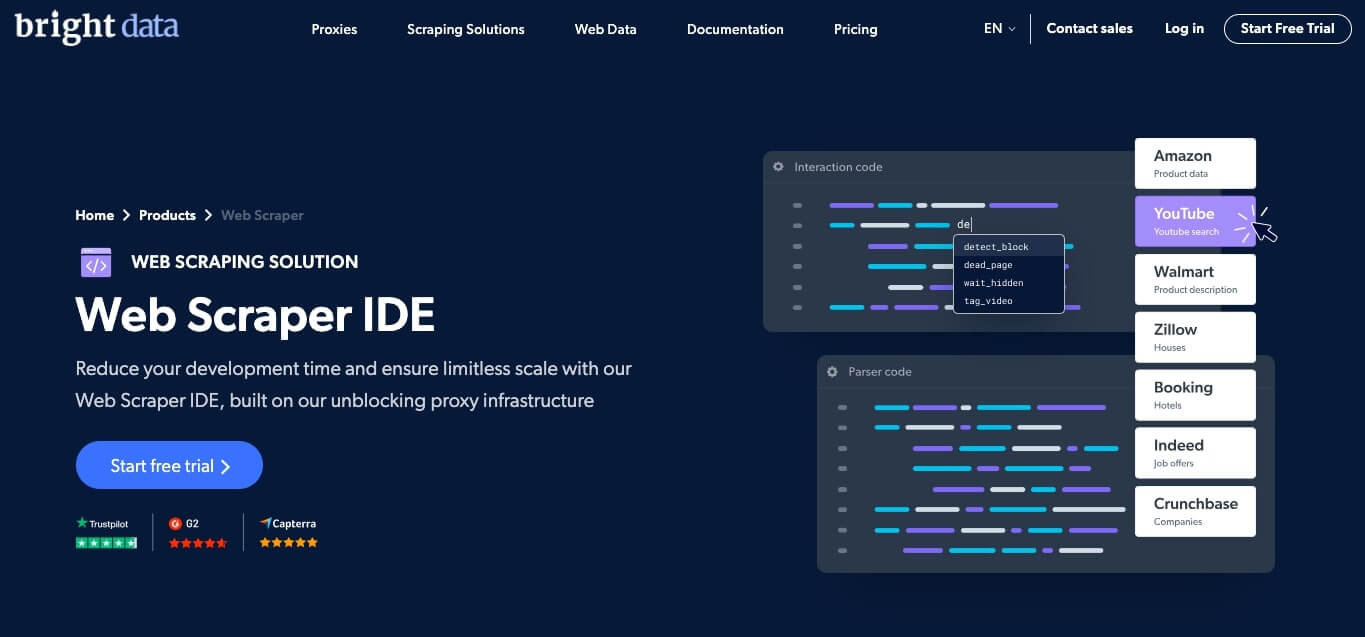
Web Scraper IDE, by Bright Data, is a scraping tool designed to streamline the data extraction process with a codeless and cloud-based environment. The tool stands out due to its user-friendly IDE, making large-scale scraping accessible and manageable. Web Scraper IDE is an efficient alternative if you need extensive scraping without local resource constraints.
c. Instant web data scraper by Apify
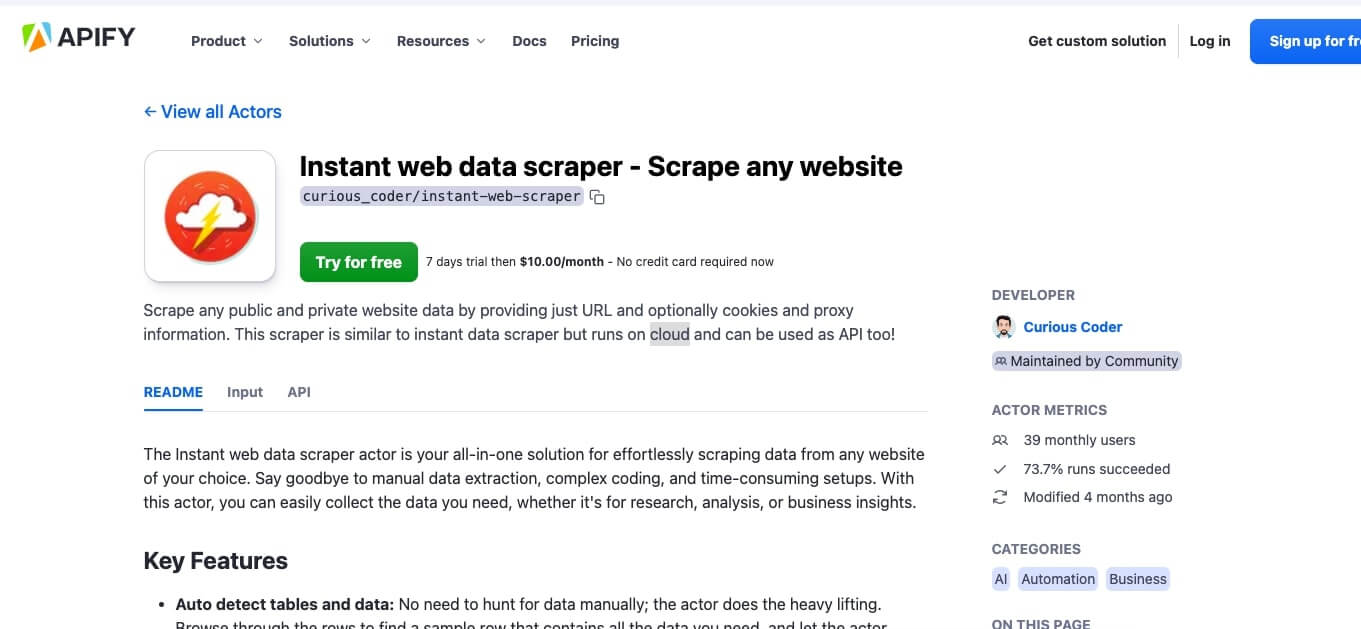
Instant web data scraper by Apify is a cloud-based scraping actor that offers an easy solution for extracting data from websites by simply providing a URL. Its cloud-based nature and API functionality make it unique, serving as a powerful alternative to desktop-based tools like Instant Data Scraper. With a 7-day free trial and subsequent affordable subscription, it’s ideal for those needing regular, automated scraping without initial costs.
d. Parsehub
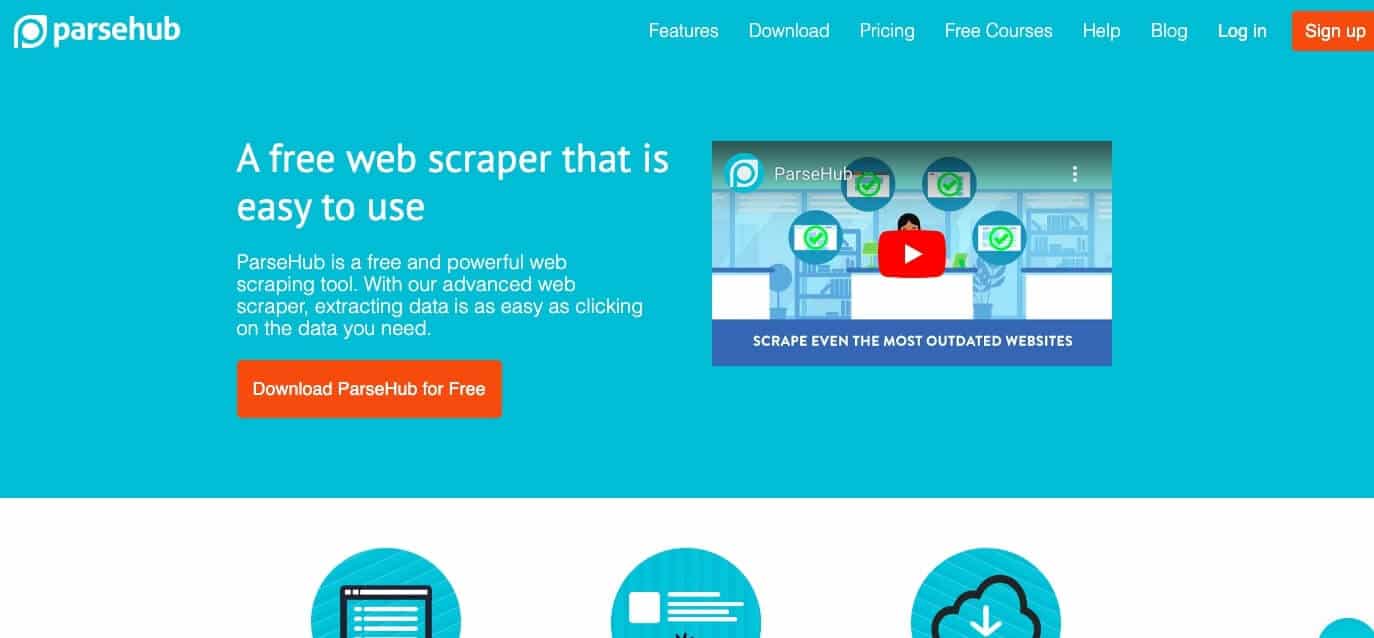
ParseHub is a sophisticated data extraction tool capable of handling data-intensive sites with ease, thanks to its AI-driven technology. The tool is known for handling dynamic websites and is an advanced alternative to Instant Data Scraper. Users who find Instant Data Scraper limiting for complicated sites might find solace in ParseHub. Check out our full ParseHub review.
e. Data Miner
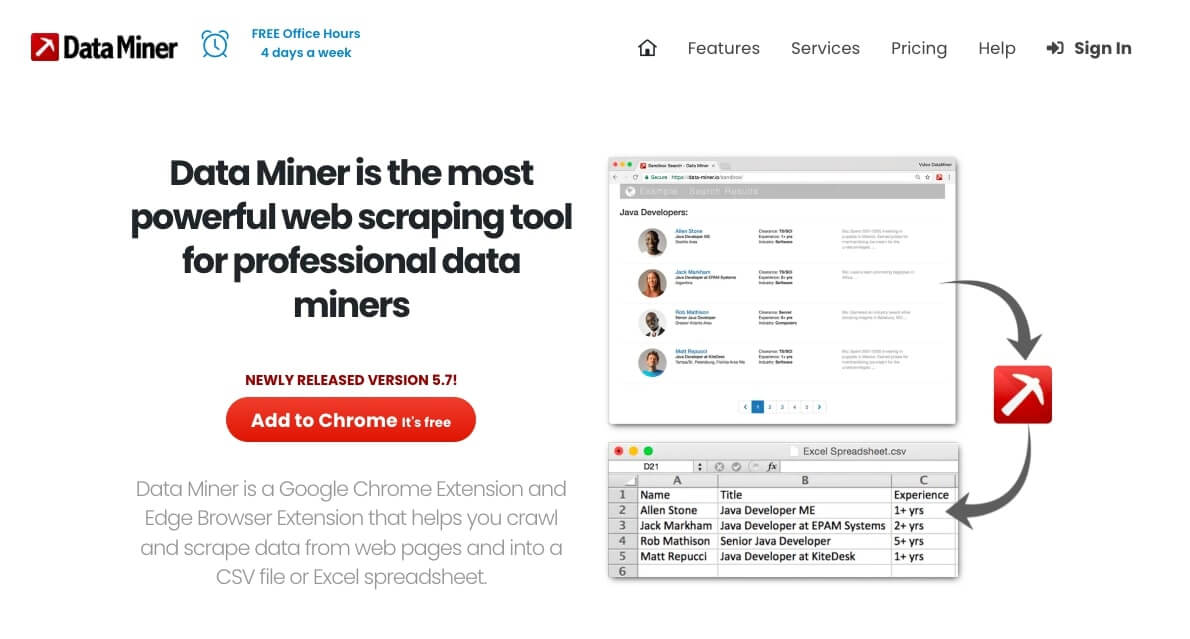
Data Miner is a web scraping tool tailored for professional data miners. It is useful for data collection and exportation. The tool comes as a Chrome and Edge extension and boasts a rich library of pre-made scraping recipes. This array of ready-to-use templates is its hallmark. As a substitute for Instant Data Scraper, Data Miner is ideal for users preferring a template-driven scraping experience.
f. Scrapy
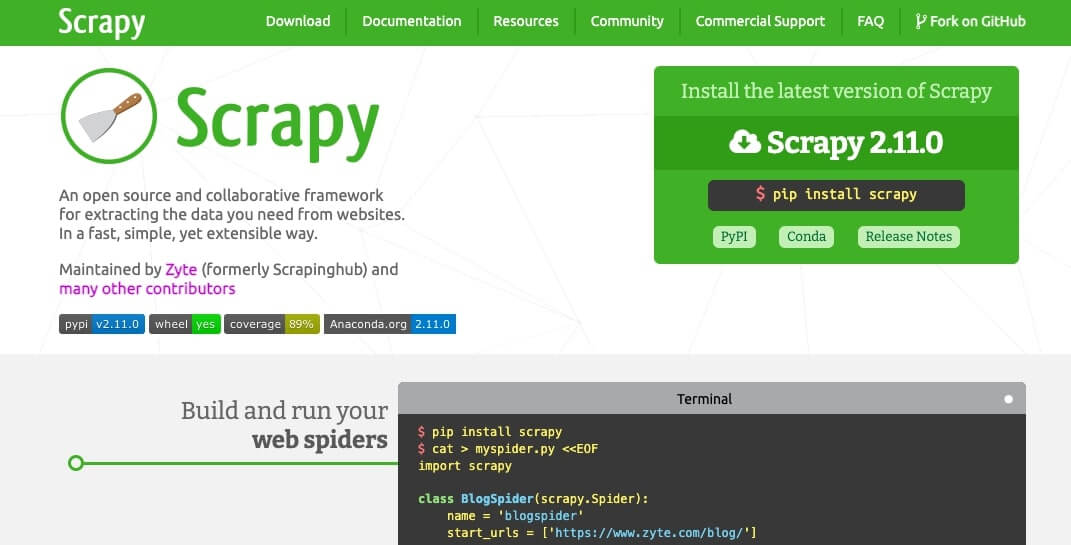
Scrapy is a collaborative, open-source scraping framework, popular for its adaptability and quick performance. Unlike simpler tools, Scrapy’s framework nature provides a comprehensive scraping solution. Scrapy is an outstanding Instant Data Scraper alternative, especially for developers who need in-depth and customizable scraping capabilities.
g. Beautiful Soup
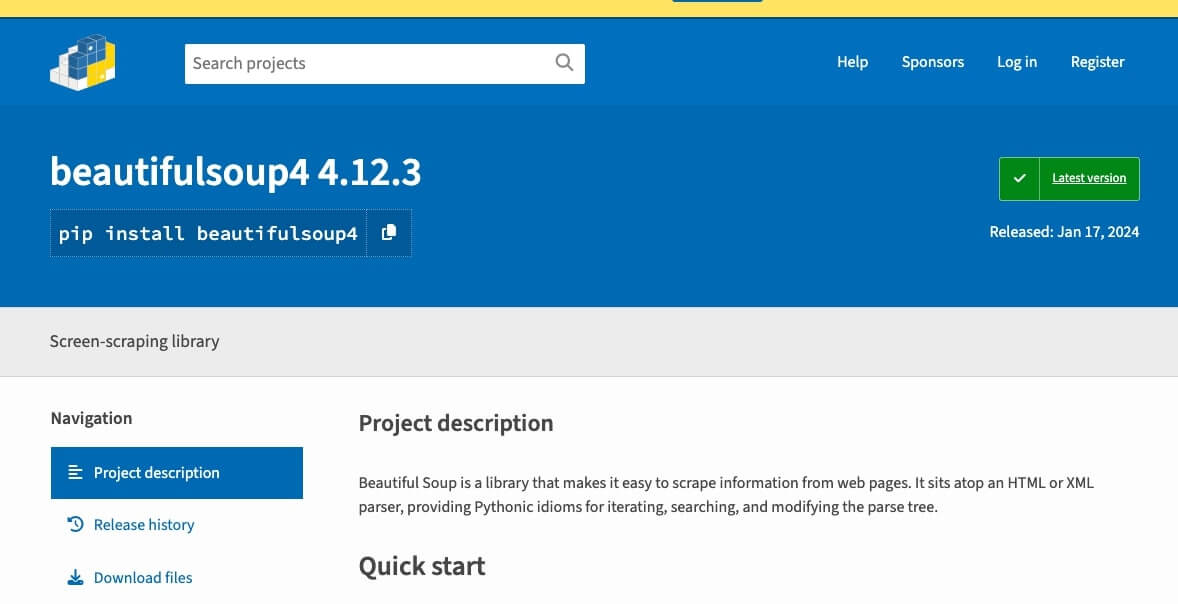
Beautiful Soup works as a Python library for sifting through HTML and XML. Being a Python library, Beautiful Soup partners effectively with various parsers. Plus it specializes in document tree parsing, offering a more subdued scraping approach. Beautiful Soup is a subtle yet powerful alternative to Instant Data Scraper for Python-based application integration.
h. Octoparse
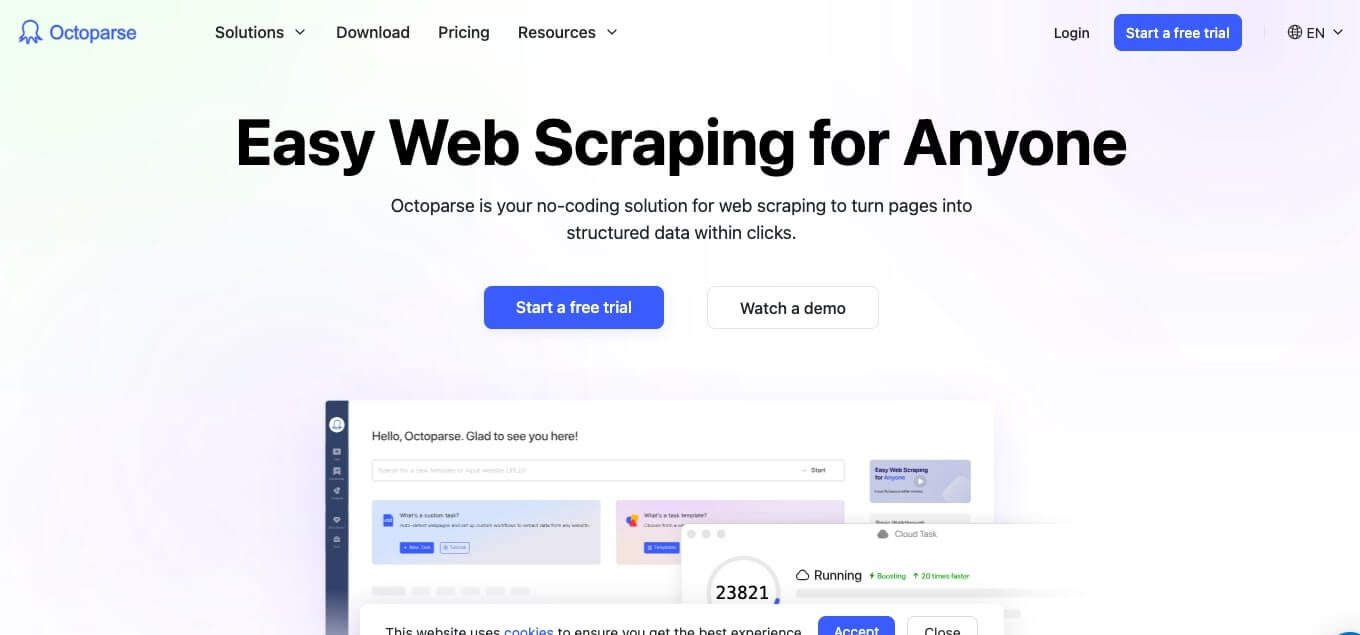
Octoparse is a no-code web scraping solution. It is perfect for handling JavaScript-heavy sites through its Client-Side Rendering technology. This capability of handling complex scripts is what makes Octoparse distinct from the rest. Octoparse is an excellent alternative to Instant Data Scraper because it is a user-friendly, powerful scraping tool that can manage both simple and intricate websites.
6. Who Should Use This Free Chrome Data Scraper & Best Use Cases
This instant data scraper suits anyone who needs website data without learning code. Small business owners and entrepreneurs can track competitor pricing or build customer lists with ease. They should get near‑enterprise results without the spend. The scraper is also especially handy for lead generation and Google Business intelligence. Marketers and sales teams would benefit tremendously: turning directories and professional sites into fast, clean prospect lists with a single click.
Learning niche (students or researchers) can appreciate it too. by how it gathers sources from across the web for citations and analysis. Meanwhile, freelancers can use it to offer data‑collection services to clients without buying heavy software, keeping margins healthy. And if you’re brand‑new to scraping, this tool feels like training wheels—simple and free.
Best Use Cases We’ve Tested (With Real Success Rates!)
a. Lead Generation & Business Intelligence
It excels on structured directories like Yellow Pages and Chamber listings, pulls Google Maps business details, and captures association member lists, plus contact pages and team directories from company sites. In our tests, success landed around 85–90% on structured directory pages.
b. E‑commerce & Product Intelligence
Use it to compare prices across Amazon, eBay, and niche retailers, collect specs and feature sets, analyze customer reviews, and watch inventory across stores. Depending on site complexity, results held steady at 70–80%.
c. Research & Academic Data Collection
The scraper gathers publication lists from academic databases, tracks public engagement metrics on social profiles, and pulls government data from public records. It also works well with Microsoft and Google research repositories. On well‑structured sites, success reached 80–85%.
d. Real Estate & Property Intelligence
It captures property listings with prices and details, finds agent profiles and contacts, and collects market signals from major listing portals, along with local maps and neighborhood data. Here, performance typically hit 75–85% on major sites.
| Pro tip: You’ll see the best results on pages with clear tables and organized fields—think business directories, product catalogs, and professional apps—rather than complex, ever‑changing social feeds. |
7. FAQ: Instant Data Scraper
Absolutely! This instant data scraper consistently ranks as the best choice for beginners and professionals alike. With over 1 million users and stellar reviews, it’s proven itself as the top free option for web scraping. Unlike other tools that charge monthly fees, this Chrome extension gives you unlimited data extraction without any cost.
Yes, you can download structured data from virtually any website that displays information in tables or lists. The scraper works particularly well with business directories, product catalogs, and professional databases. Simply extract the data you need and download it in CSV, Excel, or JSON format for immediate use.
Unlike Google searches or complex API integrations, this web scraper provides instant results with zero technical knowledge required. While API access often requires programming skills and costs money, this tool offers point-and-click simplicity. You get the same data quality as enterprise solutions but with the ease of a simple Chrome extension.
User reviews consistently praise the tool’s effectiveness, with success rates of 85-90% on structured sites. The reviews highlight its reliability for lead generation, market research, and competitive analysis. Most users report that this scraper delivers better results than expensive alternatives, making it the go-to choice for businesses and freelancers.
This instant extraction tool excels at scraping organized data from most websites. While it handles tables, lists, and structured content brilliantly, complex JavaScript-heavy sites may require additional techniques. For best results, focus on sites with clear data organization – business directories, product pages, and professional listings work perfectly with this web scraping solution.
8. Final Words.
We put Instant Data Scraper through its paces and we strongly believe it’s the real deal. It’s easy to use, even if you’re a total newbie to the whole data scraping thing. Plus, it comes with AI-powered features which make it a total game-changer in the web scraping world.
But, if you’re looking for something with even more bells and whistles, or if you’ve got some specific features in mind, we’ve given you a few other options. In the last part of the article, we’ve gone through some alternatives to Instant Data Scraper and they all have their own unique strengths. So, we are sure you’ll find something that fits your scraping needs perfectly.
Open Instant Data Scraper Globally 🌍
Switch vantage points to compare regions and view localized results. Helpful for market checks across borders.
Choose regional routes English
  Français
  Español
  Tiếng Việt
  简体中文
简体中文  Русский
  Türkçe
  Bahasa Indonesia
  日本語
日本語  العربية
  Português
  Українська
2 corrections to comments:
1. No proxy support – can get blocked on large-scale projects
Correction: You DON’T need a proxy. I have never had Brave browser block IDS, I’ve scrapped more than 10,000 pages on the same website.
2. “It is manual and slow because you can scrape data from only a single page at a time.”
Correction: Not true. Simply open separate webpages in new instances of Brave and IDS scrapes each page simultaneously. You can also open websites in different browsers, Chrome, Edge, etc., and IDS will scrape them simultaneously.
Hi Gary!
Thanks for jumping in and sharing your experience! 🙌
1. Proxies: IDS truly doesn’t need them in many cases— I’ve scraped thousands of pages without blocks via Brave, too. When the guide say “no proxy support,” we mean the extension doesn’t manage (or rotate) it; it’s not a blocker if you’re scraping gently.
2. Parallel scraping: What you say is valid! While IDS is limited to scraping one data structure per run, running it simultaneously in different tabs, browsers, or even separate Chrome profiles will work. Each instance runs independently, allowing you to scrape in parallel—just like people do with other browser-based tools. Our guide has been updated!
Really appreciate you adding these tips, it gives readers a fuller picture of how IDS can be used. 👍
Cheers,
Diego
Nice list of alternatives to IDS. How hard would it be to add if Free, Freemium, Free Trial, Paid, etc with a link to pricing?
Great idea Gary! thanks for the suggestion! 🙌 Adding a quick “Free / Freemium / Free Trial / Paid” tag with a link to each tool’s pricing page would make the alternatives section way more practical. It shouldn’t be too hard to implement… so I’ll add that in a future update to give readers a clearer snapshot of costs right away. Appreciate the tip! 👍
Thanks for this thorough review! It’s really helpful to see a clear breakdown of Instant Data Scraper’s features and practical usage tips. Listing eight alternatives is especially valuable for those needing more advanced options. Great work on making web scraping tools more accessible!
Thank you Sophia. We are glad you found the review useful.