 By
By
Shared proxies work like a public bus—many passengers share the same ride (or route), just as multiple users share the same IP pool.
This setup keeps costs low compared to dedicated proxies, but you also share bandwidth and IP reputation. They’re ideal for affordable access to large proxy networks, though peak times can mean slower speeds and a higher risk of IP bans if another “passenger” misbehaves.

💡 Did you know: shared proxies serve as the backbone for 80% of commercial web scraping operations and digital marketing campaigns. They’ve become the go-to solution for companies that need reliable proxy access without the premium costs of dedicated infrastructure.
Table of Contents
- What Are Shared Proxies?
- Shared vs. Dedicated Proxies: Key Differences
- Pros & Cons of Shared Proxies
- Use Cases: Who Gets the Most from Shared Proxies?
- How Shared Proxies Work (Behind the Scenes)
- Buying Guide: How to Choose the Right Shared Proxy Provider
- Top Shared Proxy Providers in 2026
- Pro Tips for Getting the Most Out of Shared Proxies
- FAQs About Shared Proxies
- Final Thoughts
Disclaimer: This content is for informational purposes only and does not promote or endorse any unlawful activity. Using proxies may be subject to legal, regulatory, or contractual restrictions. You are solely responsible for ensuring compliance with applicable laws, platform terms of service, and ethical standards. The author and publisher assume no liability for misuse of the information provided.
1. What Are Shared Proxies?
Shared proxies are servers where several users tap into the same IP addresses or proxy pool at the same time. The idea is to mainly split the costs.
When I explain it to clients, I often use the rental car analogy. Hertz keeps prices low by letting many customers use the same fleet; proxy providers do something similar, offering cheaper access by letting multiple users route through the same IP infrastructure.

In practice, your requests hit a proxy server that’s managing sessions from dozens—or even hundreds—of users. You do get your own bandwidth and connection slots, but the IP addresses and servers are all shared.
Why businesses use them:
- Web scraping for competitive research
- Accessing geo-restricted content for market analysis
- Masking your identity during data collection
- Automating social media monitoring across platforms
| 💥 Did you know? Shared proxies easily cover about 85–90% of business proxy needs—especially for companies just starting with data collection or keeping a close eye on costs. |
2. Shared vs. Dedicated Proxies: Key Differences
After working with countless businesses on proxy solutions, I’ve found the shared-vs-dedicated decision boils down to one thing: control or cost.

Learn more in Shared vs. Dedicated IPs.
Shared Proxies:
- Cost: $1-7/GB for residential, dramatically lower entry costs
- Speed: Variable performance, 200-2000ms response times during peak hours
- Security: Medium risk due to potential contamination from other users
- Privacy: High anonymity through traffic mixing, but less control over IP reputation
Dedicated Proxy (Exclusive IP):
- Cost: 200-400% higher pricing, $2.25-3.00 monthly per datacenter IP
- Speed: Consistent performance with 2-5x faster response times
- Security: Complete isolation from other users’ activities and reputation risks
- Privacy: Full control over IP behavior and reputation management
Here is a comparison table (shared vs dedicated proxies):
| Feature | Shared | Dedicated |
| Cost | 💰 Low | 💎 High |
| Speed | 📉 Drops 50–80% at peak | ⚡ Always steady |
| Best For | Testing, wide geo coverage | Mission-critical, high-freq ops |
| Delays | Tolerable | Not an option |
| Data | Non-sensitive | Sensitive, reputation-critical |
Performance differences really only show during high-traffic periods. I’ve seen shared proxy speeds drop by 50–80% during business hours as users compete for bandwidth. Dedicated proxies, on the other hand, keep speeds steady because you’re not sharing resources.
- Choose shared proxies when: you’re on a tight budget, need broad geographic coverage, can handle performance swings, or want to quickly test and validate proxy strategies.
- Choose dedicated proxies when: your work is mission-critical, you need guaranteed speeds, you’re handling sensitive data that demands reputation control, or you’re running high-frequency operations where delays aren’t an option. Learn more about this in: Dedicated Proxies: guide to setup and picks
| 🔥 In my experience, most businesses naturally start with shared proxies for testing, then upgrade to dedicated solutions as their operations get more complex and revenue-focused. |
Don’t Miss Fresh IP Pools
Rotating residential proxies keep your shared proxy workflows from hitting stale, overused IPs.
Access Fresh Pools3. Pros & Cons of Shared Proxies
After setting up proxy solutions for many different businesses, I’ve noticed the same patterns in how shared proxies perform. Every decision-maker should know these patterns before choosing a provider.
Advantages That Matter
- Huge cost savings: Shared proxies run 50–100x cheaper than dedicated ones. A small e-commerce shop can tap thousands of IPs for under $100/month, versus $1,000+ for dedicated. This lets startups and smaller companies compete with enterprise-level data collection.
- Instant scale & global reach: Top shared proxy providers give immediate access to 10,000–50,000+ IPs across 100–200 countries. I’ve seen companies launch global market research in hours instead of waiting weeks for procurement.
- Better anonymity through traffic mixing: Multiple legitimate users share the same IPs, making individual activity harder to track than with static dedicated IP patterns.
- Pay-as-you-go flexibility: No big upfront spend. You can test strategies before committing. Plus, many providers roll over unused bandwidth or charge based on usage.
Disadvantages You Can’t Ignore
- The “bad neighbor” effect: One reckless user can get an IP range blacklisted. I’ve seen entire monitoring projects disrupted because another user over-scraped Amazon.
- Performance swings: Speeds can drop 50–80% during business hours. This disadvantage makes them a bad fit for real-time trading or urgent intelligence work.
- Reputation baggage: Shared IPs often score 60–80% success rates versus 95%+ for dedicated. Search engines may serve different content if they distrust an IP’s history.
- Bandwidth competition: Multiple users pulling from the same pool can trigger throttling or fair-use caps, slowing down large-scale data pulls without warning.
| ⚡ Bottom line: The businesses that truly win with shared proxies go in with clear expectations and design their workflows around the limitations—not after they hit them. |
4. Use Cases: Who Gets the Most from Shared Proxies?
Over the years, I’ve seen mainly four different business segments get the best ROI from shared proxies.
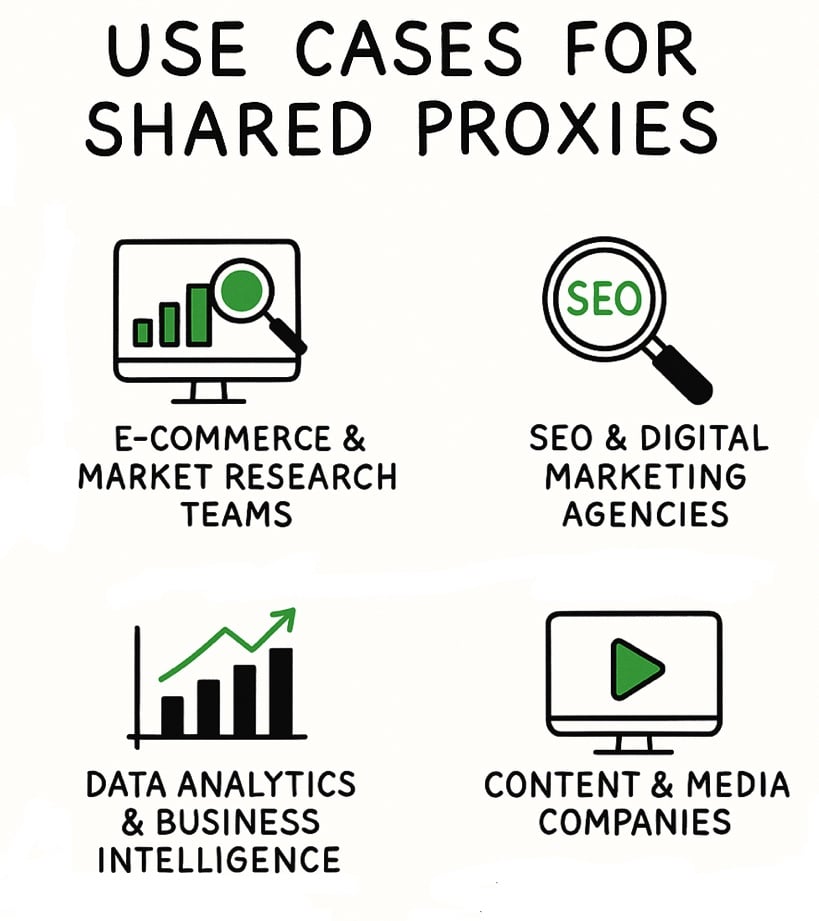
a. E-commerce & Market Research Teams
Web scraping is the big one. Many e-commerce brands use shared proxies to track competitor pricing and product availability. With residential shared proxies, I typically see success rates of 85–95% on most commercial sites.
Consider these limitations: Expect rate caps of 1–10 requests per second per IP. Big players like Amazon spot aggressive scraping fast, so you’ll need the right strategies such as delays and rotation.
Takeaway: Shared proxies are great for broad market research, but not for real-time price monitoring.
b. SEO & Digital Marketing Agencies
Shared SEO proxies are perfect for your everyday SEO tasks like: rank tracking, keyword research, and competitor analysis. These proxies often hit 95%+ accuracy for localized searches.
For social media automation, the results vary. Platforms like LinkedIn and Instagram have strong detection systems, so success rates can swing from 60–90% depending on behavior patterns. Residential proxies with proper account warming give the best shot.
c. Data Analytics & Business Intelligence
Shared proxies are also a solid fit for automation and competitive intelligence. The bandwidth needs generally match what shared infrastructure can handle. Plus, consider this: The lower cost allows for bigger data collection efforts.
Watch out for: fair usage caps (around 100GB per IP/month) and speed throttling during peak hours. Typical speeds run 10–50 Mbps depending on proxy type and load.
d. Content & Media Companies
For media enthusiasts, shared proxies help bypass geo-blocks. And for teams expanding globally, they can also help gather international content and even research new markets.
Performance reality: expect 70–85% success for streaming access. Also consider that premium services like Netflix often block known proxy ranges. Residential endpoints average 200–2000ms response times—fine for research, but not for smooth real-time streaming.
5. How Shared Proxies Work (Behind the Scenes)
Knowing the proxy tech under the hood can really help you choose the right proxy setup. And it is also great when you want to set realistic performance goals.
Here’s a quick look at how shared proxy systems manage multiple users and split resources.
A typical request flows through:
| Frontend Load Balancer → Authentication Layer → Proxy Management System → Backend Proxy Servers → Target Websites |

The most complex part is session management. When you connect to a shared proxy, the system assigns you a unique session ID to keep your traffic separate from everyone else’s. That session stores your authentication, IP rotation rules, bandwidth allocation, along with other important information.
IP rotation depends on the proxy type. Mobile proxies rotate often due to carrier networks. Datacenter proxies may hold static IPs or rotate at set intervals. Most sessions last 10–30 minutes, though “sticky” options can extend them. Resource allocation isn’t fixed per user—it’s dynamic. The bandwidth is shared among active users, which is why shared proxies trade cost savings for performance swings.
Another important component is connection multiplexing. This feature lets hundreds of users share the same infrastructure without crossing streams. Also HTTP/2 is another vital component as it allows multiple requests run over a single TCP connection, while session tagging keeps traffic separate.
Limitations to watch for:
- Speed throttling during peak demand
- IP bans affecting all users if one trips anti-bot defenses
- Session conflicts from incompatible settings
- Bandwidth drops when usage spikes
| 🧠 Bottom line: Businesses that understand these mechanics can design proxy strategies that work with shared infrastructure, not against it. |
6. Buying Guide: How to Choose the Right Shared Proxy Provider
After testing many different providers, I’ve come together with a checklist to help businesses get reliable, cost-effective shared proxies without the headaches.
a. Essential Technical Requirements
Pool size should match your needs and risk tolerance.
- Small-scale research: 1–10M IPs work fine but limit geographic reach.
- Enterprise ops: 100M+ IPs offer better diversity and lower detection risk across global markets.
IP rotation must fit your application:
- Every-request rotation: Best for maximum anonymity in competitive intelligence.
- Session-based rotation (1–120 mins): Ideal for keeping social media accounts consistent.
- Custom durations (up to 24 hrs): Useful for specialized market research.
| 🎯 Geo-targeting varies widely. Country-level is standard, but city-level or ASN-level targeting—while pricier—delivers pinpoint accuracy for local market analysis. |
b. Infrastructure & Performance Standards
Professional-grade providers typically deliver:
- Success rates: 99%+
- Response times: Under 100ms for datacenter, 200–2000ms for residential
- Uptime: 99.9% standard, 99.99% premium
Dashboard must-haves:
- Real-time traffic and success rate tracking
- Geo filters by country/state/city/ASN
- Sub-user accounts with permission controls
- API access for automation
- Budget tools with spending caps and rollover policies
c. Business & Support Factors
Support quality matters when downtime costs money. Look for:
- 24/7 availability via chat, email, and phone
- Dedicated account managers for larger spenders
Pricing transparency:
- Clear bandwidth rates, no hidden fees
- Volume discounts and rollover for unused data
- Avoid overly complex pricing models that make budgeting guesswork
Trial & refund policies:
- Free tests (100MB–5GB)
- Money-back guarantees (2–30 days)
- Easy IP replacements if performance drops
- Credit matching for large-scale trials
d. Red Flags to Watch For
- Too-cheap pricing: May indicate oversold infrastructure and poor peak-time performance.
- “Unlimited” bandwidth claims: Often hide throttling or fair-use caps.
- Weak refund terms: A sign of low confidence and high churn rates.
| 🚀 Bottom line: The right shared proxy provider fits your needs—not just your budget. Match pool size and rotation to your workflow, demand proven uptime and usable dashboards, insist on clear pricing and solid trials, and avoid “too good to be true” offers. Test first (before you invest), keep a backup, and you’ll get reliable, cost-effective proxies without the headaches. |
7. Top Shared Proxy Providers in 2026
Based on my hands-on testing with business clients and comprehensive market analysis, here are the shared proxy providers that consistently deliver value for different business needs and budgets.
Top Shared Proxy Picks 2026
- 🏆 RapidSeedbox – Best overall: fast, flexible, global coverage.
- 💰 Webshare – Best budget: cheapest with solid speed.
- 🏢 Bright Data – Best enterprise: massive network, top compliance.
- 📈 IPRoyal – Best value: low rates, traffic-never-expires.
- ⚡ Oxylabs – Best performance: huge pool, anti-bot tech.
RapidSeedbox – Best All-Around Shared Proxy Solution
Best For: Businesses wanting a versatile mix of shared and dedicated options, balancing cost, speed, and flexibility across multiple proxy types.

RapidSeedbox delivers an unmatched combination of speed, flexibility, and coverage with rotating residential proxies.
RapidSeedbox’s rotating residential proxies use shared IPs from a vast global pool. They rotate per session or per request, so that you receive the highest anonymity level and adaptability for your tasks. Mobile proxies also leverage shared IPs with country-based geolocation.
For datacenter users, IPv6 proxies and IPv4 proxies are dedicated per product (never shared) These are perfect if you want the reliability of private IPs while still benefiting from a robust proxy infrastructure.
Key Specs & Features:
- Large shared rotating residential and mobile IP pools
- Dedicated IPv4/IPv6 datacenter proxies with separate IP ranges
- Country-level targeting for residential & mobile
- Flexible rotation: per request or per session
- Strong global infrastructure & low-latency connections
2. Webshare – Best for Budget-Conscious Businesses
Best For: Startups, small businesses, and companies testing proxy strategies with limited budgets.
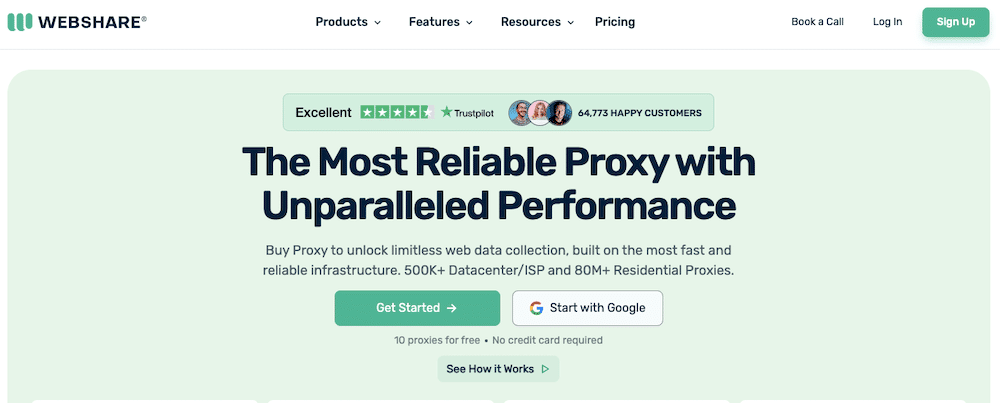
Webshare is a leader in the budget segment with datacenter proxies at $2.99 monthly for 100 proxies ($0.03 per proxy) and residential proxies starting at $4.50/GB. Technical specifications include 30M+ residential IPs and 500K+ datacenter addresses across 195 countries, with 99.97% uptime and sub-100ms response times.
Our performance benchmarks show 950 Mbps speeds with support for up to 3,000 concurrent threads. This is suitable for most small-to-medium business operations. The only weakness we found is their email-only customer support with slower response times compared to premium providers.
Learn more about this shared proxy provider: Webshare Review and Alternatives
3. Bright Data – Best for Enterprise Operations
Best For: The claimed 99.99% success rate and sophisticated legal compliance framework make this suitable for Fortune 500 companies despite complexity and high costs. We recommend it for enterprise clients and large-scale data operations.

Bright Data is a leader for premium and enterprise-level proxies/scraping. Their premium pricing starts at $8.4/GB for residential proxies with $499 monthly minimums. They offer the largest proxy network at 72M+ residential IPs and 1.6M datacenter addresses. Enterprise-grade compliance features and advanced targeting capabilities justify the high cost. Especially good large-scale operations requiring precise geolocation and regulatory compliance.
Learn more about this shared proxy provider: Bright Data Review and Alternatives
Advanced features include:
- The Proxy Manager tool
- Web Scraper API
- Comprehensive datasets
- Dedicated account management.
4. IPRoyal – Best Value for Variable Usage
Best For: Small-to-medium businesses with variable proxy needs and companies prioritizing ethical IP sourcing.

IPRoyal offers the most competitive residential pricing at $1.75/GB with unique traffic-never-expires policies. Such feature makes it ideal for businesses with variable usage patterns. Plus, their ethical IP sourcing through the Pawns app and 24/7 customer support provide excellent value for growing businesses.
Their pool size includes 32M+ residential IPs across 195 countries with both rotating and static options available. Plus, their 4.6/5 Trustpilot rating from 900+ reviews reflects strong customer satisfaction. One minor limitation is their network size, which remains smaller than top-tier providers.
Learn more about this provider in: IPRoyal Review and Alternatives
5. Oxylabs – Best for Performance-Critical Applications
Best For: Mid-market to enterprise businesses requiring high performance and advanced features.
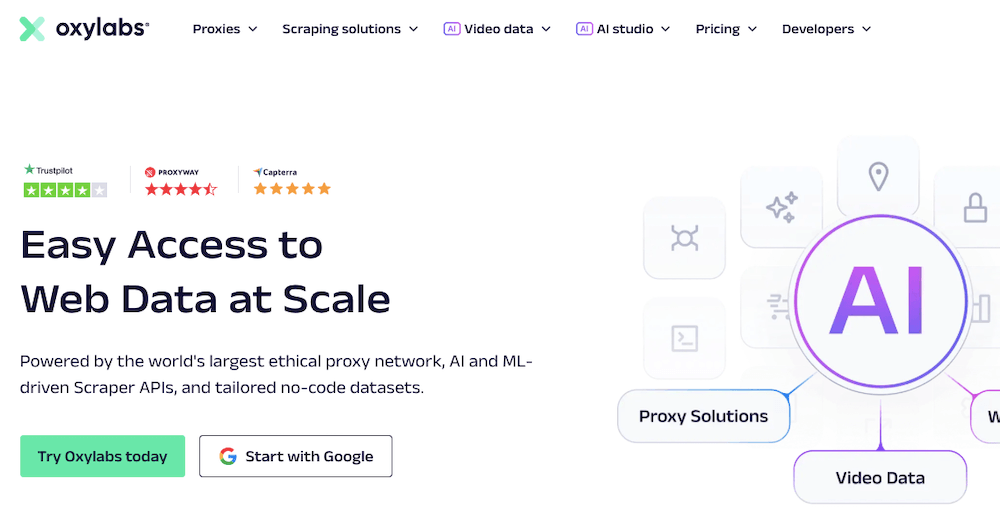
Oxylabs balances enterprise features with competitive pricing. Their prices start at $8/GB for residential proxies with comprehensive subscription plans from $210 monthly. The 177M+ IP pool and 99.82% success rate position it as a performance leader. They also provide competitive features like advanced anti-bot detection capabilities.
Their next-Gen residential proxy technology and AI tools distinguish Oxylabs from competitors. The only drawback is their premium pricing and complex feature sets which may overwhelm smaller users.
Learn more about this provider in: OxyLabs Review and Alternatives
8. Pro Tips for Getting the Most Out of Shared Proxies
Shared proxies aren’t a downgrade. They’re a power move (if you know how to work them). I’ve seen teams double their reliability and cut their bills in half just by tweaking a few habits.
a. Reroute, don’t overspend.
Not every job deserves your premium IPs. Push your low-stakes scraping and testing through shared IPs. Save the dedicated ones for the high-frequency, reputation-sensitive stuff. You can do this with Proxy Helper, SwitchyOmega, or Surge (pick your poison). Some clients save 30–40% this way without even noticing a performance dip.
b. Remember the 80/20 rule.
Most scraping runs fine on shared infrastructure. Seriously—80% of it. Keep the high-end pool for the 20% that truly needs it. The trick is to stop chasing perfection and start managing priorities.
c. Rotate like a human, not a bot.
Change IPs too fast and you’ll look suspicious. Keep them too long and they’ll burn. The sweet spot? Sessions that last ten to thirty minutes. Long enough to feel real. Short enough to stay invisible.
Here’s the truth: shared proxies can be your workhorse. So, treat them right. Mix them, rotate them, watch them. And they’ll carry most of your load without spending more of your money. The art isn’t in buying more proxies, but in using the ones you already have… smarter!
9. FAQs About Shared Proxies
Based on the most common questions I receive from business clients, here are the essential answers every decision-maker should know about shared proxies.
Yes. “Shared” just means multiple people use the same IP. That can happen with any proxy type—residential, mobile, ISP, or datacenter. The difference is in the IP source, not whether it’s shared or private.
Proxies are legal in most countries when used for legitimate business purposes. However, they may violate specific platform terms of service, and they’re restricted or banned in certain countries including China, Russia, and North Korea. Always ensure compliance with local laws and platform policies. Learn more in Are Proxies Illegal?
Shared proxies typically achieve 85-95% success rates compared to 99%+ for dedicated proxies. Their response times range from 200-2000ms versus sub-100ms for dedicated infrastructure. The performance varies based on concurrent usage, with potential slowdowns of 50-80% during peak hours when multiple users compete for shared resources.
Shared proxies mask your business IP address but provide limited privacy protection compared to VPNs. Most providers log traffic for troubleshooting purposes, and you share IP reputation with other users. They offer basic anonymity through IP masking and traffic mixing but shouldn’t be considered comprehensive privacy solutions.
Shared proxy pricing ranges from $1-7/GB for residential and $0.50-2.00/GB for datacenter options in 2026, representing significant cost savings compared to dedicated alternatives. Most providers offer pay-as-you-go models with volume discounts, making them accessible for businesses of all sizes.
Different proxy types serve different business needs: datacenter proxies offer maximum speed for high-volume operations, residential proxies provide better success rates on protected sites, mobile proxies excel for social media applications, and SOCKS5 proxies support non-HTTP traffic requirements. Choice depends on specific use case requirements and budget constraints.
Final Thoughts
Shared proxies are now cheaper and more accessible than ever. They are perfect for things like market research, SEO tracking, and moderate-scale data collection.
These proxies are good for starting tests and refining your proxy strategy. Then, of course, consider upgrading to dedicated options if performance demands grow.
For the best all-around choice I recommend RapidSeedbox for its speed, flexibility, and global coverage.
Quick Checklist — Is a Shared Proxy Right for You?
- ✅ Budget under $2/GB for residential access
- ✅ Need millions of IPs across 100+ countries
- ✅ Okay with slight speed variations during peak hours
- ✅ Tasks: research, SEO, social, moderate data scraping
- ❌ Skip if you need guaranteed, high-frequency, or sensitive data ops
Keep Your IPs Safer
Rotating residential proxies spread risk, making shared proxy bans far less likely.
Protect Your Access
0Comments