 By
By
I’ve spent over six years working with proxies, and switching to dedicated proxy servers was a total game-changer. Early on, I burned hours on slow, shared proxies that got banned constantly. But once I moved to dedicated proxies, everything clicked—faster automation, safer accounts, and way more control.
In this guide, I’ll break down what I’ve learned: how to pick the right proxy, the top ones to consider, set it up right, and skip the mistakes I made when I started.
Let’s begin…

Table of Contents
- What Are Dedicated Proxy Servers?
- Types of Proxies (What to Know)
- Real-World Uses That Work (Dedicated Proxies)
- Dedicated: Residential vs Datacenter
- Why I Switched to Dedicated Proxies
- Best Dedicated Proxy Providers
- Setting Up Your Dedicated Proxy
- FAQ About Dedicated Proxies
- Final Words
1. What Are Dedicated Proxy Servers?
A dedicated proxy, also called a private proxy, is like your personal gateway to the internet. Unlike shared proxies (where you’re competing with dozens of other users for resources), a dedicated proxy gives you exclusive access to one IP address. Nobody else can use it during your subscription… period.
Here’s how it works in simple terms:
- You configure your browser or app to use the proxy
- The proxy sends your requests to websites on your behalf
- Websites see the proxy’s IP, not yours
- The proxy sends the website’s response back to you
Dedicated vs. Shared Proxies:
Refer to the following image. On the left, you’ve got a shared proxy—multiple users on one IP, which means higher chances of bans and weaker privacy. On the right, a dedicated proxy shows a one-to-one setup. That gives you stronger security and a more stable connection. Knowing the difference between shared and dedicated IP can help you get a better understanding of the difference.

Is there such a thing as a semi-dedicated (or semi-shared)?
I learned the hard way that not all “private” proxies are truly private. Some providers sell “semi-dedicated” proxies shared between 2-3 users. But these so-called “dedicated proxy server” providers won’t always say so. So, I strongly recommend that you always confirm you’re getting exclusive access before purchasing.
Other Types of Proxies (Based on Access Level):
Here are the basic types of proxies based on usage. Learn more about other types of proxies.
| Proxy Type | Used By | Speed & Stability | Risk of IP Ban | Best For |
| Dedicated | One user only | Fast and stable | Very low | Automation, scraping, anonymity |
| Private | One (or few) users | Generally fast | Low to moderate | Account management, SEO tasks |
| Semi-Dedicated | 2–3 users shared | Moderate speed, reliable | Moderate | Mid-tier tasks, small-scale scraping |
| Shared | Many users | Slower, inconsistent | High | Basic browsing, budget users |
Dedicated Proxy Servers: Real-World Uses That Work
Over the years, I’ve used dedicated proxies for a few different tasks. Here are the ones that delivered the best results:
- Web Scraping at Scale: Dedicated proxies rotate IPs to avoid bans and keep sessions stable. This is ideal for logged-in, high-volume scraping.
- SEO & Ad Verification: Perfect for checking local SERPs, ad placements, and competitor strategies without revealing your identity.
- Managing Multiple Accounts: Assigning proxies per account avoids social media bans. It also enables geo-posting and keeps your sessions steady. This is essential for social media work.
- E-commerce & Sneaker Bots: Low-latency IPs bypass purchase limits and handle traffic spikes during limited drops and sales.
- Price Monitoring & Market Research: Track prices and access geo-restricted markets undetected. Get accurate and location-specific insights.
2. Dedicated: Residential vs Datacenter (Proxies based on Source Type)
Datacenter proxies come from servers in hosting facilities. I turn to them when I need speed, like for bulk scraping or automation tasks. They’re fast, affordable, and great for sites that aren’t strict about traffic sources. That said, some websites can detect and flag them as non-residential. This makes them less ideal for platforms (especially social media sites) with strong anti-bot measures.
Residential proxies, on the other hand, use real IPs from homes and mobile devices. I reach for these when trust is critical, like on login-heavy sites or platforms known for blocking bots. They blend in like regular users, making them great for tougher targets. The catch? They cost more and tend to run a bit slower.
If you’re looking for a middle ground, dedicated proxies—usually datacenter-based—offer a solid mix of speed, control, and exclusivity without costing too much.
Here’s my quick comparison:
| Feature | Dedicated Datacenter | Residential (Rotating) | Shared Datacenter |
| Speed | Very Fast | Moderate | Variable |
| Exclusivity | Only You | Shared Pool | Many Users |
| Cost | $1-8/IP monthly | $2-20/GB | $0.50-2/IP |
| Best For | Automation, Scraping | Strict Sites, Ads | Basic Tasks |
My Strategy: I use dedicated datacenter proxies for 80% of my work, switching to residential only when dealing with extremely strict platforms.
💡 Pro Tip: Whichever provider you decide to go with, make sure it’s a reliable one with a solid history and user reviews. We’ve all seen providers like 911.re shutting down, and switching providers is sometimes quite the hassle.
Why I Switched to Dedicated Proxies?
After months of struggling with shared proxies, switching to dedicated ones was a real game-changer. I stopped dealing with random bans, and my automation tools finally ran without issues. With exclusive IPs, my real address stayed hidden—crucial for sensitive work like market research or multi-account management.
Speed and control were also improved fast. I got stable connections, better uptime, and the freedom to tailor each proxy to the job. Plus, a diverse IP pool helped me avoid blocks and target specific locations when needed.
Here’s how I use them now:
- Static IPs – For account logins and consistent sessions
- Rotating IPs – For scraping and stealth tasks
- Sticky sessions – When short-term consistency is enough
- SOCKS5/HTTPS – HTTPS for most, SOCKS5 for advanced use cases
🔥 Running Out of Time
Dedicated proxies with clean IPs are vanishing fast. Once they’re gone, they’re gone.
Claim Access →3. Best Dedicated Proxy Providers
When picking your first dedicated proxy server provider, I would recommend focusing on performance and speed. Secondary, but no less important, is uptime and reliability. Also, don’t forget to check whether they offer IPs in the locations you need, especially if city-level targeting or low latency is important for you. Always test with your actual use case before committing, and start small with a money-back guarantee.
Strong 24/7 support and clear documentation are also key. Avoid common mistakes like choosing solely on price, ignoring IP diversity, using the wrong proxy type, or skipping security best practices.
After testing a few dedicated proxy providers, here are my top recommendations…
a. RapidSeedbox: Speed and Reliability

When I first started using RapidSeedbox two years ago, I was immediately impressed by the focus on high-performance proxies with exceptional reliability. They’ve consistently delivered on their promises, making them my go-to recommendation for clients who prioritize speed and stability.
Key Features
- Dual Protocol Support: Both HTTP/HTTPS and SOCKS5 proxies are available for different usage scenarios.
- Dedicated IPs: Each plan includes dedicated IPv4 and IPv6 addresses that aren’t shared with other users.
- Flexible Proxy Modes: You can instantly switch between static and rotating proxy modes directly from their user-friendly dashboard.
- Competitive Pricing: Plans start at just $0.125 per IP for smaller packages, with significant discounts for bulk purchases.
- 24/7 Customer Support: Their support team is remarkably responsive, typically answering tickets within minutes.
Why do I recommend RapidSeedbox dedicated proxies?
In my extensive testing, RapidSeedbox proxies consistently delivered speeds exceeding 100 Mbps, making them ideal for bandwidth-intensive tasks like scraping or downloading large datasets. Their uptime has been exceptional – I’ve experienced less than 1% downtime over one year of continuous use.
For web scraping operations, I’ve found their proxies particularly effective at bypassing common anti-bot measures without triggering CAPTCHAs or IP blocks. This is invaluable when running large-scale data collection projects.
Pricing Structure (Dedicated data center – yearly IPv6)
RapidSeedbox offers dedicated IPv6 proxies with unlimited bandwidth, IP rotation, and privately owned IPs. These proxies are distributed across multiple countries, not limited to the U.S. This is ideal for users looking to scale IPv6-compatible scraping or automation at the lowest per-IP price.
Plan: Yearly billing (2 months free)
| IPs | Price/IP | Total/mo |
| 100 | $0.125 | $13 |
| 400 | $0.073 | $29 |
| 1,000 | $0.050 | $50 |
| 10,000 | $0.025 | $250 |
| 20,000 | $0.020 | $417 |
| 50,000 | $0.017 | $833 |
✅ Unlimited Bandwidth • IP Rotation • Dedicated IPv4 and IPv6
Who Should Use RapidSeedbox?
RapidSeedbox provides fast, reliable dedicated proxy servers with IPv4/IPv6 support, which is ideal for web scraping and business automation. It prioritizes speed and performance with dedicated IPs and offers 24/7 support and a 24-hour money-back guarantee.
b. Bright Data: Enterprise-Grade Solutions

Bright Data stands out as the industry leader for enterprise clients with data-intensive operations requiring massive scale. While significantly more expensive than other options, they offer unparalleled capabilities for organizations that need comprehensive proxy solutions.
Key Features
- Enormous IP Pool: Access to over 72 million IPs across residential, datacenter, mobile, and ISP proxies.
- Precise Targeting: Target by country, state, city, ASN, or even mobile carrier with exceptional accuracy.
- Advanced SDK and API: Enterprise-grade developer tools for seamless integration.
- Proxy Manager: Sophisticated management interface for controlling large-scale operations.
- Comprehensive Analytics: Detailed usage statistics and performance metrics.
Why do I recommend Bright Data?
Bright Data has consistently stood out when it comes to handling complex, large-scale proxy setups. Their residential network is seriously impressive—I’ve seen success rates above 99.9%, even on sites that are tough to crack. One thing I really appreciate is their precision with city-level targeting. I’ve tested it myself across multiple countries, and the geo-location checks always lined up.
What really sets them apart, though, is how flexible their rotation settings are. You can tweak session timing down to the second, which gives you full control—especially useful for high-volume scraping or running multiple accounts without overlap. That kind of fine-tuning isn’t just nice to have—it’s essential when you’re dealing with strict platforms.
Bright Data Proxy Server Pricing
Bright Data delivers dedicated datacenter IPv4 proxies with unlimited usage, 99.99% uptime, and enterprise-ready tools. Ideal for large teams that need reliability, SLAs, and scale.
Plan: Monthly billing (no long-term discount)
| IPs | Price/IP | Total/mo |
| 10 | $2.20 | $22 |
| 100 | $1.70 | $170 |
| 500 | $1.50 | $750 |
| 1,000 | $1.30 | $1,300 |
| >1,000 | Custom | Contact |
✅ IPv4 • Proxy Manager • SLA • Custom Routing • High Uptime
Who Should Use Bright Data?
Bright Data suits large enterprises. It is also perfect for companies needing precise targeting, businesses requiring comprehensive support, and operations where reliability outweighs cost. Learn more about Bright Data and its alternatives
c. NodeMaven: Static ISP Proxies with Unlimited Traffic
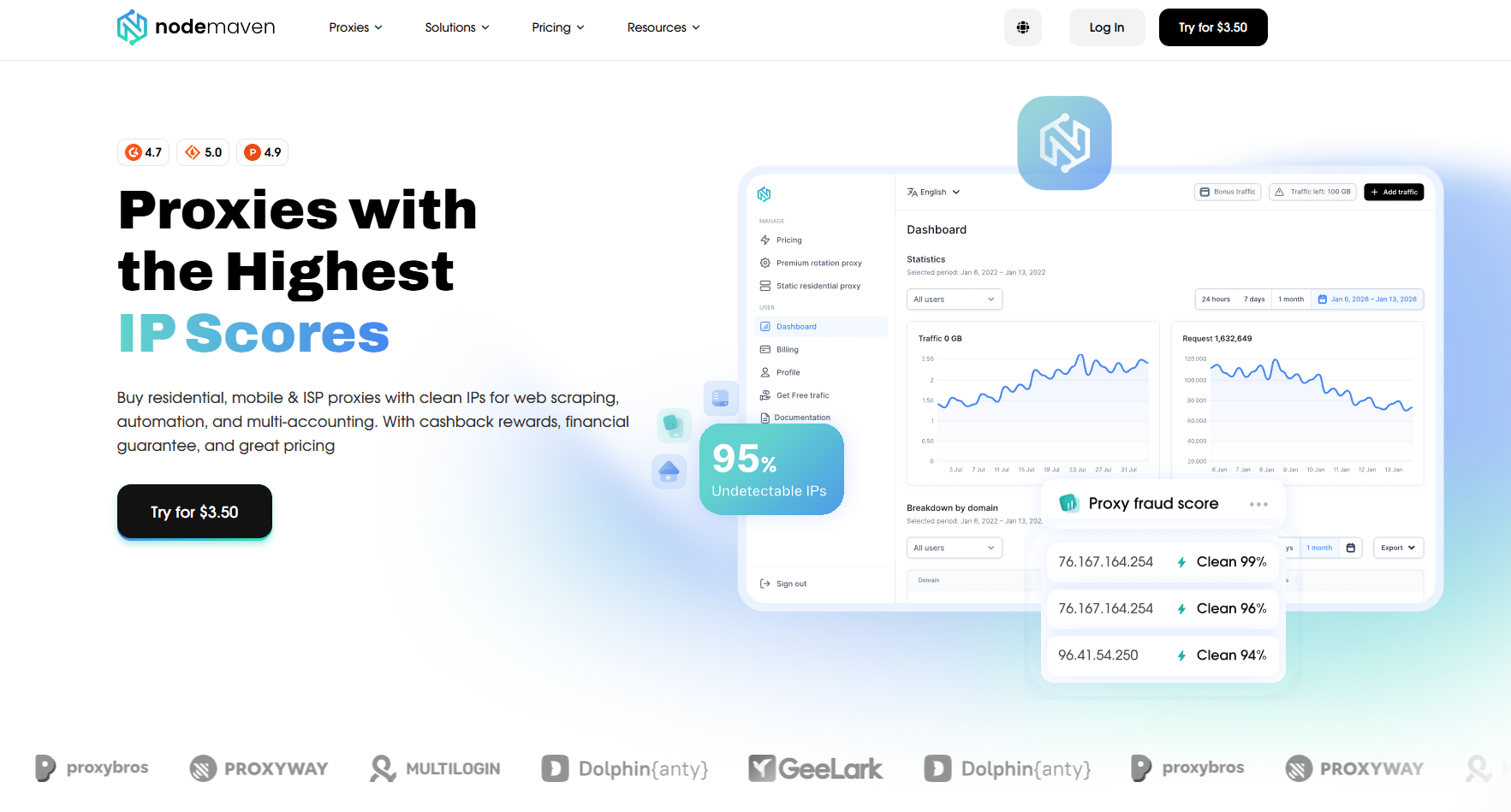
NodeMaven‘s dedicated proxies are static ISP IPs with a residential trust profile. Websites see them as regular home users, not datacenter bots. The same IP stays with you for the full subscription period with no rotation, which makes them a solid pick for workflows that need a consistent identity over time.
Key Features
- Static ISP IPs: The same IP for your full 30 or 90-day subscription.
- Quality Guarantee: Any IP that appears as a datacenter rather than residential gets replaced at no cost.
- Unlimited Traffic: No bandwidth caps, run continuous workflows without tracking usage.
- Protocol Support: HTTP, SOCKS5, and UDP are all supported.
- 99.9% Uptime: Average response speed under 0.3s.
- Country Targeting: Available in the US, UK, Germany, Hong Kong, Brazil, Italy, and France.
Why Do I Recommend NodeMaven?
If your workflow requires a consistent identity over weeks, not just hours, NodeMaven’s static ISP proxies are worth consideration.
Unlike datacenter IPs, these are tied to real residential ISPs, so sites treat them as regular home users. In my testing, that trust profile made a measurable difference on platforms with aggressive bot detection: fewer blocks, no CAPTCHA friction, and stable sessions that held across long automation runs.
The unlimited bandwidth is what keeps me coming back. For continuous scraping or multi-account workflows, that removes a real operational headache.
One policy that stood out: if any IP resolves as datacenter rather than residential on delivery, NodeMaven replaces it at no cost. That kind of quality guarantee is rare at this price point.
Pricing starts at $2.99/IP (30-day plan with code ISP40), with better per-IP rates on 90-day subscriptions. Available in the US, UK, Germany, France, Italy, Brazil, and Hong Kong.
Pricing Structure (Dedicated ISP Proxies)
| Plan | Price/IP | With code ISP40 |
| 30 days | $4.99/IP | $2.99/IP |
| 90 days | $4.33/IP | $2.60/IP |
Who Should Use NodeMaven?
NodeMaven’s dedicated proxies are a strong fit for multi-account operators, automation teams, and anyone running long-term workflows that need a consistent IP identity over weeks.
If you need stable sessions without rotation interruptions and unlimited bandwidth without tracking usage, this is worth a look. Pricing starts at $2.99/IP. You can use code ISP40 at checkout for a better rate with a 40% discount.
d. Webshare: Budget-Friendly Option

When working with startups or small-scale projects, I often recommend Webshare for its exceptional balance of affordability and functionality. While they don’t offer the advanced features of premium providers, they deliver reliable performance at a fraction of the cost.
Key Features
- Free Tier: 10 proxies available at no cost – perfect for testing and small projects.
- Affordable Pricing: Paid plans start at just $0.03 per IP when purchased in bulk.
- User-Friendly Dashboard: A Clean, intuitive interface makes proxy management simple.
- API Access: Programmatic control available even on lower-tier plans.
- Global Coverage: Access to proxies in multiple countries across six continents.
Why do I recommend Webshare?
Webshare’s performance is surprisingly good for the price point. While not matching the elite speeds of RapidSeedbox or the sophisticated features of Bright Data, they deliver consistent connections with reasonable speeds (typically 30-50 Mbps in my testing).
For basic use cases like social media management, SEO monitoring, or light scraping, Webshare proxies are great. Their datacenter proxies are also reliable, though they may struggle with heavily protected websites.
Webshare Proxy Server Pricing
Webshare focuses on affordability and instant scalability. They offer IPv4 datacenter proxies with ultra-low pricing and free tier options. Ideal for scrapers and budget-conscious users.
Plan: Yearly billing (30–60% discount)
| IPs | Price/IP | Total/mo |
| 10 | Free | $0 |
| 100 | $0.0239 | $1.99 |
| 1,000 | $0.0215 | $17.95 |
| 5,000 | $0.0191 | $79.77 |
| 60,000 | $0.0144 | $717.96 |
✅ IPv4 • HTTP/SOCKS5 • 50+ Countries • 99.97% Uptime • Free Tier
Who Should Use Webshare?
Webshare is great for beginners or developers for testing. It also suits small businesses with tight budgets and individuals with basic proxy requirements. Learn more about this dedicated proxy server provider in Webshare review + alternatives
e. Oxylabs: Compliance and Performance

When working with clients in regulated industries or on sensitive projects, I consistently recommend Oxylabs for their amazing balance of performance, reliability, and compliance standards. Their commitment to ethical data collection practices provides peace of mind for many corporate clients.
Key Features
- Compliance Focus: Strong emphasis on legal and ethical proxy usage.
- Enterprise Support: Dedicated account managers for business clients.
- Extensive Documentation: Comprehensive guides, tutorials, and API documentation.
- Advanced Proxy Types: Residential, datacenter, mobile, and specialized proxy solutions.
- Next-Gen Scrapers: AI-powered tools to extract structured data from complex websites.
Why do I recommend Oxylabs?
Oxylabs performs consistently well across the board. Their residential network includes over 100 million IPs and offers sharp geo-targeting. In my tests, they hit over 99% success—even on sites with tough anti-bot defenses.
What really makes them stand out is their ethical sourcing. Every IP is obtained with consent, and their compliance team actively monitors usage to keep things above board.
Pricing Structure – Datacenter Proxies (Pay-per-IP Model)
Oxylabs provides pay-per-IP IPv4 proxies with unlimited bandwidth, developer documentation, and static sessions. Great for teams needing predictability and a clean IP space.
Plan: Monthly billing (Pay-per-IP)
| IPs | Price/IP | Total/mo |
| 5 | Free | Free |
| 10 | $1.20 | $12 |
| 50 | $1.10 | $55 |
| 100 | $1.00 | $100 |
| 200 | $0.90 | $180 |
| 500 | $0.85 | $425 |
| 1,000 | $0.75 | $750 |
| Custom | — | Contact |
✅ IPv4 • Static Sessions • Dev-Friendly • Transparent Pricing
Who Should Use Oxylabs?
Oxylabs’ dedicated proxies are a solid fit for larger businesses that need reliability and strict compliance. They’re especially useful if you’re running enterprise-level operations, rely on guaranteed performance, or need hands-on technical support.
If staying within legal and regulatory lines is a top priority, their setup gives you the structure and oversight to do it right. Learn more about this proxy provider in: Oxylabs review + alternatives.
f. Top Dedicated Proxy Server Providers: Head-to-Head Comparison
To help you make an informed decision, I’ve created this comparative analysis based on my extensive testing of each provider:
| Feature | RapidSeedbox (IPv6) | Bright Data (IPv4) | NodeMaven (IPv4 + IPv6) | Webshare (IPv4) | Oxylabs (IPv4) |
| Lowest Price/IP | $0.017 | $1.30 | $2.99/IP | $0.0144 | $0.75 |
| IP Type | IPv6 | IPv4 | IPv4 + IPv6 | IPv4 | IPv4 |
| Free Tier | ❌ No | ❌ No | ❌ No | ✅ 10 IPs Free | ✅ 5 IPs Free |
| SLA / Enterprise Tools | ❌ No | ✅ Yes | ✅ Quality Guarantee | ❌ No | ✅ Yes |
| Global Coverage | ✅ Yes | ✅ Yes | ✅ Yes | ✅ Yes | ✅ Yes |
| Best For | Large IPv6 scraping | Enterprise ops | Multi-accounting & stable sessions | Budget scrapers | Devs & pro teams |
4. Setting Up Your Dedicated Proxy:
Setting up a new dedicated proxy—whether it’s from RapidSeedbox, Oxylabs, Webshare, or any other solid provider—usually follows the same general process.
Here’s how I typically get things running, whether I’m working in a browser, terminal, or with code.
Quick Checklist
| Step | Action |
| 1. Get credentials | From the provider dashboard or the welcome email |
| 2. Test the proxy | Via curl or a browser IP checker |
| 3. Configure proxy | In your browser, CLI, app, or automation tool |
| 4. Whitelist IP (if needed) | For IP-auth proxies, add your IP to the provider’s whitelist |
| 5. Monitor usage | Check bandwidth, speed, and location reliability |
a. Grab Your Proxy Details
After purchase, your provider will send the essentials (You’ll usually find these in an email or dashboard entry):
- IP address and Port (like 123.45.67.89:8000)
- Username and password (if required)
- Protocol (HTTP, HTTPS, SOCKS4, or SOCKS5)
- Possibly location info, especially for geo-targeted IPs
b. Test the Connection (Recommended)
Before diving in, I like to confirm the proxy works. There are two ways to do this…
Option 1: Test in Terminal (cURL method): Open Terminal (Mac/Linux) or Command Prompt (Windows) → 📖 Full Guide to cURL Here
Run:
|
1 |
curl -x YOUR_PROXY_IP:PORT https://ipinfo.io/json |
- (Swap in your actual proxy IP and port)
- If you see proxy IP info, you’re good to go! ✅
Example:
|
1 |
Or just plug it into your browser and visit ipinfo.io to see if your IP changes.
Option 2: Test in Browser (SwitchyOmega method)
- Install SwitchyOmega (Chrome or Firefox) → 📖 SwitchyOmega Step-by-Step Setup Guide
- Create a new proxy profile with your proxy details
- Switch to that profile and visit whatismyip.com—if the IP changes, it’s working! 🎯
c. Set It Up for Your Use Case
In a Browser:
- Use an extension like Proxy SwitchyOmega (Chrome) or update your system proxy settings.
- Windows: Settings → Network & Internet → Proxy
- macOS: System Preferences → Network → Advanced → Proxies
- Add your IP, port, and credentials if needed.
On the Command Line:
- For quick CLI tests:
|
1 |
curl -x http://user:pass@ip:port https://example.com wget -e use_proxy=yes -e http_proxy=http://user:pass@ip:port https://example.com |
In Python Scripts:
- Here’s a requests example I often use:
|
1 |
proxies = { 'http': 'http://user:[email protected]:8000', 'https': 'http://user:[email protected]:8000', } requests.get('https://httpbin.org/ip', proxies=proxies) |
For Automation (Puppeteer, Playwright):
- Pass the proxy during launch:
|
1 |
puppeteer.launch({ args: ['--proxy-server=http://123.45.67.89:8000'] }); |
- If the proxy requires auth, handle it using page.authenticate().
d. (Optional) Whitelist Your IP
If the proxy uses IP-based auth, log in to your provider’s dashboard and whitelist your current IP. Use whatismyipaddress.com to find it.
I prefer IP whitelisting (as an authentication method) because it’s simple and secure. For starters, only approved IP addresses can access your proxy, which blocks any unauthorized attempts right out of the gate. Once it’s set up, you don’t need to mess with logins—your apps connect automatically. That also means faster connections since there’s no delay from credential checks. And if you’re working from a fixed location with a static IP, it’s a perfect fit.
| 🔧 Proxy tip: After whitelisting, double-check that it’s active by visiting whatismyip.com. It only takes a second. |
e. Monitor, Rotate if Needed
Dedicated proxies use static IPs, but if you’re scraping or running heavy traffic, keep an eye on bandwidth and consider rotating. Tools like ProxyManager or custom scripts help manage that.
f. Best Practices From My Experience
After setting up thousands of proxies over the years, here are a few habits that’ve saved me time, stress, and headaches:
- Test Right Away – Always check your proxy using whatismyip.com as soon as it’s configured. It’s the fastest way to confirm it’s live. You can also use free IP tools to further test your connection.
- Rotate Regularly – Even if you’re using static IPs, I rotate mine every 1–2 weeks to avoid pattern detection, especially when scraping or automating.
- Track Performance – Once a week, I run basic ping tests to spot slowdowns early. It helps catch issues before they become problems.
- Keep Backups – Always have at least one backup proxy ready to go, especially for critical tools or workflows.
- Stay Organized – A simple spreadsheet with proxy IPs, ports, usage purpose, and status keeps everything clean and easy to manage.
| 💡 Pro Tip: Assign specific proxies to specific tasks. For example, one for scraping, another for logins, and another for testing. It seriously cuts down on bans and errors. |
5. FAQ About Dedicated Proxy Server
Yes—they’re totally legal tools. You can use them all the time for legit tasks like automation, ad verification, and privacy. What matters is how you use them. Just like with any tech, using a proxy won’t make illegal activity legal.
I use both, but for different jobs. On the one hand, VPNs encrypt your whole connection—great for general browsing or public Wi-Fi. Proxies, on the other hand, work at the app level. You can run bots, scrapers, or multi-login tools using different IPs. Also, proxies tend to be faster since they don’t encrypt everything. That’s a win for speed-sensitive tasks. VPNs vs. Proxies: learn more.
With a solid, dedicated proxy? It’s rare. The key is using a trusted provider. I’ve never had issues with properly configured elite proxies. But I always recommend skipping the free ones—they’re often sketchy and could leak your data or worse.
They can be, if you’re careful. Here’s what I recommend: Stick to reputable providers, use HTTPS whenever possible, keep your proxy credentials private, and avoid installing shady software or extensions.
Think of it as a personal lane on the internet. You get your own IP address that no one else touches. That means better performance, less risk of bans, and smoother automation.
Depends on what you’re doing. If you are browsing or streaming, then go with a VPN. But for scraping, managing accounts, or automation, a dedicated proxy wins every time. You get static IPs, more control, and way better performance.
Yes—and that’s actually one of the top reasons people use them. Since you’re not sharing the IP with strangers, you avoid inherited bans. Look for SOCKS5 or HTTPS support, high uptime, and the option to rotate if needed.
First, choose between static or rotating IPs based on your task—static works well for logins, rotating is better for scraping. Then, decide if you need residential or datacenter IPs—residential offers more trust, but datacenter is faster and cheaper. Also, check speed, bandwidth limits, and protocol support (HTTPS for most, SOCKS5 for advanced use). And don’t skip 24/7 support and a free trial—they’re signs of a reliable provider.
6. Final Words
Shared proxies might look easy at first, but they often lead to blocks, slowdowns, and more headaches than they’re worth.
Switching to dedicated proxies is a whole different story—you get a private IP, faster speeds, and full control over your tools and tasks.
After years of trial and error, I’ve found providers like RapidSeedbox offer the kind of performance serious users actually need.
Want to see the difference for yourself?
Start with one proxy and notice how much smoother things run.
🚀 Smooth, Fast, Reliable Proxies
After years of testing, RapidSeedbox stands out for serious performance and control.
→ Try It Now
0Comments