 By
By
A uTorrent seedbox is a remote server that runs uTorrent so you can download, upload, and seed torrents without using your home computer or home internet connection. Instead of keeping your laptop online all day, the seedbox handles the torrent activity from a high-speed data center.
This setup is great if you want faster downloads, stronger upload ratios, 24/7 seeding, remote file access, and better separation between your personal device and torrent traffic. It’s a lifesaver for folks who use private trackers, have tons of files, or have set up media libraries or automated downloading workflows.
Table of Contents
- What is a uTorrent Seedbox?
- uTorrent Seedbox: Key Facts
- How Does a uTorrent Seedbox Work?
- Why Use uTorrent on a Seedbox?
- uTorrent Seedbox vs Local uTorrent
- uTorrent Seedbox vs qBittorrent Seedbox
- Is a uTorrent Seedbox Good for Private Trackers?
- Is a uTorrent Seedbox Safer Than Torrenting at Home?
- Main Benefits of a uTorrent Seedbox
- Limitations of a uTorrent Seedbox
- How to Set Up a uTorrent Seedbox
- Best Settings for a uTorrent Seedbox
- How to Download Files from a uTorrent Seedbox
- Can You Use uTorrent Seedbox with Plex?
- Can You Use uTorrent Seedbox with Sonarr and Radarr?
- Common uTorrent Seedbox Mistakes
- Who Should Use a uTorrent Seedbox?
- Who Should Not Use a uTorrent Seedbox?
- uTorrent Seedbox Alternatives
- uTorrent Seedbox FAQ
- uTorrent Seedbox Summary
What is a uTorrent Seedbox?
A uTorrent seedbox is basically a hosted server that lets you run uTorrent remotely through a web interface or remote desktop environment. The seedbox downloads torrent files for you, keeps them seeding after completion, and lets you access the finished files through FTP, SFTP, a browser-based file manager, or media apps.
The basic idea is simple: your local device controls the torrent task, but the remote server does the actual downloading and uploading. That means you don’t have to keep your computer on, your home bandwidth won’t be used up by seeding, and your torrents can stay active 24/7.
When you use a uTorrent seedbox in the real world, it’s like having a second computer in a data center. You can add torrents, check progress, manage files, and download finished content when you need it.
uTorrent Seedbox: Key Facts
- What it is: A remote server configured to run uTorrent.
- How it works: The seedbox connects to torrent swarms, downloads files remotely, and seeds them from the server instead of your home connection.
- Main components: uTorrent or WebUI, server storage, high-speed bandwidth, FTP/SFTP access, and optional media apps.
- Best for: Torrent users, private tracker users, long-term seeding, remote downloads, large media files, and ratio management.
- Difficulty level: Beginner to intermediate, depending on whether the provider pre-installs uTorrent.
How Does a uTorrent Seedbox Work?
A uTorrent seedbox is a tool that puts the torrent client on a remote server instead of your PC. When you add a torrent file or magnet link, uTorrent connects to the torrent swarm from the seedbox server, downloads the file, and starts uploading pieces to other peers.
Once the files are finished, they’re stored on the seedbox. You can delete them, move them, stream them, or download them locally whenever you like. Most users access those files through FTP, SFTP, HTTPS file browser, or apps such as Plex and Jellyfin if the seedbox supports media streaming.
The best part is that the seedbox stays online even when your computer is off. This is important for private trackers because if you keep seeding, you can improve your ratio and account health. For casual users, it just makes torrent management easier and less dependent on local hardware.
Why Use uTorrent on a Seedbox?
If you’re already familiar with the uTorrent interface and want a familiar torrent client in a remote environment, using uTorrent on a seedbox makes sense. uTorrent has long been one of the most recognizable torrent clients, so it’s no surprise that many users search for it first when they start learning about seedboxes.
The main advantage is familiarity. If you already understand how to add magnet links, pause torrents, limit speeds, check peers, and manage files in uTorrent, the learning curve is smaller. You are not learning torrenting from scratch. You are only moving the workflow from your local computer to a remote server.
That said, the seedbox itself matters more than the client name. A well-configured seedbox with qBittorrent, ruTorrent, or Deluge can often give you the same or better experience as a uTorrent-based setup.
uTorrent Seedbox vs Local uTorrent
If you need 24/7 seeding, faster upload speeds, and remote access, a uTorrent seedbox is usually better than running uTorrent locally.
| Feature | Local uTorrent | uTorrent Seedbox |
|---|---|---|
| Runs on | Your computer | Remote server |
| Requires your PC online | Yes | No |
| Uses home bandwidth | Yes | No, except when downloading files locally |
| Best for | Light casual torrenting | Heavy torrenting and seeding |
| Upload ratio potential | Limited by home upload speed | Usually much stronger |
| Remote file access | Manual setup needed | Usually built in |
| Storage | Your local drive | Seedbox server storage |
| Privacy separation | Lower | Higher |
| Setup difficulty | Easier | Slightly more setup |
- Choose local uTorrent if you only download small files occasionally and do not care about long-term seeding.
- Choose a uTorrent seedbox if you download large files, use private trackers, need constant seeding, or want torrent activity handled away from your home connection.
uTorrent Seedbox vs qBittorrent Seedbox
A uTorrent seedbox and a qBittorrent seedbox do the same thing, but these days, qBittorrent is often the go-to because it’s open-source, lightweight, and a lot of modern seedbox providers support it. uTorrent is pretty much a given, but for long-term seedbox use, qBittorrent is usually the better pick.
| Feature | uTorrent Seedbox | qBittorrent Seedbox |
|---|---|---|
| Interface familiarity | Very familiar to older torrent users | Clean and modern |
| Open-source | No | Yes |
| Common on modern seedboxes | Less common | Very common |
| Web interface | Available through WebUI | Strong web interface |
| Resource usage | Depends on version and setup | Usually efficient |
| Best for | Users who specifically want uTorrent | Most seedbox users |
| Private tracker support | Depends on tracker rules | Usually widely accepted |
The honest recommendation is this: if you specifically need uTorrent, use it. If you only need a reliable torrent client for your seedbox, qBittorrent is often the better default.
uTorrent Seedbox vs ruTorrent Seedbox
A ruTorrent seedbox is a popular setup for advanced torrent users because it’s a web interface for rTorrent, a lightweight and powerful command-line torrent client. RuTorrent often has more advanced control and better server-side performance compared to uTorrent.
| Feature | uTorrent Seedbox | ruTorrent Seedbox |
|---|---|---|
| Backend client | uTorrent | rTorrent |
| Interface style | Similar to classic desktop torrent clients | Advanced web dashboard |
| Plugin ecosystem | Limited | Strong plugin support |
| Learning curve | Easier for beginners | More advanced |
| Best for | Familiar torrent management | Power users and private trackers |
| Automation support | Possible | Stronger in many seedbox setups |
If you’re looking for something familiar, uTorrent is an option. If you’re into a more traditional seedbox setup with advanced controls, labels, ratio rules, plugins, and server-side efficiency, then ruTorrent is the way to go.
Is a uTorrent Seedbox Good for Private Trackers?
A uTorrent seedbox can be useful for private trackers if the tracker allows the uTorrent version used on the server. Private trackers usually have strict client rules, so you should always check the tracker’s approved client list before using any torrent client.
The reason seedboxes are popular with private trackers is simple: private trackers usually measure ratio. Ratio compares how much you upload against how much you download. Since many home connections have weak upload speeds, maintaining a healthy ratio can be difficult without a remote server.
A seedbox is useful because it can continuously seed files from a fast connection. This makes it more likely that you’ll be able to upload data back to the swarm, especially when downloading fresh torrents with active demand.
Is a uTorrent Seedbox Safer Than Torrenting at Home?
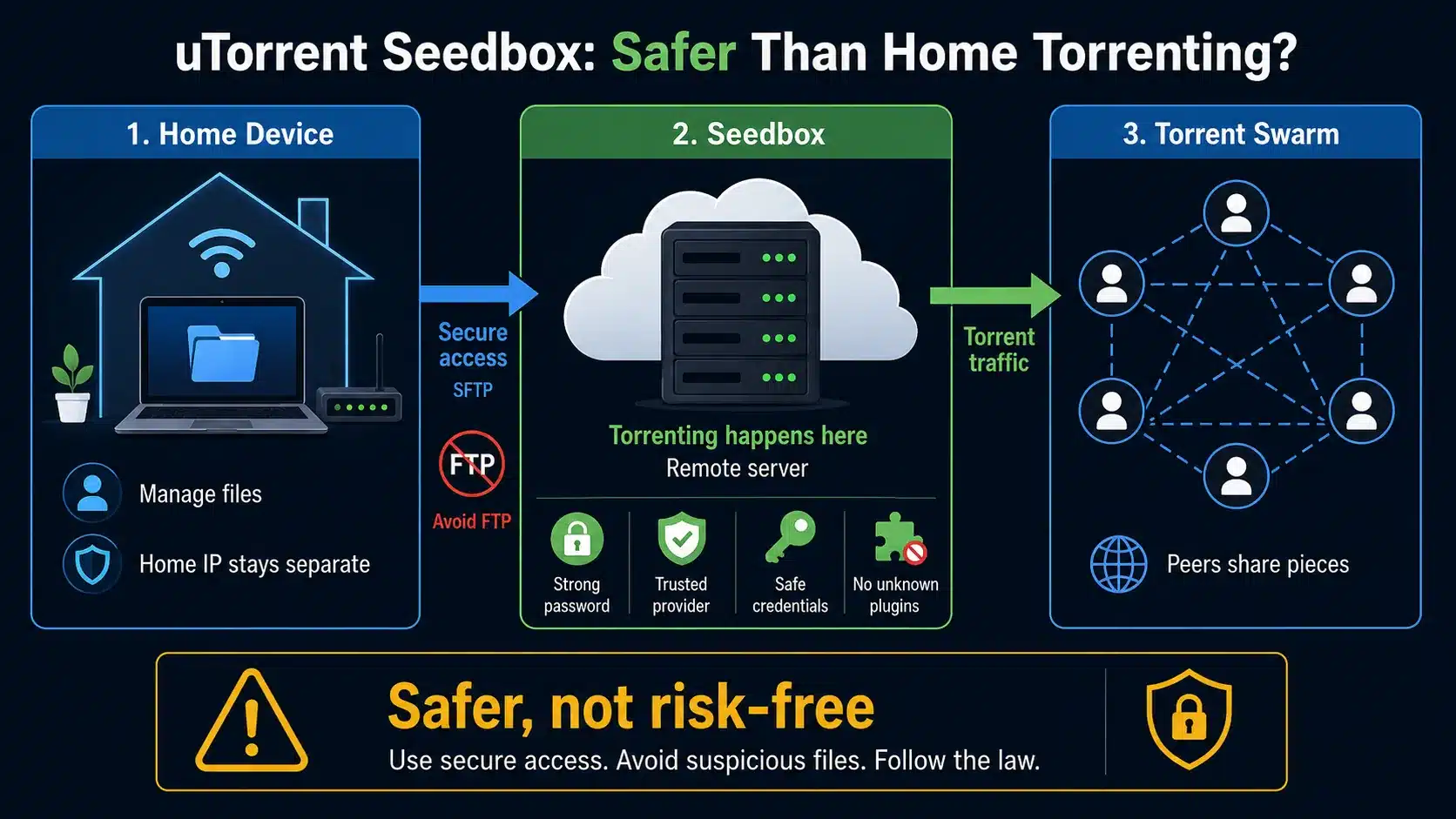
Using a uTorrent seedbox is safer than torrenting directly from home because torrent traffic runs on the remote server, not your personal device or home IP address. Your computer connects to the seedbox to manage files, and the seedbox connects to torrent swarms.
This separation is useful, but it’s not magic protection. You still need to choose reputable providers, use secure access methods, avoid suspicious files, follow copyright laws, and keep your account credentials safe. A seedbox changes where torrenting happens, but it doesn’t make every download legal or safe.
To keep things more secure, it’s better to use SFTP instead of plain FTP. Also, make sure to use strong passwords, avoid reusing credentials, and don’t install unknown scripts or unofficial plugins on your seedbox.
Main Benefits of a uTorrent Seedbox
A uTorrent seedbox gives you speed, uptime, storage, and separation from your home connection. These benefits are why seedboxes are still popular among torrent users, especially those who need more than basic downloading.
Faster Torrent Downloads
Seedboxes are usually hosted in data centers with way better network connections than what you’d get with a home internet plan. That can improve torrent download speeds, especially when the torrent has enough active seeders and peers.
How fast it goes still depends on the swarm’s health. A seedbox can’t make a dead torrent fast. When the torrent is healthy, the seedbox usually has the network capacity to download much faster than a regular home connection.
Better Upload Ratio
A uTorrent seedbox can improve upload ratio because it stays online and seeds continuously. This is important for private trackers because a low ratio can lead to warnings, restrictions, or account problems.
You usually get the best ratio gains by downloading fresh torrents early and keeping them seeding while demand is high. Old torrents with few leechers might not upload much, even from a fast seedbox.
24/7 Seeding
A seedbox keeps torrents active even when your computer is shut down. This is one of the biggest practical advantages over local torrenting.
If you travel, work from a laptop, or don’t want your main computer running all night, a seedbox solves that problem. The server stays online, the torrent client keeps running, and your files stay available remotely.
Remote File Access
Most seedboxes let you access files through FTP, SFTP, HTTPS, or a built-in file manager. This means you can download finished files from anywhere, not just from the device that added the torrent.
Some seedboxes also support streaming apps. If Plex or Jellyfin is available, the seedbox can become a remote media server instead of just a torrent downloader.
Reduced Home Bandwidth Usage
A uTorrent seedbox is great for reducing home bandwidth usage because torrent downloading and uploading happen on the remote server. Your home connection is only used when you access the seedbox, stream files, or download completed files locally.
This is useful if your internet provider has bandwidth limits, weak upload speeds, unstable connectivity, or traffic shaping that affects torrents.
Limitations of a uTorrent Seedbox
A uTorrent seedbox is useful, but it’s not perfect. The main limitations are cost, storage limits, provider restrictions, and the fact that uTorrent may not be the best client choice for every seedbox setup.
You Still Need to Manage Storage
Seedbox storage can fill up fast. Large torrents, 4K media files, and long-term seeding can eat up hundreds of gigabytes or even several terabytes faster than you’d expect.
Good storage habits matter. Delete files you no longer need, move completed files to local storage if necessary, and avoid downloading everything automatically without rules.
uTorrent May Not Be Supported Everywhere
Not every seedbox provider offers uTorrent. A lot of providers are now using qBittorrent, Deluge, Transmission, or ruTorrent because they’re easier to manage in Linux-based server environments.
If you’re set on uTorrent, make sure to check the provider support before signing up. If you’re only looking for torrent functionality, don’t limit yourself to uTorrent. A qBittorrent or ruTorrent seedbox might be a better choice.
Private Trackers May Restrict Client Versions
Private trackers might ban or restrict certain torrent clients and versions. This is especially important with uTorrent because older versions, modified builds, or unsupported releases may violate tracker rules.
Before using a uTorrent seedbox on a private tracker, check the tracker’s rules. The wrong client can create unnecessary account risk.
A Seedbox Does Not Replace Common Sense
A seedbox does not guarantee safe files, legal downloads, or perfect privacy. You still need to avoid malware, respect copyright rules, use secure login methods, and choose trusted sources.
Think of a seedbox as infrastructure. It improves the workflow, but your decisions still matter.
How to Set Up a uTorrent Seedbox
Setting up a uTorrent seedbox depends on whether your provider offers uTorrent pre-installed. Managed seedboxes are a breeze because the provider gives you a ready-made web interface. Self-managed servers require more technical setup.
Choose a Seedbox Plan
First, you’ll want to pick a seedbox plan based on storage, bandwidth, network speed, app support, and allowed torrent clients. Look beyond just the advertised speed. A plan with enough storage and reliable app support is usually more useful than a cheap plan with limited features.
For light use, a smaller plan may be enough. For private trackers, long-term seeding, or media libraries, choose more storage and enough bandwidth to avoid hitting limits too quickly.
Check Whether uTorrent Is Supported
Before buying, confirm whether uTorrent is available. Some providers may offer uTorrent WebUI. Others may only support qBittorrent, ruTorrent, Deluge, or Transmission.
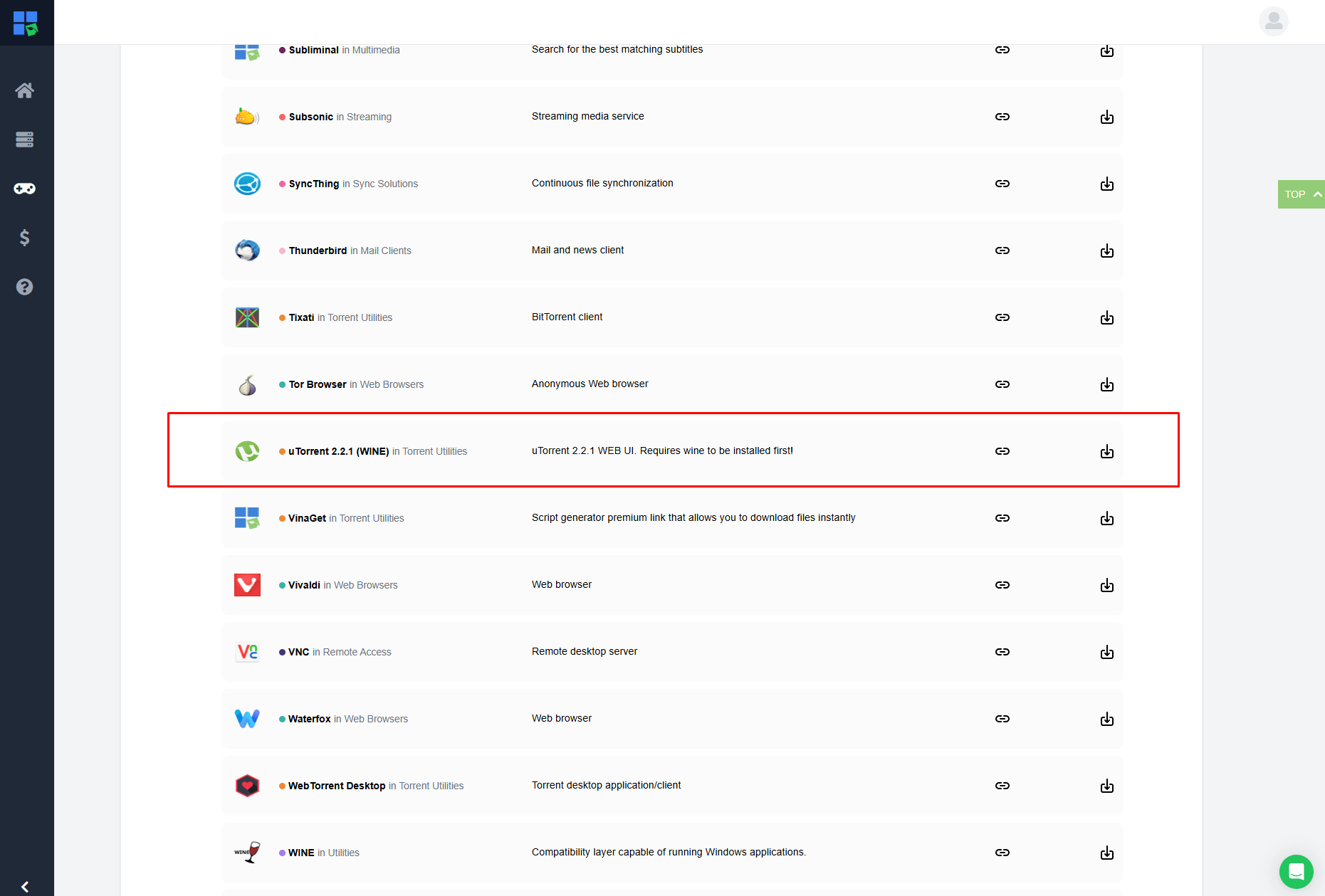
If uTorrent is not available, decide whether you truly need it. In many cases, qBittorrent gives you a similar experience with better modern support.
Access the uTorrent Web Interface
After the seedbox is activated, your provider usually gives you a login URL, username, and password. Open the uTorrent WebUI in your browser and sign in.
Once inside, you should see a torrent dashboard with options to add torrent files, add magnet links, pause tasks, remove torrents, set labels, and check download or upload speeds.
Add a Torrent or Magnet Link
To start downloading, add a torrent file or magnet link through the web interface. The seedbox will connect to peers and start downloading the file to the remote server.
Start with a small legal torrent to test the setup. This helps you confirm that downloads, seeding, and file access work before you use the seedbox for larger workflows.
Access Completed Files
Once the download is done, go to the files using the method your provider supports. SFTP is usually the safest option because it encrypts the file transfer connection.
You can use tools like FileZilla or another SFTP client. Your provider should give you the host, port, username, password, and remote folder path, although they are usually visible in your client dashboard.
Keep Torrents Seeding
If you use private trackers, don’t delete torrents right away after downloading them. Let them do the seeding to improve your ratio and meet tracker requirements.
Take a look at the tracker’s rules to see the minimum seed time, ratio expectations, and hit-and-run policies. Seedbox performance helps, but the rules vary from tracker to tracker.
Looking for a better way to torrent with uTorrent without slowing down your home connection?
RapidSeedbox gives you a remote, high-performance seedbox designed for smooth uTorrent downloads, stronger upload ratios, and always-on seeding. Run your torrent activity from a fast server instead of your personal device, so you can enjoy better speeds, easier management, and a cleaner local setup.
Best Settings for a uTorrent Seedbox
The best uTorrent seedbox settings depend on the provider and tracker rules, but there are a few general settings that can improve stability and usability.
Use Sensible Speed Limits
A lot of users leave their seedbox speeds unlimited, and that’s totally fine as long as the provider allows it. But if the server feels unstable or you share resources with other users, setting moderate speed limits can improve consistency.
For private trackers, upload speed is often more important than download speed after the initial grab. Don’t go overboard with the upload speed if the ratio is important.
Set Ratio Rules Carefully
Ratio rules tell the client when to stop seeding or remove torrents. They can be useful, but they can also mess up your private tracker account if you don’t set them up right.
For example, automatically stopping torrents at a low ratio may violate tracker expectations. A better approach is to follow each tracker’s minimum seed time and ratio rules.
Organize Downloads by Category
Use labels or folders to keep movies, TV, software, music, and temporary downloads organized. A messy seedbox is hard to manage once it’s full.
Good organization also helps if you connect media apps later. Plex, Jellyfin, Sonarr, and Radarr work better when folder structures are predictable.
Use SFTP Instead of Plain FTP
SFTP is better than plain FTP because it encrypts your login and transfer session. If your provider supports both, use SFTP.
Plain FTP is still an option, but it’s not the most secure way to send data. When it comes to using a seedbox these days, SFTP should be the go-to.
Avoid Too Many Active Torrents
Having too many active torrents running at once can mess with performance, especially for smaller shared seedbox plans. The server might have limited CPU, RAM, disk I/O, or connection capacity.
A smaller number of active, well-chosen torrents often performs better than hundreds of poorly seeded tasks.
How to Download Files from a uTorrent Seedbox
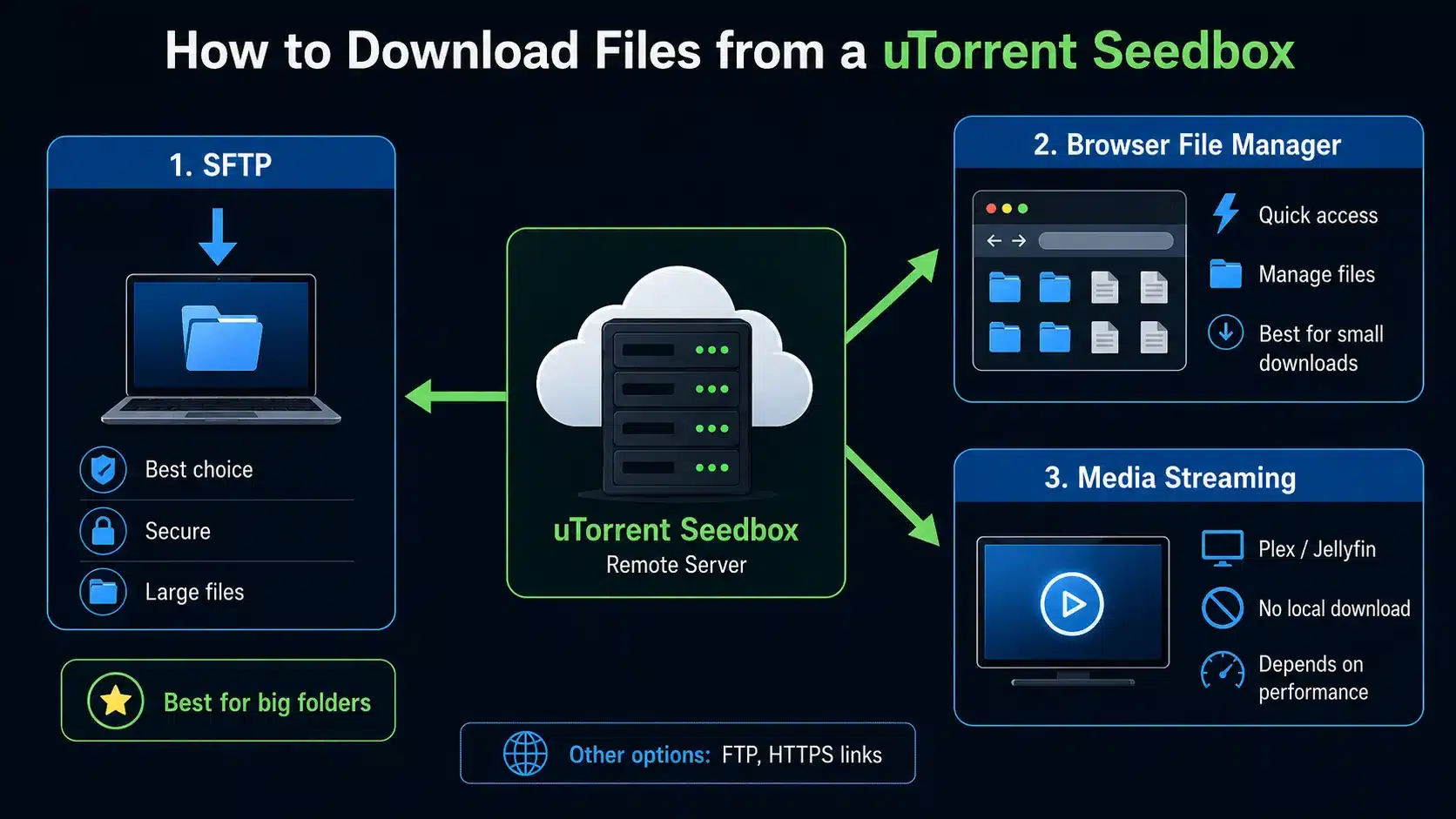
You can download files from a uTorrent seedbox through SFTP, FTP, HTTPS download links, or a web file manager. The best method depends on file size, provider features, and how often you move files locally.
SFTP Download
SFTP is the best general method for downloading files securely. Just use an SFTP client, enter the server info, open the downloads folder, and transfer the files to your computer.
This method works well for large files and folders. It is also more reliable than browser downloads when moving multiple files.
Browser File Manager
Some seedboxes even include a browser-based file manager. It’s great for quick downloads, renaming files, deleting folders, or checking storage usage.
The only drawback is that browser downloads might be a bit unstable for really big files. SFTP is usually better for big folders or repeated transfers.
Media Streaming
If your seedbox supports Plex or Jellyfin, you might not even have to download files locally. You can stream content directly from the seedbox.
This is great for media libraries, but it depends on server performance, transcoding support, bandwidth, and your playback device.
Can You Use uTorrent Seedbox with Plex?
Yes, you can use a uTorrent seedbox with Plex, as long as the seedbox provider supports Plex and gives you enough storage, bandwidth, and server resources. The torrent client downloads files, and Plex organizes those files into a streaming library.
Can You Use uTorrent Seedbox with Sonarr and Radarr?
Yes, a uTorrent seedbox can work with Sonarr and Radarr if the seedbox supports the required apps and allows the tools to connect to the torrent client. Sonarr manages TV series, while Radarr manages movies.
These apps search indexers, send torrent downloads to the client, monitor completion, rename files, and move them into organized folders. This makes the seedbox a more automated media workflow.
The main challenge is configuration. You’ll need the right download paths, remote path mapping if the apps run on different systems, and proper category settings so Sonarr and Radarr know which files belong where.
Common uTorrent Seedbox Mistakes
Choosing uTorrent Only Because It Is Familiar
The biggest mistake is choosing uTorrent only because you recognize the name. Familiarity matters, but it should not override performance, provider support, tracker compatibility, or long-term maintainability.
If a provider offers qBittorrent or ruTorrent instead, that may be perfectly fine. In many cases, it may even be better.
Ignoring Tracker Client Rules
Private trackers can be strict about torrent clients. Using an unsupported uTorrent version may lead to warnings or bans.
Always check the approved client list before connecting a seedbox to a private tracker. This small step can prevent a big problem.
Deleting Torrents Too Quickly
A lot of new users delete torrents as soon as they’re done downloading. That’s all good for public torrents, but it can be an issue on private trackers.
Private trackers usually have a minimum time or ratio that users have to seed for. A seedbox can help you meet those expectations, but only if you actually leave torrents active.
Buying Too Little Storage
Small seedbox plans are great for basic use, but you’ll run out of storage space quickly. Large torrents, media files, and long-term seeding all require space.
If you’re always deleting files to stay under the limit, your plan might be too small for your workflow.
Not Testing File Access
Downloading the torrent is only half the workflow. You also need a reliable way to access the finished files.
Before relying on the seedbox, test SFTP, browser downloads, and any media apps you plan to use. Make sure the full workflow works from download to access.
Who Should Use a uTorrent Seedbox?
Beginners Moving from Local Torrenting
A uTorrent seedbox is a good fit for beginners who already use uTorrent locally and want to move that workflow to a remote server. The interface feels familiar, but the server handles the heavy lifting.
Private Tracker Users
Private tracker users benefit from seedboxes because upload ratio and seed time matter. A uTorrent seedbox can help keep active torrents going and make seeding more consistent.
Heavy Downloaders
A seedbox is great for people who download big files all the time and don’t want their home bandwidth, storage, or device uptime to get in the way.
The seedbox gives you a remote place to download, store, seed, and manage files.
Media Library Users
A uTorrent seedbox can also help users build a media library. If the seedbox supports Plex, Jellyfin, Sonarr, or Radarr, it can become part of a full media automation system.
That’s where seedboxes really shine, not just as torrent clients. They become a remote media infrastructure.
Who Should Not Use a uTorrent Seedbox?
A uTorrent seedbox isn’t necessary for everyone. If you only download a small public torrent every now and then, a paid seedbox might be overkill.
It might not be the best choice if your provider doesn’t support uTorrent well, your private tracker bans the available client version, or you’re not willing to manage storage and files.
If you’re looking for the easiest modern seedbox experience, don’t force uTorrent into the setup. qBittorrent, ruTorrent, Deluge, or Transmission might be better depending on your provider and workflow.
uTorrent Seedbox Alternatives
qBittorrent Seedbox
A qBittorrent seedbox is one of the best alternatives to a uTorrent seedbox. qBittorrent is open-source, widely supported, and familiar enough for most users who have used desktop torrent clients before.
It is often the best choice for users who want a clean interface without relying on uTorrent.
ruTorrent Seedbox
A ruTorrent seedbox is better for advanced users who want strong web-based control, plugins, ratio groups, labels, and detailed torrent management.
It has a steeper learning curve, but it is one of the classic seedbox setups for private tracker users.
Deluge Seedbox
A Deluge seedbox is flexible and popular with users who like plugins and thin-client control. Deluge can work well for both casual and advanced torrenting, depending on how it is configured.
It is a good option if your provider supports it and your tracker allows it.
Transmission Seedbox
A Transmission seedbox is simple, lightweight, and easy to use. It lacks the advanced features of ruTorrent or Deluge, but it is reliable for basic torrent workflows.
It is a good choice for users who want minimalism over complexity.
uTorrent Seedbox FAQ
What is a uTorrent seedbox?
A uTorrent seedbox is a remote server that runs uTorrent for downloading, uploading, and seeding torrents. It handles torrent traffic from the server instead of your home computer, giving you better uptime, faster seeding, and remote file access.
Is uTorrent good for seedboxes?
uTorrent can work for seedboxes, but it is not always the best modern choice. Many seedbox users now prefer qBittorrent, ruTorrent, Deluge, or Transmission because they are widely supported by providers and often better suited for server environments.
Does a uTorrent seedbox hide my IP?
A uTorrent seedbox keeps your home IP address out of the torrent swarm because the remote server handles torrent connections. However, the seedbox provider can still see account and server activity, so you should choose a reputable provider and use secure access methods.
Can I use a uTorrent seedbox with private trackers?
Yes, you can use a uTorrent seedbox with private trackers if the tracker allows the specific uTorrent version being used. Always check the tracker’s approved client list before adding torrents, because unsupported clients can create account risk.
Is a uTorrent seedbox better than a VPN?
A uTorrent seedbox and a VPN solve different problems. A VPN routes your internet traffic through another server, while a seedbox performs torrent downloading and seeding remotely. For heavy torrenting and private trackers, a seedbox is usually more useful than a VPN alone.
Can I stream from a uTorrent seedbox?
Yes, you can stream from a uTorrent seedbox if the provider supports media apps like Plex or Jellyfin. The torrent client downloads files to the server, and the media app organizes and streams them to your devices.
Do I need to keep my computer on?
No, you do not need to keep your computer on while using a uTorrent seedbox. The seedbox server stays online independently and continues downloading or seeding torrents even when your local device is turned off.
uTorrent Seedbox Summary
A uTorrent seedbox is great if you want the easy controls of a torrent client along with the power of remote hosting. It gives you better uptime, stronger seeding potential, and a cleaner workflow than running torrents from your home computer.
Here’s my two cents: use uTorrent only if you really need it or if you’re a fan of its interface. If you’re just looking for the best seedbox experience, I’d suggest checking out qBittorrent and ruTorrent first. In a lot of setups, the best seedbox isn’t the one with the most familiar name — it’s the one that fits your tracker rules, storage needs, and daily workflow.
Legal Disclaimer: This article is for educational purposes only. Always use seedboxes, torrent clients, and related tools legally, and only download or share content you have the right to access. This is not legal advice.
Want to use uTorrent faster, safer, and without keeping your own device running 24/7?
A RapidSeedbox Seedbox gives you a powerful remote torrenting setup built for high-speed downloads, reliable seeding, and smoother uTorrent workflows. Keep your bandwidth free, protect your local connection, and manage torrents from anywhere with a dedicated seedbox optimized for performance.
0Comments