 By
By
If you’ve ever worked with APIs, web scraping, or testing web services, you’ve probably encountered curl commands. These powerful command-line tools are essential for making HTTP requests, but converting between different formats and integrating them with proxy servers can be challenging. That’s where curl converters become invaluable.
Table of Contents
- What is a Curl Converter?
- Why Curl Converters Matter for Proxy Users
- Best Curl Converter Tools for Proxy Development
- Converting Curl Commands with Proxy Authentication
- Advanced Curl Converter Techniques
- Curl Converter Best Practices for Proxy Users
- Troubleshooting Common Curl Converter Issues
- Advanced Use Cases for Curl Converters with Proxies
- Security Considerations When Using Curl Converters
- Future of Curl Converters and Proxy Integration
- Choosing the Right Proxy Service for Development
- Final Words
- Frequently Asked Questions
In this guide, I’ll walk you through everything you need to know about curl converters. I’ll show you how to use them effectively with proxy servers and why they’re essential tools for developers and privacy-conscious users alike.
Disclaimer: This material has been developed strictly for informational purposes. It does not constitute endorsement of any activities (including illegal activities), products or services. You are solely responsible for complying with the applicable laws, including intellectual property laws, when using our services or relying on any information herein. We do not accept any liability for damage arising from the use of our services or information contained herein in any manner whatsoever, except where explicitly required by law.
1. What is a Curl Converter?

A curl converter is a tool that transforms curl commands into different programming languages, formats, or configurations. These converters bridge the gap between command-line interfaces and various development environments, making it easier to implement HTTP requests across different platforms.
Think of curl converters as translators for your HTTP requests. You might need to translate a conversation from English to Python (the programming language, not the snake) if you’re using curl converters. They translate your curl commands into code that different applications and frameworks can understand.
Common Curl Converter Types
- Language Converters: Transform curl commands into Python requests, JavaScript fetch calls, PHP cURL, Node.js HTTP requests, and more.
- Format Converters: Convert between different request formats like Postman collections, Insomnia workspaces, or HAR files.
- Configuration Converters: Generate proxy configurations, authentication setups, and SSL certificate handling from curl commands.
2. Why Curl Converters Matter for Proxy Users
When working with proxy servers, curl converters become even more valuable. Here’s why they’re essential for anyone using HTTP proxies, SOCKS5 proxies, or rotating proxy networks:
a. Simplified Proxy Integration
Converting a basic curl command to include proxy authentication saves significant time. Instead of manually configuring proxy settings for each programming language, you can use a converter to generate the proper syntax automatically.
For example, a basic curl command with proxy authentication:
|
1 2 |
curl -x proxy.example.com:8080 -U username:password "https://api.example.com/data" |
Becomes much more complex when translated to Python or JavaScript, but converters handle this complexity seamlessly.
b. Testing Proxy Configurations
Curl converters help validate that your proxy setup works correctly across different environments. You can quickly generate test scripts in multiple languages to verify connectivity, authentication, and performance.
c. Rapid Development Workflow
When building applications that require proxy support, converters accelerate development by providing ready-to-use code snippets. This is particularly valuable for web scraping projects, data collection applications, and API testing scenarios.
3. Best Curl Converter Tools for Proxy Development
a. Online Curl Converters
- Postman: The popular API development platform includes a built-in curl converter that supports proxy configurations. Simply paste your curl command, and Postman generates equivalent code in over 20 programming languages.
- curl.to: A specialized online converter that focuses specifically on transforming curl commands. It provides clean, readable output and handles complex proxy authentication scenarios well.
- httpie.io/run: While primarily designed for HTTPie, this tool also converts curl commands and maintains proxy settings during conversion.
b. Command-Line Converters
- curlconverter: A Node.js package that provides command-line curl conversion with excellent proxy support. Install it globally with npm and convert commands directly in your terminal.
- curl-to-anything: A Python-based converter that specializes in maintaining authentication and proxy configurations during conversion.
4. Converting Curl Commands with Proxy Authentication

Let’s walk through practical examples of converting curl commands that include proxy configurations.
a. Basic HTTP Proxy Conversion
Starting with a simple HTTP proxy curl command:
|
1 2 |
curl -x http://proxy-server.com:3128 -U myusername:mypassword "https://httpbin.org/ip" |
This converts to Python requests as:
|
1 2 3 4 5 6 7 8 9 10 |
import requests proxies = { } response = requests.get('https://httpbin.org/ip', proxies=proxies) print(response.text) |
b. SOCKS5 Proxy Conversion
For SOCKS5 proxies, the curl command might look like:
|
1 2 |
curl --socks5-hostname socks-proxy.com:1080 -U socksuser:sockspass "https://httpbin.org/ip" |
Converting to Node.js with the https-proxy-agent library:
|
1 2 3 4 5 6 7 8 9 10 11 12 13 14 15 16 17 |
const https = require('https'); const { SocksProxyAgent } = require('socks-proxy-agent'); const options = { hostname: 'httpbin.org', path: '/ip', agent: agent }; https.get(options, (res) => { let data = ''; res.on('data', (chunk) => data += chunk); res.on('end', () => console.log(data)); }); |
Learn more about SOCKS5 proxy configuration and setup for different applications and environments.
Building tools or scripts with curl conversions?
Enhance your development workflow with our fast and reliable Datacenter Proxies. Whether you’re converting curl commands into automation scripts or integrating them into web scrapers, our proxies provide the stability and speed you need. Start coding smarter with infrastructure that’s built for scale.
5. Advanced Curl Converter Techniques
a. Handling Complex Headers and Authentication
When dealing with APIs that require both proxy authentication and API keys, curl converters make managing the complexity easier:
|
1 2 3 4 5 6 |
curl -x proxy.example.com:8080 -U proxy_user:proxy_pass \ -H "Authorization: Bearer your_api_token" \ -H "Content-Type: application/json" \ -d '{"key": "value"}' \ "https://api.service.com/endpoint" |
Good converters keep these elements while changing them to fit the target language’s syntax and best practices.
b. Session Management with Proxies
If you need to use cookies for applications that need to stay connected through proxy connections, converters can help with cookie handling and session management.
|
1 2 3 4 |
curl -x proxy.example.com:8080 -U proxy_user:proxy_pass \ -c cookies.txt -b cookies.txt \ "https://example.com/login" |
This becomes more complex in programming languages, but converters handle the cookie jar management automatically.
6. Curl Converter Best Practices for Proxy Users
a. Verify Authentication Formats
Different proxy providers use different authentication methods. Just make sure your converted code matches the requirements of your proxy service. Some providers require specific user-agent strings or additional headers.
b. Test Converted Code Thoroughly
Don’t assume that converted code will work the same as the original curl command. When you’re working on something new, especially with SSL certificates, timeout settings, and error handling, it’s always a good idea to test it out in your target environment.
c. Handle Proxy Rotation
If you’re using rotating proxies, make sure your code can handle switching proxies. Not all converters take into account dynamic proxy assignment, so you might need to tweak the generated code.
d. Optimize for Performance
Just a heads-up that the code might not be optimized for your specific use case. Check the code for connection pooling, timeout settings, and resource management. This is especially important for high-volume proxy usage.
7. Troubleshooting Common Curl Converter Issues
a. Proxy Authentication Problems
- Issue: Converted code fails to authenticate with the proxy server.
- Solution: Check that the converter properly encoded special characters in usernames and passwords. Some converters don’t handle URL encoding correctly.
b. SSL Certificate Errors
- Issue: Requests fail with SSL verification errors when using proxies.
- Solution: Ensure the converted code includes proper SSL context configuration. Many converters omit SSL verification settings that were implicit in the original curl command.
c. Timeout and Connection Issues
- Issue: Converted requests timeout or fail to connect through the proxy.
- Solution: Verify that timeout settings are preserved during conversion. Some converters use default timeout values that differ from curl’s behavior.
8. Advanced Use Cases for Curl Converters with Proxies
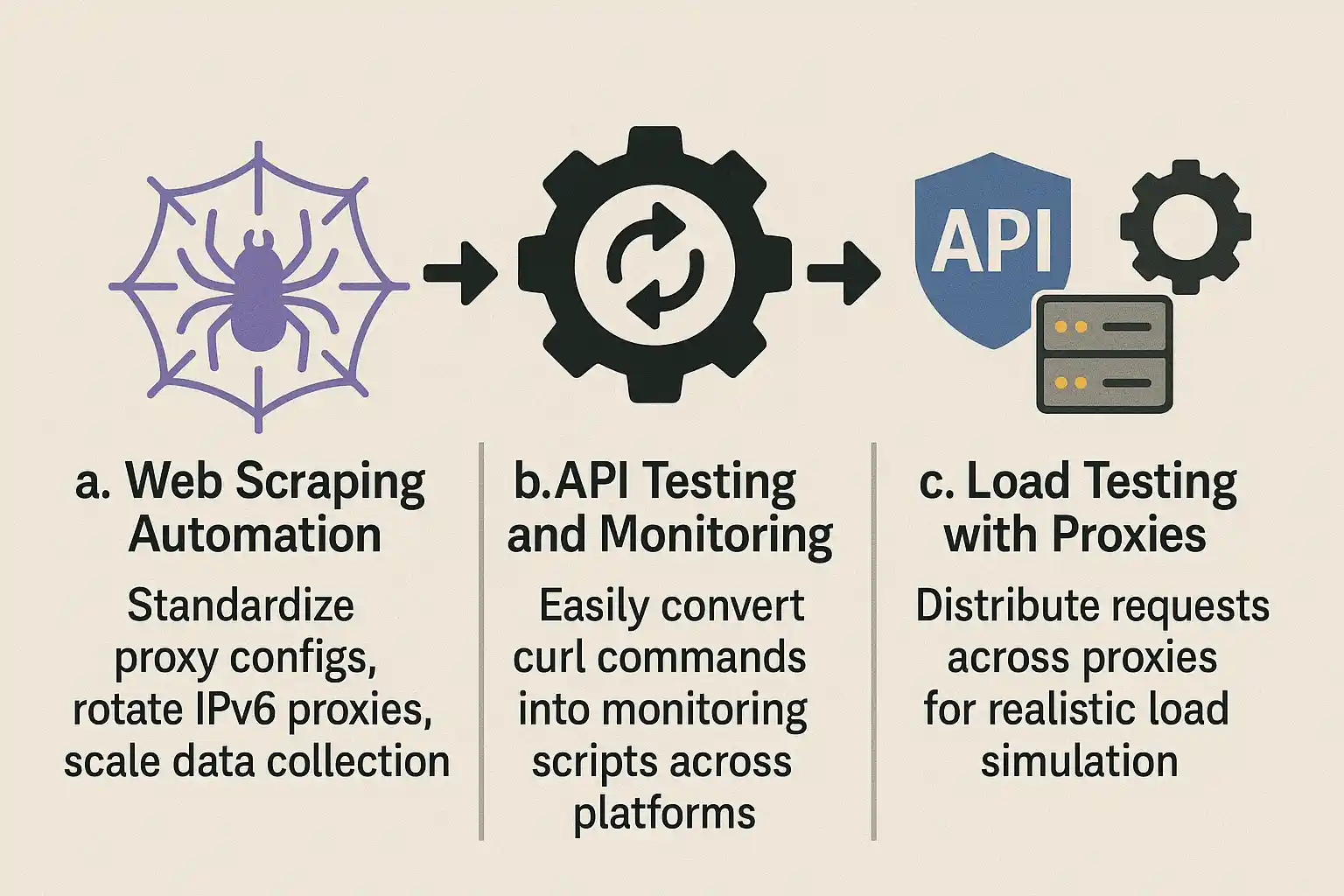
a. Web Scraping Automation
When building web scraping systems, curl converters help standardize proxy configurations across different scraping tools and frameworks. You can maintain a library of tested curl commands and convert them as needed for different scraping engines and frameworks. This approach is particularly valuable when working with rotating IPv6 proxies for large-scale data collection projects.
b. API Testing and Monitoring
If your organization is using proxy networks to monitor APIs, converters can help you quickly deploy monitoring scripts across different platforms and programming languages.
c. Load Testing with Proxies
When you’re doing load testing through proxy networks, converters help you generate test scripts that distribute requests across multiple proxy endpoints. This is essential for realistic load simulation.
For comprehensive guidance on using curl commands with various proxy types, check out our detailed cURL proxy beginner’s guide.
9. Security Considerations When Using Curl Converters
a. Credential Management
Never paste commands containing real credentials into online converters. Use placeholder values and replace them after conversion. For sensitive applications, use offline or self-hosted converter tools.
b. Validate Generated Code
Always review converted code before using it in production. Some converters might introduce security vulnerabilities or expose credentials in logs or error messages.
c. Use HTTPS Endpoints
When testing converted code, always use HTTPS endpoints to ensure proxy credentials and request data remain encrypted during transmission.
10. Future of Curl Converters and Proxy Integration
a. AI-Powered Conversion
New AI-powered converters are pretty smart. They can understand context better and generate more optimized code. These tools are especially helpful for complex proxy setups with lots of authentication layers.
b. Framework-Specific Optimizations
These days, modern converters are giving us framework-specific optimizations, churning out code that follows the best practices for specific libraries like Scrapy, Selenium, or Playwright.
c. Integration with Proxy Management Platforms
In the future, curl converters will probably be able to connect directly with proxy management platforms. They’ll automatically get the current proxy credentials and rotation schedules.
11. Choosing the Right Proxy Service for Development
When you’re working with curl converters and proxy development, picking the right proxy service is key. Keep an eye out for providers that offer:
- API Integration: Services with robust APIs make it easier to integrate proxy configurations into your converted code.
- Multiple protocol support: Choose providers supporting HTTP, HTTPS, and SOCKS5 protocols for maximum flexibility with different converter outputs.
- Authentication flexibility: Services offering multiple authentication methods (IP whitelist, username/password, API keys) provide more options when working with converted code.
- Performance monitoring: Built-in performance metrics help optimize your converted applications for speed and reliability.
For teams working on social media automation or data collection, specialized applications like Telegram proxy setup can benefit significantly from proper curl conversion workflows.
12. Final Words
Curl converters are a must for anyone dealing with HTTP requests and proxy servers. They connect the dots between command-line testing and production applications, saving time and reducing errors in proxy integration.
If you’re working on web scrapers, testing APIs, or developing privacy-focused applications, then you should definitely check out curl converters. They’ll help you work faster and make your proxy implementations more reliable.
And don’t forget to always test the converted code thoroughly, handle authentication securely, and choose converter tools that match your specific proxy requirements. If you use them the right way, curl converters can be a big help in building strong, proxy-enabled applications.
Converting curl commands for your next big project?
Supercharge your API testing, data gathering, or automation workflows with high-speed Datacenter Proxies. When you’re translating curl into code, having robust proxy support can make the difference between failed requests and flawless performance. Try our developer-friendly proxies today!
13 Frequently Asked Questions
A curl converter is a tool that transforms curl commands into different programming languages or formats. You need one to bridge the gap between command-line testing and application development, especially when working with proxy configurations that vary significantly between languages.
Yes, most modern curl converters can handle various proxy authentication methods including username/password authentication, API keys, and custom headers. However, always verify the converted code matches your specific proxy provider’s requirements.
SOCKS5 proxy conversion requires specifying the --socks5-hostname flag in curl. Most converters will translate this to the appropriate SOCKS proxy configuration in your target language, but you may need additional libraries like socks-proxy-agent for Node.js.
HTTP proxies use the -x flag in curl and translate to HTTP proxy settings in most languages. SOCKS5 proxies use --socks5-hostname and often require specialized libraries in the target language for proper implementation.
Standard converters don’t handle proxy rotation logic. You’ll need to modify the generated code to implement rotation using proxy pool management, which typically involves additional logic for selecting and switching between different proxy endpoints.
Ensure your curl converter properly URL-encodes special characters in usernames and passwords. If not handled automatically, you may need to manually encode these characters before using them in the converted code.
0Comments